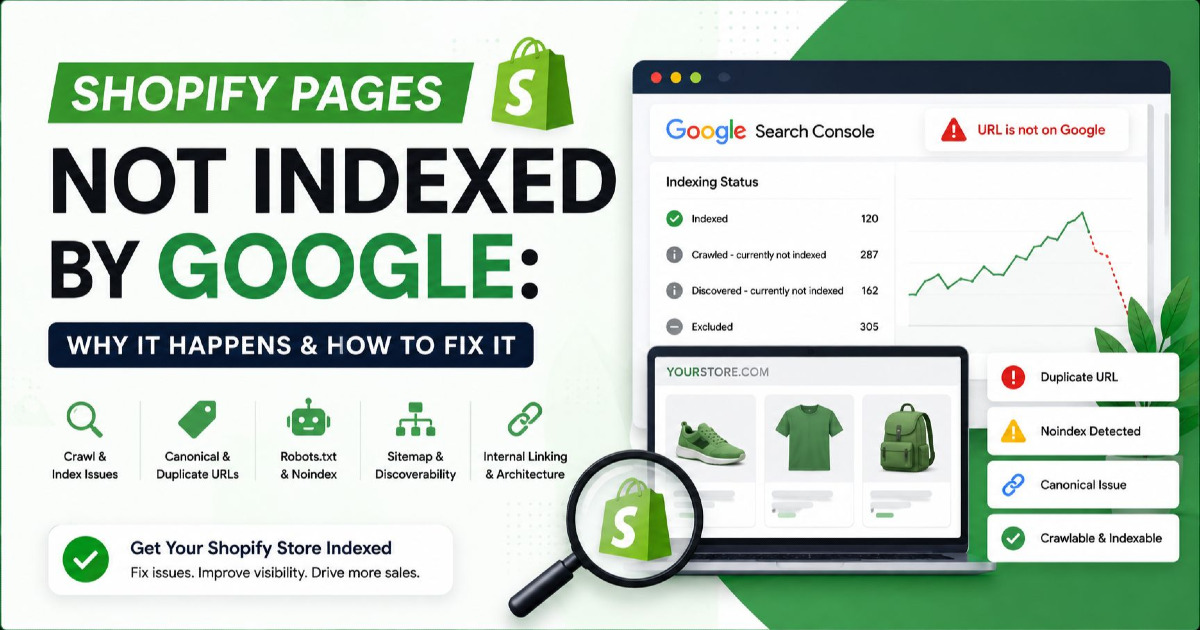
Your Shopify sitemap can be submitted successfully, your product can return a 200 status code, and Google can still decide not to index the page.
That is the part most Shopify indexing tutorials miss.
Submitting:
https://yourstore.com/sitemap.xml
does not create an indexing queue where Google must process every product and collection.
And clicking Request Indexing five times does not make an unwanted page more valuable to Google's index.
When a Shopify page is missing from Google, I want to know which part of the indexing process failed.
I use this sequence:
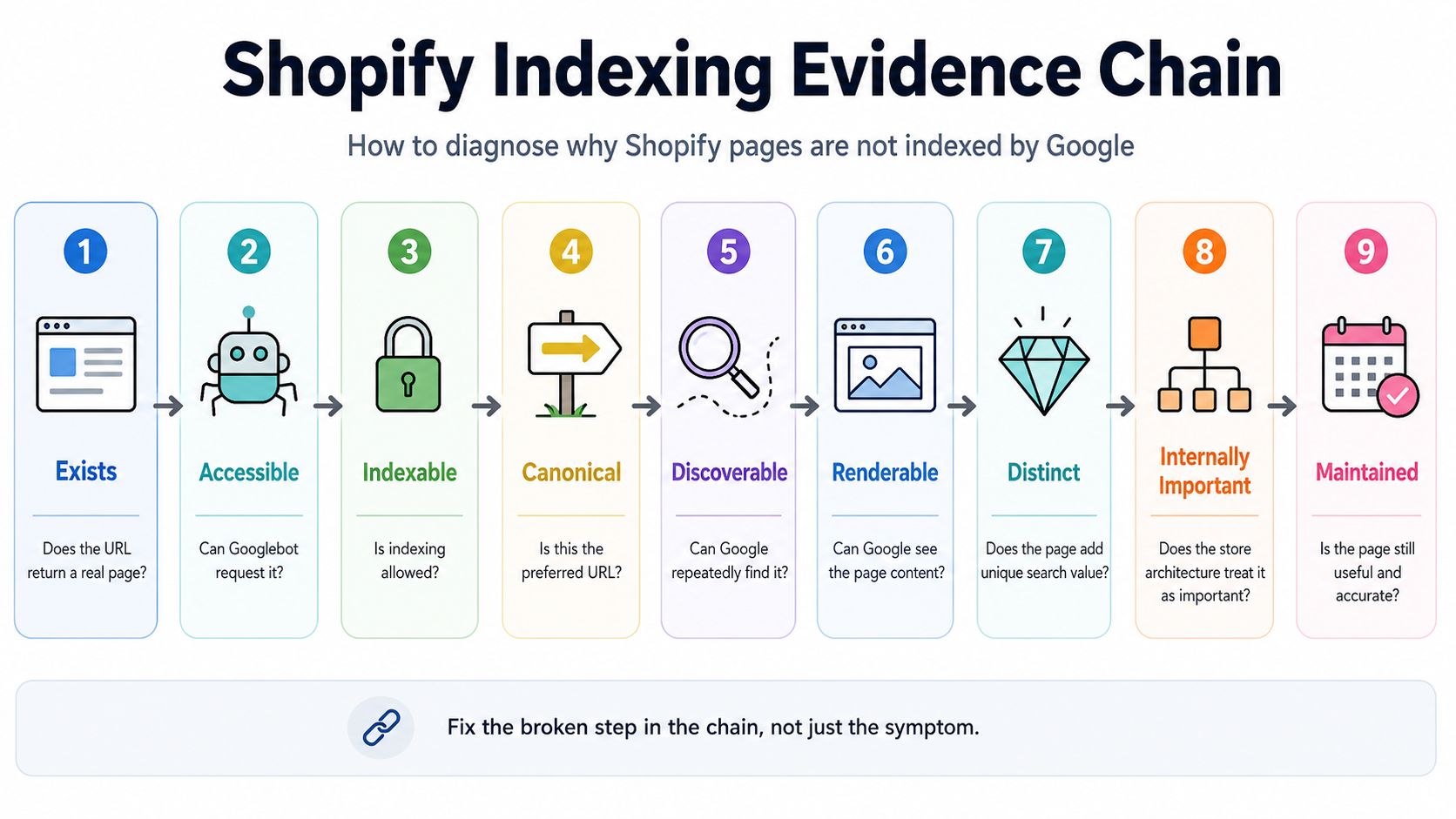
Exists → Accessible → Indexable → Canonical → Discoverable → Renderable → Distinct → Internally Important → Maintained
I call it the Shopify Indexing Evidence Chain.
A product can pass the first six checks and still fail the seventh.
A collection can be technically perfect but still give Google little reason to index it.
A variant URL can be crawlable but intentionally consolidated into its parent product.
And some URLs showing as “Not indexed” in Search Console should never be indexed in the first place.
This guide is about finding the difference.
First: “Not Indexed” Does Not Always Mean Something Is Broken
A Shopify store can contain hundreds or thousands of URLs that Google correctly chooses not to index.
Examples can include:
- cart URLs;
- checkout URLs;
- internal search results;
- duplicate product paths;
- some filtered collection URLs;
- tracking-parameter URLs;
- alternate versions that canonicalize elsewhere;
- products deliberately hidden from search.
Your objective should therefore not be:
Get 100% of Shopify URLs indexed.
The better objective is:
Get the canonical version of every commercially important product, collection and content page indexed.
That distinction saves a lot of unnecessary SEO work.
If you need the broader mechanics behind crawling, processing and index selection, I explain them separately in how Google indexing works.
The Shopify Indexing Evidence Chain
| Gate | Question | Failure Example |
|---|---|---|
| Exists | Does the URL return a real page? | 404, redirect or unavailable product |
| Accessible | Can Googlebot request it? | Password, robots rule, server restriction |
| Indexable | Is indexing permitted? | noindex, seo.hidden, unlisted product |
| Canonical | Is this the preferred URL? | Google consolidates it into another URL |
| Discoverable | Can Google repeatedly find it? | Only accessible through store search |
| Renderable | Can Google see the meaningful content? | Product grid depends on user interaction |
| Distinct | Does the page add something worth indexing? | Near-identical product or collection page |
| Internally Important | Does the store architecture treat it as important? | Orphaned product with no internal links |
| Maintained | Is the page still useful and accurate? | Empty collection or permanently dead product |
Work through these in order.
There is little value rewriting a product description if the page is accidentally marked noindex.
And there is little value repeatedly requesting indexing if Google has already crawled the page and selected another canonical.
What Shopify Already Handles for You
Before changing theme code, understand what Shopify already provides.
Shopify automatically generates:
- an XML sitemap;
- canonical tags;
- a robots.txt file;
- standard product URLs;
- standard collection URLs;
- SEO title and description fields.
The sitemap is available at:
/sitemap.xmland it references separate sitemap files for:
- products;
- collections;
- pages;
- blog content.
When you publish new eligible content, Shopify updates these sitemap files automatically.
That means a typical Shopify indexing problem is rarely:
“I forgot to build an XML sitemap.”
It is usually further down the evidence chain.
Case File: A New Shopify Product Is Not on Google
Imagine you publish:
https://example.com/products/waterproof-trail-shoeThe product is:
- active;
- available to the Online Store;
- in the sitemap;
- linked from a collection.
But URL Inspection says:
Discovered – currently not indexed
This means Google knows the URL exists but has not crawled it yet.
It is not the same situation as:
Crawled – currently not indexed.
For Discovered – currently not indexed, investigate discovery and crawl priority
Check:
- Is the product linked from an indexable collection?
- Is the collection itself internally linked?
- Is the product only reachable through internal search?
- Does your store expose thousands of unnecessary URLs?
- Was the product only published recently?
- Is the sitemap being read successfully?
For one important new product, using URL Inspection to request crawling is reasonable.
But if hundreds of products continually remain undiscovered or uncrawled, repeatedly submitting each URL is not a scalable solution.
You need to investigate the store architecture.
Google Should Be Able to Reach Products Through the Store
A healthy ecommerce path looks like:
Homepage → Category → Subcategory / Collection → Product
For example:
/
↓
/collections/running-shoes
↓
/collections/trail-running-shoes
↓
/products/waterproof-trail-pro
Each important step should contain normal crawlable HTML links.
Google does not normally use your Shopify search box as a shopper would.
If the only way to discover a product is:
Search → enter exact product name → click result
you have a weak crawl path.
Important products should also appear through:
- collections;
- navigation;
- related products;
- featured sections;
- contextual content links.
Case File: “Crawled – Currently Not Indexed”
This is one of the most misunderstood Search Console statuses.
It means Google has already fetched the URL.
Google currently says there is no need to resubmit that URL for crawling.
So if your Shopify product has already been crawled, repeatedly clicking Request Indexing is not addressing the main problem.
Start by eliminating technical blockers
Use URL Inspection and verify:
- HTTP status is 200;
- indexing is allowed;
- robots.txt is not blocking the page;
- the page renders correctly;
- the user-declared canonical is sensible;
- Google-selected canonical is the URL you expect.
If all of those are correct, move away from purely technical diagnosis.
Then ask why this product deserves its own indexed result
Compare the page with:
- other products on your store;
- manufacturer descriptions elsewhere;
- very similar colour or size variants;
- other products targeting the same search intent.
A technically valid Shopify product page can still offer very little unique search value.
The Manufacturer-Description Problem
Imagine 30 retailers sell the same product.
All 30 use:
- the same title;
- the same manufacturer's description;
- the same specifications;
- the same official photographs.
Your page may be completely legitimate.
But you have given Google very little merchant-specific information.
Where useful, improve the product with information you actually know:
- fit guidance;
- real photographs;
- sizing notes;
- compatibility;
- use cases;
- comparison with related models;
- shipping information;
- returns;
- customer reviews;
- real product FAQs;
- merchant-specific recommendations.
Do not rewrite factual specifications into meaningless synonyms just to make the copy “unique.”
Keep facts accurate and add useful buying information around them.
Case File: A Shopify Collection Is Not Indexed
Collection pages require a different diagnosis from product pages.
A product page answers:
What is this specific product?
A collection page answers:
What products can I choose from for this need?
If a collection has:
- three products;
- the same products as its parent collection;
- no distinct search intent;
- no useful merchandising;
- little internal prominence;
then adding 800 words below the product grid may not solve the underlying problem.
A collection should have a reason to exist
For example:
/collections/running-shoesmay own:
running shoes
while:
/collections/trail-running-shoescan own:
trail running shoes
and:
/collections/waterproof-trail-running-shoesmight own:
waterproof trail running shoes
if the demand and inventory justify a dedicated experience.
But creating separate collections for every possible combination of:
colour × size × price × material × use case
creates far more URLs than most stores need in Google's index.
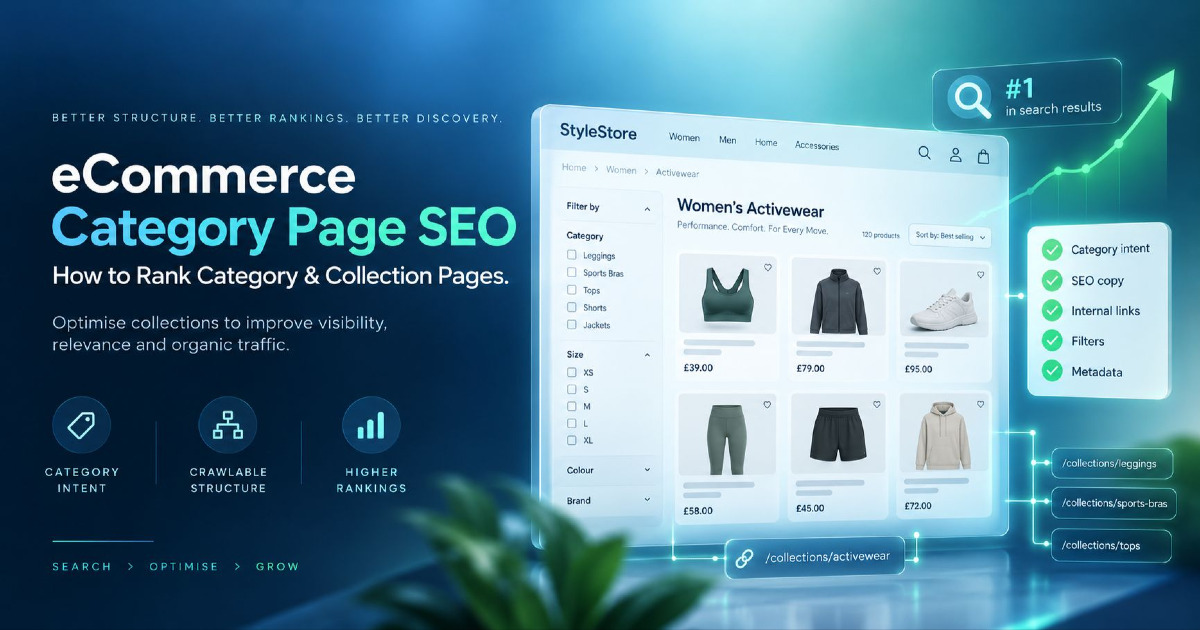
The page-level optimization decisions belong in my eCommerce on-page SEO guide; the indexing question here is whether the collection deserves to be a distinct search landing page at all.
Empty Collections Need Special Attention
Suppose a seasonal Shopify collection previously had 40 products.
After the season ends, it contains zero.
The URL still returns 200 and shows:
No products found.
That can become a weak search result and, depending on what Google sees, may resemble a soft 404.
Your decision depends on the page's future.
If inventory is temporarily unavailable
Keep the useful category if it will return.
Consider:
- explaining when products return;
- showing useful alternatives;
- linking to neighbouring categories.
If the collection has permanently disappeared
Consider:
- a 301 redirect to a genuinely equivalent replacement;
- a 404 if there is no replacement;
- removing it from navigation and internal links.
Do not redirect every dead collection to the homepage.
Case File: Shopify's Duplicate Product Paths
This is a genuinely Shopify-specific indexing issue.
A product can have its primary URL:
/products/trail-probut Shopify themes can also generate a collection-context URL such as:
/collections/trail-running-shoes/products/trail-proThe content is still the same product.
Shopify's own developer documentation warns developers to consider the SEO implications when generating product URLs within collection context.
Why this matters
If your theme repeatedly links internally to the collection-context URL while your canonical says:
/products/trail-proyou are sending mixed signals:
Internal links → collection-context URL
Canonical → primary product URL
Sitemap → primary product URL
The canonical may still work correctly, but the cleaner approach is to make your preferred URL consistent wherever practical.
Inspect actual links in your theme
Look for code patterns that intentionally add collection context to product URLs.
For example, Shopify's within filter can generate:
/collections/sale/products/example-productinstead of:
/products/example-product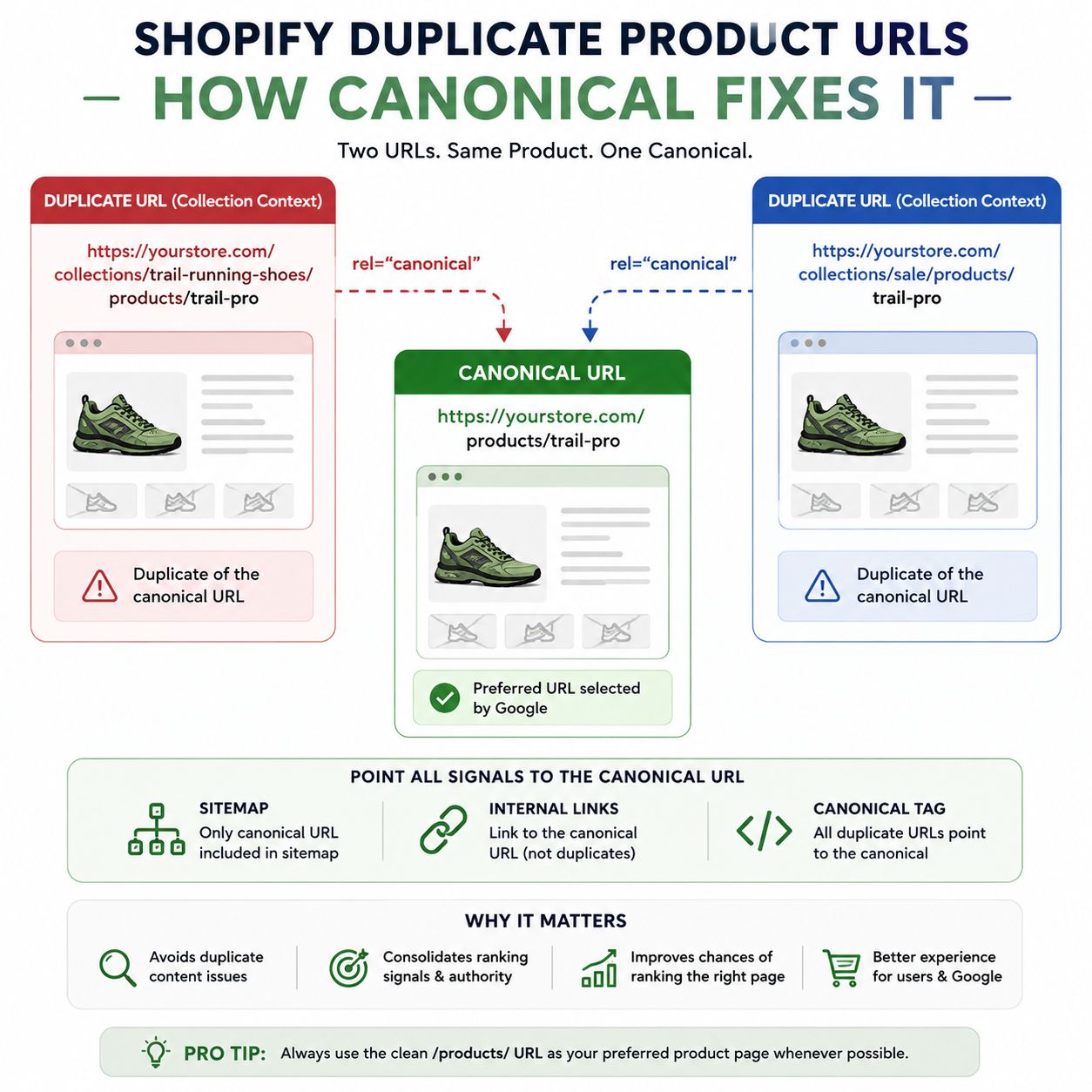
You do not need to panic if Google reports the contextual version as an alternate or duplicate.
The important question is:
Is Google indexing the correct primary product URL?
If the answer is yes, the duplicate URL itself does not need independent indexing.
Canonical Tags: Shopify Creates Them, Google Still Makes the Final Choice
Shopify themes can output the canonical URL using:
<link rel="canonical" href="{{ canonical_url }}">But a canonical is not an instruction that Google is forced to obey.
Google considers other signals as well.
For an important Shopify page, compare:
- URL in the sitemap;
- URL used by internal links;
- user-declared canonical;
- Google-selected canonical.
If all four point to the same preferred URL, your signals are much clearer.
If Search Console shows:
Duplicate, Google chose different canonical than user
inspect both URLs rather than simply rewriting the canonical tag.
Google may have found a different URL that it considers a better representative of the content.
For deeper canonical implementation, use the dedicated canonical tags guide.
Not Every Duplicate Status Requires a Fix
Search Console may show:
Alternate page with proper canonical tag
If the alternate URL correctly points to an indexed canonical, Google says there is normally nothing to fix.
This is important for Shopify because platform-generated duplicates can appear in reports even when the primary page is working correctly.
The metric that matters is not:
How many URLs are excluded?
It is:
Are the intended commercial URLs indexed?
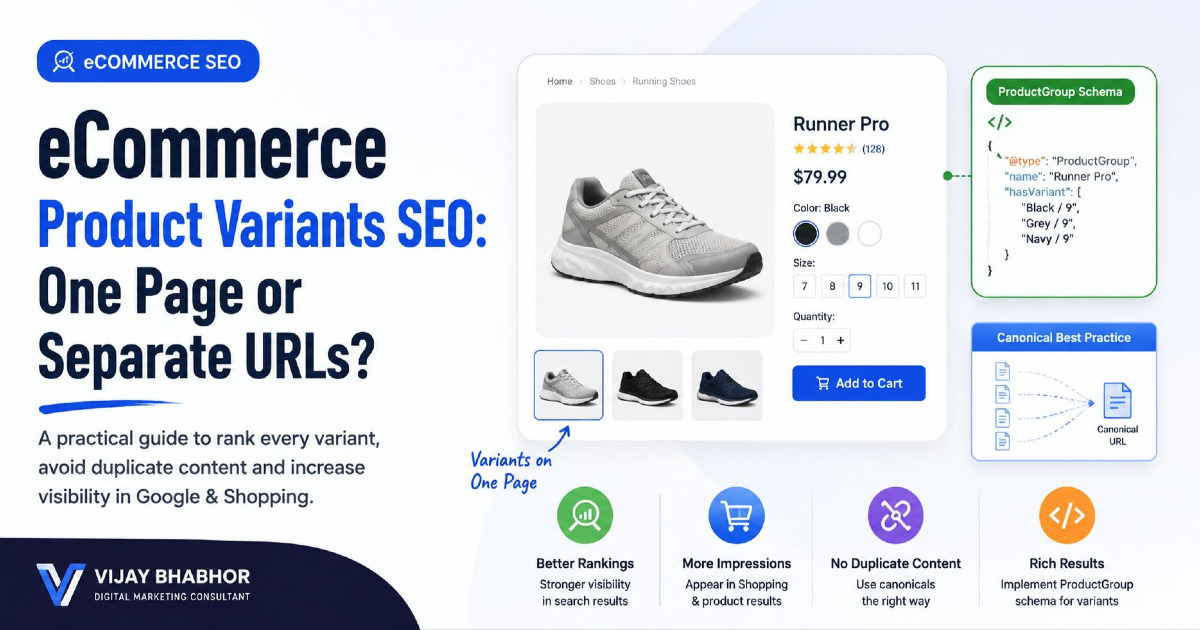
Case File: Shopify Variant URLs
Variants create another source of confusion.
One product might have:
- Blue / Small;
- Blue / Medium;
- Black / Small;
- Black / Medium.
The store may represent these selections through variant-specific parameters.
The question is not:
How do I make every variant indexed?
The question is:
Does each variant need to function as its own search landing page?
Most variants do not need separate keyword ownership
A size-9 and size-10 version of the same running shoe usually do not need independent organic search pages.
The base product can remain the primary search document while the customer selects the variant on the product page.
Google recommends that when optional query parameters identify variants, the base product URL can be used as the canonical URL.
But variants still need usable URLs for commerce data
Google's ecommerce guidance also recommends that specific variants can be identified by distinct URLs so the selected:
- image;
- price;
- availability;
- variant identity;
can be understood correctly.
This is particularly relevant to Product and ProductGroup structured data and shopping surfaces.
Therefore, separate these two questions:
Can this variant be addressed directly?
and:
Should this variant become a separate canonical search page?
Those are not the same thing.
Case File: The Product Is Accidentally Noindexed
Shopify has several ways a product or page can intentionally disappear from search.
That also means an old developer, app or merchandising decision can accidentally explain your indexing problem.
Check the rendered robots meta tag
A page containing:
<meta name="robots" content="noindex">should not be indexed by Google.
If you want the page indexed, the directive has to be removed.
Check Shopify's seo.hidden metafield
Shopify supports a system metafield:
seo.hiddenWhen its value is:
1Shopify can hide the resource from:
- search engines;
- the XML sitemap;
- Shopify storefront search.
This is especially worth checking when:
- an SEO app was previously installed;
- a developer intentionally hid products;
- a product disappeared from the sitemap unexpectedly.
Check Unlisted product status
Shopify also supports an Unlisted product status.
An unlisted product remains accessible through its direct product URL, but Shopify removes it from several discovery surfaces including internet search, the sitemap, collections, storefront search and product recommendations.
So:
“The URL works when I paste it into the browser”
does not prove the product is configured for search discovery.
Robots.txt and Noindex Are Not the Same Thing
This distinction matters on Shopify.
robots.txt controls crawling.
noindex controls whether an accessible page should appear in the index.
If you block a page in robots.txt, Google may be unable to crawl the page to see a noindex tag placed inside it.
Do not use robots.txt as your general method for removing individual product pages from Google.
Shopify's Default robots.txt Is Usually Not the Problem
Shopify's current default robots rules intentionally restrict several areas, including examples such as:
/admin
/cart
/checkout
/search
/policies/
and a pattern for some filtered collection pages:
/collections/*+*Those restrictions exist to reduce crawling of low-value or duplicate areas.
Do not edit robots.txt.liquid because a generic SEO audit says:
“Blocked pages detected.”
First identify exactly which URL is blocked and whether you actually want that URL indexed.
Shopify itself warns that incorrect robots.txt customization can cause severe traffic loss.
Custom Filter Apps Can Create URLs Shopify's Default Rules Do Not Cover
Your store may use filters that generate URLs such as:
?filter.v.option.color=blackor:
?sort_by=price-ascendingor completely custom app-generated paths.
Do not assume the default Shopify robots.txt controls every URL variation created by every app.
Crawl the actual store and identify:
- which filter URLs exist;
- which are internally linked;
- which are crawlable;
- which are indexable;
- which have real search demand.
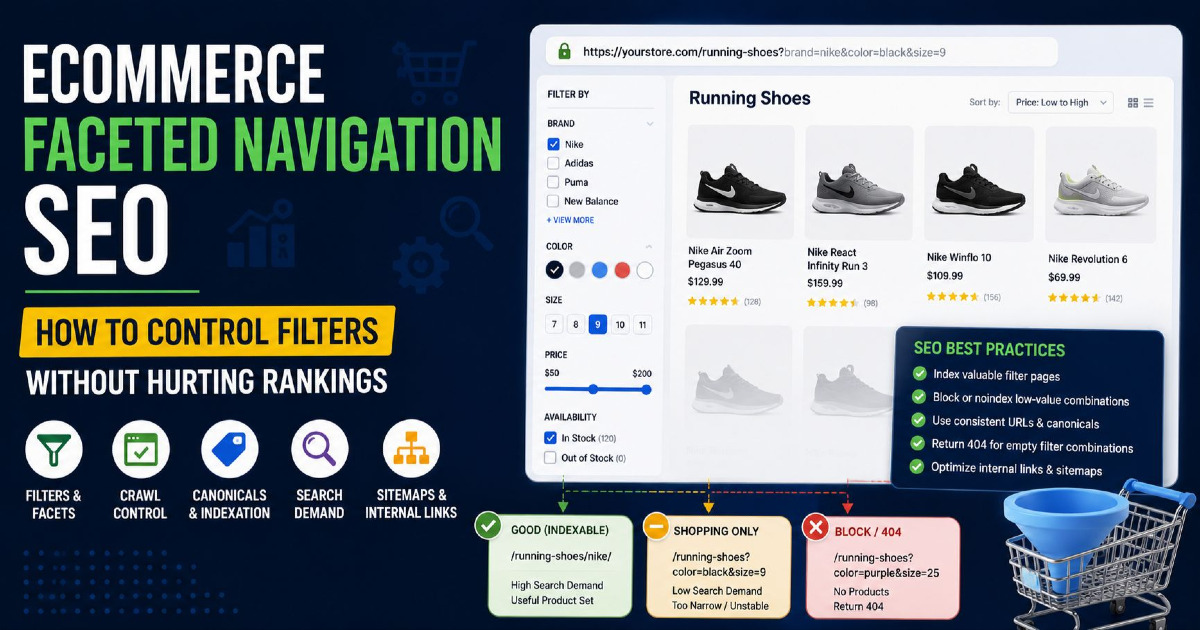
The strategy for these URL families belongs in the deeper guide to eCommerce URL parameters.
Case File: The Products Exist, but Google Cannot Reach the Deeper Collection
A common Shopify design pattern is:
show first 24 products → Load More
or:
infinite scroll
This can be excellent UX.
But your SEO implementation still needs crawlable paths to products beyond the initial set.
Google does not behave like a shopper clicking buttons
Google primarily discovers normal links.
If products 25–300 only appear after:
click Load More
and no persistent paginated URLs exist, discovery can become weaker.
A better implementation provides crawlable page URLs such as:
/collections/running-shoes?page=2
/collections/running-shoes?page=3
with normal links between pages.
Pagination Pages Should Not All Canonicalize to Page One
This is an important ecommerce indexing detail.
Google recommends treating pages in a paginated sequence as separate URLs.
For example:
/collections/running-shoes
/collections/running-shoes?page=2
/collections/running-shoes?page=3
Page two should not automatically claim:
rel="canonical" → /collections/running-shoesif page two contains different products that Google needs to crawl.
Google's current guidance is for paginated pages to have their own canonical URLs.
That allows the deeper products to remain discoverable through the sequence.
Case File: JavaScript Renders the Page Differently for Google
Most Shopify themes are rendered well enough for normal crawling.
But heavily customized stores can introduce:
- headless frameworks;
- client-side product grids;
- JavaScript filters;
- app-rendered content;
- lazy-loaded descriptions;
- interactive variant data.
If URL Inspection says Google crawled the page but the content you expect is missing, inspect the rendered page.
Check whether Google can actually see:
- H1;
- product title;
- description;
- price;
- availability;
- product links;
- collection products;
- structured data.
Do not diagnose this only from what your browser shows after you interact with the page.
For deeper rendering, crawling and template problems, use the Technical SEO Guide.
Case File: Shopify Product Is Indexed, Then Disappears
This situation requires a different investigation from a brand-new product.
If a product was previously indexed and later disappears, ask:
- Did the product status change?
- Was it made Unlisted?
- Was
seo.hiddenadded? - Did the canonical change?
- Did internal links disappear?
- Did the product become permanently unavailable?
- Did the page become extremely similar to another product?
- Did a theme or app modify meta robots?
- Did the URL change?
The timeline matters.
Compare the last crawl date in Search Console with the date of:
- theme changes;
- product migrations;
- SEO app installations;
- catalogue restructuring.
This can often reveal the actual cause much faster than a generic SEO audit.
Out-of-Stock Does Not Automatically Mean Noindex
A temporarily unavailable product can still be useful.
If it will return, the page can continue showing:
- product information;
- expected availability;
- back-in-stock signup;
- related alternatives;
- reviews.
There is no reason to automatically remove every temporarily out-of-stock product from Google.
Permanently discontinued is different
If the product will never return:
Close replacement exists
Consider a 301 redirect when the replacement genuinely satisfies the same customer need.
No meaningful replacement exists
Allow the URL to return an appropriate 404 after removing it from internal merchandising.
The old product still has informational value
In some situations, retaining a useful discontinued-product page can make sense if people continue searching for specifications, compatibility or replacement information.
Do not redirect every discontinued SKU to the category page simply to avoid a 404.
Case File: Google Chooses the Wrong Shopify Page
Sometimes your problem is not:
Nothing is indexed.
It is:
The wrong page is indexed.
Example:
You want:
/collections/waterproof-running-shoesto rank for:
waterproof running shoes
but Google keeps surfacing:
/products/waterproof-runner-x1This is not necessarily a technical indexing failure.
Google may currently consider the product page the stronger answer.
Investigate:
- collection inventory;
- collection copy;
- internal links;
- page title and H1;
- search intent;
- competing internal pages.
This is a page-ownership problem rather than simply an indexing toggle.
Internal Linking Changes What Google Thinks Is Important
Consider two products.
Product A
- linked from homepage;
- linked from two collections;
- linked from a buying guide;
- shown in related products.
Product B
- only present on page nine of one collection;
- not referenced anywhere else.
Both can be in the sitemap.
But the store itself is signalling very different levels of importance.
For products that matter commercially, consider internal links from:
- relevant collections;
- featured sections;
- buying guides;
- related products;
- brand pages.
Do this because the links help shoppers and describe the catalogue—not because you are trying to manufacture PageRank mechanically.
Your Sitemap Is Evidence, Not a Guarantee
A Shopify sitemap helps Google discover canonical store URLs.
It does not guarantee:
- crawling;
- indexing;
- ranking;
- retention in the index.
Use the sitemap as one signal in your diagnosis.
If an important product is absent from the sitemap entirely, investigate Shopify visibility settings.
If it is present but not indexed, continue down the evidence chain.
What About Product Structured Data?
Product structured data helps Google understand product information and can make eligible product pages available for merchant-rich search experiences.
Important information can include:
- product name;
- price;
- availability;
- brand;
- offers;
- variants.
But schema is not an indexing override.
If the product is blocked, noindexed or a low-value duplicate, adding another schema plugin does not solve the core issue.
Structured data should accurately describe a page that is already technically and commercially worth indexing.
Case File: Shopify Markets and International URLs
International Shopify stores introduce another layer.
You may have URLs such as:
example.com/products/shoe
example.com/en-ca/products/shoe
example.com/en-gb/products/shoe
or separate regional domains.
Shopify Markets can automatically handle:
- hreflang;
- regional canonical URLs;
- market-specific sitemap entries;
- crawler access across market versions.
If one market version is missing from Google, do not immediately canonicalize every country back to the global URL.
Check whether:
- the market is active;
- the URL is in its sitemap;
- the canonical is self-referencing as expected;
- hreflang points between relevant versions;
- content/products are available in that market.
Incorrect custom hreflang or canonical code added on top of Shopify's automatic output can sometimes create more confusion than the default setup.
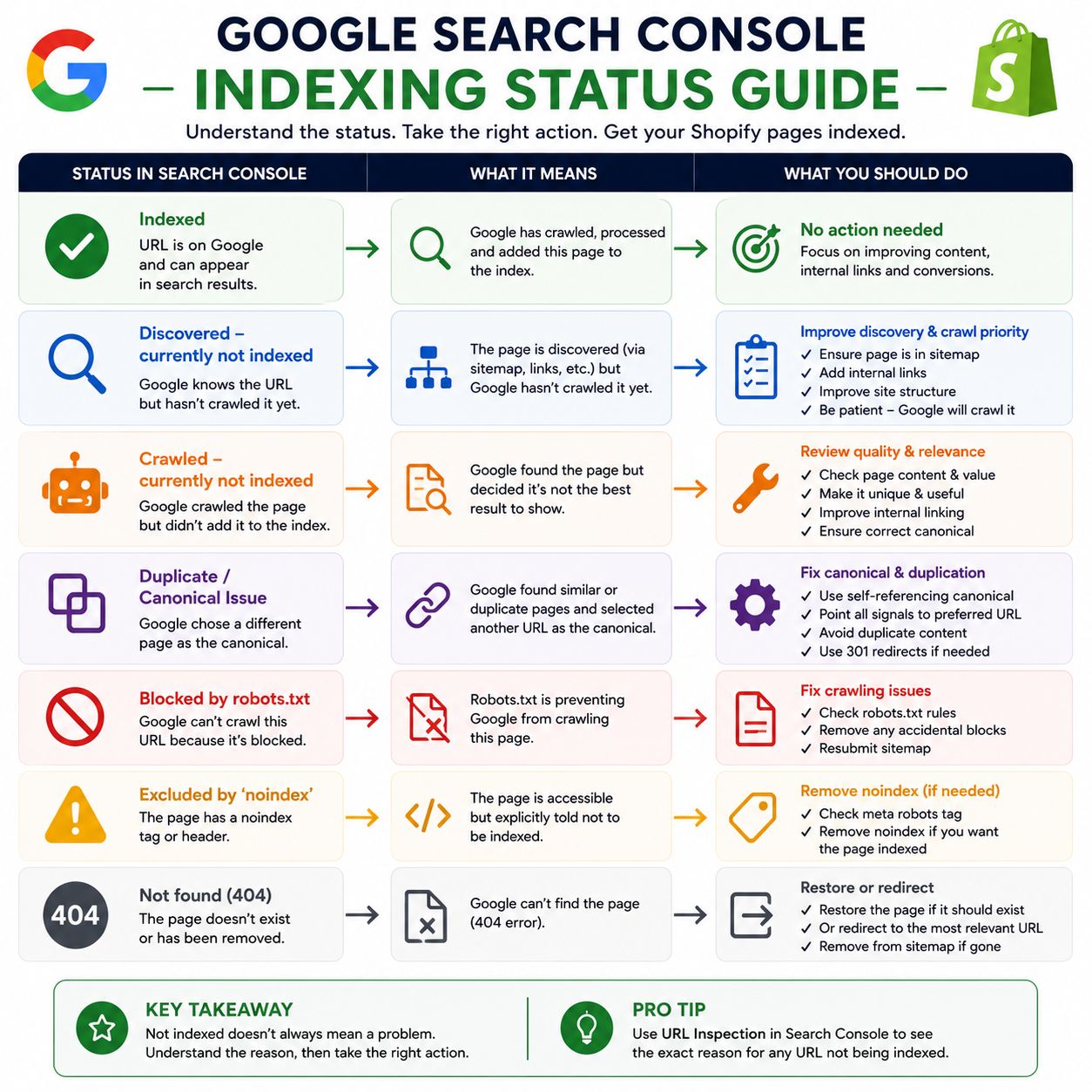
Search Console Statuses: What I Would Actually Do
| Search Console Status | Meaning | Action |
|---|---|---|
| Indexed | Google selected the page for the index | No indexing fix needed |
| Discovered – currently not indexed | URL known, not crawled yet | Review discovery, crawl paths and site quality |
| Crawled – currently not indexed | Google crawled but did not select it | Stop resubmitting; inspect canonical, rendering, duplication and value |
| Alternate page with proper canonical | Duplicate correctly consolidated | Usually leave alone |
| Duplicate without user-selected canonical | Google found duplicate URLs | Inspect which URL Google selected |
| Google chose different canonical | Your preference conflicts with Google's selection | Compare content and canonical signals |
| URL blocked by robots.txt | Google cannot normally crawl content | Fix only if page should be crawlable |
| URL marked noindex | Page explicitly excluded | Remove noindex if indexing is desired |
| Page with redirect | This URL redirects elsewhere | Inspect the destination instead |
| Soft 404 | Page appears functionally empty/not-found while returning success | Improve content or return correct status |
| 404 | Resource does not exist | Fine when genuinely removed with no replacement |
A 15-Minute Shopify Indexing Investigation
When someone tells me:
“This Shopify page is not indexing.”
I do not begin by rewriting the page.
I inspect evidence in this order.
Inspect the exact URL
Do not diagnose the store as a whole.
Use the exact product or collection URL.
Check its HTTP behaviour
Is it:
- 200;
- 301;
- 404;
- soft 404;
- password protected?
Inspect indexing permission
Look for:
noindexand Shopify visibility settings such as:
seo.hidden = 1or Unlisted product status.
Check robots.txt
Determine whether the exact URL pattern is blocked.
Inspect canonical
Compare:
- user-declared canonical;
- Google-selected canonical.
Check the sitemap
For an important canonical product or collection, confirm whether it appears in Shopify's sitemap.
Follow the internal path manually
Starting at the homepage, can you reach the page through crawlable navigation?
Compare the page with nearby pages
Is it meaningfully different?
Render it as Google
Does URL Inspection show the product or collection content you expect?
Only then decide the fix
The fix could be:
- do nothing;
- add an internal link;
- remove noindex;
- change product visibility;
- repair canonicalization;
- improve the page;
- consolidate a duplicate;
- redirect it;
- return 404.
There is no universal “indexing fix” because these are different problems.
What I Would Not Do to Fix Shopify Indexing
Request indexing every day
If Google already crawled the page, repeated crawl requests do not address why the page was not selected.
Delete Shopify's default robots.txt
The defaults intentionally protect low-value areas of the platform.
Noindex every duplicate URL
Canonicalization and crawl management solve different problems from noindex.
Add 2,000 words to every product page
More words do not automatically create more product value.
Install multiple SEO apps
Apps can create conflicting:
- canonical tags;
- robots directives;
- structured data;
- metafields.
Audit your existing output before installing another layer.
Redirect every deleted product to the homepage
A redirect should take the customer to a genuinely relevant replacement.
Try to index every filter combination
Most Shopify stores benefit from fewer purposeful commercial landing pages, not thousands of automatically generated indexable filters.
The Indexing Problem May Actually Be a Store Architecture Problem
Imagine your Search Console shows:
- 5,000 discovered URLs;
- 1,800 crawled but not indexed;
- 900 duplicate URLs;
- 300 indexed products.
It is tempting to work through the 1,800 URLs individually.
But the real problem might be systemic:
- too many near-identical products;
- duplicate collection-context URLs;
- faceted navigation creating crawlable combinations;
- weak collections;
- poor internal architecture;
- expired products being retained indefinitely.
That requires catalogue-level SEO rather than individual indexing requests.
The broader strategy is covered in my eCommerce SEO Guide.
Prioritize Indexing by Commercial Value
Not all missing pages deserve equal urgency.
I would prioritize:
| Priority | Page | Why |
|---|---|---|
| Highest | Core category pages | Can own broad commercial demand |
| Highest | Important in-stock products | Direct purchase intent |
| High | High-margin collections | Strong business value |
| High | Products already earning impressions | Existing search evidence |
| Medium | Long-tail products | Lower individual demand |
| Low | Duplicate contextual URLs | Canonical should own indexing |
| None | Cart/search/filter noise | Often intentionally excluded |
Indexing is a resource-allocation problem as much as a technical one.
When Should You Request Indexing?
Use URL Inspection when:
- you have published an important new page;
- you removed a noindex directive;
- you fixed a significant technical issue;
- you corrected the canonical;
- you substantially improved an important page.
Do not treat it like a refresh button for rankings.
For large groups of Shopify URLs, the sitemap and internal architecture are the scalable discovery mechanisms.
When Should You Escalate the Problem?
An individual page may be a content issue.
Hundreds or thousands of pages showing the same pattern usually deserve a template or architecture investigation.
Escalate when you see:
- large sudden indexing drops;
- canonical changes across an entire template;
- important products disappearing after a theme release;
- unexpected noindex directives across a product type;
- thousands of new crawlable parameter URLs;
- collections no longer exposing deeper products;
- international versions selecting the wrong canonicals.
At that point, inspect the template rather than editing individual products.
Frequently Asked Questions
Why are my Shopify products not indexed by Google?
A Shopify product can be missing because Google has not crawled it yet, the page is noindexed or hidden, Google considers another URL canonical, the product is difficult to discover internally, the rendered content is incomplete, or Google has crawled the page but not selected it for indexing.
Does Shopify automatically submit products to Google?
Shopify automatically generates and updates XML sitemaps containing eligible products, collections, pages and blog content. You should submit the root sitemap to Google Search Console, but sitemap inclusion does not guarantee that every URL will be indexed.
How long does it take for Shopify products to appear in Google?
There is no guaranteed indexing time. New URLs can be discovered and indexed quickly, while others can take significantly longer or may not be indexed at all. Use Search Console to identify whether the page is undiscovered, discovered, crawled, canonicalized elsewhere or explicitly excluded.
Should I keep requesting indexing in Google Search Console?
No. If Search Console reports “Crawled – currently not indexed,” Google has already crawled the URL and explicitly says there is no need to resubmit it for crawling. Investigate the page's canonicalization, rendered content, duplication, internal importance and usefulness instead.
Why is my Shopify product in the sitemap but not indexed?
A sitemap helps Google discover URLs and indicates preferred canonical pages, but it is not an indexing guarantee. A URL can appear in the sitemap while Google chooses not to index it or selects another URL as canonical.
Does Shopify create canonical tags automatically?
Yes. Shopify includes built-in canonical handling and exposes the canonical_url Liquid object for themes. Customized themes and apps can still create conflicting markup, so inspect the rendered HTML when canonicalization appears wrong.
Why do I have both /products/ and /collections/.../products/ URLs?
Shopify can generate collection-context product URLs. They display the same underlying product and therefore create duplicate URL versions. Your main concern is whether Google correctly consolidates them into the intended canonical product URL.
Should Shopify variants be indexed separately?
Not automatically. A variant should be directly addressable where useful, especially for product and shopping data, but multiple sizes or colours of the same product do not necessarily need separate canonical search pages.
Can Shopify apps cause noindex problems?
Yes. Apps or past customizations can modify meta robots tags, canonical output or the seo.hidden metafield. When a product unexpectedly disappears from search or the sitemap, inspect both theme output and relevant metafields.
What does Shopify Unlisted product status do?
An Unlisted product remains accessible using its direct URL but is removed from internet search, Shopify's sitemap, storefront collections, storefront search and several other Shopify discovery surfaces.
Should out-of-stock Shopify products be noindexed?
Not simply because they are temporarily out of stock. If the product will return, keeping a useful product page with availability information and alternatives can make sense. Permanently discontinued products require a separate decision based on replacements, links, demand and remaining informational value.
Why are Shopify collection pages not indexed?
A collection can be technically indexable but still weak as a search landing page if it has little inventory, overlaps another collection, has no distinct search intent or is poorly connected internally. Diagnose both technical eligibility and the collection's actual commercial purpose.
Does Google index Shopify filter pages?
Some filtered URLs may be crawlable or discoverable depending on the implementation. Shopify's default robots.txt blocks certain filtered collection patterns, but apps can create additional parameter structures. Decide deliberately which filter combinations deserve permanent indexable landing pages.
Final Takeaway: Fix the Broken Link in the Evidence Chain
A Shopify page does not become indexable simply because it exists, and it does not become indexed simply because it is indexable.
The reliable way to diagnose the problem is:
Exists → Accessible → Indexable → Canonical → Discoverable → Renderable → Distinct → Internally Important → Maintained
If the page fails at Accessible, fix crawling.
If it fails at Indexable, remove the unintended exclusion.
If it fails at Canonical, resolve duplicate signals.
If it fails at Discoverable, improve the crawl path.
If it fails at Renderable, fix the template or JavaScript.
If it fails at Distinct, improve or consolidate the page.
If it fails at Internally Important, improve catalogue architecture.
If it fails at Maintained, decide whether the URL should still exist.
That approach is far more reliable than submitting the sitemap again and waiting.
And when the problem affects large parts of a catalogue rather than one isolated URL, it becomes an architecture and search-demand problem—not simply an indexing problem. That is where a broader eCommerce SEO review becomes more useful than repeatedly troubleshooting URLs one at a time.