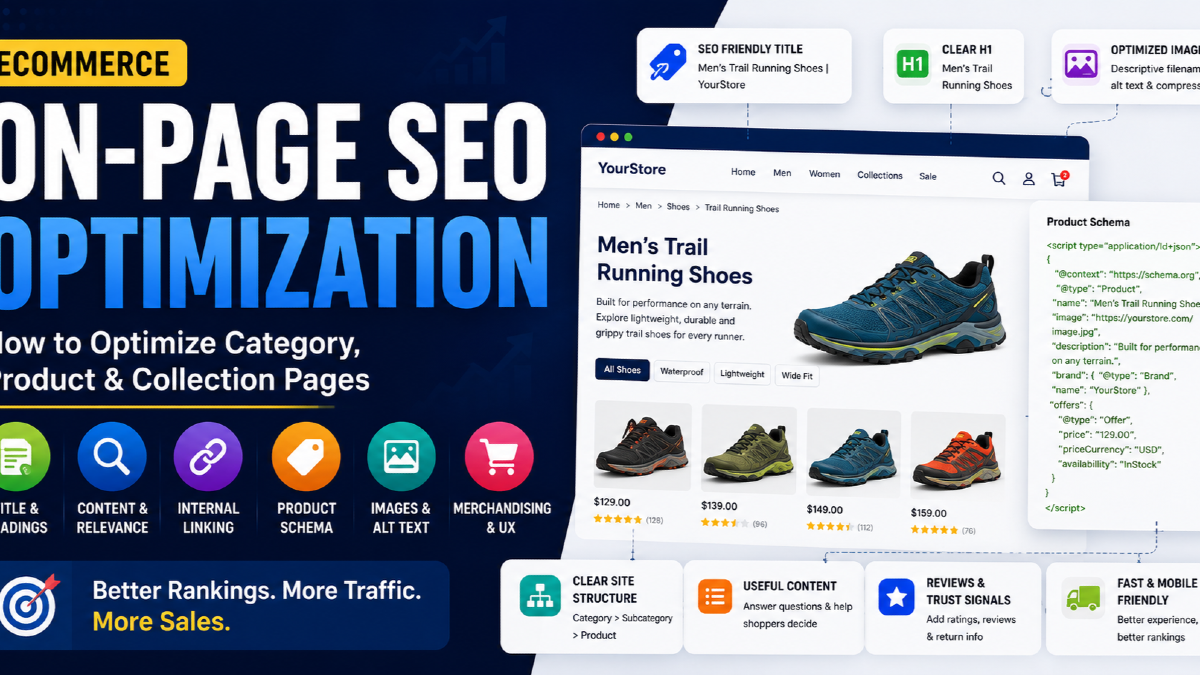
eCommerce on-page SEO is the process of making each category, collection and product page clearly communicate what it sells, which searches it should serve, how its products differ, and what a shopper should do next.
That sounds similar to normal on-page SEO, but ecommerce creates a different problem.
A normal website may have fifty manually written pages.
An online store may have:
- 50 categories;
- 300 subcategories and collections;
- 5,000 products;
- multiple variants;
- brand pages;
- filtered URLs;
- paginated product listings.
You cannot optimise that catalogue by simply putting the target keyword into every title, H1 and meta description.
The real challenge is deciding:
Which search belongs to which ecommerce page?
Then the page needs enough product, content, internal linking and commercial context to deserve that search.
I use this relationship when thinking about ecommerce on-page SEO:
Search demand → Page owner → Product selection → Page signals → Buying evidence → Internal path
If the page owner is wrong, changing title tags will not solve the underlying problem.
What Is eCommerce On-Page SEO?
eCommerce on-page SEO improves the individual pages customers can discover through organic search.
The most important page types normally include:
| Page Type | Typical Search | Main SEO Job |
|---|---|---|
| Category | running shoes | Own broad commercial demand |
| Subcategory | trail running shoes | Own more specific product demand |
| Collection | waterproof running shoes | Own attribute/use-case demand when justified |
| Brand page | Nike running shoes | Own brand + category demand |
| Product page | Nike Pegasus 42 men | Own product/model demand |
| Buying guide | best running shoes for beginners | Support commercial research intent |
The first objective is not to optimise every URL.
It is to identify which URLs should actually compete in search.
If you have not mapped search demand to pages yet, start with eCommerce keyword research before changing metadata across the store.
The First Rule: Give Each Search Intent One Primary Page Owner
Suppose an ecommerce store has these URLs:
/running-shoes
/mens-running-shoes
/running-shoes-for-men
/best-mens-running-shoes
If several pages are trying to rank for essentially the same commercial intent, improving all four pages can make the problem worse.
Instead, decide which URL owns each intent.
| Search | Page Owner |
|---|---|
| running shoes | Main running-shoes category |
| men's running shoes | Men's running-shoes subcategory |
| waterproof running shoes | Dedicated collection if demand warrants it |
| Nike Pegasus 42 | Product detail page |
| best running shoes for beginners | Buying guide |
This is the foundation of ecommerce on-page optimisation.
One intent does not mean one keyword.
A category page can rank for many closely related queries when those queries represent the same shopper need.
For example, one page might naturally serve:
- men's trail running shoes;
- trail shoes for men;
- men's off-road running shoes;
- trail runners for men.
You usually do not need separate pages for every wording variation.
Category Pages Usually Deserve the Most On-Page SEO Attention
Category and collection pages often have the greatest commercial SEO opportunity because they match shoppers who know what type of product they want but have not selected a specific item yet.
A search such as:
black office chairs
is generally better served by a collection of relevant products than by one individual office chair.
That makes category-page optimisation different from product-page optimisation.
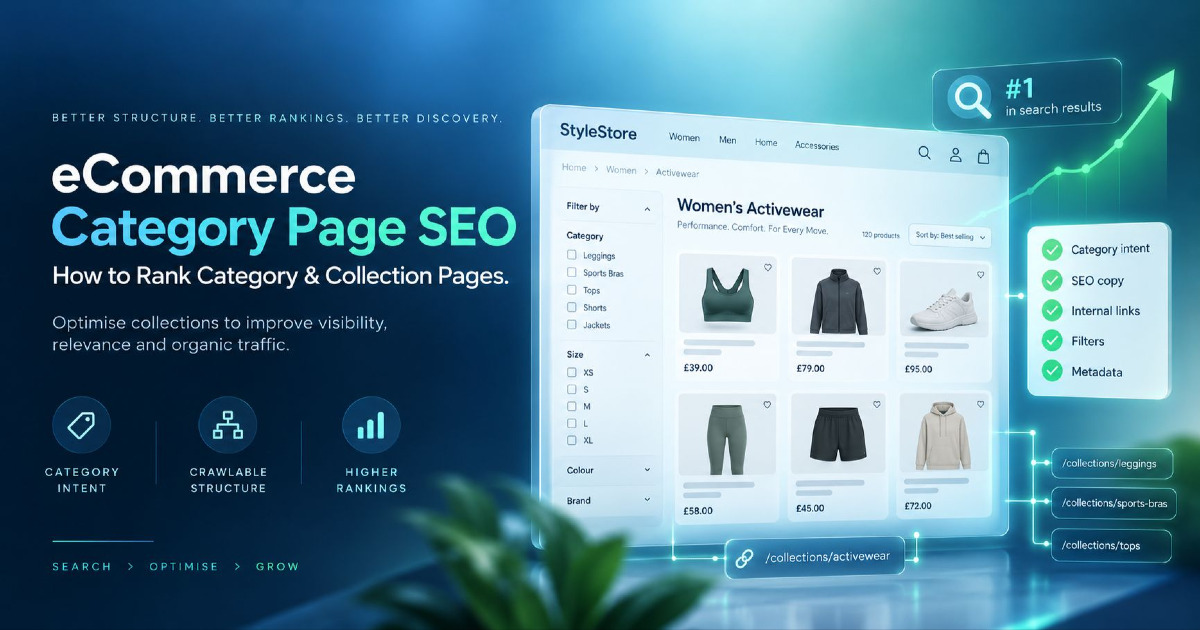
How to Optimize an eCommerce Category Page
A strong category page needs to perform two jobs simultaneously:
Help shoppers choose products and make the category's search intent clear.
The product grid is therefore part of the primary content.
Do not treat a category as an empty SEO landing page with 1,500 words of text followed by products.
Start With the Product Selection
If the page claims to be about:
waterproof hiking boots
the visible products should genuinely be waterproof hiking boots.
This sounds basic, but ecommerce sites often create SEO collections where:
- many products barely match the category;
- inventory is too thin;
- the page regularly becomes empty;
- the same products appear across dozens of near-identical collections.
The page's product selection is part of its relevance.
Write a Category H1 That Describes What the Shopper Can Buy
Good:
<h1>Men's Trail Running Shoes</h1>
Weak:
<h1>Explore Our Amazing Collection</h1>
The H1 should normally identify the collection clearly.
You can put branding, promotion or editorial messaging around it, but shoppers and search engines should not have to guess what the page contains.
Add Category Content Where It Helps the Buying Decision
The goal is not to hit an arbitrary word count.
A useful category introduction may explain:
- what distinguishes the products;
- who the collection is for;
- important materials;
- sizes or use cases;
- how related subcategories differ.
For example, a trail-running-shoes category could briefly explain differences between:
- technical trail shoes;
- door-to-trail shoes;
- waterproof options;
- long-distance cushioning.
That helps customers choose.
Compare that with generic SEO copy such as:
“Welcome to our amazing selection of the best trail running shoes at the best prices. Shop premium trail running shoes online today.”
That adds very little information.
Use Subcategories to Help Users Narrow Their Choice
If meaningful subcategories exist, expose them near the top of the page.
For example:
Running Shoes
could link to:
- Road Running Shoes
- Trail Running Shoes
- Racing Shoes
- Stability Running Shoes
This helps users while also reinforcing the relationship between commercial pages.
How to Write Category Page Title Tags
Category title tags should communicate the product class quickly.
A practical pattern is:
Primary Category + Important Modifier | Brand
Example:
Men's Trail Running Shoes | Example Store
Another page might use:
Silk Sarees for Weddings | Example Brand
Avoid automatically generating titles such as:
Cheap Men's Trail Running Shoes Online Best Price Sale Offers Buy Now | Brand
More keyword variations do not create more relevance.
Large ecommerce stores also need to avoid excessive boilerplate.
If every title differs only by one word, templates should be reviewed to ensure the distinctive product or category information appears prominently.
How to Write Meta Descriptions for eCommerce Categories
Meta descriptions do not need to be hand-written for every low-value URL.
For priority commercial categories, write them manually where possible.
For very large catalogues, well-designed templates can use page-specific information.
For example:
Shop men's waterproof trail running shoes for wet and technical terrain. Compare sizes, brands and grip options with delivery across India.
A template could combine:
- category;
- audience;
- product attribute;
- inventory information;
- delivery or commercial differentiator.
Do not build descriptions by joining lists of keyword synonyms.
Google may generate snippets from the visible page content instead of your meta description, so the page itself still needs useful text.
Do Category Pages Need Long SEO Copy?
No.
Category pages need enough useful information to explain and support the collection.
That may be 100 words on one page and substantially more on another.
Word count is not the useful decision criterion.
Ask instead:
- Does the shopper understand what this category contains?
- Can they identify useful subcategories?
- Does the copy answer important selection questions?
- Does the page contain enough relevant products?
- Is the category meaningfully different from adjacent categories?
A 1,500-word essay inserted below a product grid solely for search engines can be less useful than 150 words of precise merchandising information.
Product Page SEO Requires Product-Level Specificity
A product page has a different job.
It should rank for searches related to the specific product, model or variant and then help the shopper decide whether to purchase it.
A product page therefore needs product-level evidence.
This can include:
- product name;
- brand;
- model;
- price;
- availability;
- images;
- variants;
- dimensions;
- materials;
- technical specifications;
- customer reviews;
- shipping;
- returns;
- usage information.
How to Optimize an eCommerce Product Page
Use the Actual Product Name as the Main Heading
For a product-specific query, the H1 normally should make the exact product clear.
Example:
<h1>Nike Pegasus 42 Men's Road Running Shoes</h1>
not:
<h1>Premium Running Shoes</h1>
Build Product Titles Around How Customers Identify the Item
A product title may contain:
Brand + Product/Model + Primary Product Type + Important Variant
For example:
Nike Pegasus 42 Men's Running Shoes | Example Store
But not every product needs every attribute.
Use the information shoppers actually use to distinguish one item from another.
Do Not Copy the Manufacturer Description Across the Entire Market
Retailers frequently import the same supplier description used by dozens of competitors.
The page may still be valid, but you have added very little merchant-specific information.
Where commercially justified, improve the page with information you genuinely know, such as:
- fit notes;
- sizing advice;
- compatibility;
- recommended use;
- care instructions;
- what is included;
- real product photography;
- comparison with nearby models.
You do not need to rewrite factual specifications into artificial prose merely to make them “unique.”
Keep specifications accurate and add useful information around them.
Product Descriptions Should Reduce Purchase Uncertainty
A good product description answers the questions standing between the shopper and the purchase.
For apparel:
- material;
- fit;
- size;
- care;
- occasion;
- colour;
- what the model is wearing.
For electronics:
- compatibility;
- battery;
- dimensions;
- warranty;
- connectivity;
- included accessories.
For furniture:
- dimensions;
- materials;
- weight;
- assembly;
- delivery;
- room suitability.
This is where ecommerce SEO and conversion optimisation naturally overlap.
The same information that helps Google understand a product often helps a customer decide whether it is right for them.
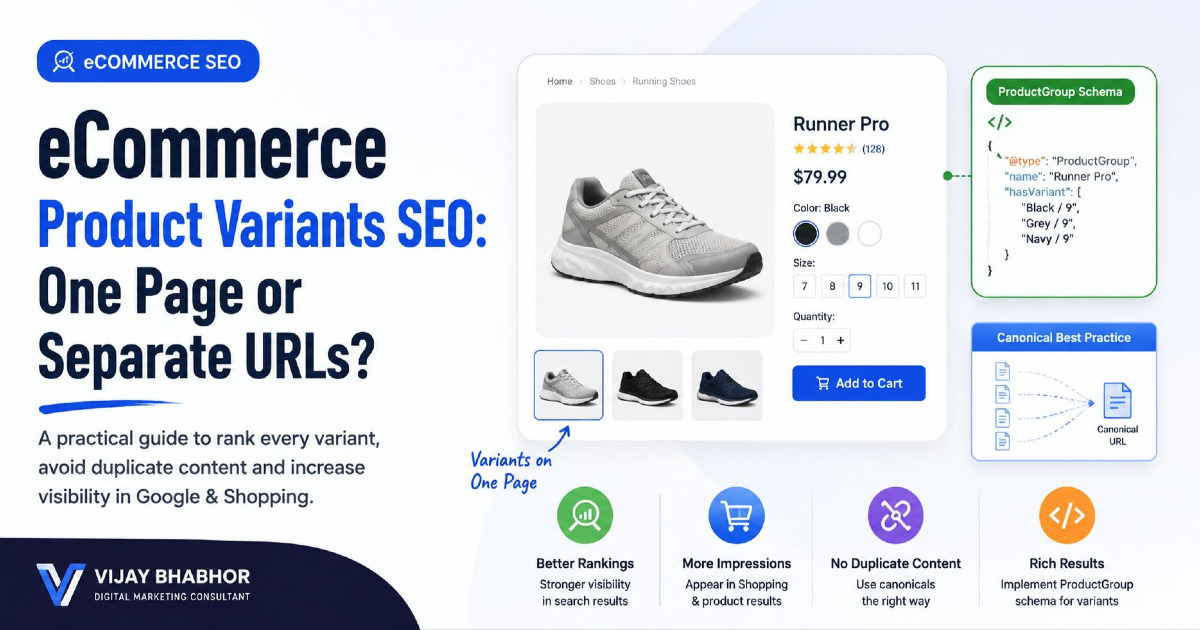
Product Variants Need a Deliberate On-Page Strategy
Products commonly vary by:
- colour;
- size;
- material;
- capacity;
- pattern;
- configuration.
The SEO decision depends on how the store represents those variants.
Some stores keep all variants on one main product URL.
Others expose individual variant URLs.
If a user can open a specific variant directly, the page should accurately show the selected:
- image;
- price;
- availability;
- SKU or identifier.
Google also supports structured product-variant relationships through ProductGroup and Product markup.
The canonical and URL strategy becomes more technical when many variant URLs exist, so handle that through your site-wide canonical strategy rather than trying to solve it only with copy. See the separate guide to canonical tags.
Reviews Are Product Content, Not Just Conversion Widgets
Customer reviews can provide product-specific information that your merchant description does not.
Customers may talk about:
- fit;
- quality;
- delivery;
- size accuracy;
- use cases;
- durability;
- unexpected advantages or disadvantages.
That can strengthen the usefulness of the product page.
But avoid displaying fake reviews or marking up review information that is not genuinely represented on the page.
Shipping and Return Information Belongs Near the Buying Decision
A shopper may like the product and still leave because they cannot answer:
- When will it arrive?
- How much is shipping?
- Can I return it?
- Is exchange available?
Do not hide all commercial information several clicks away if it materially affects the purchase decision.
You can still maintain dedicated shipping and return-policy pages, but product pages should make relevant information easy to find.
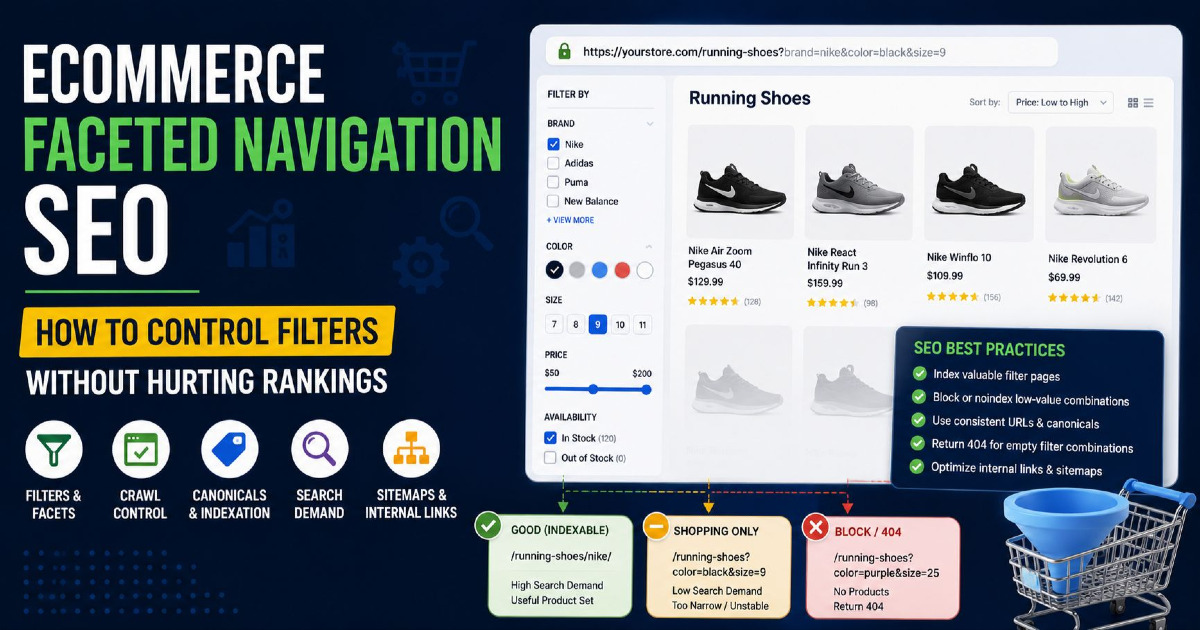
Collection Pages Should Exist Because Demand Exists — Not Because a Filter Exists
eCommerce platforms make it easy to create thousands of combinations.
For example:
Sarees → Silk → Red → Wedding → Under ₹5,000
That does not mean every combination deserves an indexable SEO page.
A filtered or collection page is a stronger candidate for search visibility when:
- people genuinely search for the combination;
- the intent is commercially useful;
- the store has enough relevant inventory;
- the product set is stable enough;
- the page is meaningfully different from its parent category.
For example:
black running shoes
may justify a landing page for one retailer.
black size-9 running shoes under ₹3,124 sorted low-to-high
probably does not.
The crawl and indexing decisions for filters are covered separately in the guide to eCommerce URL parameters.
Brand Pages Can Own Valuable Commercial Searches
Stores carrying multiple manufacturers often overlook brand/category combinations.
Examples:
- Nike running shoes;
- Samsung televisions;
- Levi's men's jeans;
- Canon mirrorless cameras.
If the store has sufficient inventory, a dedicated brand page or brand-category page may provide a better landing experience than sending every brand query to a generic category.
A good brand page can contain:
- relevant products;
- brand-specific subcategories;
- short useful brand context;
- links to popular product groups.
Again, create the page because it serves meaningful demand — not simply because your ecommerce platform can generate it.
Internal Linking Is Part of eCommerce On-Page SEO
On an ecommerce site, internal links communicate both relevance and commercial importance.
A useful hierarchy may look like:
Homepage → Main Category → Subcategory → Product
But internal linking should extend beyond the primary navigation.
Category to Subcategory
A running-shoes page should expose relevant child categories such as road, trail and racing shoes when those pages exist.
Category to Product
The product cards in the collection should contain crawlable links to the product pages.
Product to Category
Breadcrumbs and relevant navigation help customers move back to the product family.
Product to Related Product
Useful modules can include:
- similar products;
- compatible products;
- frequently bought together;
- alternative models.
Guide to Commercial Page
If a buying guide explains how to choose trail-running shoes, it should provide a natural route into the trail-running-shoes category.
This is how content supports commercial ecommerce SEO instead of generating isolated informational traffic.
Google explicitly uses the relationship between ecommerce pages and internal links to understand site structure and relative importance.
Do Not Depend on Internal Search to Expose Products
If the only way to reach a product is:
type the product into the site's search box
you should not assume search engines will discover it through normal crawling.
Important indexable products should have crawlable paths through categories, collections or other HTML links.
That is particularly important on stores using:
- JavaScript product grids;
- infinite scroll;
- load-more buttons;
- dynamic filtering.
The page can still provide a modern UX, but the underlying navigation must give crawlers access to the products you expect to rank.
Optimize Product Images for Search and Shopping Discovery
Product imagery affects both conversion and search visibility.
Google can surface ecommerce content through Search, Google Images and visual discovery experiences such as Lens.
For important product images:
- use high-quality images;
- serve appropriate dimensions;
- compress files sensibly;
- use standard HTML image elements;
- use descriptive filenames where practical;
- write accurate alt text;
- keep important images close to relevant product content.
Write Alt Text for the Image, Not for the Keyword Tool
Good:
alt="Women's black leather Chelsea boots with block heel"
Weak:
alt="boots shoes black boots cheap boots online best boots women's footwear buy boots"
Alt text primarily needs to describe what the image represents.
If the product name naturally belongs there, use it.
Do not force every target query into every image.
Structured Data for eCommerce Pages
Structured data can give Google explicit information about ecommerce entities and make eligible pages available for richer search experiences.
The most useful types for an ecommerce site can include:
| Structured Data | Typical Use |
|---|---|
| Product | Product information |
| Offer | Price and availability information |
| ProductGroup | Relationship between product variants |
| AggregateRating | Eligible genuine aggregate review information |
| BreadcrumbList | Page hierarchy |
| Organization | Business identity |
For pages where customers can directly purchase the product, Google's merchant-listing Product markup is particularly relevant.
It can communicate information such as:
- price;
- availability;
- shipping;
- returns;
- product attributes.
Structured data must match the information actually represented by the page.
Do not add markup simply because a schema generator offers the option.
Do Not Put Product Schema on Category Pages as Though the Category Is One Product
A category containing dozens of different products is not one specific product.
Google's merchant-listing guidance focuses Product markup on pages where shoppers can buy a particular product or variants of that product.
A product listing page should not pretend to be one Product entity merely to try to trigger a rich result.
FAQ Content Can Still Help — FAQ Schema Is a Different Question
A product page may genuinely need questions such as:
- Is this machine washable?
- Does this model support 220V?
- How does the sizing run?
- Is assembly required?
Useful visible questions can help the shopper.
But do not add generic FAQ sections purely because an SEO checklist says every page needs FAQ schema.
For normal ecommerce websites, FAQ rich results are not a meaningful general search feature to optimise around.
Page Speed Matters Most When the Template Makes Everything Slow
eCommerce pages commonly become heavy because of:
- large product imagery;
- review applications;
- recommendation widgets;
- chat tools;
- analytics tags;
- personalisation;
- third-party apps.
That means a template-level improvement can affect thousands of URLs.
Typical page-level issues include:
- oversized main product image;
- layout movement when price or reviews load;
- slow variant selectors;
- sticky banners covering content;
- poor mobile spacing.
Do not turn every performance problem into an on-page content problem.
Rendering, Core Web Vitals, crawlability and template architecture belong in the broader Technical SEO Guide.
eCommerce On-Page SEO Is Also Merchandising
This is the part generic on-page SEO tutorials often miss.
Imagine Google ranks your category perfectly for:
wedding sarees
but the first products shown are:
- out of stock;
- low-rated;
- irrelevant to weddings;
- poorly photographed.
The metadata may be excellent.
The merchandising is not.
An ecommerce SEO page should therefore consider:
- which products appear first;
- stock availability;
- product quality;
- product range;
- price range;
- seasonality.
This is where ecommerce on-page SEO differs most clearly from optimising an ordinary article.
Out-of-Stock Products Need Different Treatment From Weak Products
Temporary stock loss does not necessarily mean an important product page should disappear immediately.
If the product will return, the page may still provide useful information while clearly communicating availability.
You can also offer:
- back-in-stock notifications;
- alternative variants;
- related products.
If a product has been permanently discontinued, the appropriate solution depends on whether:
- there is a close replacement;
- the old URL has links or search demand;
- the content remains useful.
That becomes a URL lifecycle decision rather than simply changing the page's keywords.
How to Optimize eCommerce Pages at Scale
A store with 20 products can optimise each page manually.
A store with 50,000 products needs rules.
The answer is not to accept identical metadata everywhere.
It is to define templates using meaningful product information.
Category Title Template
{Category} {Useful Modifier} | {Brand}
Example:
Women's Running Shoes | Example Store
Product Title Template
{Brand} {Model} {Product Type} {Important Variant} | {Store}
Example:
Samsung Galaxy S26 Ultra 256GB | Example Store
Product Meta Description Template
A template may combine:
- product name;
- primary feature;
- important specification;
- availability or delivery information.
The output still needs to read naturally.
Prioritize Manual Optimization Where It Matters Most
You probably do not need to hand-write everything.
Prioritise pages with:
- high commercial search demand;
- high impressions;
- strong margins;
- strategic product importance;
- ranking positions close to page one;
- poor CTR despite strong visibility.
This is where Google Search Console becomes useful.
Use Search Console to Find On-Page eCommerce Opportunities
For category and product pages, review:
- queries generating impressions;
- current ranking page;
- average position;
- CTR;
- query-to-page mismatch;
- unexpected keywords;
- declining visibility.
High Impressions + Low CTR
Investigate:
- title;
- snippet;
- search intent;
- competitor SERP presentation;
- price or product-result features.
Position 8–20 + Strong Commercial Query
Investigate:
- whether this is the right page owner;
- category depth;
- internal links;
- product selection;
- missing information;
- competing internal pages.
Wrong Page Ranking
If a product page ranks for a category query, or a blog post ranks instead of an important collection, investigate page ownership and internal linking before simply adding the keyword to the intended page twenty more times.
eCommerce On-Page SEO and AI Search
You do not need a separate version of every product page for AI Overviews or AI-powered search experiences.
The durable work is still:
- clear product information;
- accurate pricing and availability;
- structured data;
- crawlable content;
- useful comparisons and attributes;
- strong internal relationships.
Product information that is vague for a shopper is also harder for machines to interpret.
Improving factual clarity is therefore more useful than inserting artificial “AI SEO” paragraphs into every category page.
Shopify On-Page SEO Considerations
Shopify stores commonly need attention around:
- collection pages;
- duplicate product descriptions;
- variant handling;
- collection-product internal linking;
- product structured data;
- theme heading structure;
- app-generated content;
- filter URLs.
Do not install multiple SEO apps that all attempt to rewrite:
- titles;
- schema;
- canonical tags;
- meta descriptions.
Understand what the theme and current apps already generate before adding another layer.
WooCommerce On-Page SEO Considerations
WooCommerce gives stores substantial control but can also generate complexity through:
- product categories;
- product tags;
- attributes;
- filter plugins;
- variation URLs;
- SEO plugins.
The important decision is not whether every taxonomy can be indexed.
It is whether each taxonomy archive serves a distinct search and shopping purpose.
Common eCommerce On-Page SEO Mistakes
Creating a Landing Page for Every Keyword Variation
Closely related searches often belong to the same category.
Writing 1,000 Words on Every Category
Content should support shopping rather than bury the product grid.
Copying Manufacturer Product Descriptions
Add merchant-specific information where it improves the decision.
Using the Same Title Template Without Enough Product Context
Templates should produce distinctive, descriptive titles.
Indexing Every Filter
A URL existing does not mean it deserves organic visibility.
Ignoring Product Availability
SEO traffic to empty or irrelevant collections produces little commercial value.
Adding Schema That Does Not Match the Page
Structured data should represent visible, accurate information.
Linking Important Products Only Through JavaScript Interactions
Important products should have crawlable HTML links.
Optimizing Product Pages for Broad Category Terms
Match the page type to the search intent.
Measuring Rankings Without Revenue Context
A category that gains visibility but sends traffic to low-margin products may not be your most valuable SEO win.
An eCommerce On-Page SEO Audit Framework
| Check | Question |
|---|---|
| Page ownership | Does this URL own a distinct search intent? |
| SERP intent | Is Google ranking this type of page for the query? |
| Title | Does it clearly describe the category or product? |
| H1 | Does the visible page heading match what is actually sold? |
| Product set | Are the products relevant and sufficiently available? |
| Content | Does the page provide useful buying information? |
| Internal links | Can users and crawlers move through the catalogue logically? |
| Images | Are important images descriptive, accessible and performant? |
| Structured data | Does markup accurately represent the product? |
| Variants | Are variant URLs and product data consistent? |
| Conversion information | Are price, shipping, returns and availability clear? |
| Search Console | Is the intended URL receiving the intended queries? |
What On-Page SEO Cannot Fix
Do not keep rewriting titles when the real problem is elsewhere.
On-page changes cannot fully solve:
- pages blocked from crawling;
- incorrect canonicalization;
- mass duplicate URLs;
- faceted crawl traps;
- JavaScript rendering failures;
- poor site architecture;
- weak external authority.
If hundreds or thousands of ecommerce URLs are affected simultaneously, the problem may be technical rather than page-level.
The broader process is covered in the eCommerce SEO Guide.
When Should You Update an eCommerce Page?
Do not update an important commercial page simply because six months have passed.
Update when something meaningful changes.
Examples include:
- search demand changes;
- new subcategories emerge;
- product range changes;
- important inventory disappears;
- ranking declines;
- Search Console reveals new queries;
- competitors create materially better experiences;
- structured data becomes inaccurate;
- the page no longer reflects the collection.
An ecommerce category can remain highly relevant for years while the products inside it change continuously.
The page should evolve with the catalogue rather than be rewritten merely to generate a fresh modified date.
Frequently Asked Questions About eCommerce On-Page SEO
What is on-page SEO for ecommerce?
eCommerce on-page SEO is the optimisation of individual category, collection and product pages so their search intent, products, titles, headings, content, images, internal links, structured data and buying information work together clearly.
Should category or product pages target broad keywords?
Broad commercial product-type searches are usually better candidates for category or collection pages. Product pages should normally focus on searches for the specific product, model or variant.
How much content should an ecommerce category page have?
There is no required word count. Add enough useful information to explain the category, help shoppers make choices and distinguish the page from adjacent categories without pushing products behind unnecessary SEO text.
Do product descriptions need to be unique?
Retailers should provide useful merchant-specific information where possible rather than relying entirely on manufacturer copy. Specifications do not need to be artificially rewritten, but product pages should add information that helps customers make a decision.
Should every ecommerce filter page be indexed?
No. Filter pages are stronger SEO candidates when the combination has real search demand, stable relevant inventory and enough commercial value to function as a useful landing page.
What schema should ecommerce product pages use?
Product pages commonly use Product and Offer information, with relevant properties such as price and availability. Stores with variants can also use ProductGroup relationships where appropriate. BreadcrumbList is useful for communicating hierarchy.
Does FAQ schema help ecommerce SEO?
Useful customer questions can improve a product page, but ordinary ecommerce sites should not build their strategy around FAQ rich results. The visible customer information matters more than adding FAQ markup simply for SEO.
Are meta descriptions important for ecommerce?
They can influence how a page is presented to searchers, although Google may generate a snippet from page content instead. Large ecommerce sites can use well-designed programmatic descriptions based on accurate page-specific product information.
Should I optimise every product page manually?
Usually not on a large catalogue. Prioritise commercially important products and categories, then use strong templates and reliable product data for the long tail.
Final Takeaway
eCommerce on-page SEO is not a checklist of places to insert a keyword.
It begins with page ownership.
The page then needs to prove that ownership through:
relevant products → clear metadata → useful merchandising → accurate product information → crawlable internal links → trustworthy buying information.
Category pages should help shoppers choose a product class.
Product pages should help shoppers understand and buy a specific item.
Collection pages should exist when they serve genuine demand rather than every possible filter combination.
And structured data should describe the commerce information that actually exists rather than attempt to manufacture relevance.
When those pieces work together, on-page SEO becomes part of the store's merchandising system rather than a separate SEO task.
If the problem extends beyond individual pages into catalogue structure, crawlability, indexation or page-type architecture, use the broader eCommerce SEO framework instead.