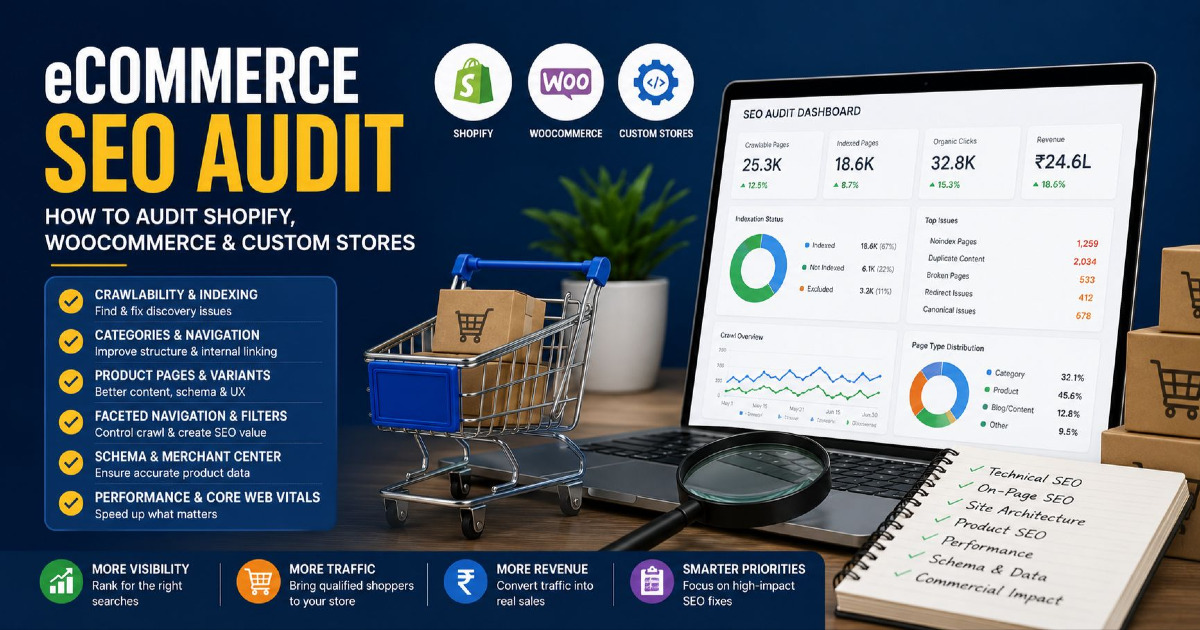
An eCommerce SEO audit should tell you which parts of your store Google can discover, which URLs Google is indexing, which pages deserve to rank, and whether organic visibility is reaching the categories and products that matter to the business. It should not finish with a crawler export containing 6,000 warnings and no clear idea about what should be fixed first.
Auditing an online store is different from auditing a normal 20-page business website. A store may sell 4,000 products but expose 40,000 or even hundreds of thousands of URLs through categories, variants, filters, sorting, pagination, internal search, tracking parameters, international versions and application-generated pages. Looking only at titles, H1 tags and broken links misses the systems that usually create the largest SEO problems.
This is why I audit eCommerce websites by reconciling the store's catalogue with the URLs that the platform publishes, the URLs search engines can crawl, the pages Google indexes and the pages that eventually generate organic search visibility and revenue.
The approach works whether the store runs on Shopify, WooCommerce, a custom platform or a headless commerce setup. The platform changes the implementation, but the audit questions remain similar.
The complete audit moves through:
Store Inventory → URL Inventory → Crawlability → Indexation → Page Ownership → Site Architecture → Product Data → Platform Behaviour → Search Performance → Commercial Priority
If you need the wider strategy behind categories, products and informational content, use my eCommerce SEO guide. This article is specifically about auditing an existing store and finding what is holding organic performance back.
Start With Store-to-Search Reconciliation
The most useful eCommerce audit does not begin with Screaming Frog, Sitebulb or another crawler. It begins by understanding the gap between what the business thinks exists and what Google actually sees.
I call this the Store-to-Search Reconciliation.
| Inventory | What It Represents | Audit Question |
|---|---|---|
| Sellable inventory | Products and categories the business currently wants customers to find | What should generate organic demand? |
| Published inventory | URLs created by the CMS, theme, plugins, apps and platform | What URLs does the website expose? |
| Crawlable inventory | URLs search-engine crawlers can reach | Can Google discover the important catalogue? |
| Indexed inventory | URLs Google has selected for its index | Is Google indexing the right pages? |
| Search inventory | URLs receiving organic impressions or clicks | Which parts of the catalogue have search visibility? |
| Revenue inventory | Organic landing pages contributing to product discovery and sales | Is SEO visibility commercially useful? |
Suppose an online store has 4,200 active products. Its sitemap contains 4,050 product URLs, a crawler reaches only 3,400 products, Search Console indicates that approximately 2,900 product URLs are indexed, and only 1,150 product pages have generated organic impressions during the last three months.
The audit now has useful questions to answer. Why are 150 active products missing from the sitemap? Why can internal crawling reach only 3,400? Which templates dominate the indexing gap? Are the remaining products duplicates, variants, weak pages, poorly linked products or products Google simply has not considered important enough to index?
This tells you much more than an audit tool saying the website has an “82% SEO score”.
Build the URL Inventory Before Diagnosing Individual Errors
eCommerce sites should be audited by URL type because different URL types have different jobs. A product page and a colour filter should not be judged using the same rules. One may need to be indexed and rank commercially; the other may exist only to help a visitor browse products.
| URL Type | Typical Organic Purpose | Expected Treatment |
|---|---|---|
| Homepage | Brand and main store authority | Indexable |
| Main category | Broad commercial demand | Usually indexable |
| Subcategory | More specific commercial demand | Indexable where inventory and demand support it |
| Product page | Specific product demand | Usually indexable while useful |
| Product variant | Depends on whether variation deserves a separate search result | Requires deliberate canonical/indexation strategy |
| Filter/facet | Browsing or potentially long-tail commercial demand | Depends on search value and URL behaviour |
| Sort URL | Changes display order | Usually not a separate search landing page |
| Pagination | Helps users and crawlers reach deeper inventory | Crawlable and technically consistent |
| Internal search result | Store navigation | Usually not intended as an organic landing-page system |
| Blog or buying guide | Informational and consideration demand | Indexable when useful and distinct |
| Account/cart/checkout | Customer utility | Normally not an organic-search destination |
| International version | Country/language-specific demand | Indexable where correctly localised |
This classification becomes the foundation for the rest of the audit. Instead of treating 25,000 crawler URLs as one dataset, separate them into categories, products, variants, facets, pagination, articles and utility URLs. Patterns become much easier to recognise once the catalogue is divided by template.
Audit Crawlability Before Trying to Improve Rankings
A page cannot compete in organic results if Google cannot reliably discover and process it. Start by checking HTTP status codes, robots directives, internal links, XML sitemaps and the paths through which important pages are discovered.
Do not assume that appearing in an XML sitemap means a product has strong crawl discovery. A sitemap is useful, but important products should also exist inside a crawlable website structure. Google specifically recommends navigation paths where category pages link towards subcategories and products using normal anchor links.
A healthy eCommerce crawl path normally looks something like:
Homepage → Main Category → Subcategory → Product
The exact number of levels can differ. The important point is that customers and crawlers can move naturally through the catalogue without depending entirely on an internal search box or JavaScript interaction.
| Crawl Finding | What It Can Mean | Audit Direction |
|---|---|---|
| Active product only exists in sitemap | Weak internal discovery | Find where the product should be linked from |
| Category returns 200 but product links require JavaScript interaction | Products may be difficult to discover through normal crawling | Provide crawlable product URLs in anchors |
| Important category blocked by robots.txt | Google may not be able to crawl the commercial page properly | Review robots rule immediately |
| Thousands of parameter URLs crawlable | Crawl attention may be consumed by low-value URL states | Audit faceted navigation |
| Internal links point through redirects | Architecture is unnecessarily indirect | Link to the final preferred URL |
| Product has no internal links | Orphan or weakly connected product | Connect through category, related products or useful content |
The deeper technical principles behind crawling, rendering and site architecture are covered in my technical SEO guide, but an eCommerce audit should always apply those principles to catalogue systems rather than treating every URL independently.
Separate Indexing Problems From Expected Exclusions
A large eCommerce website does not need every URL it generates to appear in Google's index. In fact, indexing every possible URL would often be undesirable because sort states, duplicated filters, account pages and utility parameters can create thousands of pages with no independent search purpose.
The audit should therefore avoid using:
Indexed URLs ÷ All URLs = SEO health
as a universal metric.
Instead, compare indexation against the URLs that should be searchable.
| Search Console Situation | Audit Interpretation |
|---|---|
| Important category is noindexed | Likely serious implementation problem |
| Duplicate filtered URL excluded by canonical | May be completely correct |
| Product crawled but not indexed | Investigate uniqueness, importance, canonical, links and product value |
| Internal search page excluded | Often expected |
| Discontinued product excluded | Depends on demand, links and replacement strategy |
| New product discovered but not crawled yet | Check internal discovery, sitemap and catalogue importance |
Search Console URL Inspection is useful for individual important examples, while the Pages report is better for recognising patterns. If 4,000 URLs share the same issue, inspect representative examples from that template instead of manually checking all 4,000.
Canonical Signals Must Agree Across the Store
Canonical problems become particularly common in online stores because the same product or category content can be exposed through parameters, collection context, tracking URLs, variants and alternative navigation paths.
For each important template, compare:
Internal URL → HTTP status → canonical → sitemap URL → Google-selected canonical
Ideally, the signals support the same preferred URL.
A common problem looks like this:
Internal link:
 /category/shoes?source=homepage

Sitemap:
 /category/shoes

Canonical:
 /collections/shoes

Google-selected canonical:
 /category/shoes
Google can often resolve imperfect signals, but the audit should not make Google repeatedly choose between conflicting versions when the website can communicate its preference clearly.
Canonical tags are also not a universal solution for every undesirable URL. They are signals for duplicate or highly similar pages. They should not be used as a substitute for deciding whether low-value URL systems should be crawlable in the first place. For deeper implementation guidance, use my canonical tags guide.
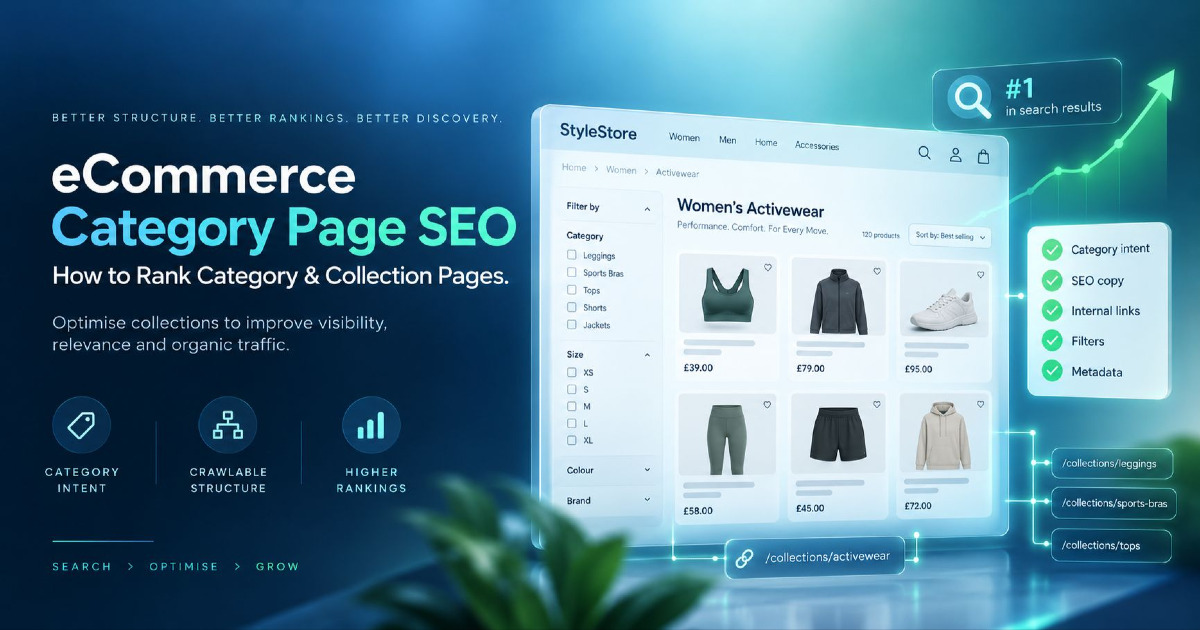
Category and Collection Pages Deserve Commercial-Level Auditing
Category pages are frequently among the most valuable organic landing pages on an online store because they match broad commercial searches while allowing the visitor to browse several suitable products.
An audit should therefore treat categories as commercial assets rather than simply checking whether each one has 300 words of text.
| Category Audit Area | What to Review |
|---|---|
| Search intent | Does the SERP favour categories, products, guides or mixed results? |
| Page ownership | Is another category, facet or article competing for the same query? |
| Inventory | Does the category contain enough suitable products to satisfy the intent? |
| Hierarchy | Does the parent/child relationship make sense to users and crawlers? |
| Internal links | Are strategically important products reachable? |
| Pagination | Can crawlers reach products beyond the first visible set? |
| Filters | Do useful filters help customers without creating uncontrolled crawl paths? |
| Content | Does the page explain anything customers need before browsing? |
| Merchandising | Are available, profitable and useful products being surfaced appropriately? |
| Schema/breadcrumbs | Are structural signals technically consistent? |
Do not add long introductory text simply because an SEO audit tool says category content is “thin”. A customer searching for “men's running shoes” usually wants to browse running shoes, not read a 1,500-word history of running footwear before seeing a product.
Useful category content might instead explain fit, sizing, material, compatibility, delivery, product differences or selection criteria that genuinely support the purchase. The page should remain a shopping experience first.
Category Existence Must Be Justified by Inventory and Demand
CMS platforms make it very easy to create categories. That does not mean every category deserves an indexable search landing page.
Imagine a fashion store creates:
- Summer Dresses
- Holiday Dresses
- Vacation Dresses
- Beach Holiday Dresses
- Summer Vacation Dresses
If these URLs contain almost the same inventory and target essentially the same search intent, adding more category copy will not solve the underlying duplication. The audit needs to decide which page should own the demand and whether the remaining structures serve a real browsing purpose.
This is why keyword research and page mapping belong inside an eCommerce audit. My eCommerce keyword research framework explains the mapping process in more depth.
Product Page Auditing Must Go Beyond Unique Descriptions
Product-page audits often become a hunt for duplicated manufacturer copy. Duplication can matter, but changing a few sentences is not enough to make a weak product page valuable.
A useful PDP audit asks whether the page provides the information a customer needs to decide whether this specific product is suitable.
| Product Information | Examples |
|---|---|
| Identity | Product name, brand, model, SKU, GTIN where relevant |
| Commercial information | Price, sale price, availability, shipping |
| Physical attributes | Size, dimensions, weight, material, colour |
| Compatibility | Devices, models, use cases or environments supported |
| Selection help | Fit, capacity, performance differences, intended use |
| Merchant knowledge | Real product observations, comparisons and practical guidance |
| Trust information | Returns, warranty, authentic reviews and policies |
| Media | Clear images, useful product views and video where appropriate |
For example, a furniture product page saying only “Premium wooden dining table. Stylish and durable. Buy now.” may technically be unique while still being nearly useless. A customer may need dimensions, seating capacity, wood type, finish, assembly requirements, care instructions, delivery limitations and whether chairs are included.
The objective is therefore not simply unique copy. It is useful merchant-specific product information.
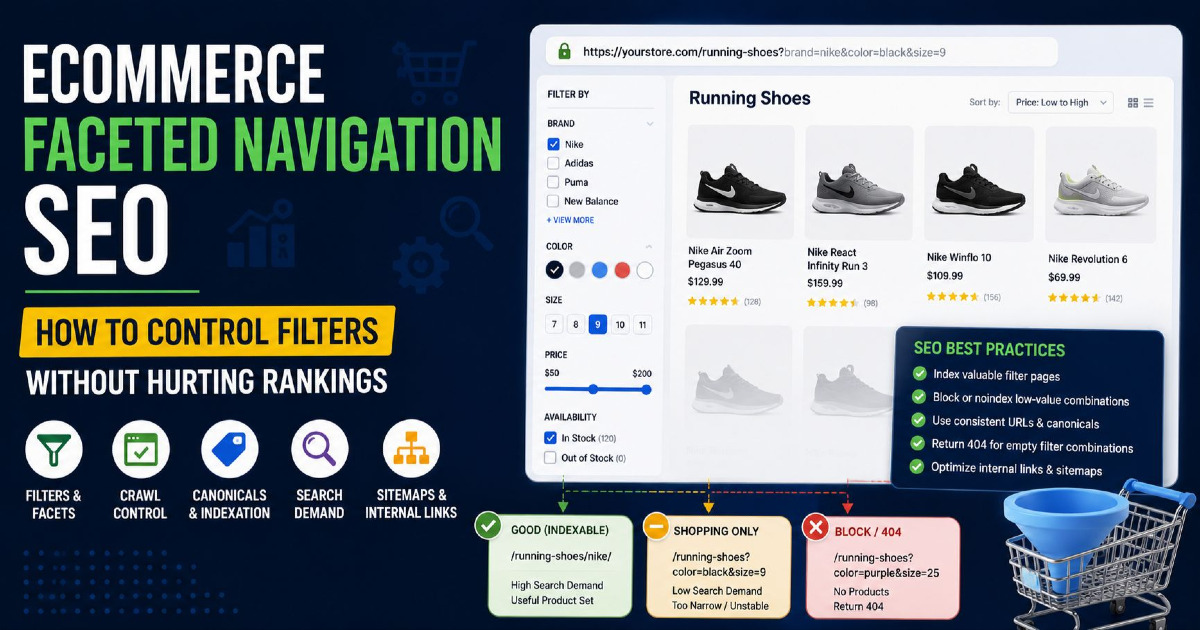
Faceted Navigation Can Become the Largest Technical SEO Problem
Filters are excellent for users because they allow a shopper to narrow thousands of products by colour, size, brand, price, material and other attributes. The SEO problem begins when every possible combination creates a crawlable URL.
A store with only 100 categories can suddenly expose tens of thousands of URLs such as:
/shoes?colour=black
/shoes?size=9
/shoes?colour=black&size=9
/shoes?size=9&colour=black
/shoes?colour=black&size=9&sort=price
/shoes?brand=x&colour=black&size=9
The audit should divide facets into different classes instead of using one rule for every filter.
| Facet Type | Example | Likely SEO Direction |
|---|---|---|
| Pure utility | Sort price low to high | No independent search purpose |
| Duplicate state | Same filter values in a different parameter order | Consolidate/control duplicates |
| Potential search landing page | Black running shoes | May deserve a dedicated page if demand and inventory justify it |
| Very narrow combination | Black size-9 waterproof trail shoes under ₹3,000 | Usually browsing utility rather than indexable SEO page |
| Empty combination | Filter produces zero products | Should not create endless crawlable dead ends |
Do not solve this blindly by noindexing every filtered URL. Some filter combinations can represent valuable commercial demand. Equally, do not make every filter indexable because a few combinations have search volume.
The correct approach is to decide which filters are useful navigation states and which combinations deserve stable SEO landing pages. My separate guide to URL parameters explains the technical side more deeply.
Pagination Must Keep Deeper Products Discoverable
Category pages rarely show every product at once. Stores use pagination, Load More buttons or infinite scrolling to keep pages manageable and improve the user experience. The audit needs to verify that this does not hide deeper products from crawlers.
Google generally discovers URLs through links rather than behaving like a user who repeatedly presses a Load More button. A category that shows 24 products initially and exposes the remaining 300 only after user interaction can therefore create a discovery problem if there is no crawlable URL structure behind the experience.
For paginated categories, check that pages can be reached through normal links and that deeper pages do not all canonicalise back to page one merely because they belong to the same category. Each paginated page can contain a different set of products and should function as part of the crawl path.
With infinite scrolling or Load More, inspect whether the implementation has crawlable component URLs or another reliable discovery path. A visually excellent category is not technically successful if Google consistently sees only its first set of products.
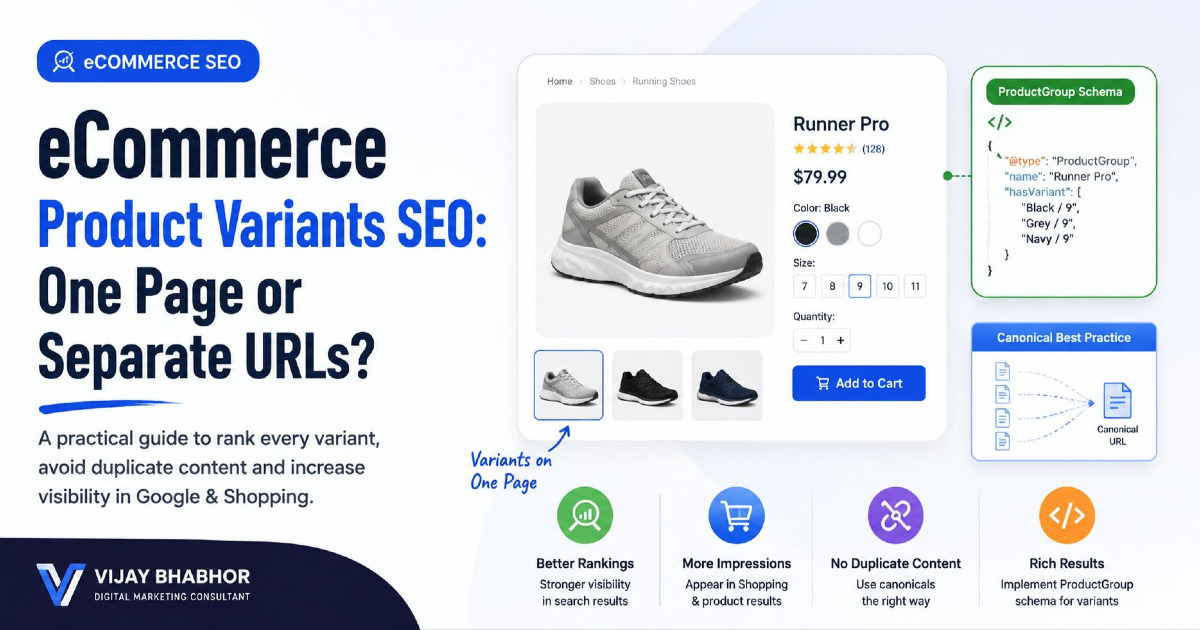
Product Variants Need an Intentional Indexing Strategy
Variants create one of the most confusing parts of an eCommerce SEO audit because a store's commercial product model does not always match the URL model.
A shirt may exist as:
Oxford Shirt
with:
Blue / White / Black × S / M / L / XL
The business may consider this one product while Merchant Center treats individual combinations as identifiable offers and the website generates addressable variant URLs.
The audit needs to establish:
- whether variants have separate URLs;
- whether those URLs contain meaningfully different visible content;
- which version is canonical;
- whether any variant deserves independent search visibility;
- how availability and price change by variant;
- whether schema matches the visible selected variant;
- whether Merchant Center and website URLs align.
There is no universal rule saying every colour should canonicalise to the parent or every colour needs its own indexable page. Search demand, inventory depth and implementation should determine the architecture.
Product Structured Data Should Match the Product the Shopper Sees
Product structured data can help Google understand information such as product identity, price, availability, reviews, shipping and returns. The audit should not stop after checking whether `Product` markup exists. It should validate whether the information is correct.
Compare three sources:
Visible product page ↔ Structured data ↔ Merchant Center
A mismatch might look like:
| Source | Price | Availability |
|---|---|---|
| Product page | ₹4,999 | In stock |
| Structured data | ₹4,499 | In stock |
| Merchant Center | ₹4,999 | Out of stock |
This is more important than calling it a “schema error”. The store is giving Google contradictory commerce information about the same product.
For variable products, also confirm that the structured data being output represents the actual visible offer correctly. Plugins, themes, apps and feed systems can each generate or alter product information, so multiple implementations should be checked for conflict.
Merchant Center Belongs in an eCommerce SEO Audit
Merchant Center is often treated only as a Google Ads concern, but Google's ecommerce ecosystem uses product information across paid and unpaid shopping experiences. An organic audit should therefore at least compare Merchant Center product data with the website and structured data.
Check important products for:
- URL consistency;
- product identity;
- GTIN and brand;
- price and sale price;
- availability;
- product images;
- variant information;
- shipping or return information where relevant.
The purpose is not to turn an SEO audit into a Google Shopping campaign audit. It is to make sure the store is not sending contradictory product information across systems that Google uses to understand its catalogue.
Internal Linking Should Reflect Commercial Importance
eCommerce internal linking has two jobs. It helps shoppers discover useful products, and it helps search engines understand which pages are connected and relatively important.
That means the audit should not simply count links. It should compare the site's internal-link prominence with the products and categories the business actually cares about.
Imagine the store's highest-margin category is six clicks from the homepage, receives almost no internal links and can only be reached through a dropdown inside another collection. Meanwhile, several outdated categories appear in the main navigation and receive sitewide links.
This is not simply “poor click depth”. It is an SEO merchandising problem.
Review internal prominence against:
| Business Signal | SEO Question |
|---|---|
| Best sellers | Can users and crawlers reach them easily? |
| High-margin categories | Does architecture reflect their importance? |
| Seasonal inventory | Are seasonal hubs activated early enough? |
| New products | Do they receive enough discovery support? |
| High organic demand | Do search-important categories have strong contextual links? |
| Out-of-stock products | Are valuable internal links being wasted on unavailable inventory? |
Blog content can also help. A useful buying guide discussing waterproof trail footwear can link naturally to the waterproof trail-shoe category. The objective is not to insert category links into every paragraph; it is to connect informational demand with the next useful commercial destination.
Audit Search Intent Across Categories, Products, Facets and Content
Technical SEO can be completely clean while the website still has poor keyword ownership. This usually happens when several URL types are competing for the same search intent.
| Search | Likely Page Type |
|---|---|
| running shoes | Category |
| black running shoes | Category/facet landing page if inventory supports it |
| Nike Pegasus 42 | Product |
| trail running shoes vs hiking shoes | Article/comparison guide |
| how should running shoes fit | Informational guide |
Now compare those intended owners with the actual Search Console results.
If the blog article ranks for “running shoes” while the category has disappeared, investigate why Google prefers the informational page. If two categories alternate for the same query, the hierarchy or intent may not be clear enough. If a parameter URL ranks instead of the permanent category, the filter architecture may need work.
This is where page-level optimisation should be used after ownership has been decided. My eCommerce on-page SEO guide covers the optimisation stage separately.
Audit Inventory Lifecycle Instead of Treating Every Product as Permanent
Products change state constantly. They become temporarily unavailable, discontinued, replaced, seasonal or permanently removed. Those states should not all receive the same SEO treatment.
| Inventory State | Audit Direction |
|---|---|
| Temporarily out of stock | Usually preserve the useful product URL and communicate availability clearly |
| Expected back soon | Keep page useful and allow customers to understand the status |
| Permanently discontinued with close replacement | Evaluate whether a relevant redirect is appropriate |
| Discontinued but still has strong demand/backlinks | Page may remain useful with alternatives and clear status |
| Removed with no demand or replacement | A 404 or 410 may be appropriate |
| Seasonal product | Preserve useful URL history where the product returns regularly |
Never redirect every discontinued product to the homepage. A redirect should lead to a meaningfully relevant replacement or destination. Otherwise, returning the correct unavailable status can be clearer for users and search engines.
The same lifecycle thinking applies to categories. A seasonal Christmas category may deserve to remain stable throughout the year even when its inventory changes, while a one-off promotional collection may not deserve permanent search visibility.
Shopify SEO Audits Should Start by Respecting Shopify Defaults
A Shopify audit should not begin by recommending features Shopify already provides. Shopify automatically generates important technical elements including canonical tags, `sitemap.xml` and `robots.txt`. The audit should verify the output and then focus on where themes, apps, catalogue decisions or custom code have changed the expected behaviour.
The main Shopify audit areas include:
| Shopify Area | Audit Focus |
|---|---|
| Collections | Intent overlap, product depth, filters and internal discovery |
| Products | Canonical URL, content, variants, product data and internal links |
| Theme | HTML structure, rendering, performance and duplicate schema |
| Apps | Generated URLs, scripts, schema, filters and metadata changes |
| Sitemap | Confirm intended products, collections and content are represented |
| robots.txt.liquid | Check custom changes rather than assuming defaults are wrong |
| Search visibility settings | Check Unlisted status, noindex and seo.hidden |
| Markets | International URLs, hreflang, canonical and localisation |
A particularly important Shopify check is intentional visibility. A product can remain directly accessible while being excluded from normal discovery through settings such as Unlisted status. Shopify also supports mechanisms such as `seo.hidden` to remove resources from search engines and sitemaps. An audit should identify whether a missing product is accidentally excluded or deliberately hidden.
Do not automatically remove Shopify robots rules or rewrite the whole canonical system because another SEO checklist recommends it. First understand what Shopify is already doing, then investigate the specific exception. I have a separate diagnostic guide covering Shopify pages not indexed by Google where these indexing states are explored in more detail.
Shopify Apps Can Quietly Change the SEO Output
A Shopify store may begin with sensible platform defaults and later accumulate five years of theme customisations and apps. Filter applications, review tools, translation apps, SEO applications, page builders, search tools and subscription systems can add scripts, metadata, schema or additional URL patterns.
The audit should therefore compare:
Shopify default behaviour → Current theme output → App-generated output
Look for duplicate Product schema, multiple canonical tags, conflicting meta robots directives, duplicated review markup, unnecessary parameter URLs and applications that produce indexable landing pages without a clear content strategy.
The platform itself may not be the problem. The accumulated implementation can be.
Shopify Markets Requires an International SEO Audit
Shopify Markets can handle several important international SEO elements automatically when markets, domains and languages are configured correctly. Market-specific URLs can receive self-referencing canonicals, hreflang relationships and sitemap inclusion.
The audit should still validate the output rather than assuming the configuration is commercially suitable.
Review:
- which market URLs exist;
- whether each version contains genuinely appropriate language and currency;
- whether hreflang points between equivalent pages;
- whether canonicals remain self-referencing for valid market pages;
- whether discontinued markets leave broken subfolder URLs;
- whether translation is accurate rather than mechanically duplicated;
- whether market-specific products and collections are available.
International SEO problems are often not caused by a missing hreflang tag. They happen because the business has created market URLs without enough localisation or because products available in one market do not match the pages being exposed in another.
WooCommerce Audits Need an Ownership Map
WooCommerce behaves differently because the final SEO output is usually created by several layers working together.
A WooCommerce site may involve:
WordPress → WooCommerce → Theme → SEO Plugin → Filter Plugin → Feed Plugin → Cache/Performance Plugin → Custom Code
The first task is therefore to identify which component controls each SEO signal.
| SEO Signal | Possible Owner |
|---|---|
| Canonical | SEO plugin, theme or custom code |
| XML sitemap | WordPress, SEO plugin or specialist sitemap plugin |
| Product schema | WooCommerce, SEO plugin, theme or schema extension |
| Filter URLs | WooCommerce/filter plugin/custom theme |
| Meta robots | SEO plugin or custom code |
| Breadcrumbs | Theme, WooCommerce or SEO plugin |
| Product feeds | Feed plugin or external integration |
| Performance | Host, theme, cache plugin, image plugin and JavaScript stack |
Plugin conflicts are one of the main reasons a WooCommerce audit cannot rely on assumptions. The same WooCommerce version can produce very different SEO behaviour on two stores because their themes and plugin stacks are different.
WooCommerce Attributes and Variations Need Special Attention
WooCommerce variable products can maintain different prices, stock, images and other information for individual variations. That flexibility is useful commercially but creates several audit questions.
Check whether:
- important variations are represented clearly;
- selected variation price matches structured data;
- variation availability is accurate;
- filter attributes are creating indexable URLs;
- attribute archives exist without useful search intent;
- feed integrations use the correct variation identifiers;
- SEO plugins and WooCommerce are outputting duplicate Product markup.
Filter plugins deserve particular attention. Some implementations use parameters, while others create clean path-style URLs and even allow SEO titles and descriptions to be defined for filter combinations. Those features can be useful when intentionally building search landing pages, but they can also produce hundreds of low-value indexable pages if activated without keyword and inventory planning.
Custom and Headless Stores Need Every SEO Signal Verified Explicitly
A custom platform gives developers maximum control, but that also means fewer platform guardrails. A headless website can look completely correct after JavaScript executes while returning very little useful information in its initial response.
For important templates, compare the raw server response with the rendered page.
| Element | Raw HTML | Rendered HTML | Audit Concern |
|---|---|---|---|
| Product name/content | Present? | Present? | Main information must be reliably accessible |
| Internal links | Present? | Present? | Use crawlable anchors and valid href values |
| Canonical | Correct? | Correct? | Avoid client-side conflict or late replacement |
| Meta robots | Correct? | Correct? | Indexability should remain stable |
| Structured data | Present? | Valid? | Should represent visible product information |
| Pagination | Crawlable? | Functional? | Deeper products must be discoverable |
Also test what happens when an API fails. If a product API returns an error, does the server respond with an appropriate status, or does every unavailable product continue returning a blank `200 OK` page?
Headless routing needs similar scrutiny. Client-side navigation should not be the only mechanism by which important category and product URLs become discoverable.
Core Web Vitals Should Be Audited by Template, Not Only Homepage
A homepage speed score tells you almost nothing about the performance of a 10,000-product catalogue. eCommerce templates often behave very differently.
Test representative examples of:
- homepage;
- large category;
- small category;
- simple product;
- variable product;
- content-heavy product;
- blog article;
- international page if relevant.
Pay particular attention to scripts introduced by reviews, personalisation, chat, tracking, page builders, sliders, recommendation engines and third-party apps. Removing 50 KB from a logo while allowing 2 MB of unnecessary JavaScript to execute on every product page is not a meaningful performance strategy.
Use field data where sufficient data exists, and treat lab tools as diagnostic assistance rather than as a competition to achieve a perfect score.
Organic Performance Must Be Segmented by Page Type
Search Console becomes much more useful when category, product and content performance are reviewed separately.
A store-level chart may say organic clicks increased 12%, but that does not explain what happened commercially.
| Segment | Useful Audit Questions |
|---|---|
| Categories | Which commercial queries are gaining or losing visibility? |
| Products | How many active products receive impressions? |
| Articles | Does informational traffic move towards commercial pages? |
| Parameters/facets | Are unintended URLs receiving search visibility? |
| International | Are the correct regional URLs appearing? |
Look for changes in query families rather than obsessing over one keyword. A category may lose its main tracked keyword while gaining several close variations. Another page may maintain average position while impressions fall because demand changed.
The audit should separate:
Indexing loss → Ranking loss → Demand loss → CTR loss → Commercial conversion loss
These are different problems and require different fixes.
Organic Revenue Helps Prioritise SEO Work Without Becoming a Ranking Factor
Google does not rank a category because it has a high conversion rate in your GA4 account. Business performance and ranking signals should not be confused.
Revenue data is still extremely useful for deciding which SEO fixes deserve attention first.
Suppose the audit finds:
| Finding | Affected URLs | Commercial Importance |
|---|---|---|
| Main category accidentally noindexed | 1 | Produces 18% of store revenue when visible |
| Missing alt text | 800 images | Low current impact |
| Filter crawl explosion | 25,000 URLs | Slowing discovery across large catalogue |
| Three broken blog links | 3 | Low |
A crawler may report 800 missing alt attributes as the largest issue by count. A sensible eCommerce audit would not therefore fix those before restoring the revenue-driving category or addressing the filter system affecting the catalogue.
Use Organic Funnel Data to Find Problems After the Click
SEO responsibility does not end at rankings, but conversion problems should be labelled correctly.
A useful diagnostic sequence is:
Organic Impression → Search Click → Category/Product Landing → Product View → Add to Cart → Checkout → Purchase
If impressions are weak, investigate indexing, intent, competition and authority. If impressions are strong but clicks are poor, review search result appeal and query relevance. If organic users land successfully but rarely view products, the category or content journey may be weak. If add-to-cart is healthy but Purchase is poor, checkout or commercial friction may be the real issue.
This prevents an SEO team from changing titles and internal links to solve a checkout problem that sits much later in the customer journey.
Backlink Analysis Should Follow Important eCommerce URLs
An eCommerce backlink audit does not need a large section about arbitrary toxicity scores. Concentrate on where useful external authority currently enters the store and whether that value is being preserved.
Check:
- high-value categories with meaningful external links;
- discontinued products that earned backlinks;
- old categories that have been redirected;
- broken historical product URLs with external references;
- editorial guides earning links but poorly connected to commercial categories;
- competitor categories earning editorial mentions your store lacks.
If an old product has earned strong external references and has now been removed, decide whether a suitable replacement exists. Redirecting it to a genuinely relevant successor can preserve a useful customer journey. Redirecting every historical product to the homepage usually does not.
Prioritise Findings by Scale and Commercial Impact
The final audit should not contain 200 findings with identical priority. Development, merchandising and content resources are limited, so the audit needs to show what deserves action first.
I use a practical eCommerce priority model based on:
Organic Opportunity × Commercial Importance × Scale × Confidence ÷ Implementation Effort
| Audit Finding | Likely Priority | Reason |
|---|---|---|
| Top category accidentally noindexed | Critical | Directly prevents a high-value page from ranking |
| Product schema price mismatch on 5,000 SKUs | Critical/High | Large-scale commerce-data inconsistency |
| 30,000 uncontrolled filter URLs | High | Can affect crawling and index quality across the site |
| Best-selling category six clicks deep | High | Architecture does not reflect commercial importance |
| 600 duplicated meta descriptions | Medium/Low depending on templates | Large count does not automatically mean large impact |
| Missing alt text on decorative images | Low | Usually far below structural catalogue issues |
| Five discontinued products return 404 | Depends | Check demand, replacements and external links first |
A Practical First-Pass eCommerce SEO Audit
If I had limited time to understand an unfamiliar store, I would not begin by exporting every crawler tab. I would work through the store in this order.
- Understand the catalogue. Record the number of active products, categories, markets and major product types.
- Classify URL templates. Separate categories, products, variants, filters, pagination, search and content.
- Compare sitemap, crawl and Search Console counts. Look for major inventory gaps.
- Inspect important URLs manually. Check index status, canonical, rendering and Google-selected canonical.
- Crawl the architecture. Measure orphan products, deep categories, broken links and redirect paths.
- Audit facets and pagination. Identify unnecessary URL generation and hidden deeper products.
- Review categories by search intent. Find overlap, weak inventory and missing landing-page opportunities.
- Review representative products. Check merchant information, variants, schema and catalogue consistency.
- Validate platform-specific behaviour. Shopify apps, WooCommerce plugins or custom rendering can change the expected output.
- Segment Search Console and analytics. Compare categories, products and articles rather than relying on site averages.
- Prioritise by commercial importance. Fix the problems capable of changing useful organic visibility first.
Common Audit Mistakes That Create More Work Than Improvement
Exporting Every Crawler Warning and Calling It an Audit
A crawler can collect useful evidence, but it does not know your margins, inventory strategy or which category produces 30% of annual revenue. If the final report simply reproduces tool warnings sorted by volume, the audit has not done the difficult part: interpretation.
Use crawl data to detect patterns, then connect those patterns to indexation, search demand and business importance. One accidental noindex on a critical category can matter more than thousands of cosmetic metadata warnings.
Trying to Index Every URL the Store Creates
An ecommerce platform can create URLs for sorting, tracking, filters, search results, customer states and other utility functions. The fact that a URL exists does not mean it deserves an organic-search landing page.
Define the intended indexable inventory first. Then use Search Console and crawl data to check whether Google is indexing too little, too much or the wrong parts of the catalogue.
Using Noindex as the Only Faceted-Navigation Strategy
Adding `noindex` may help keep a page out of search results when Google can crawl and process the directive, but it does not automatically solve uncontrolled URL crawling. If millions of filter combinations remain easily discoverable, Googlebot may continue spending resources crawling them.
The complete solution may involve URL generation, internal-link behaviour, crawl controls, stable SEO landing pages and indexation rules working together.
Blocking a URL in Robots.txt and Expecting Google to Read Its Noindex
If Google cannot crawl the page because robots.txt prevents access, it may not be able to process a `noindex` directive located on that page. Robots controls and indexing controls solve different problems and need to be designed deliberately.
This becomes particularly important when stores attempt to remove parameter URLs by applying every available control at once without understanding how the signals interact.
Canonicalising Every Pagination Page to Page One
Page two of a category may contain products that page one does not contain. If every paginated URL points canonical back to the first page, the site is incorrectly suggesting that these pages are duplicates of the same content.
Pagination should support discovery of deeper inventory. The audit should preserve that function rather than trying to make every category behave like a single URL at any cost.
Creating Indexable Filter Pages Without Enough Inventory
Finding search volume for “red leather office chair” does not automatically justify creating a permanent landing page if the store has one occasionally available product that matches the filter.
Search demand, catalogue depth and long-term merchandising need to support the page. Otherwise, the store creates thin commercial URLs that regularly become empty.
Rewriting Product Descriptions Without Fixing Product Value
Changing “comfortable cotton t-shirt” to “soft and comfortable premium cotton tee” technically makes the sentence different but adds almost no information.
Product-content work should concentrate on the details shoppers genuinely need: fit, dimensions, materials, compatibility, specifications, use cases, care, shipping and other merchant-specific knowledge.
Removing Out-of-Stock Products Too Quickly
A temporarily unavailable product may still have rankings, backlinks, customer interest and a realistic return date. Deleting it immediately can discard useful search equity and produce a poor customer experience for people still searching for the item.
Product lifecycle should determine the response. Temporary stock problems, permanent discontinuation and a replaced model are three different situations.
Redirecting Every Discontinued Product to the Homepage
A visitor searching for a specific discontinued washing machine does not receive a useful answer by being sent to the store homepage. Redirect only when there is a genuinely relevant replacement or category destination. Otherwise, an honest unavailable state may be more appropriate.
Optimising Speed Without Identifying the Slow Template
An online store can have a fast homepage and slow product pages because reviews, variant selectors, recommendation tools and third-party scripts load only on product templates. Sitewide speed recommendations based on one homepage test can therefore send developers towards the wrong work.
Audit performance by representative template and user journey.
Changing URLs Because the New Version Looks Cleaner
Existing categories and products may already have search history, links and customer bookmarks. A shorter URL is not automatically worth a migration.
Change established URLs only when there is a clear structural or business reason, then map redirects and internal links carefully. Cosmetic URL changes can create more SEO risk than benefit.
Assuming the Platform Is Responsible for Every SEO Problem
Shopify sites can perform poorly because of custom themes and apps rather than Shopify defaults. WooCommerce sites can behave differently depending on their plugin stacks. Custom stores can implement technically excellent SEO or very poor SEO.
The platform tells you where to investigate. It does not provide the final diagnosis.
Shopify, WooCommerce and Custom Stores Need the Same Questions but Different Investigations
| Audit Area | Shopify | WooCommerce | Custom/Headless |
|---|---|---|---|
| Canonical | Verify Shopify default plus theme/app overrides | Identify SEO plugin/theme ownership | Validate implementation directly |
| Sitemap | Platform-generated | WordPress/plugin dependent | Must be designed and maintained |
| robots.txt | Platform default with customisable liquid rules | WordPress/server/plugin dependent | Fully custom |
| Variants | Audit Shopify variant URLs and product state | Audit variable products and attributes | Audit custom product model |
| Filters | Theme/app behaviour | Plugin/theme behaviour | Custom faceted system |
| Structured data | Theme/app conflicts common | WooCommerce/plugin/theme conflicts possible | Implementation must be validated from scratch |
| Rendering | Theme/app JavaScript | Theme/plugins/builders | Critical for headless/client-rendered systems |
| International SEO | Markets can automate major signals | Plugin/custom configuration | Requires deliberate architecture |
The Audit Is Finished Only When Every Important Finding Has an Owner
A long SEO document has little value if nobody knows what happens next. Convert findings into an implementation plan and assign them to the team capable of fixing them.
| Finding | Likely Owner |
|---|---|
| Category intent overlap | SEO/content/merchandising |
| Faceted navigation architecture | SEO + developer |
| Product schema mismatch | Developer/platform specialist |
| Poor product descriptions | Content + merchandising |
| Broken Merchant Center product information | Feed/eCommerce team |
| Slow product template | Developer/performance team |
| Incorrect international URL mapping | SEO + developer/platform team |
| Discontinued inventory strategy | SEO + merchandising |
Then define how the fix will be validated. If the problem was accidental noindex, confirm the directive has changed and monitor indexing. If the problem was filter crawl expansion, recrawl the affected architecture and watch Search Console patterns. If a category was rewritten to own a clearer intent, monitor the correct query group rather than waiting only for one exact keyword.
An eCommerce SEO Audit Should Improve the Store, Not the Audit Score
The purpose of an eCommerce SEO audit is not to remove every warning from an SEO tool. It is to make the relationship between the catalogue and search engines clearer.
A strong store should expose important categories and products through crawlable architecture, keep utility URL systems under control, give each search intent a clear page owner, provide accurate product information, maintain consistent canonical and structured-data signals, and make commercially important inventory easy to discover.
The platform changes how you get there. Shopify provides many sensible defaults but themes, apps and catalogue decisions can create exceptions. WooCommerce gives more flexibility but requires careful inspection of plugins and theme ownership. Custom and headless systems provide complete control but demand that every crawl, rendering and indexing behaviour is intentionally implemented.
The audit should therefore finish with a much smaller set of priorities than it started with. Fix the issues affecting valuable categories, product discovery, catalogue indexation and product-data accuracy first. Leave cosmetic crawler warnings until the problems capable of changing meaningful organic visibility are under control.
If your store needs that deeper technical, content and catalogue review rather than another automated checklist, my eCommerce SEO services are built around identifying those system-level problems and turning them into a prioritised implementation plan.