Crawling in SEO is the process where search engine bots discover, request, and fetch webpages so the content can be processed for possible indexing and ranking.
Google explains Search in 3 main stages: crawling, indexing, and serving search results. During crawling, Google downloads text, images, and videos from pages it finds on the web. During indexing, Google analyzes the page and stores eligible information in its index. During serving, Google returns relevant results for a user query. You can verify this process in Google’s official guide on how Google Search works.
Crawling does not guarantee indexing. A page can be crawled by Googlebot and still remain outside Google’s index if the page has quality issues, duplicate content, weak intent match, canonical conflicts, noindex signals, rendering problems, or low value compared with other available pages.
This guide explains what crawling means in SEO, how Googlebot discovers URLs, what happens after crawling, why pages can be crawled but not indexed, and how to diagnose crawl and index problems using Google Search Console.
What Is Crawling in SEO?
Crawling in SEO means search engine bots visit URLs, request page resources, read page content, and follow links to discover more URLs.
Search engines use automated programs called crawlers, spiders, or bots. Google’s main crawler is called Googlebot. Googlebot discovers URLs through links, XML sitemaps, previous crawl history, redirects, and other known URL sources.
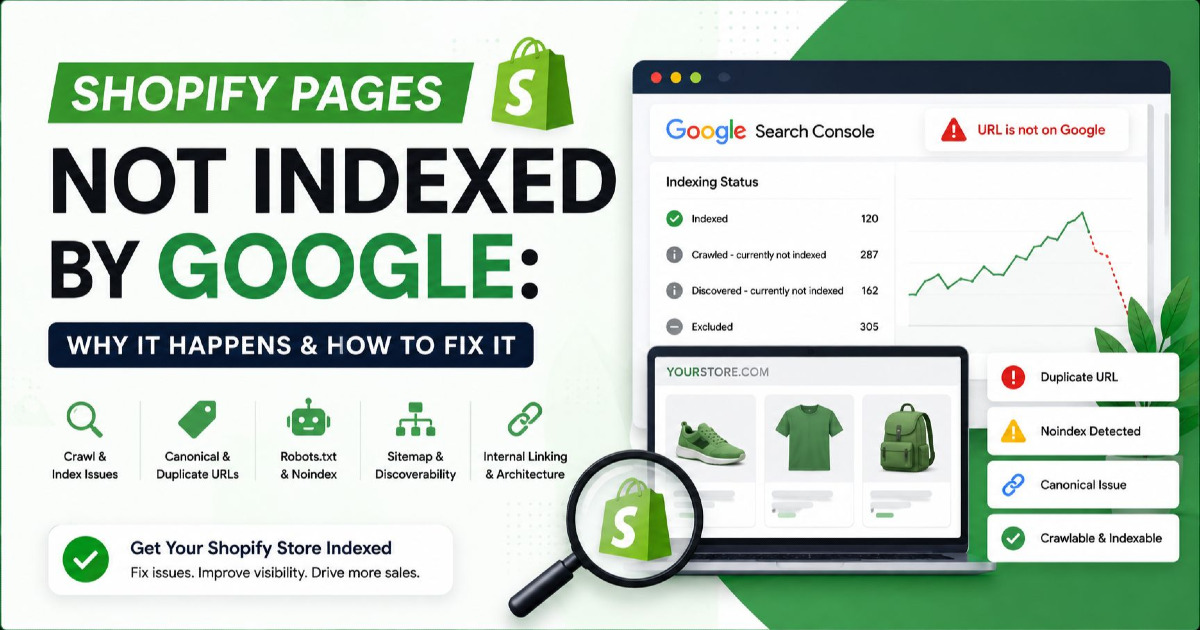
Crawling is the first technical step before a page can be indexed. If Google cannot crawl a URL, it may not be able to process the page content for indexing. If Google crawls the URL but does not consider it index-worthy, the page may appear in Search Console as “Crawled, currently not indexed.”
A simple crawl process looks like this:
- Googlebot finds a URL from a link, sitemap, redirect, or known URL list.
- Googlebot checks whether crawling is allowed.
- Googlebot requests the page from the server.
- The server returns a response such as 200, 301, 404, or 500.
- Google processes the returned content and resources.
- Google decides whether the page should move forward for indexing.
Why Crawling Matters in SEO
Crawling matters because search engines must first access a page before they can evaluate its content, understand its purpose, and consider it for indexing.
If a page is important for organic search, it should be easy for search engines to find and crawl. A page hidden deep in the site, blocked by robots.txt, missing from internal links, or returning server errors may struggle to enter the normal crawl and index process.
Crawling affects SEO in 5 ways:
- Discovery: Googlebot must find the URL before it can request it.
- Access: The server must allow Googlebot to fetch the page.
- Rendering: Google may need to process JavaScript and resources to see the final content.
- Indexing eligibility: Google checks whether the page is allowed and useful enough to index.
- Refresh: Google revisits pages to detect changes, updates, redirects, removals, and new content.
Google’s crawling and indexing documentation explains how site owners can help Google find and parse content for Search. For a wider technical setup, read the Technical SEO Guide.
How Googlebot Discovers URLs
Googlebot discovers URLs through internal links, external links, XML sitemaps, redirects, canonical hints, and URLs Google has crawled before.
Discovery is not the same as crawling. Discovery means Google knows a URL exists. Crawling means Googlebot actually requests that URL. A discovered URL may wait before crawling if Google sees low priority, weak signals, crawl demand limits, or many similar URLs.
| URL Discovery Source | How It Helps Crawling | Example |
|---|---|---|
| Internal links | Help Googlebot move from one page to another inside the website. | A technical SEO guide links to a crawling guide. |
| External links | Help Google discover URLs from other websites. | A blog post from another site links to your page. |
| XML sitemap | Lists important URLs you want search engines to discover. | A sitemap includes updated blog URLs. |
| Redirects | Tell Google that one URL has moved to another URL. | Old URL redirects to the new version. |
| Previous crawl history | Google revisits known URLs based on signals and changes. | A page crawled earlier is checked again later. |
Internal links are one of the strongest site-controlled discovery signals. A page that is only in the sitemap but not linked contextually from relevant pages may still be seen as low priority.
How Crawling Works Step by Step
Crawling works by discovering a URL, checking crawl permissions, requesting the page, reading the server response, processing resources, and deciding whether the page should continue toward indexing.
Googlebot does not crawl every URL at the same frequency. Crawl activity depends on site quality, server response, URL importance, content changes, internal linking, duplicate handling, and Google’s systems.
| Crawl Step | What Happens | SEO Risk |
|---|---|---|
| URL discovery | Google finds the URL through links, sitemap, redirects, or crawl history. | Weak internal links can reduce URL importance. |
| Crawl permission check | Google checks robots.txt and other access conditions. | Blocked URLs may not be crawled properly. |
| Server request | Googlebot requests the page from the server. | Slow servers, 5xx errors, and timeouts can reduce crawl reliability. |
| Response processing | Google reads the response code, HTML, links, and resources. | 404, soft 404, redirect chains, or thin HTML can create problems. |
| Rendering | Google may render JavaScript to see final visible content. | Important content hidden behind JavaScript may be delayed or missed. |
| Indexing decision | Google decides whether the URL should be indexed. | Crawled pages may still be excluded if they are weak, duplicate, or blocked from indexing. |
Crawling vs Rendering vs Indexing vs Ranking
Crawling, rendering, indexing, and ranking are different stages. Crawling fetches the page, rendering processes the page output, indexing stores eligible content, and ranking orders indexed pages for search queries.
Many SEO issues happen when these terms are mixed. A page can be crawled but not indexed. A page can be indexed but not ranking. A page can be discovered but not crawled. A page can be blocked from crawling but still appear in Google if other signals exist.
| Stage | Meaning | Search Console Example |
|---|---|---|
| Discovery | Google knows the URL exists. | Discovered, currently not indexed. |
| Crawling | Googlebot requests the URL. | Last crawl date shown in URL Inspection. |
| Rendering | Google processes the page and resources to understand visible content. | Rendered HTML and screenshot in URL Inspection. |
| Indexing | Google stores eligible page information in its index. | URL is on Google. |
| Ranking | Google shows indexed pages for relevant queries. | Impressions, clicks, and average position in Performance report. |
For a deeper page-indexing explanation, use What Is SEO Indexing instead of expanding indexing too much inside a crawling article.
Does Crawling Guarantee Indexing?
No, crawling does not guarantee indexing. Google may crawl a page and still decide not to index it if the page is duplicate, low value, blocked from indexing, technically unclear, or not useful enough for Search.
This is why Search Console can show “Crawled, currently not indexed.” Google’s Page Indexing report documentation says this status means Google crawled the page but did not index it, and the page may or may not be indexed in the future.
Google does not index every crawled URL. Indexing is a selection process. A URL must be accessible, indexable, canonicalized correctly, renderable, and useful enough compared with other available pages.
Why a Page Can Be Crawled but Not Indexed
A page can be crawled but not indexed because Google accessed it but did not choose it for the index due to content quality, duplication, canonicalization, technical signals, rendering, internal linking, or low search value.
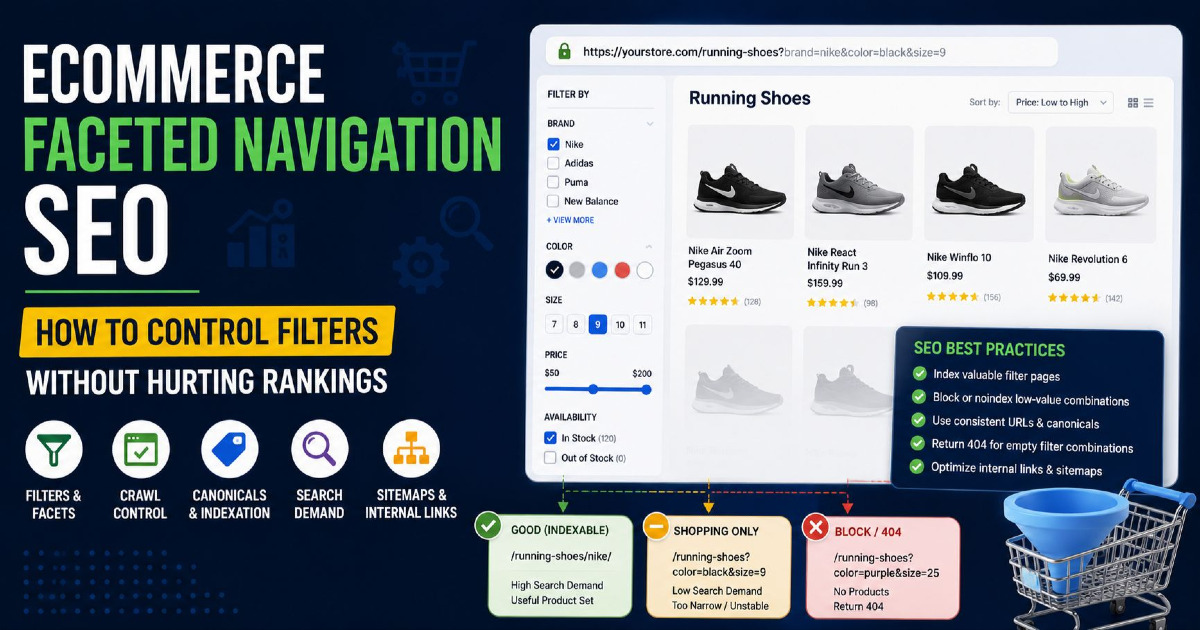
This status is common on large sites, thin sites, newly updated blogs, ecommerce category pages, duplicate templates, tag pages, parameter URLs, and articles that overlap with existing content.
| Reason | What It Means | How to Fix |
|---|---|---|
| Thin content | The page does not provide enough useful information for the query. | Add direct answers, examples, tables, diagnostic steps, and original value. |
| Generic content | The page repeats common definitions already covered by stronger pages. | Add practical examples, screenshots, real checks, and unique explanation. |
| Duplicate content | The page is very similar to another page on the same site or another site. | Merge, canonicalize, rewrite, or make the page more specific. |
| Cannibalization | Several pages target the same intent, so Google prefers another URL. | Assign one topic to one page and use internal links to support related pages. |
| Wrong canonical | Canonical signals point to another URL, or Google selects another URL. | Check declared canonical and Google-selected canonical in URL Inspection. |
| Noindex signal | The page or response header tells search engines not to index the URL. | Remove noindex only if the page should appear in Search. |
| Weak internal links | The page exists but is not strongly connected from related pages. | Add contextual links from relevant technical SEO pages. |
| Poor rendering | Google cannot see the important content after rendering. | Check rendered HTML and screenshot in URL Inspection. |
| Soft 404 signal | The page returns 200 but looks empty, irrelevant, or not useful. | Add substantial content or return the correct status if the page should not exist. |
| Low search value | Google does not see enough reason to show this URL in Search. | Improve information gain, intent match, trust, and internal importance. |
Content Reasons for Crawled but Not Indexed
Content-related indexing problems happen when a page is accessible but Google does not see enough unique, useful, or focused value to store it in the index.
For blog content, this is often more important than crawl access. A page can load correctly, have a 200 status code, be in the sitemap, and still remain outside the index if it overlaps with existing content or lacks a clear purpose.
Check these content signals:
- Direct answer: Does the first paragraph answer the main query clearly?
- Search intent: Does the page match what users expect from the query?
- Topic focus: Does the page own one topic, or does it become a broad guide?
- Information gain: Does the page add examples, diagnostics, tables, workflows, or original analysis?
- Duplication: Does the page repeat another internal article?
- Trust: Are technical claims supported by official sources or real examples?
- Usefulness: Can the reader solve a real crawl or index problem after reading it?
Google’s people-first content guidance recommends creating content that is useful, reliable, and made for people instead of content created mainly to attract search engine traffic.
Technical Reasons for Crawled but Not Indexed
Technical indexing problems happen when a crawled page sends confusing, blocking, duplicate, or low-quality signals that prevent Google from confidently indexing the URL.
Technical checks should be done after confirming the page is useful and unique. A technically valid page can still fail indexing if the content is weak, but technical problems can also stop a strong page from entering the index.
| Technical Factor | What to Check | Tool or Location |
|---|---|---|
| HTTP status | Confirm the page returns 200 OK. | URL Inspection, curl, Screaming Frog. |
| Meta robots | Check whether the page has noindex. | Page source and URL Inspection. |
| X-Robots-Tag | Check whether the server header sends noindex. | HTTP header checker. |
| Canonical tag | Confirm the canonical points to the correct self URL. | Page source and URL Inspection. |
| Google-selected canonical | Check whether Google selected another URL. | URL Inspection. |
| Robots.txt | Check whether Googlebot can crawl the page and needed resources. | Robots.txt tester and live URL test. |
| Rendered HTML | Check whether main content appears after rendering. | URL Inspection rendered HTML. |
| Mobile version | Check whether mobile content matches desktop content. | URL Inspection and mobile rendering. |
| Sitemap URL | Check whether the canonical URL is included in the XML sitemap. | XML sitemap and Search Console sitemap report. |
Google’s robots meta tag documentation explains that a page-level robots meta tag or X-Robots-Tag header can control how a page is indexed and served in Google Search. For pages that should rank, avoid accidental noindex signals.
How Robots.txt Affects Crawling
Robots.txt controls crawler access to URLs, but it is not the right method to keep a page out of Google’s index.
Google’s robots.txt documentation says robots.txt tells crawlers which URLs they can access and is mainly used to avoid overloading the site with requests. Google also states that robots.txt is not a mechanism for keeping a webpage out of Google. To prevent indexing, use noindex or password protection where appropriate.
This difference matters:
| Rule | Controls | Indexing Effect |
|---|---|---|
| robots.txt disallow | Blocks crawling of matching URLs. | Does not reliably remove already known URLs from Google. |
| noindex meta tag | Blocks indexing when Google can crawl and see the tag. | Prevents the page from being indexed. |
| Canonical tag | Suggests the preferred URL among duplicate or similar pages. | Google may index the canonical version instead. |
| Password protection | Blocks access to the content. | Prevents normal crawling and indexing. |
For a deeper robots setup, link to your robots.txt article rather than expanding the full topic here.
How Canonical Tags Affect Crawling and Indexing
Canonical tags help Google choose the preferred URL when duplicate or very similar pages exist, but they do not force Google to index a specific URL.
Google’s canonical documentation explains that canonical signals help specify a preferred URL for duplicate or similar pages. Google may still choose a different canonical if other signals are stronger.
Canonical problems can create crawled but not indexed results when:
- The page canonicals to another URL.
- Google chooses another similar page as canonical.
- Internal links point to multiple URL versions.
- The sitemap lists one URL while the canonical points to another.
- HTTP, HTTPS, www, non-www, slash, and non-slash versions are inconsistent.
For this issue, always check both the declared canonical and Google-selected canonical in Search Console.
How JavaScript Rendering Affects Crawling
JavaScript can affect crawling and indexing when important content, links, or metadata are not available in the initial HTML or rendered output.
Google’s JavaScript SEO documentation explains that Google processes JavaScript and recommends making content and links available in ways Google can render and understand. If a page depends heavily on JavaScript, check the rendered HTML in URL Inspection.
Rendering issues may appear when:
- Main content loads only after client-side JavaScript.
- Internal links are generated in ways Google cannot discover easily.
- Meta robots or canonical values change after rendering.
- Important content appears for users but not in rendered HTML.
- Resources required for rendering are blocked.
A page does not need to be static-only, but the important content should be visible to Google in the rendered page.
How to Check Crawl Status in Google Search Console
You can check crawl status in Google Search Console by using URL Inspection, Page Indexing report, crawl date, canonical details, live URL test, and rendered HTML.
Search Console is the first tool to diagnose whether a page was discovered, crawled, rendered, selected as canonical, or indexed.
- Open Google Search Console.
- Paste the URL into the URL Inspection tool.
- Check whether Google says “URL is on Google” or “URL is not on Google.”
- Review the Page indexing status.
- Check the last crawl date.
- Compare user-declared canonical and Google-selected canonical.
- Use Test Live URL to confirm current accessibility.
- Inspect rendered HTML and screenshot if available.
- Check whether the page is allowed to be indexed.
- Request indexing only after fixing content and technical issues.
Google’s URL Inspection documentation explains that the tool can show current index status, inspect live URLs, and report whether a URL may be indexable.
How to Diagnose a Crawled but Not Indexed Page
To diagnose a crawled but not indexed page, check indexability first, then canonical signals, content quality, duplication, internal links, sitemap inclusion, rendering, and server response.
Do not start by repeatedly requesting indexing. If Google already crawled the page and did not index it, the page needs a better reason to be indexed.
| Step | Diagnostic Question | Action |
|---|---|---|
| 1 | Is the page indexable? | Check noindex, X-Robots-Tag, HTTP status, and robots meta. |
| 2 | Did Google select another canonical? | Review Google-selected canonical in URL Inspection. |
| 3 | Does the page overlap with another internal URL? | Compare similar pages and remove cannibalization. |
| 4 | Does the page answer a unique search intent? | Narrow the topic and rewrite the first answer. |
| 5 | Does the page add information gain? | Add examples, tables, screenshots, process steps, and real checks. |
| 6 | Is the page linked from relevant internal pages? | Add contextual internal links from related technical SEO pages. |
| 7 | Is the page in the XML sitemap? | Confirm sitemap includes the canonical URL. |
| 8 | Can Google render the important content? | Check rendered HTML and screenshot in URL Inspection. |
| 9 | Are there unsupported claims or outdated content? | Remove weak claims and update content with reliable sources. |
| 10 | Is the page still not indexed after fixes? | Request indexing and monitor crawl, canonical, and indexing status. |
How Internal Links Help Crawling
Internal links help crawlers discover important pages, understand topical relationships, and identify which pages matter most inside a website.
A page that has contextual links from related pages usually sends a stronger signal than a page linked only from category archives or sitemap files. Internal links should use descriptive anchor text and connect pages by intent.
For a crawling article, useful internal link support can come from:
- Technical SEO guide
- Indexing guide
- Robots.txt guide
- XML sitemap guide
- Canonical tags guide
- HTTP status codes guide
- JavaScript SEO or rendering guide
Do not repeat the same internal link many times. Use one contextual link when the reader needs deeper detail.
How XML Sitemaps Help Crawling
XML sitemaps help search engines discover important URLs, but sitemap submission does not guarantee crawling or indexing.
A sitemap should include clean canonical URLs that return 200 status codes and should not include noindex URLs, redirected URLs, duplicate parameter URLs, or low-value pages.
| Sitemap Check | Good Setup | Problem Setup |
|---|---|---|
| Canonical URL | Sitemap URL matches the canonical tag. | Sitemap lists one URL and canonical points elsewhere. |
| Status code | URL returns 200 OK. | URL redirects, errors, or returns soft 404. |
| Indexability | URL has no noindex signal. | Noindex URLs are included in sitemap. |
| Page quality | Sitemap includes important and useful pages. | Sitemap includes thin, duplicate, or archive URLs. |
For a full sitemap setup, link to your XML sitemap guide instead of making this crawling article too broad.
Common Crawl Problems
Common crawl problems include blocked URLs, server errors, redirect chains, broken internal links, duplicate URLs, JavaScript rendering issues, and low-value pages.
These issues can prevent crawling, reduce crawl efficiency, or lead to indexing exclusion after Googlebot fetches the page.
| Crawl Problem | What Happens | Fix |
|---|---|---|
| Blocked by robots.txt | Googlebot cannot crawl the blocked URL. | Allow crawling if the page should be crawled. |
| Accidental noindex | Google can crawl the page but is told not to index it. | Remove noindex if the page should appear in Search. |
| Server errors | Googlebot receives 5xx errors or timeouts. | Fix hosting, server load, CDN, or application errors. |
| Redirect chains | Googlebot follows multiple redirects before reaching final URL. | Redirect directly to the final canonical URL. |
| Broken internal links | Googlebot reaches 404 URLs from internal links. | Fix or remove broken links. |
| Duplicate URLs | Similar content appears across many URLs. | Canonicalize, consolidate, or remove duplicates. |
| Thin pages | Pages are crawlable but not useful enough to index. | Improve or merge weak pages. |
| JavaScript dependency | Main content or links may not appear clearly in rendered HTML. | Use server-rendered or renderable content where needed. |
Crawling Checklist for SEO
A crawling checklist should confirm that important URLs are discoverable, accessible, crawlable, renderable, internally linked, canonicalized correctly, and useful enough for indexing.
Use this checklist before requesting indexing:
- The URL returns a 200 OK response.
- The page is not blocked by robots.txt.
- The page does not contain a noindex meta tag.
- The server does not send an X-Robots-Tag noindex header.
- The canonical tag points to the correct URL.
- Google-selected canonical matches the intended URL.
- The page appears in the XML sitemap if it is important.
- The page has contextual internal links from related pages.
- The page answers one clear search intent.
- The first paragraph answers the main query directly.
- The content is not duplicated from another internal page.
- The rendered HTML includes the main content.
- Important links are crawlable HTML links.
- The page does not rely only on JavaScript for critical content.
- The page provides examples, tables, steps, or original diagnostic value.
- The page has no unsupported statistics or inflated claims.
- The page has a clear place inside the technical SEO content cluster.
FAQ About Crawling in SEO
What is crawling in SEO?
Crawling in SEO is the process where search engine bots discover and fetch webpages so their content can be processed for possible indexing and ranking.
What is the difference between crawling and indexing?
Crawling means Googlebot fetches the page, while indexing means Google analyzes and stores eligible page information in its search index.
Does crawling mean a page will rank?
No. Crawling only means Google accessed the page. The page must be indexed before it can rank for search queries.
Why is my page crawled but not indexed?
A page may be crawled but not indexed because it is duplicate, thin, low value, blocked by noindex, canonicalized to another URL, poorly linked, or not useful enough for Google’s index.
How do I check if Google crawled my page?
Use Google Search Console URL Inspection to check the last crawl date, page indexing status, canonical details, crawl permission, and live URL test result.
Can robots.txt stop indexing?
Robots.txt can block crawling, but Google says it is not the correct method to keep a page out of the index. Use noindex or access restriction when a page should not be indexed.
Can a sitemap force Google to index a page?
No. A sitemap can help Google discover important URLs, but it does not force crawling or indexing.
How often does Google crawl a website?
Google crawl frequency varies based on site signals such as URL importance, content changes, server response, internal linking, duplication, and crawl demand.
Should I request indexing after every content update?
Request indexing only after fixing meaningful content, technical, canonical, or internal linking issues. Repeated requests do not solve weak content or duplicate URL problems.
What should I fix first for crawled but not indexed?
First check noindex, canonical, HTTP status, and rendered HTML. Then improve content quality, reduce duplication, add contextual internal links, and make the page answer one clear search intent.
Final Takeaway
Crawling is only the first stage of search visibility. A page must also be accessible, renderable, indexable, useful, unique, and properly connected before Google is likely to include it in the index.
If a page is crawled but not indexed, do not treat it as a simple submission issue. Check technical indexability, canonical signals, content quality, duplication, internal links, sitemap consistency, and rendered output. A stronger page gives Google a clearer reason to index it.
For sitewide crawl and index problems, start with a technical audit. Related checks include internal links, sitemap quality, canonical setup, robots rules, server status, rendered HTML, and Search Console indexing reports.