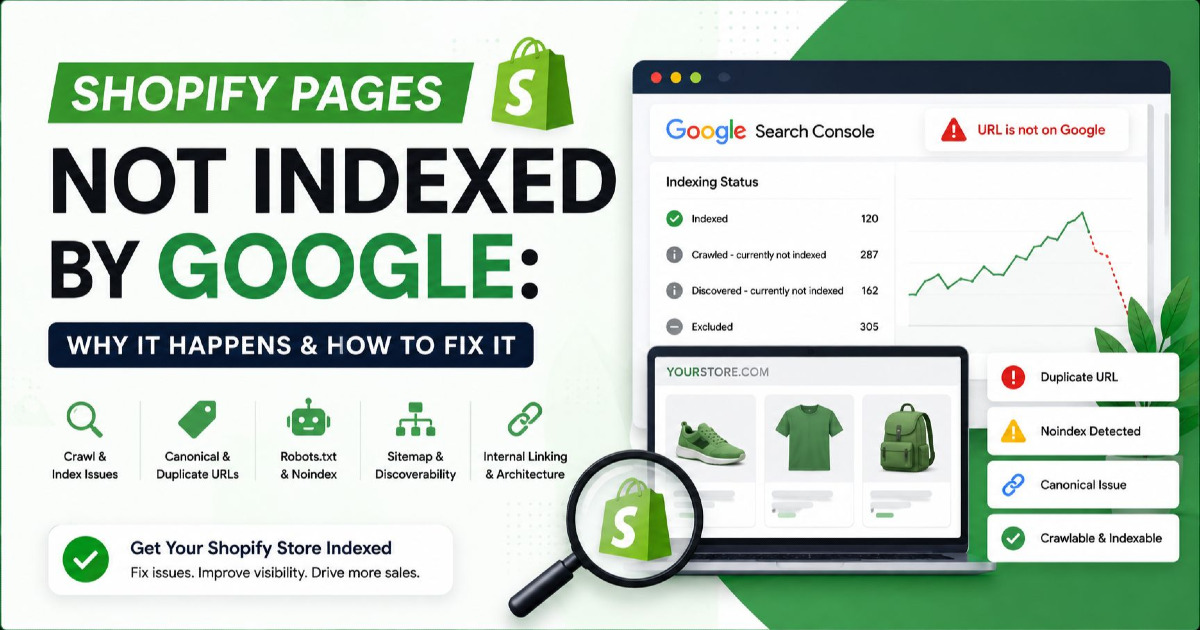
A robots.txt file tells search engine crawlers which URLs they can access on a website. It helps control crawling, manage crawl budget, and prevent bots from wasting resources on low-value URLs. Robots.txt does not prevent indexing.
Robots.txt is one of the most misunderstood files in SEO.
Many website owners believe robots.txt can remove pages from Google Search.
Google explicitly states that robots.txt controls crawling, not indexing. If a page should not appear in search results, use a noindex directive or another indexing control method instead.
In 2026, robots.txt plays a larger role than it did a few years ago. It is now used for crawl management, ecommerce SEO, faceted navigation control, AI crawler management, and large website optimization.
This guide explains how robots.txt works, when to use it, what should never be blocked, and how to avoid the mistakes that frequently damage organic visibility.
What Is a Robots.txt File?
A robots.txt file is a plain text file located in the root directory of a website that provides instructions to crawlers about which areas of the site they can or cannot crawl.
Search engines typically request the robots.txt file before crawling a website.
Example location:
https://example.com/robots.txt
The file follows the Robots Exclusion Protocol, which became an official internet standard through RFC 9309.
A robots.txt file can provide instructions for:
- Googlebot
- Bingbot
- Google-Extended
- GPTBot
- ClaudeBot
- Other crawlers
Example:
User-agent: *
Disallow: /admin/
This instruction tells crawlers that the admin directory should not be crawled.
It does not guarantee that URLs inside that directory cannot appear in search results.
How Does Robots.txt Actually Work?
Robots.txt works by giving crawl instructions to bots before they request website content.
The process is straightforward.
- A crawler visits a website.
- The crawler requests the robots.txt file.
- The crawler reads applicable rules.
- The crawler determines which URLs can be accessed.
- The crawler begins crawling allowed URLs.
Google uses robots.txt to determine whether crawling should occur for specific URLs.
This means robots.txt affects:
- Crawl discovery
- Crawl frequency
- Crawl efficiency
- Crawl budget allocation
It does not directly affect:
- Rankings
- Indexing eligibility
- Canonical selection
- Page quality signals
Why Do SEO Professionals Confuse Crawling and Indexing?
Crawling and indexing are separate processes, but many SEO mistakes happen because they are treated as the same thing.
| Process | Purpose | Controlled By |
|---|---|---|
| Crawling | Discover content | Robots.txt |
| Indexing | Store content in search index | Noindex and indexing signals |
| Canonicalization | Select preferred URL | Canonical tags |
| Serving | Display results in search | Ranking systems |
Google clearly states that blocking a page through robots.txt does not stop the page from being indexed if Google discovers the URL through links or other sources.
This is one of the most important concepts in technical SEO.
Robots.txt vs Noindex vs Canonical Tags: Which One Should You Use?
Use robots.txt to control crawling, noindex to prevent indexing, and canonical tags to consolidate duplicate URLs.
Each method solves a different problem.
| Method | Controls Crawling | Controls Indexing | Controls Duplicate Signals |
|---|---|---|---|
| Robots.txt | Yes | No | No |
| Noindex | No | Yes | No |
| Canonical Tag | No | No | Yes |
| Password Protection | Yes | Yes | No |
Google's documentation specifically states that noindex should be used when a page must be excluded from search results. Google does not support noindex directives inside robots.txt.
For a deeper understanding of duplicate URL management, see Canonical Tags Guide.
Why Does Robots.txt Matter for SEO?
Robots.txt helps search engines focus crawling resources on valuable pages instead of wasting time on URLs that provide little or no SEO value.
This becomes increasingly important as websites grow.
A small local business website may contain:
- 20 pages
- 50 pages
- 100 pages
An ecommerce website may contain:
- 10,000 products
- 50,000 filter URLs
- 100,000 parameter combinations
- Millions of crawlable URLs
Without crawl management, search engines may spend time crawling pages that should never compete for organic visibility.
Common examples include:
- Internal search pages
- Filtered URLs
- Sort parameters
- Session URLs
- Admin sections
- Cart pages
- Checkout pages
This is where robots.txt becomes valuable.
Which Robots.txt Directives Should You Know?
Most websites only need four robots.txt directives: User-agent, Disallow, Allow, and Sitemap.
Many website owners try to create complicated robots.txt files.
In reality, a simple and accurate robots.txt file is usually more effective than a complex one.
Google officially documents User-agent, Disallow, Allow, and Sitemap as the most commonly supported directives.
User-agent Directive
The User-agent directive identifies which crawler should follow the instructions that follow.
Example:
User-agent: Googlebot
This rule applies only to Google's primary web crawler.
You can also target:
- Googlebot
- Bingbot
- GPTBot
- ClaudeBot
- Google-Extended
- Other crawlers
To target all crawlers, use:
User-agent: *
The asterisk acts as a wildcard representing all bots.
Disallow Directive
The Disallow directive tells crawlers which URL paths should not be crawled.
Example:
User-agent: *
Disallow: /admin/
This prevents compliant crawlers from accessing URLs inside the admin directory.
Disallow is one of the most frequently used robots.txt directives because it helps control crawl waste and keeps low-value URLs out of the crawl path.
Allow Directive
The Allow directive permits crawling of a specific URL or directory inside a broader blocked area.
Example:
User-agent: *
Disallow: /images/
Allow: /images/logo.png
In this example, the images directory is blocked except for the logo file.
Google and Bing support Allow directives and use them together with Disallow rules.
Sitemap Directive
The Sitemap directive helps search engines discover XML sitemaps more efficiently.
Example:
Sitemap: https://example.com/sitemap.xml
Google recommends placing sitemap URLs inside robots.txt when appropriate because it helps search engines locate important content faster.
What Does a Proper Robots.txt File Look Like?
The correct robots.txt configuration depends on the type of website being managed.
A local business website requires different crawl controls than an ecommerce website with hundreds of thousands of URLs.
Basic Robots.txt Example for Small Websites
User-agent: *
Disallow:

Sitemap: https://example.com/sitemap.xml
This allows all crawlers to access the website while providing sitemap discovery.
WordPress Robots.txt Example
User-agent: *
Disallow: /wp-admin/
Allow: /wp-admin/admin-ajax.php

Sitemap: https://example.com/sitemap.xml
This configuration blocks administrative areas while allowing functionality required by WordPress.
Ecommerce Robots.txt Example
User-agent: *
Disallow: /cart/
Disallow: /checkout/
Disallow: /search/
Disallow: /*?sort=
Disallow: /*?filter=

Sitemap: https://example.com/sitemap.xml
Ecommerce websites often use robots.txt to reduce crawling of low-value URLs generated by sorting, filtering, and internal search functions.
Large Website Robots.txt Example
User-agent: *
Disallow: /search/
Disallow: /tag/
Disallow: /author/
Disallow: /*?sessionid=

Sitemap: https://example.com/sitemap.xml
The goal is not to block content that should rank.
The goal is to reduce unnecessary crawling.
How Do You Create a Robots.txt File?
A robots.txt file can be created using any plain text editor and uploaded to the root directory of a website.
Google's documentation outlines four primary steps.
- Create a file named robots.txt.
- Add crawl directives.
- Upload the file to the website root directory.
- Test the file before publishing.
The file must:
- Be named robots.txt
- Use UTF-8 encoding
- Exist in the website root directory
- Be publicly accessible
Correct location:
https://example.com/robots.txt
Incorrect location:
https://example.com/files/robots.txt
Google only checks the root-level robots.txt file for crawl instructions.
How Can You Test a Robots.txt File?
Testing helps identify blocking rules that may accidentally prevent important pages from being crawled.
Before publishing changes, verify that critical assets remain crawlable.
Review:
- Category pages
- Product pages
- Service pages
- JavaScript files
- CSS files
- Images
- XML sitemaps
Many indexing issues originate from robots.txt files that unintentionally block resources required for rendering or crawling.
How Does Robots.txt Help Crawl Budget Optimization?
Robots.txt helps search engines spend crawl resources on valuable URLs instead of wasting requests on low-priority pages.
Crawl budget becomes increasingly important as website size increases.
| Website Size | Crawl Budget Importance |
|---|---|
| 10 Pages | Low |
| 100 Pages | Low |
| 1,000 Pages | Moderate |
| 10,000 Pages | High |
| 100,000+ Pages | Critical |
Common crawl budget drains include:
- Filtered URLs
- Search result pages
- Tracking parameters
- Session URLs
- Sort parameters
- Duplicate category pages
Blocking unnecessary crawl paths allows search engines to focus on pages that matter for organic visibility.
This is particularly important for ecommerce websites and large content publishers.
How Should Ecommerce Websites Use Robots.txt?
Ecommerce websites should use robots.txt to reduce crawling of low-value URLs while keeping category pages, product pages, and revenue-generating content accessible.
Ecommerce websites create more crawl complexity than almost any other website type.
A typical online store may generate thousands of URLs through:
- Product filters
- Sort parameters
- Pagination
- Search pages
- Color variants
- Size variants
- Tracking parameters
Without crawl controls, search engines may spend resources crawling URLs that have little or no SEO value.
| URL Type | Should Be Crawled? |
|---|---|
| Product Pages | Yes |
| Category Pages | Yes |
| Brand Pages | Yes |
| Search Pages | Usually No |
| Cart Pages | No |
| Checkout Pages | No |
| Filter URLs | Depends on demand |
Google recommends managing low-value crawl paths and avoiding unnecessary crawling of duplicate or similar URLs. This is particularly relevant for ecommerce websites using faceted navigation and URL parameters.
For a deeper understanding of parameter management, see URL Parameters Guide.
Robots.txt Example for Ecommerce Stores
User-agent: *
Disallow: /cart/
Disallow: /checkout/
Disallow: /search/
Disallow: /*?sort=
Disallow: /*?filter=
Disallow: /*?sessionid=

Sitemap: https://example.com/sitemap.xml
The goal is to improve crawl efficiency, not block pages that should rank.
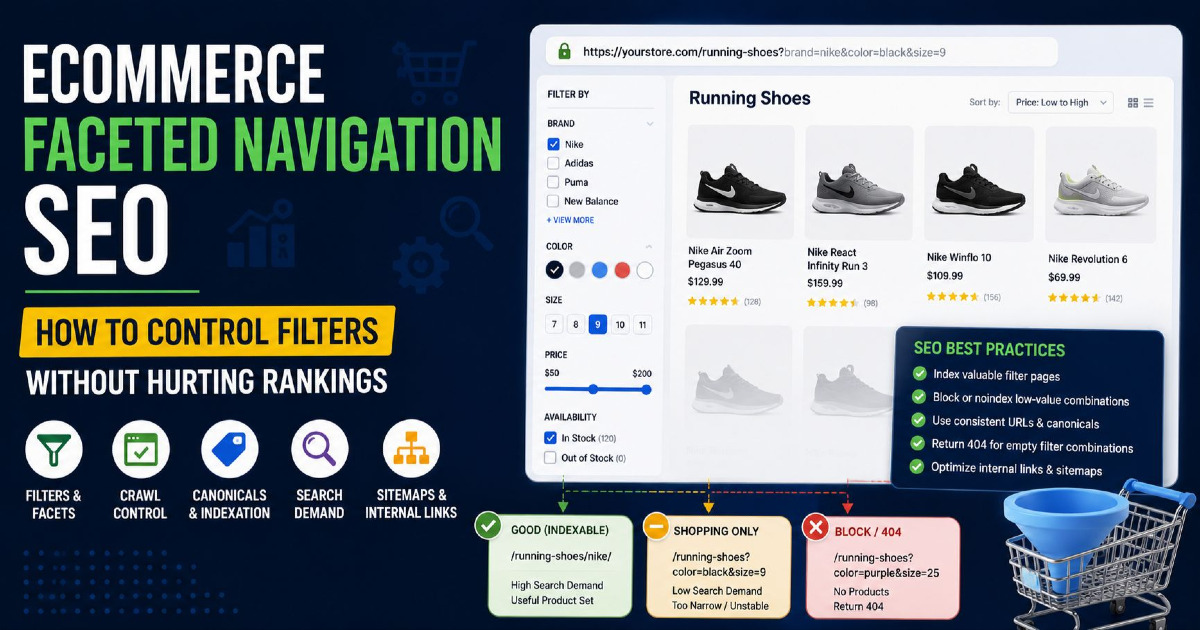
Should You Block Faceted Navigation With Robots.txt?
Faceted navigation should only be blocked when filter combinations create crawl waste and do not provide independent search demand.
Many ecommerce websites use filters such as:
- Color
- Size
- Price
- Brand
- Material
- Availability
These filters can generate thousands of URL combinations.
Examples:
/shoes?color=black
/shoes?color=black&size=10
/shoes?color=black&size=10&brand=nike
Some filtered pages deserve indexation because users search for them.
Others create duplicate content and crawl inefficiencies.
The decision should be based on search demand, not simply URL volume.
How Should Large Websites Use Robots.txt?
Large websites use robots.txt to improve crawl efficiency and help search engines focus on important sections of the website.
Large websites commonly include:
- News archives
- Author pages
- Tag pages
- Search pages
- Parameter URLs
- Legacy content
As website size increases, crawl prioritization becomes more important.
| Website Size | Robots.txt Importance |
|---|---|
| Under 100 Pages | Low |
| 100 to 1,000 Pages | Moderate |
| 1,000 to 10,000 Pages | High |
| 10,000+ Pages | Critical |
Large publishers often use robots.txt alongside XML sitemaps, canonical tags, internal linking, and crawl monitoring to improve crawl allocation.
Can Robots.txt Control AI Crawlers?
Yes. Many AI crawlers support robots.txt directives, allowing publishers to permit or restrict access to website content.
AI crawler management has become a major robots.txt topic since the growth of generative AI systems.
Website owners increasingly want to decide whether their content can be used for:
- AI training
- AI search systems
- AI answer generation
- AI content discovery
Several major AI-related user agents now support robots.txt directives.
| AI Crawler | Supports Robots.txt |
|---|---|
| GPTBot | Yes |
| ClaudeBot | Yes |
| PerplexityBot | Yes |
| Google-Extended | Yes |
Block GPTBot Example
User-agent: GPTBot
Disallow: /
Block ClaudeBot Example
User-agent: ClaudeBot
Disallow: /
Block Google-Extended Example
User-agent: Google-Extended
Disallow: /
Google explains that Google-Extended is a robots.txt control mechanism used to manage whether content can be used for certain Gemini and AI-related purposes while remaining separate from normal Google Search crawling. Blocking Google-Extended does not remove pages from Google Search.
It is important to understand that robots.txt remains a voluntary protocol. Some research indicates that certain bots may not always comply with robots.txt directives.
What Are the Most Common Robots.txt Mistakes?
Most robots.txt mistakes occur when important content is blocked accidentally.
These errors can affect crawling, rendering, and content discovery.
| Mistake | Potential Impact |
|---|---|
| Disallow: / | Blocks entire website |
| Blocking product pages | Lost organic traffic |
| Blocking category pages | Reduced visibility |
| Blocking CSS files | Rendering issues |
| Blocking JavaScript files | Rendering issues |
| Missing sitemap directive | Reduced URL discovery |
| Using robots.txt instead of noindex | Indexing confusion |
Mistake #1: Blocking the Entire Website
The most dangerous robots.txt error is:
User-agent: *
Disallow: /
This blocks compliant crawlers from accessing all URLs on the website.
This mistake frequently occurs after website migrations and development deployments.
Mistake #2: Blocking CSS and JavaScript Files
Google renders pages similarly to modern browsers.
Blocking CSS and JavaScript resources can prevent Google from fully understanding page layouts and functionality.
Mistake #3: Using Robots.txt Instead of Noindex
Many SEO beginners attempt to remove pages from Google Search using robots.txt.
Google explicitly states that robots.txt is not an indexing control mechanism.
How Do You Audit a Robots.txt File?
A robots.txt audit verifies that important pages remain crawlable while low-value URLs are controlled appropriately.
Many technical SEO issues originate from robots.txt files that accidentally block important content.
A proper audit should focus on crawl efficiency, indexation support, XML sitemap discovery, rendering resources, and crawler access.
The objective is simple.
Search engines should spend time crawling pages that deserve visibility.
Check Whether Important URLs Are Blocked
The first step is reviewing whether critical SEO pages are blocked.
Common examples include:
- Category pages
- Product pages
- Service pages
- Location pages
- Blog articles
- Landing pages
One incorrect rule can prevent search engines from discovering entire sections of a website.
Example:
User-agent: *
Disallow: /blog/
If your content strategy relies on blog traffic, this rule creates a significant crawling problem.
Review XML Sitemap References
Every robots.txt audit should verify that XML sitemap directives exist and point to valid sitemap files.
Google supports sitemap discovery through robots.txt. This helps crawlers locate important URLs more efficiently.
Example:
Sitemap: https://example.com/sitemap.xml
Large websites may reference multiple sitemap files.
Verify CSS and JavaScript Accessibility
Search engines need access to important rendering resources.
Blocking CSS or JavaScript can make it harder for search engines to understand page layouts and functionality. Google specifically advises against blocking resources required for page rendering.
Review:
- CSS files
- JavaScript files
- Image directories
- Frontend assets
Rendering issues can occur when these resources are blocked unnecessarily.
Inspect Search Pages and Parameter URLs
Search result pages and parameter URLs are frequent sources of crawl waste.
Examples include:
/search/
/?sort=price
/?filter=size
/?sessionid=123
These URLs often create duplicate or low-value crawl paths.
During the audit, determine whether those URLs provide independent search demand.
If they do not, robots.txt may help reduce unnecessary crawling.
Review AI Crawler Rules
AI crawler management has become an important part of modern robots.txt audits.
Many publishers now review access rules for:
- GPTBot
- ClaudeBot
- Google-Extended
- PerplexityBot
AI crawler policies should align with business goals and content usage preferences.
Robots.txt Audit Checklist
| Audit Item | Status |
|---|---|
| Robots.txt exists in root directory | Check |
| Important pages are crawlable | Check |
| Product pages are crawlable | Check |
| Category pages are crawlable | Check |
| Service pages are crawlable | Check |
| XML sitemap referenced | Check |
| CSS files accessible | Check |
| JavaScript files accessible | Check |
| Search URLs reviewed | Check |
| Filter URLs reviewed | Check |
| AI crawler rules reviewed | Check |
| No accidental sitewide blocks | Check |
For a complete technical review process, see Website SEO Audit Guide.
What Are the Best Robots.txt Practices for SEO in 2026?
The best robots.txt strategy is to keep the file simple, control unnecessary crawling, and avoid using robots.txt for indexing decisions.
Modern SEO requires a crawl management approach rather than a blocking approach.
Keep Robots.txt Simple
Many websites create large robots.txt files containing dozens or hundreds of directives.
Complexity often introduces mistakes.
A concise file is usually easier to maintain and audit.
Use Noindex for Index Control
If a page should not appear in search results, use noindex rather than robots.txt.
Google explicitly states that robots.txt is not a reliable method for preventing indexation.
Always Include XML Sitemap References
Sitemap directives help search engines discover important content.
Every production website should normally include sitemap references when XML sitemaps exist.
Do Not Block Rendering Resources
Allow access to resources required for page rendering.
Examples include:
- CSS files
- JavaScript files
- Images required for rendering
Review Robots.txt After Site Migrations
Site migrations frequently introduce robots.txt errors.
Common examples include:
- Development blocks remaining active
- Incorrect directories
- Missing sitemap references
- Broken crawler directives
Control Crawl Waste on Large Websites
Large websites should regularly review:
- Filter URLs
- Search URLs
- Tracking parameters
- Session IDs
- Duplicate crawl paths
Crawl efficiency becomes increasingly important as website size grows.
Review AI Crawler Policies Regularly
AI crawler policies continue to evolve.
Many organizations now review AI crawler access alongside traditional SEO crawling policies.
Frequently Asked Questions About Robots.txt
What is robots.txt used for?
Robots.txt is used to control crawler access to specific areas of a website. It helps search engines focus on valuable pages and avoid unnecessary crawling of low-value URLs.
Does robots.txt affect SEO?
Yes. Robots.txt affects crawling efficiency and crawl budget allocation. It does not directly improve rankings, but it can help search engines focus on important content.
Can robots.txt prevent a page from being indexed?
No. Google explicitly states that robots.txt is not an indexing control mechanism. Pages can still appear in search results if Google discovers them through links or other sources.
What is the difference between robots.txt and noindex?
Robots.txt controls crawling. Noindex controls whether a page can appear in search results. They solve different technical SEO problems.
Where should robots.txt be located?
The file must be placed in the root directory of the website and be accessible at the domain root.
https://example.com/robots.txt
What happens if a website does not have a robots.txt file?
Search engines will typically crawl the website without crawl restrictions. Small websites may not need a robots.txt file, while larger websites often benefit from crawl management.
Should WordPress websites use robots.txt?
Yes. WordPress websites commonly use robots.txt to control access to administrative areas while allowing important content to remain crawlable.
Can robots.txt improve crawl budget?
Yes. Robots.txt can reduce crawling of low-value URLs such as search pages, filter combinations, session URLs, and tracking parameters, helping search engines focus on important pages.
Should ecommerce websites use robots.txt?
Yes. Ecommerce websites often use robots.txt to manage faceted navigation, internal search pages, checkout URLs, cart pages, and parameter-based crawl waste.
Can robots.txt block Googlebot?
Yes. Specific directives can prevent Googlebot from crawling selected URLs or entire sections of a website. However, blocking Googlebot should be done carefully because it can affect content discovery.
Can robots.txt block AI crawlers?
Many AI crawlers support robots.txt directives. Website owners can create separate rules for GPTBot, ClaudeBot, Google-Extended, and other supported crawlers.
Can robots.txt block PDF files?
Yes. Robots.txt can prevent compliant crawlers from accessing PDF files if the correct directory or file path is blocked.
Should CSS and JavaScript files be blocked in robots.txt?
No. Google recommends allowing access to resources needed for rendering pages properly. Blocking CSS and JavaScript can create rendering and crawling issues.
How often should robots.txt be audited?
Robots.txt should be reviewed after website migrations, CMS changes, ecommerce platform updates, technical SEO audits, and major site architecture changes.
Final Takeaway
Robots.txt is a crawl management tool, not an indexing control tool.
This distinction is the most important concept to understand before making any robots.txt changes.
Use robots.txt when the goal is to:
- Control crawler access
- Reduce crawl waste
- Manage faceted navigation
- Limit crawling of search pages
- Improve crawl budget efficiency
- Control AI crawler access
Do not use robots.txt when the goal is to:
- Remove pages from Google Search
- Control indexing
- Resolve duplicate content issues
- Select preferred URLs
For those situations, use noindex directives, canonical tags, redirects, or other indexing controls.
Modern robots.txt management is no longer limited to blocking admin directories.
Today it plays a role in:
- Technical SEO
- Crawl budget optimization
- Ecommerce SEO
- Faceted navigation management
- Large website architecture
- AI crawler policies
A well-structured robots.txt file helps search engines spend their crawl resources on the URLs that matter most to your business.
If you manage an ecommerce website, publisher site, SaaS platform, or large content website, robots.txt should be reviewed as part of every technical SEO audit alongside XML sitemaps, canonical tags, internal linking, crawl reports, and indexation analysis.
When implemented correctly, robots.txt supports better crawl efficiency, cleaner website architecture, and a stronger technical SEO foundation.