SEO indexing is the process where Google analyzes a crawled webpage and stores eligible information in its search index so the page can appear in Google Search results.
A page cannot rank in Google if it is not indexed. Crawling only means Googlebot discovered and fetched the URL. Indexing means Google processed the page content, selected the canonical version, checked indexability signals, and stored eligible page information in its index.
Google explains Search in 3 main stages: crawling, indexing, and serving search results. In the indexing stage, Google analyzes text, images, and video files on the page and stores information in the Google index. You can verify this process in Google’s official guide on how Google Search works.
This guide explains what indexing means in SEO, how it works, how to check index status, why pages are not indexed, and how to improve the chance of getting important pages indexed.
What Is SEO Indexing?
SEO indexing means Google has processed a webpage and stored its eligible content in the Google index, making the page available for possible search visibility.
The Google index is a large search database. When a user searches on Google, Google does not scan the live web in that moment. It looks through indexed information, evaluates relevance, applies ranking systems, and shows results that match the query.
Indexing does not mean ranking. A page can be indexed but still receive no traffic if it does not match search intent, has weak authority, lacks useful content, or competes with stronger pages.
| Term | Meaning | SEO Example |
|---|---|---|
| Crawling | Googlebot discovers and fetches a URL. | Googlebot visits a blog post URL. |
| Rendering | Google processes the page output, including JavaScript when needed. | Google checks whether the main content appears after scripts load. |
| Indexing | Google analyzes and stores eligible page information. | The blog post becomes available to appear in Search. |
| Ranking | Google orders indexed pages for a specific query. | The indexed blog ranks for “what is SEO indexing.” |
How Google Indexing Works
Google indexing works by analyzing crawled content, identifying the canonical URL, understanding page signals, checking indexing permissions, and storing eligible information in the index.
Indexing is not a single button action. Google evaluates several page-level and site-level signals before deciding whether a URL should be included in the index.
The indexing process usually includes these steps:
- URL is discovered: Google finds the URL through links, XML sitemaps, redirects, or previous crawl data.
- URL is crawled: Googlebot requests the page and receives a server response.
- Page is rendered: Google processes the HTML and required resources to understand visible content.
- Content is analyzed: Google reads text, images, videos, structured data, headings, internal links, and page layout.
- Canonical is selected: Google chooses the representative URL when duplicate or similar versions exist.
- Indexability is checked: Google reviews noindex, canonical, robots signals, response codes, and quality signals.
- Eligible information is stored: Google stores useful information from the page in the index.
- Page becomes available for serving: The indexed page can be considered for relevant search queries.
If any step fails, the URL may remain outside the index or Google may index another canonical version instead.
Crawling vs Indexing: What Is the Difference?
Crawling is the fetching of a URL. Indexing is the storage of eligible page information after Google processes and evaluates that URL.
This difference matters because many pages are crawled but not indexed. A crawled page is not automatically useful enough, unique enough, or technically clear enough to be stored in Google’s index.
| Question | Crawling | Indexing |
|---|---|---|
| What happens? | Googlebot visits and fetches the URL. | Google analyzes and stores eligible page information. |
| Can the page rank? | No, crawling alone is not enough. | Yes, indexed pages can be considered for ranking. |
| Main tool to check | URL Inspection last crawl date. | URL Inspection indexing status. |
| Common issue | Discovered but not crawled. | Crawled but not indexed. |
| Best fix | Improve discovery, internal links, sitemap, and crawl access. | Improve indexability, uniqueness, canonical clarity, and content quality. |
For the crawling stage, read What Is Crawling in SEO. This indexing article focuses on what happens after Google already knows or fetches the URL.
Why Indexing Matters for SEO
Indexing matters because a page must be in Google’s index before it can appear for organic search queries.
If an important page is not indexed, it cannot bring organic traffic from Google Search. The page may still receive traffic from direct visits, ads, email, social media, or internal links, but it will not appear as a normal organic result for target keywords.
Indexing affects these SEO outcomes:
- Organic visibility: Only indexed pages can appear in Google Search results.
- Keyword performance: A page must be indexed before it can collect impressions and clicks in Search Console.
- Content ROI: Blog posts, service pages, product pages, and category pages need indexation to support organic growth.
- Technical SEO health: Indexing patterns reveal duplicate pages, thin pages, noindex errors, canonical problems, and weak site structure.
- Topical authority: Important cluster pages should be indexable and connected through internal links.
Indexing is not a ranking guarantee, but it is the entry point for organic search visibility.
How to Check If a Page Is Indexed
The most reliable way to check whether a page is indexed is to inspect the exact URL in Google Search Console’s URL Inspection tool.
A normal Google search can give a quick clue, but it is not enough for diagnosis. Search Console gives page-level information directly from Google systems, including indexing status, crawl status, canonical details, and live URL test results.
Method 1: Use URL Inspection in Google Search Console
URL Inspection shows whether Google indexed the exact URL and whether the live page appears indexable.
- Open Google Search Console.
- Paste the full URL in the inspection bar.
- Check whether the result says “URL is on Google” or “URL is not on Google.”
- Open Page indexing details.
- Check the user-declared canonical and Google-selected canonical.
- Run Test Live URL if you recently changed the page.
- Request indexing only after fixing quality or technical issues.
Google’s Search Console overview explains that URL Inspection provides crawl, index, and serving information about pages from the Google index.
Method 2: Use the Page Indexing Report
The Page Indexing report helps identify groups of indexed and non-indexed pages across the site.
This report is useful when many URLs share the same issue. Examples include product pages excluded by canonical, blog posts marked crawled but not indexed, or category pages blocked by noindex.
Method 3: Use a Site Search Only as a Quick Check
A site search can give a quick hint, but it should not replace Search Console.
You can search Google using:
site:vijaybhabhor.com/blog/what-is-seo-indexing
If the page appears, it is likely indexed. If it does not appear, use Search Console to confirm the real status. Site search results can be incomplete or affected by canonicalization and query behaviour.
Google Search Console Indexing Statuses
Search Console indexing statuses explain where a URL is blocked, delayed, duplicated, crawled but excluded, or successfully indexed.
These statuses should not be treated the same. “Discovered, currently not indexed” is not the same issue as “Crawled, currently not indexed.” “Excluded by noindex” is not a quality issue. “Duplicate, Google chose different canonical” is a canonical selection issue.
| Search Console Status | Meaning | Likely Fix |
|---|---|---|
| URL is on Google | The page is indexed and eligible to appear in Search. | Monitor queries, impressions, clicks, and ranking. |
| Discovered, currently not indexed | Google knows the URL but has not crawled it yet. | Improve internal links, sitemap quality, crawl priority, and page importance. |
| Crawled, currently not indexed | Google crawled the URL but did not index it. | Improve uniqueness, usefulness, canonical clarity, and indexability signals. |
| Duplicate, Google chose different canonical | Google selected another URL as the main version. | Fix canonical signals, internal links, redirects, and duplicate content. |
| Alternate page with proper canonical tag | Google understands this URL is an alternate version. | No fix needed if canonical is intentional. |
| Excluded by noindex tag | The page tells Google not to index it. | Remove noindex if the page should appear in Search. |
| Blocked by robots.txt | Googlebot is blocked from crawling the URL. | Allow crawling if the page needs evaluation or indexing. |
| Soft 404 | The page returns 200 but appears empty, thin, or not useful. | Improve the page or return the correct status code. |
Why Google Does Not Index Some Pages
Google does not index every page because some pages are blocked, duplicate, low value, technically unclear, weakly linked, or not useful enough compared with other available pages.
Google’s index is selective. Publishing a page, adding it to a sitemap, or requesting indexing does not guarantee indexation.
The main reasons fall into 5 groups:
- Indexing blocks: noindex tag, X-Robots-Tag, password protection, blocked resources, or access restrictions.
- Canonical and duplicate issues: Google chooses another version as the representative URL.
- Content quality issues: thin content, repeated content, poor intent match, or low information gain.
- Site architecture issues: weak internal links, orphan pages, poor sitemap quality, or low page importance.
- Rendering or server issues: failed JavaScript rendering, 5xx errors, soft 404 signals, or inconsistent mobile content.
Fixing indexing requires identifying which group applies. Submitting the URL repeatedly does not solve a weak page, a canonical conflict, or an accidental noindex tag.
Discovered vs Crawled but Not Indexed
Discovered but not indexed means Google knows the URL but has not crawled it yet. Crawled but not indexed means Google fetched the URL but did not add it to the index.
These statuses need different fixes. Discovery problems are often about crawl priority, internal links, sitemap quality, or site scale. Crawled but not indexed problems are often about content value, duplication, canonical selection, or indexability.
| Status | Stage | Common Causes | Better Fix |
|---|---|---|---|
| Discovered, currently not indexed | Before crawl | Weak internal links, low crawl priority, too many low-value URLs, sitemap-only discovery. | Add contextual internal links, reduce low-value URLs, improve sitemap and crawl priority. |
| Crawled, currently not indexed | After crawl | Thin content, duplicate intent, weak quality, canonical conflict, soft 404, low value. | Improve content usefulness, remove duplication, clarify canonical, strengthen internal signals. |
Noindex, Robots.txt and Canonical Problems
Noindex, robots.txt, and canonical tags affect indexing in different ways, so they must be checked separately.
A common SEO mistake is treating these 3 signals as the same. They are not the same.
| Signal | What It Controls | Indexing Impact |
|---|---|---|
| Noindex meta tag | Tells search engines not to index a page. | Prevents the page from appearing in Search when Google can see the directive. |
| X-Robots-Tag noindex | Sends indexing instructions through HTTP headers. | Can block indexing for HTML and non-HTML files. |
| Robots.txt disallow | Controls crawler access to URLs or resources. | Blocks crawling, but it is not the correct method to reliably remove a page from the index. |
| Canonical tag | Suggests the preferred URL among duplicate or similar pages. | Google may index another URL if it selects a different canonical. |
Google’s noindex documentation explains that a noindex tag can prevent a page from appearing in Search. Google’s canonicalization documentation explains that Google chooses a representative canonical URL from duplicate or similar pages.
Content Quality and Indexing
Content quality affects indexing when Google crawls a page but does not find enough unique, useful, or focused value to include it in the index.
This is common for blog posts that repeat common definitions, product pages with thin descriptions, category pages with little useful content, tag pages, search result pages, AI-generated pages, and pages that overlap with other internal URLs.
Check the page against these indexing quality questions:
- Does the page answer one clear search intent? A page about indexing should not become a full technical SEO guide.
- Does the first paragraph answer the query? The user should understand the topic without scrolling.
- Does the page add new value? Add diagnostics, examples, tables, workflows, and practical checks.
- Does another page already answer the same query? If yes, merge, redirect, or differentiate the page.
- Are claims supported? Remove unsourced statistics and inflated claims.
- Is the content written for a real user? Avoid keyword-stacked headings and repeated definitions.
A page does not need to be long to be indexed. It needs to be useful, clear, accessible, and distinct from other pages.
Duplicate Content and Canonical Selection
Duplicate content can stop a URL from being indexed when Google decides another URL is a better representative version.
Duplicate content does not always mean copied text from another website. It can also happen inside the same website through category pages, tag archives, parameter URLs, pagination, printer versions, HTTP and HTTPS versions, or similar blog posts.
| Duplicate Source | Example | Indexing Risk |
|---|---|---|
| Similar blog posts | Crawling guide and indexing guide repeat the same sections. | Google may index the stronger or broader page only. |
| Category and tag pages | Multiple archive pages list the same posts with similar text. | Google may ignore low-value archive URLs. |
| URL parameters | ?sort=latest or ?filter=seo creates alternate versions. | Google may group them and select one canonical. |
| HTTP and HTTPS variants | http://example.com and https://example.com show the same content. | Google must choose one canonical version. |
| Trailing slash variants | /page and /page/ both load. | Signals may split if redirects and canonicals are inconsistent. |
Canonical tags, redirects, sitemap URLs, and internal links should all point to the same preferred version.
JavaScript and Rendering Problems
JavaScript can affect indexing when important content, links, metadata, or structured data are not visible in the rendered page that Google processes.
Google can render JavaScript, but rendering creates another processing step. If critical content appears only after user actions, blocked scripts, delayed API calls, or client-side rendering problems, indexing can suffer.
Rendering checks should include:
- Main content appears in rendered HTML.
- Title tag and meta robots do not change incorrectly after rendering.
- Canonical tag remains consistent.
- Internal links are crawlable as normal links.
- Structured data appears in the rendered output.
- Mobile content matches the intended page content.
- Important resources are not blocked.
For heavy JavaScript websites, use URL Inspection, rendered HTML, and a crawler that can compare raw HTML with rendered HTML.
Internal Links and Sitemap Signals
Internal links and XML sitemaps help Google understand which pages are important, but they do not force indexing.
A page included in the sitemap but not linked from related content may still look weak. A page linked contextually from relevant posts, service pages, and topic hubs sends a stronger importance signal.
| Signal | Good Setup | Poor Setup |
|---|---|---|
| Internal links | Relevant pages link using descriptive anchor text. | The page is linked only from category archives or not linked at all. |
| XML sitemap | Only canonical, indexable, important URLs are included. | Sitemap includes noindex, redirected, duplicate, or thin URLs. |
| Navigation | Important pages are reachable within a logical click path. | Important URLs are buried deep or orphaned. |
| Anchor text | Anchor explains the destination topic. | Anchor text says “click here” or repeats unrelated wording. |
For wider crawl and index structure, read the Technical SEO Guide.
What Is Index Bloat?
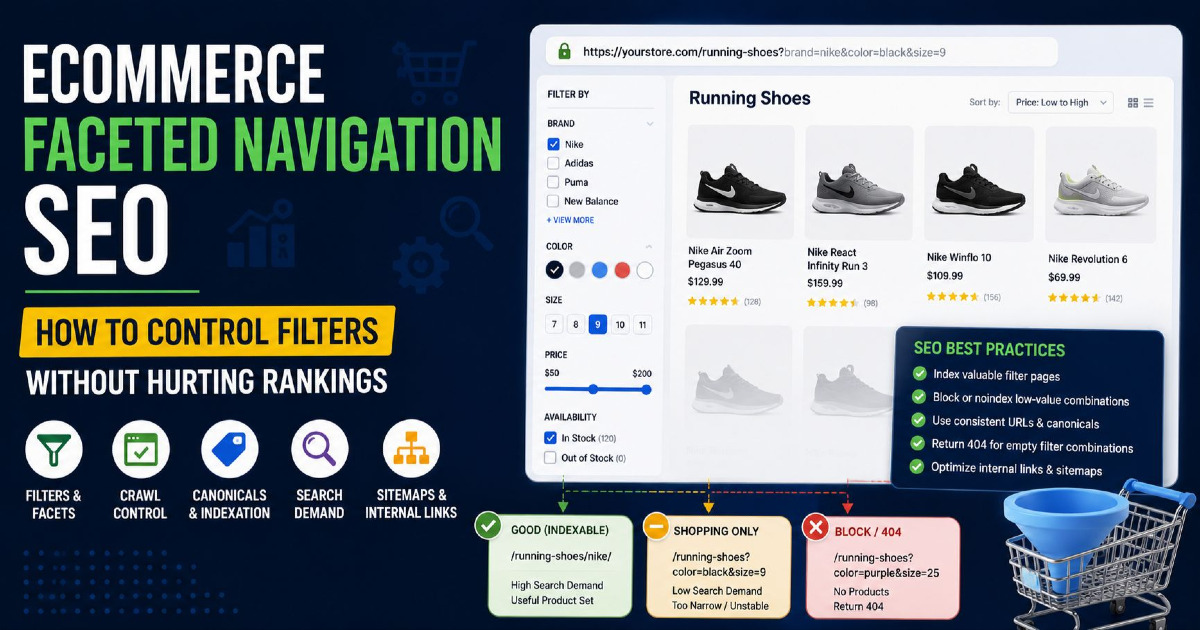
Index bloat happens when Google indexes too many low-value, duplicate, filtered, thin, or unnecessary URLs from a website.
Index bloat can reduce site quality signals and make important URLs harder to evaluate. It is common on ecommerce sites, blogs with many tag pages, sites with internal search URLs, and websites with parameter-based filters.
Examples of URLs that can create index bloat include:
- Thin tag archive pages
- Internal search result pages
- Duplicate filter URLs
- Sort parameter URLs
- Empty category pages
- Low-value author archives
- Pagination pages with no unique value
- Duplicate product variants without proper canonical handling
The fix is not to noindex everything blindly. First decide which URLs should rank, which should support crawling, which should be canonicalized, and which should be removed from the index.
How to Improve the Chance of Getting a Page Indexed
To improve the chance of indexing, make the page indexable, useful, unique, canonicalized correctly, internally linked, included in the sitemap, and easy for Google to render.
You cannot force Google to index a page. You can only remove barriers and improve the reasons for Google to include the page.
- Check indexability: Remove accidental noindex and confirm the page returns 200 OK.
- Fix canonical signals: Use a self-referencing canonical if the page is the preferred version.
- Improve the first answer: Answer the main query clearly at the top.
- Reduce overlap: Remove sections that belong to another page and link to that page instead.
- Add information gain: Include examples, tables, workflows, and real diagnostic steps.
- Add contextual internal links: Link from related pages using descriptive anchor text.
- Clean the sitemap: Include only indexable canonical URLs.
- Check rendered HTML: Confirm Google can see the main content and links.
- Request indexing: Use URL Inspection after the page is fixed.
- Monitor status: Check if Google-selected canonical, crawl date, and indexing status change.
SEO Indexing Checklist
An SEO indexing checklist should confirm technical access, indexability, canonical consistency, content value, internal link support, sitemap quality, and Search Console status.
- The URL returns 200 OK.
- The page is not blocked by noindex.
- The server does not send X-Robots-Tag noindex.
- The page is not unintentionally blocked by robots.txt.
- The canonical tag points to the correct URL.
- Google-selected canonical matches the preferred URL.
- The page appears in the XML sitemap if it is important.
- The sitemap URL and canonical URL match.
- The page has contextual internal links from related pages.
- The page answers one clear search intent.
- The opening paragraph gives a direct answer.
- The content is not duplicated from another internal URL.
- The page contains useful examples, tables, and diagnostic steps.
- The rendered HTML contains the main content.
- The mobile version contains the same important content.
- The page does not rely on unsupported statistics.
- Search Console URL Inspection shows the page is eligible for indexing.
FAQ About SEO Indexing
What is SEO indexing?
SEO indexing is the process where Google analyzes a crawled webpage and stores eligible information in its search index so the page can appear in search results.
Does indexing mean ranking?
No. Indexing means a page is stored in Google’s index, while ranking means Google chooses where that indexed page appears for a specific query.
Can a page rank without being indexed?
No. A page must be indexed before it can rank as a normal organic result in Google Search.
Why is my page discovered but not indexed?
Discovered but not indexed means Google knows the URL exists but has not crawled it yet, often due to low crawl priority, weak internal links, or many low-value URLs.
Why is my page crawled but not indexed?
Crawled but not indexed means Google fetched the URL but did not add it to the index, often due to thin content, duplication, canonical issues, soft 404 signals, or low search value.
Can a sitemap force indexing?
No. A sitemap can help Google discover important URLs, but it cannot force Google to crawl or index a page.
Can noindex stop a page from appearing in Google?
Yes. A noindex directive can prevent Google from indexing a page when Google can crawl the page and see the directive.
How do I check if Google indexed my page?
Use the URL Inspection tool in Google Search Console to check whether the exact URL is indexed and whether the live page is eligible for indexing.
How long does Google take to index a page?
Indexing time varies. Google may index some pages quickly, delay others, or choose not to index pages that lack quality, uniqueness, or clear indexing signals.
Should I request indexing after every update?
Request indexing after meaningful updates, such as fixing noindex, improving content, correcting canonical signals, or adding stronger internal links.
Final Takeaway
SEO indexing is the stage where Google decides whether a crawled page is eligible and useful enough to store in its index.
If a page is not indexed, first check technical blockers such as noindex, canonical mismatch, robots.txt, server status, and rendered HTML. Then check content quality, duplication, internal links, sitemap consistency, and search intent match.
Do not treat indexing as a submission problem only. A page gets indexed more reliably when it is technically clear, useful for one search intent, distinct from other pages, and connected properly inside the website.