An online store can have good products, well-written product pages and a technically crawlable website and still struggle to rank for searches such as men's running shoes, cotton sarees, oak dining tables or wireless gaming keyboards.
The missing piece is often the page between the homepage and individual products: the category page.
But creating more categories is not automatically the solution.
If two category URLs contain almost the same products, target the same customer need and receive similar internal links, adding hundreds of words of SEO copy to each does not suddenly make their purpose clear. In many cases, it creates another page competing for the same search.
Good category page SEO starts earlier than title tags, headings and descriptions.
You need to decide whether the category deserves its own page, what search it should own, which products belong there, how customers and search engines should reach it, and what should happen to filters, pagination and overlapping collections around it.
When those decisions agree with each other, the category page becomes much easier to optimise.
What Makes an eCommerce Category Page Capable of Ranking?
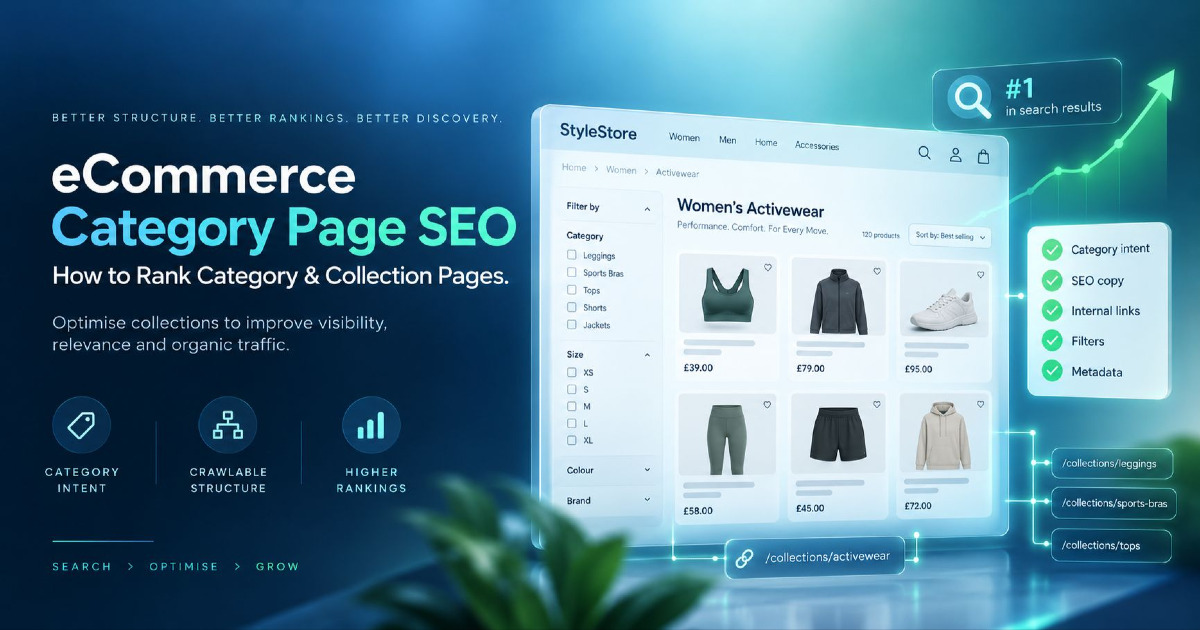
A category page is a product-discovery page built around a group of related products.
Different platforms use different names. Shopify commonly uses collections, while other platforms may call them categories, product categories, product listing pages or PLPs.
The name matters less than the page's job.
A category page should bring together products that satisfy a recognisable customer need.
For example:
/running-shoes/This page may contain running footwear across multiple brands.
A narrower page such as:
/mens-running-shoes/may serve a more specific search and browsing need.
Individual product pages then serve more specific demand around a particular model, SKU or product.
That creates a natural relationship:
Store → Category → Subcategory → Product
Google recommends making important eCommerce pages reachable through navigation, including links from menus to categories, categories to subcategories and subcategories to products. Links between those pages also help search engines understand how the catalogue is structured and which pages are important.
That is why category SEO cannot be reduced to putting a keyword in an H1. The page needs to make sense within the catalogue.
First Decide Whether the Category Should Exist
One of the most useful questions in category page SEO is also one of the easiest to skip:
Should this page exist at all?
Keyword tools can produce hundreds of combinations around a product range. That does not mean every modifier deserves a landing page.
Suppose an apparel store sells dresses. Keyword research may uncover:
- black dresses
- black party dresses
- black evening dresses
- black long dresses
- women's black dresses
- black dresses online
You could create six pages, but if all six contain almost the same inventory and satisfy essentially the same search intent, the store has created six weak versions of one useful page.
Before building a separate category, I would look at three things.
Does the Search Represent a Distinct Buying Need?
The keyword should imply something meaningfully different about what the customer wants.
Running shoes and trail running shoes can reasonably represent different product needs.
Running footwear and running shoes online may not justify separate pages if the search results, products and buying intent substantially overlap.
This is why keyword research needs to end with page ownership, not a spreadsheet.
My guide to eCommerce keyword research covers that mapping process in more depth.
Do You Have Enough Appropriate Products?
A page can target a legitimate search and still be a poor category.
If a new subcategory contains two products while the parent category contains 120, ask whether the smaller page really helps a shopper.
A highly specific category can still work when those two or three products genuinely represent a specialised range. But creating thin pages simply because a keyword exists can leave the site with collections that are difficult to maintain and offer little choice.
The question is not:
How many products does Google require?
There is no universal number.
The better question is:
Does this page provide a useful selection for the customer searching this way?
Can the Category Fit Naturally Into the Store?
A good category should have somewhere to live.
If customers searching for it would naturally expect to find it under an existing parent category, the architecture is usually easier to understand.
For example:
Footwear → Running Shoes → Trail Running Shoes
This is clearer than creating dozens of isolated category URLs that are only discoverable through XML sitemaps or blog links.
The hierarchy itself does not guarantee rankings, but it gives users and crawlers a logical path through the catalogue.
Decide Which Page Should Own the Search
Category-page cannibalisation often starts before any SEO work happens.
A store creates:
/mens-shoes/
/mens-footwear/
/shoes-for-men/
All three pages contain broadly the same products.
Each page gets a slightly different title and H1, and the store then expects Google to understand the intended difference.
There may be no meaningful difference to understand.
A stronger approach is to decide which URL should be the primary landing page for the underlying buying intent, then use related wording naturally within that page where appropriate.
Category vs Subcategory
A parent category usually covers broader demand.
For example:
Furniture
A subcategory narrows the product set:
Dining Tables
A further subcategory may narrow it around a meaningful product attribute:
Extendable Dining Tables
Each layer should justify itself through both product selection and customer intent.
If "extendable dining tables" has distinct search demand, enough appropriate inventory and a useful place within navigation, a dedicated category may make sense.
If it only produces the same six products already shown on the broader dining-table page without helping customers make a different decision, it may not.
Collection vs Filter Page
This is where eCommerce sites become more complicated.
A customer may reach:
/running-shoes/and then select:
- Brand: Nike
- Colour: Black
- Size: 9
The filtering system could generate multiple URLs.
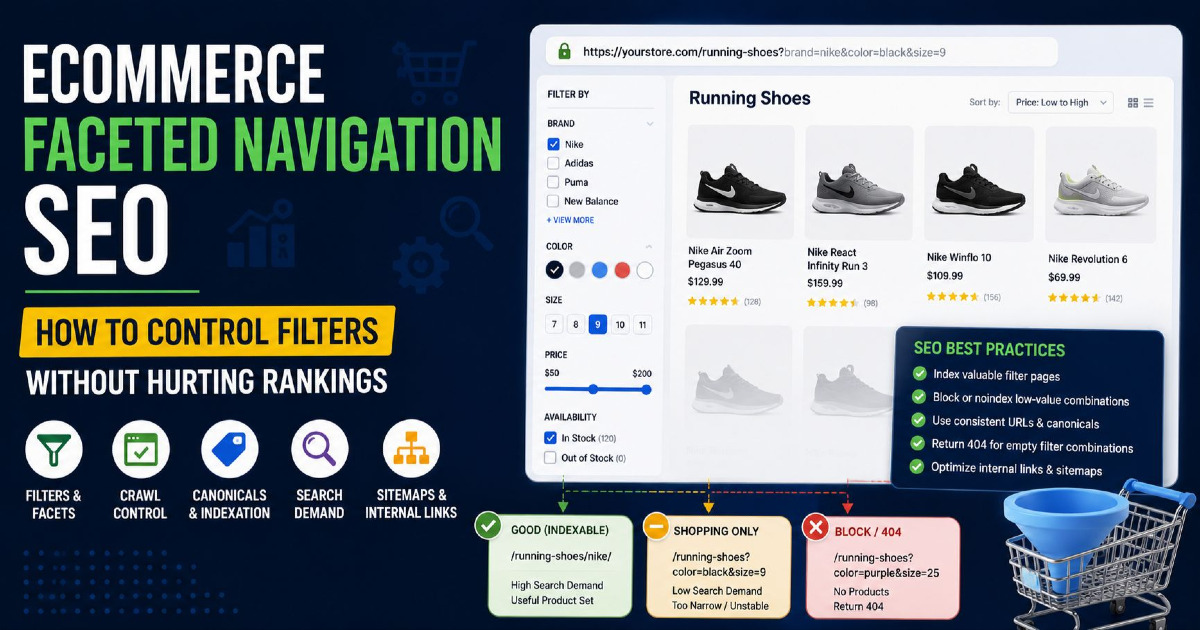
That does not mean every resulting combination should become an indexable SEO landing page.
Some combinations can represent valuable search demand. Many others exist only to help shoppers narrow the catalogue.
My dedicated guide to eCommerce faceted navigation SEO explains how to decide which filtered states deserve search visibility and which should remain shopping-only.
Build Categories Around How Customers Choose Products
Search volume should not be the only thing deciding category architecture.
Look at the attributes customers actually use to choose.
For shoes, those attributes might include:
- activity
- gender
- terrain
- fit
- brand
- size
For furniture, they might include:
- room
- product type
- material
- size
- style
For electronics, they might include:
- device type
- use case
- specification
- compatibility
- brand
These attributes can become navigation, filters, subcategories or product information depending on how important they are.
The mistake is making every possible combination a static SEO page.
If an electronics shop has filters for:
brand × screen size × storage × RAM × colour × price
there could be thousands of theoretical combinations.
Very few deserve standalone search landing pages.
A useful category architecture is selective. It gives permanent URLs to product groups that customers repeatedly look for and leaves the rest to filtering.
Optimise the Title, H1 and Introduction Around the Category's Real Meaning
Once the page deserves to exist and owns a clear search intent, basic on-page optimisation becomes much easier.
Title Tag
The title should make the product category immediately recognisable.
For a running-shoe category, something simple such as:
Men's Running Shoes | Brand Name
may be stronger than:
Buy Best Men's Running Shoes Online at Lowest Price With Free Delivery
The second version contains more commercial words but communicates less cleanly.
Use wording customers actually recognise and include modifiers only when they describe the page accurately.
H1
The H1 should normally name the category.
For example:
- Men's Running Shoes
- Oak Dining Tables
You do not need to turn the heading into:
Buy Best Men's Running Shoes Online for Men at Great Prices
unless that wording genuinely suits the brand and page.
SEO should not make the store sound unnatural.
How Much Text Should Appear Above the Products?
Usually, not much.
Someone arriving on a category page for "men's running shoes" probably wants to see running shoes.
Making them scroll through 700 words about the history of running footwear before reaching the products creates the wrong page experience.
A short introduction can establish:
- what the category contains;
- an important distinction about the range;
- who or what the products are intended for;
- links to meaningful subcategories where useful.
Then let customers reach the products.
Longer buying guidance can appear below the grid or within supporting content when it genuinely helps someone make a choice.
Category pages should remain shopping pages, not blog posts disguised as product listings.
Treat the Product Grid as the Main Content
One weakness in many category SEO discussions is that "content" becomes synonymous with written copy.
On an eCommerce category page, the products are content too.
A category called Oak Dining Tables that contains mostly MDF and glass tables has a relevance problem that another paragraph of SEO text will not repair.
The product set needs to agree with the page.
Product Selection Matters
Products should match what the category claims to offer.
This sounds obvious, but automated categorisation, tagging errors, broad merchandising rules and poorly maintained collections can create mixed product sets.
A customer searching for waterproof hiking boots should not need to work out why casual trainers dominate the category.
Product Information Should Make Browsing Possible
A listing card usually needs enough information for someone to decide whether opening the product is worthwhile.
Depending on the store, that can include:
- clear product name;
- useful image;
- price;
- availability;
- key variation information;
- ratings where genuine and relevant.
The exact design varies by product type.
A fashion store needs different information from an industrial-parts catalogue.
The objective is not adding fields for SEO. It is helping the customer compare products.
Default Sorting Also Affects the Experience
Imagine a category with 300 products where the first page is dominated by unavailable, irrelevant or low-quality listings.
Technically, the right products exist in the catalogue.
Practically, both customers and crawlers encounter the weakest representation of the category first.
Merchandising and SEO are not completely separate concerns here.
The products most representative of the category should be reasonably discoverable without relying on a shopper to apply several filters.
Make Important Products Discoverable Through Crawlable Links
A product can exist in the database without being easy for Google to discover.
This often happens on JavaScript-heavy stores, large catalogues or websites where products become visible only after someone searches or interacts with filters.
Important product destinations should be available through normal crawlable links.
For example:
<a href="/products/trail-runner-x1">Trail Runner X1</a>This is clearer for crawling than a product tile that navigates only through a JavaScript click handler.
Modern JavaScript frameworks can still build perfectly crawlable stores. The point is not that JavaScript is bad. The point is that important navigation should result in discoverable URLs and links.
Use Internal Links to Show Which Categories Matter
Category architecture is partly an internal-link architecture.
Search engines can use links between pages to understand relationships and relative importance.
That has an important practical consequence.
Creating:
/shoes/running/mens/does not automatically communicate:
Shoes → Running → Men's
The linking structure needs to support that relationship.
A strong category may receive internal links from:
- main navigation;
- relevant parent categories;
- related subcategories;
- breadcrumbs;
- supporting buying guides;
- relevant product pages where appropriate.
The link should also make sense to the customer.
If "Trail Running Shoes" is commercially important, burying it five clicks deep while linking heavily to low-value collections gives the site conflicting signals about what matters.
Breadcrumbs Reinforce the Hierarchy
A breadcrumb such as:
Home → Shoes → Running Shoes → Trail Running Shoes
helps users move upward through the catalogue and exposes the relationship among those pages.
If breadcrumb structured data is used, it should describe the hierarchy users can actually see rather than inventing a different path only for search engines.
Supporting Content Can Link Into Categories
A buying guide about choosing trail-running footwear can naturally link to the trail-running category.
An article about choosing a dining-table size can link to relevant dining-table categories.
That is stronger than placing dozens of unrelated category links in every blog sidebar simply because internal links are considered good for SEO.
Context matters.
Add Category Content That Helps Someone Choose
Category copy becomes useful when it answers buying questions the product grid alone cannot answer.
For office chairs, useful category content might explain differences between task chairs, ergonomic chairs, mesh backs and adjustable lumbar support.
For sarees, it might help users distinguish materials, occasions, drapes or care requirements.
For running shoes, it might explain trail vs road use, support, terrain or fit.
That is useful because it helps someone choose within the category.
Generic copy usually sounds different:
We offer a wide range of high-quality products to meet every customer's requirements. Browse our collection today and find the perfect option for your needs.
You could paste that onto shoes, sofas, laptops or kitchen taps.
It adds almost nothing.
A simple test is:
Would this paragraph still make sense if I changed the category name?
If yes, the content probably needs more specific information.
Do Not Let Filters Create Thousands of Competing Pages
Filters are essential for shopping.
They can also multiply the number of crawlable URLs around a category.
Consider:
/running-shoes
/running-shoes?brand=nike
/running-shoes?brand=nike&colour=black
/running-shoes?brand=nike&colour=black&size=9
/running-shoes?brand=nike&colour=black&size=9&sort=price
Only a small number of these states may deserve independent search visibility.
The core category should remain the clear owner of its primary intent unless a filtered variation has enough distinct demand and value to justify becoming its own landing page.
Sorting URLs are different again. Changing relevance → price low to high does not normally create a new subject.
One technical distinction is especially important: robots.txt controls crawling. It is not a reliable instruction for removing an HTML page from Google's index.
If a noindex directive is being used, the crawler needs to access the page to see that instruction.
How canonicals, crawl controls, noindex, static category pages and faceted URLs should work together depends on the store's implementation.
For the full treatment, see eCommerce faceted navigation SEO.
For sorting, tracking and other parameterised URLs, see URL parameters for eCommerce SEO.
Handle Pagination and Infinite Scroll So Google Can Reach Products
Large categories cannot always show every product at once.
A category containing 400 items may use:
- pagination;
- a Load More button;
- infinite scrolling.
All three can provide a usable customer experience.
The SEO question is whether products beyond the initial set remain discoverable.
A crawlable pagination sequence might look like:
/running-shoes
/running-shoes?page=2
/running-shoes?page=3
with a real link such as:
<a href="/running-shoes?page=2">Next</a>The customer interface can still use infinite scroll or Load More if that experience suits the store.
The important part is that a crawler does not need to reproduce the same interaction as a human simply to discover the remaining product URLs.
Paginated URLs also should not automatically all canonicalise to page one. Each paginated page can form part of the crawlable product-discovery sequence.
Avoid Thin, Empty and Overlapping Categories
Category pages change as inventory changes.
A collection that had 40 products last year may have four today. A seasonal category may temporarily become empty. A new merchandising team may create another collection that duplicates an old one.
These are not just content problems. They are catalogue-maintenance problems.
Thin Categories
A thin category is not simply a page with little written text.
A page can have 1,000 words and still be thin if it offers almost no useful product selection or distinction.
Conversely, a page with minimal introductory copy may be useful if it contains the exact product range a customer expects and provides effective navigation and comparison information.
Empty Categories
An empty category should not continue behaving indefinitely like a healthy shopping page.
What to do depends on why it is empty.
A temporary stock issue is different from a product line that has been permanently discontinued.
If the category will return soon and still has customer value, keeping the page useful may make sense.
If the entire category has permanently disappeared and there is a clear successor, consolidation or redirection may be appropriate.
Do not automatically redirect every removed category to the homepage.
Overlapping Categories
When two categories increasingly contain the same products and answer the same search, reconsider whether both are needed.
The solution is not always a canonical tag.
Sometimes the architecture itself needs consolidation.
Canonicalisation can help search engines understand duplicate or highly similar URL versions, but it should not become a substitute for making sensible category decisions.
What Structured Data Belongs on Category Pages?
Structured data can help search engines understand eCommerce information, but it should not be treated as a way to turn every category into a special rich result.
For category pages, breadcrumbs are one of the clearest applications.
If the page visibly shows:
Home → Furniture → Dining Tables
BreadcrumbList can describe that hierarchy.
Be more careful with product markup.
Product structured data is primarily associated with pages representing individual products and the product information displayed on those pages.
Do not add Product structured data to a broad category simply because products appear somewhere in the grid and assume the category will receive product-rich results.
The corresponding product pages should carry accurate product information where appropriate.
Similarly, ItemList can describe a list semantically, but adding it does not automatically make an ordinary eCommerce category eligible for a special search appearance.
Schema should describe what genuinely exists on the page rather than becoming an SEO decoration layer.
Category Page SEO on Shopify
Shopify calls its primary product-group pages collections.
That creates some terminology differences, but the underlying SEO decisions remain similar.
A Shopify collection should have a clear purpose, relevant products, a useful title and H1, sensible internal links and appropriate filtering behaviour.
The larger technical issues often appear around:
- automatically generated collections;
- tag and filter combinations;
- product variant URLs;
- pagination;
- multiple product paths;
- collection handles that no longer represent the product range.
Do not create new Shopify collections simply because a keyword tool provides another modifier.
First decide whether the collection represents an actual merchandising and search entity.
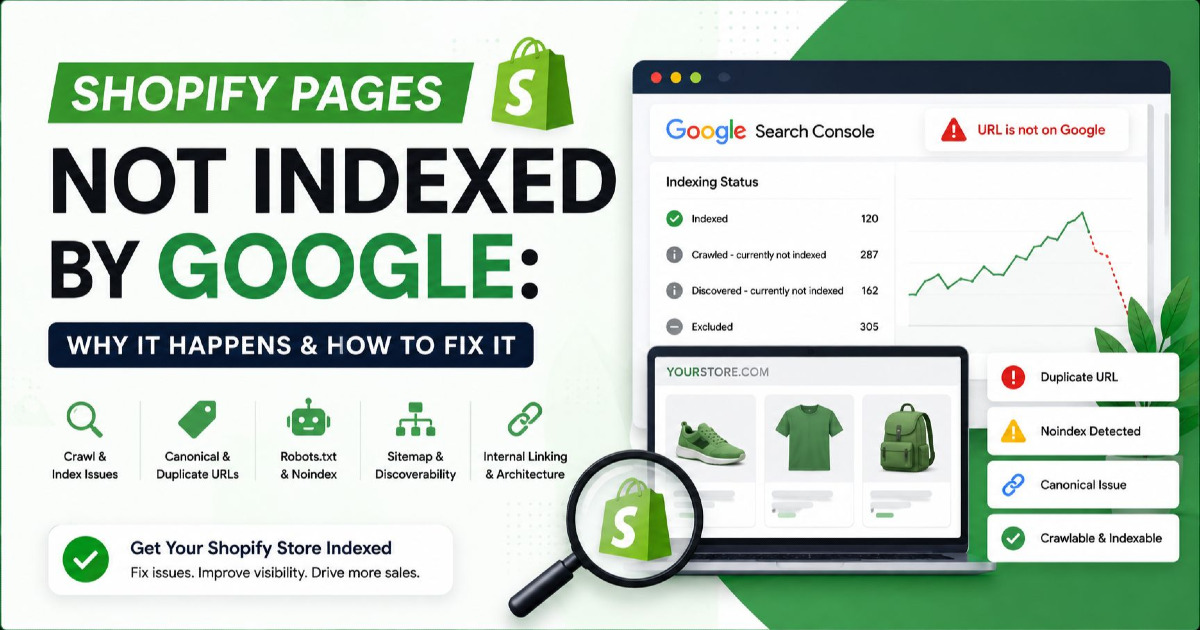
For Shopify stores with broader indexing problems, see why Shopify pages are not indexed by Google.
Category Page SEO on WooCommerce
WooCommerce stores commonly use WordPress product categories, subcategories, attributes and archives.
The flexibility is useful, but it also makes it easy to create many taxonomy pages.
For example, a store can have:
- category archives;
- product-tag archives;
- brand taxonomies;
- attribute archives;
- filtered category URLs.
Several of these can end up presenting very similar products.
The SEO question is not whether WordPress can generate the URL. It is whether that URL has a distinct role.
Audit category, tag and attribute archives together instead of optimising each one independently.
If several taxonomy pages target the same commercial intent, decide which one should be the search landing page and reduce unnecessary duplication around it.
Category Page SEO on Custom eCommerce Platforms
Custom stores usually give you more control and more responsibility.
There may be no platform default protecting you from:
- uncrawlable JavaScript navigation;
- incorrect canonical templates;
- filter combinations producing unlimited URLs;
- products accessible only through internal search;
- pagination based on URL fragments;
- inconsistent category-product relationships.
Before rewriting category descriptions on a custom platform, verify what search engines can actually reach.
My broader eCommerce technical SEO guide covers crawling and indexing at site level.
Category-specific implementation should then focus on whether the catalogue hierarchy remains discoverable as inventory scales.
How to Measure Whether Category SEO Is Working
A category reaching position five instead of position twelve is useful information.
It is not the final business result.
Category SEO should eventually connect search visibility to product discovery and revenue.
I would look at the category through three layers.
Google Search Console: Are the Right Searches Improving?
Check the category URL itself.
Look at:
- queries;
- impressions;
- clicks;
- CTR;
- average position.
More importantly, inspect which queries are generating the impressions.
A category intended for "men's trail running shoes" getting more visibility for generic "men's shoes" is not automatically an improvement if the broader query is poorly matched to the page.
The query mix should increasingly reflect the page's intended ownership.
Analytics: What Happens After Organic Visitors Arrive?
A ranking category that attracts traffic but produces almost no product interaction deserves investigation.
Useful behavioural and commercial measures can include:
- product-list clicks;
- add-to-cart behaviour;
- transactions;
- conversion rate;
- revenue from the category as an organic landing page.
Do not treat every weak conversion rate as an SEO failure.
Price, product availability, delivery, UX, device mix and competing offers can all affect conversion.
But SEO should still be connected to what happens after the click.
Are the Right Products Getting Discovered?
Sometimes category traffic grows while most product clicks concentrate on only a few listings.
That can reveal merchandising opportunities.
Sometimes the category ranks but half its visible products are out of stock.
Sometimes organic visitors repeatedly use one filter, suggesting that the filtered product group may deserve closer keyword and architecture analysis.
Search data and shopping behaviour should inform each other.
A Practical eCommerce Category Page Example
Imagine a furniture store has this structure:
/furniture/
/dining-tables/
/wooden-dining-tables/
/oak-dining-tables/
The oak category contains 28 genuinely oak tables.
Customers can reach it through:
Furniture → Dining Tables → Shop by Material → Oak
Its H1 is:
Oak Dining Tables
A short introduction explains the range, available sizes and finishes.
The grid contains relevant products with clear names, prices and availability.
Breadcrumbs show its place in the store.
Supporting guides about choosing table materials can link naturally to it.
Pagination exposes additional products through crawlable URLs.
Filters for size, price and seating capacity help customers shop, but the store does not automatically index every filter combination.
That page has a coherent identity.
Now compare it with:
/best-oak-tables/
/oak-table-online/
/buy-oak-dining-table/
/wood-dining-table-oak/
where all four pages show almost the same inventory and contain variations of the same SEO paragraph.
The second architecture has more pages.
It does not necessarily have more authority.
eCommerce Category Page SEO Checklist
Before treating a category as ready for organic search, check the following:
- The page serves a distinct commercial search intent.
- The product set matches that intent.
- The category contains a useful product selection.
- The title and H1 describe the category naturally.
- Products are not buried below excessive SEO copy.
- Important products use crawlable links.
- Parent and subcategory relationships are internally linked.
- Breadcrumbs reflect the real hierarchy.
- Pagination exposes products beyond the initial listing.
- Filters and sorting do not create uncontrolled indexable duplicates.
- The page is not competing with another category for essentially the same search.
- Category copy helps customers choose rather than filling space.
- Structured data accurately describes visible content.
- Search Console is being used to monitor query ownership and visibility.
- Analytics connects organic category traffic with product discovery and revenue.
The checklist is intentionally broader than metadata because metadata is rarely where the hardest category problems start.
Frequently Asked Questions About eCommerce Category Page SEO
How Much Content Should an eCommerce Category Page Have?
There is no correct word count.
Write enough to clarify the category and help the customer make a selection, but do not push products far down the page merely to add SEO text.
A short useful introduction plus more detailed buying guidance below the grid can work well when the category requires explanation. A simple category may need much less copy.
Should Category Pages Target Keywords or Product Pages?
It depends on search intent.
Broad product-group searches such as "running shoes" usually fit a category better than one individual product.
Highly specific searches for a model, SKU or named product normally belong to the product page.
Search results can also help you understand which page type is currently satisfying the query.
Are Shopify Collection Pages the Same as Category Pages?
Functionally, they can serve the same SEO role.
Shopify uses the term collection for grouped products. Other eCommerce platforms may call the equivalent page a category or product listing page.
The optimisation principles are broadly the same: clear intent, appropriate inventory, crawlable products, internal linking and controlled filter behaviour.
Should Every Filter With Search Volume Become a Category Page?
No.
Search volume is one input.
The filtered group should also represent distinct intent, contain useful inventory, remain maintainable and fit naturally into the store architecture.
Creating a permanent landing page for every product attribute combination can quickly produce thin and overlapping pages.
Should Paginated Category Pages Canonicalise to Page One?
Normally, no.
Paginated URLs should be able to represent their position in the sequence and expose deeper products through crawlable links rather than treating every page as a duplicate of the first page.
Does More Category Page Text Improve Rankings?
Not by itself.
More text cannot fix a category with the wrong products, unclear intent, weak internal links or another page competing for the same search.
Add content when it helps define the product group or answer real buying questions.
Category SEO Works Best When the Whole Page Agrees
The strongest category pages do not rank because one element was "SEO optimised".
The search intent, products, hierarchy, links, filters and content all need to point in the same direction.
If the page is about men's trail running shoes, the title should describe that range, the H1 should identify it clearly, the product set should contain those products, the parent categories should make sense, relevant internal links should lead to the page, and customers should be able to reach individual products without depending on hidden search or inaccessible interactions.
That alignment matters more than adding another block of keyword-rich text.
For larger eCommerce stores, category optimisation also cannot be separated from technical decisions around filters, parameters, variants, crawling and indexation. Those systems determine how many competing URLs the catalogue creates around every useful category.
If you need help working through those relationships across Shopify, WooCommerce or a custom store, my eCommerce SEO services focus on the catalogue structure underneath rankings: which page should own each search, what Google can reach, and how categories and products should connect as the store grows.