A T-shirt comes in six colours and five sizes. That gives the store 30 possible combinations.
Does Google need 30 product pages?
Usually, no.
Now consider a smartphone available in 128 GB, 256 GB and 512 GB versions. Each version has a different price, customers search for the storage size directly, and stock can differ between them.
Should all three still be treated exactly like T-shirt sizes?
Maybe not.
This is where product variant SEO becomes more complicated than simply adding a canonical tag to every variation.
An eCommerce store needs to answer several separate questions:
- Is this actually a variant of the same product?
- Does the variant need its own URL?
- Should that URL appear separately in Google Search?
- What should its canonical URL be?
- How should Google understand the relationship through structured data?
- How should the same variant appear in Merchant Center?
The important point is that these questions do not always have the same answer.
A variant can need a unique URL for shopping, tracking or Merchant Center without needing its own independent organic search result.
That distinction is the foundation of good product variant SEO.
What Is a Product Variant?
A product variant is a purchasable version of a product that differs by one or more defined characteristics while still belonging to the same product family.
For example, imagine this product:
Classic Cotton T-Shirt
It has two options:
- Colour: Black, White, Blue
- Size: Small, Medium, Large
One specific purchasable combination is:
Classic Cotton T-Shirt — Black — Medium
That is a variant.
In the store database it may have its own:
- variant ID;
- SKU;
- GTIN;
- stock quantity;
- price;
- image;
- availability;
- shipping weight.
But it can still belong to the same main T-shirt product.
Variant, Option, Attribute and Separate Product Are Not the Same Thing
These terms are easy to mix up.
| Term | Example | Meaning |
|---|---|---|
| Product | Classic Cotton T-Shirt | The main item being sold |
| Option | Colour | A choice the customer can make |
| Option value | Black | One value inside the option |
| Variant | Black + Medium | A specific purchasable combination |
| Attribute | 100% cotton | A characteristic that describes the product |
| Separate product | Classic Cotton Hoodie | A meaningfully different product entity |
The line becomes less obvious with complex products.
Is a 128 GB phone and a 512 GB phone simply two variants?
From a store-management point of view, they can be.
From a search point of view, customers may treat them differently because they search:
iphone 17 128gb
iphone 17 256gb
iphone 17 512gb
That means your CMS definition of a variant does not automatically decide your SEO strategy.
A Variant Can Need a URL Without Needing Its Own Google Result
This is one of the most useful distinctions to understand.
Google recommends making product variants identifiable through separate URLs. A store can do this with a path or with query parameters.
For example:
/products/cotton-shirt?color=black&size=medium
or:
/products/cotton-shirt/black-medium
That URL can be useful because it lets the store open the exact variant.
If someone shares the link, the black medium T-shirt can already be selected.
Merchant Center can also send a shopper directly to the variant advertised.
But that does not automatically mean Google Search needs 30 separately indexed pages for all 30 size and colour combinations.
Think of these as two different decisions:
Addressable variant: the store can open the exact variant through a URL.
Indexable variant: the variant is useful enough to deserve its own organic search result.
Many variants should be addressable.
Far fewer need independent indexation.
When One Product Page Is Usually the Better Choice
One parent product page normally works well when the variants do not create a meaningfully different search need.
Size is a common example.
Suppose you sell:
Adidas Men's Running T-Shirt
in:
S
M
L
XL
XXL
Customers normally search for the product first and choose the size while shopping.
Creating five separately indexed pages such as:
/adidas-running-tshirt-small
/adidas-running-tshirt-medium
/adidas-running-tshirt-large
/adidas-running-tshirt-xl
/adidas-running-tshirt-xxl
usually adds little search value.
The product description, use, brand and main search intent are almost identical.
One strong product page with a clear size selector is normally easier for customers and easier to maintain.
Size-Only Variants Are Usually Selection Choices, Not New SEO Pages
This does not mean size is unimportant.
Size can have its own:
- SKU;
- GTIN;
- stock level;
- Merchant Center item;
- shipping weight;
- availability.
But those differences happen mostly at the commercial and inventory level.
The organic search intent is often still the same product.
This is a good example of why database uniqueness and SEO uniqueness are different things.
Colour Variants Need More Thought
Colour is more interesting because customers sometimes search for a particular colour.
For example:
black nike air force 1
white iphone 17
red saree
green velvet sofa
rose gold watch
blue kitchen mixer
Colour can also change the product visually enough that the image in Google matters.
Still, do not create separate indexable pages for every colour automatically.
Imagine a plain cotton T-shirt available in:
Black
White
Navy
Grey
Green
Yellow
Maroon
Beige
Brown
Purple
If every colour has the same description, same reviews, same specifications and nearly the same search purpose, ten organic pages may be unnecessary.
On the other hand, a particular colourway of a sneaker or designer product may have its own recognised name and meaningful demand.
For example:
Nike Air Jordan 1 Chicago
is more than somebody selecting “red” from a generic colour dropdown.
The market may recognise that configuration as a distinct product experience.
Material and Finish Can Change Search Intent More Than Size
Material is sometimes treated like a simple variant attribute, but customers can see it as a major product difference.
Consider:
oak dining table
walnut dining table
marble dining table
glass dining table
These are not equivalent to:
small
medium
large
The material affects:
- appearance;
- weight;
- price;
- maintenance;
- durability;
- customer preference;
- search terminology.
The same applies to some finishes:
matte black tap
brushed brass tap
chrome tap
A merchant may still manage them under one product family, but SEO should evaluate whether customers treat those finishes as separate search destinations.
Storage and Capacity Variants Often Deserve Closer Evaluation
Electronics create a different problem.
Consider:
Samsung Galaxy Phone
with:
128 GB
256 GB
512 GB
The storage changes:
- price;
- SKU;
- inventory;
- customer comparison;
- sometimes shipping or availability;
- search demand.
People also search the exact capacity.
So a 512 GB model can have more independent SEO value than an XL T-shirt size.
The same logic can apply to:
- laptop RAM;
- SSD capacity;
- television screen size;
- battery capacity;
- memory configuration;
- camera kits;
- power ratings.
This does not mean every capacity automatically needs a separate indexed URL. It means the decision deserves research rather than a default rule.
Before splitting variants into separate SEO pages, check whether customers actually search for the configuration. My eCommerce keyword research guide explains how I map those searches to page ownership.
Some “Variants” Are Really Separate Products
The store database may call something a variant even when a customer sees it as another product.
Consider a furniture listing where one dropdown contains:
2-seater sofa
3-seater sofa
L-shaped sectional
Sofa bed
Technically, a platform might allow these choices inside one product.
But they differ in:
- product shape;
- dimensions;
- use;
- price;
- images;
- shipping;
- customer intent.
At some point, forcing everything into one “variant family” makes the catalogue harder to understand.
A good question is:
If the option were removed from the page, would a customer still describe this as the same product?
If the answer is clearly no, you may be dealing with separate products rather than ordinary variants.
There Is No Universal Rule for Every Variant Type
| Variant Type | Usual Starting Point | Why |
|---|---|---|
| Size only | One main product page | Usually a purchase selection rather than separate search intent |
| Colour | One page, then evaluate | Some colourways have independent demand |
| Pattern | Evaluate | Can materially change appearance and search behaviour |
| Material | Evaluate carefully | Can affect product use, value and customer intent |
| Finish | Evaluate | Important in furniture, jewellery, fixtures and interiors |
| Storage / memory | Often worth separate evaluation | Price and search demand can change significantly |
| Screen size | Often stronger separation | Customers commonly search exact dimensions |
| Major configuration | May be a separate product | The product itself can materially change |
| Pack quantity | Case by case | Sometimes a variant, sometimes an offer or multipack |
These are starting points, not Google rules.
Your catalogue, customers and search demand still decide the final structure.
Google Supports Two Main Ways to Represent Product Variants
Google's current Product structured-data documentation recognises both single-page and multi-page product-variant setups.
That is useful because real eCommerce stores do not all work the same way.
Single-Page Variant Model
In a single-page model, one main product page contains the full variant selector.
For example:
/products/classic-shirt
The customer can select:
Colour: Black
Size: Medium
The URL may then change to:
/products/classic-shirt?color=black&size=medium
but the parent product remains the main organic page.
This model is often sensible when variations share the same basic search intent.
Multi-Page Variant Model
In a multi-page setup, important variants can have their own meaningful pages.
For example:
/sofa/oak-natural
/sofa/walnut-dark
or:
/phone/model-x-128gb
/phone/model-x-256gb
/phone/model-x-512gb
This can make sense when the variants have enough difference in product details and search intent to justify the separation.
The important point is that Google's structured-data support does not require every store to force all variants into one universal setup.
Variant URLs Should Open the Correct Variant
If your variant URL says:
/shirt?color=black&size=medium
the page should open with:
Black + Medium
already selected.
It should not land on:
White + Large
and expect the shopper to select the advertised option again.
This matters particularly for Merchant Center because the product shown in Google should match the variant the shopper reaches.
A variant-specific URL should therefore affect the visible product state, not exist only as decorative text in the address bar.
Do Not Generate Several URLs for the Same Variant
A poorly controlled store might create:
/shirt?color=black&size=m

/shirt?size=m&color=black

/shirt?variant=847382

/shirt/black?size=m
for the same Black Medium product.
That makes tracking and canonicalisation harder than necessary.
Choose one stable variant URL format and use it consistently.
If variants are being identified through query strings, the wider handling of those URLs belongs to your parameter strategy. My eCommerce URL parameters guide covers that topic separately.
Which Canonical Should a Variant Use?
This is where many variant guides give an answer that is too simple.
You may have read:
“Canonical every product variant to the parent.”
That can be correct for one architecture.
It is not automatically correct for every store.
When Variants Are Mainly Selection States
Suppose these URLs all represent the same main product:
/products/classic-shirt
/products/classic-shirt?color=black
/products/classic-shirt?color=blue
/products/classic-shirt?color=white
If you do not want each colour independently indexed and the pages are effectively variations of the same product, the clean parent may be the preferred canonical:
<link rel="canonical"
href="https://example.com/products/classic-shirt">
This is especially common where optional query parameters are used only to preselect variants.
When a Variant Is a Genuine Independent Search Page
Now imagine:
/phone/model-x-128gb
/phone/model-x-256gb
/phone/model-x-512gb
If each URL has been intentionally designed as a separate search destination with:
- distinct customer demand;
- meaningful price differences;
- different product details;
- specific internal links;
- variant-specific content;
- a reason to appear separately in search;
then automatically canonicalising everything to the 128 GB or generic parent could work against your own strategy.
An independently indexable product page would normally need a canonical that supports its own URL.
Google still makes the final canonical selection. Your canonical tag is a strong signal, not a command.
For the wider rules around duplicate URLs and canonical signals, see my canonical tags guide.
Do Not Create Separate Variant Pages Just to Target More Keywords
This is where SEO can damage an otherwise sensible product catalogue.
Imagine one dress available in eight colours.
An automated system creates:
Red Maxi Dress
Blue Maxi Dress
Green Maxi Dress
Black Maxi Dress
White Maxi Dress
Pink Maxi Dress
Yellow Maxi Dress
Beige Maxi Dress
Each page receives the same description with only the colour word changed.
The result is not eight strong product pages.
It is eight extremely similar pages competing for almost the same product intent.
A separate URL should exist because the variant has a useful reason to be separate, not because your CMS can automatically create it.
Changing the Description With AI Does Not Create a New Product
Another common response is to generate different text for every colour.
So instead of:
“This red dress is made from soft fabric...”
the next page says:
“This blue dress uses a comfortable material...”
That does not solve the underlying issue if the two pages still serve the same search need.
Useful separation should come from real product differences.
For example:
- different specifications;
- different use;
- different images;
- different compatibility;
- different included accessories;
- different pricing;
- different demand;
- different availability;
- different customer questions.
Content should explain genuine differences rather than manufacture them.
Structured Data Can Explain the Product Family
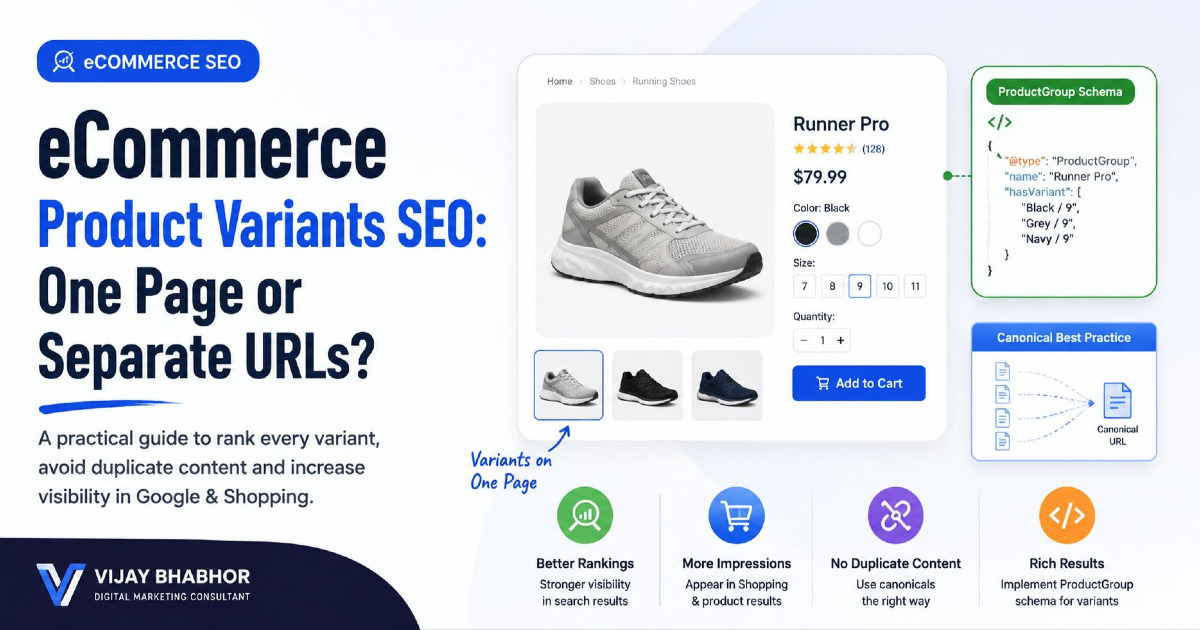
Google supports ProductGroup structured data for products with variants.
The useful relationship is:
ProductGroup = the product family
Product = each purchasable variant
Important properties can include:
productGroupID— identifies the product family;variesBy— explains what changes between variants;hasVariant— connects the group to individual products;isVariantOf— connects an individual product back to its group.
For example, a T-shirt family may vary by:
https://schema.org/color
https://schema.org/size
A Simple ProductGroup Example
This is a simplified example rather than a complete template for every store:
<script type="application/ld+json">
{
  "@context": "https://schema.org",
  "@type": "ProductGroup",
  "name": "Classic Cotton T-Shirt",
  "productGroupID": "TSHIRT-100",
  "variesBy": [
    "https://schema.org/color",
    "https://schema.org/size"
  ],
  "hasVariant": [
    {
      "@type": "Product",
      "name": "Classic Cotton T-Shirt - Black - Medium",
      "sku": "TSHIRT-100-BLK-M",
      "color": "Black",
      "size": "M",
      "offers": {
        "@type": "Offer",
        "priceCurrency": "USD",
        "price": "29.00",
        "availability": "https://schema.org/InStock"
      }
    },
    {
      "@type": "Product",
      "name": "Classic Cotton T-Shirt - Blue - Medium",
      "sku": "TSHIRT-100-BLU-M",
      "color": "Blue",
      "size": "M",
      "offers": {
        "@type": "Offer",
        "priceCurrency": "USD",
        "price": "29.00",
        "availability": "https://schema.org/OutOfStock"
      }
    }
  ]
}
</script>
In a real implementation you would normally include the supported properties relevant to your store, such as URLs, images and identifiers.
The structured data should describe what customers can actually see and purchase.
Do Not Put the Same SKU or GTIN on Every Variant
This is an important product-data issue.
If the manufacturer assigns separate identifiers to individual variants, preserve them.
For example:
| Variant | SKU | GTIN |
|---|---|---|
| Black / Medium | TS100-BLK-M | Variant-specific GTIN |
| Black / Large | TS100-BLK-L | Variant-specific GTIN |
| Blue / Medium | TS100-BLU-M | Variant-specific GTIN |
The exact identifiers depend on how the manufacturer defines the products.
Do not invent GTINs, and do not duplicate one GTIN across variants when separate legitimate identifiers exist.
Variant-Level Attributes Matter Beyond SEO
A useful variant record can contain much more than colour and size.
| Attribute | Why It Matters |
|---|---|
| Variant ID | Internal and platform identification |
| SKU | Stock and business operations |
| GTIN / barcode | Product identification across channels |
| Colour | Search, merchandising and Merchant Center |
| Size | Purchasing and feed data |
| Material | Product meaning and sometimes search intent |
| Pattern | Visual differentiation |
| Image | Shows the actual selected variant |
| Price | Can differ by configuration |
| Availability | Can differ from one variant to another |
| Weight | Shipping and fulfilment |
| MPN | Manufacturer identification where applicable |
This is why variant SEO is not only about canonical tags.
The underlying product data affects organic search, Shopping, inventory, checkout and customer confidence.
Merchant Center Needs to Know Which Variants Belong Together
Google Merchant Center handles product variants differently from a simple organic canonical decision.
Each variant should have its own stable product id.
Related variants use the same item_group_id so Google can understand that they belong to one product family.
For example:
| Product | id | item_group_id |
|---|---|---|
| Black / Small | TS100-BLK-S | TS100 |
| Black / Medium | TS100-BLK-M | TS100 |
| Blue / Small | TS100-BLU-S | TS100 |
The IDs are different because the items are different purchasable variants.
The group ID is the same because they belong to the same product family.
Do Not Keep Changing Merchant Center Product IDs
A product ID should be stable.
It is not a temporary campaign label.
If your Black Medium T-shirt is:
TS100-BLK-M
today, do not make it:
SUMMER-TS100-BLK-M
next month simply because a new promotion starts.
Stable identifiers make product history and grouping easier to maintain across the catalogue.
Merchant Center link Should Reach the Exact Variant
Suppose Merchant Center advertises:
Classic Cotton T-Shirt — Black — Medium
The submitted landing-page URL should open the Black Medium variant.
For example:
https://example.com/tshirt?color=black&size=medium
The customer should not click a black product listing and land on a page showing blue as the selected colour.
The same principle applies to:
- price;
- availability;
- image;
- size;
- material;
- other variant-defining attributes.
Merchant Center link and canonical_link Have Different Jobs
This is a useful detail that many variant SEO discussions miss.
Merchant Center's link can send the shopper to the exact preselected variant:
link:
https://example.com/dress?color=green&size=large
At the same time, your organic Search strategy may prefer the clean base product as the canonical:
canonical_link:
https://example.com/dress
Those two URLs are not necessarily contradictory.
They are doing different jobs.
The first helps the shopper reach the exact advertised item.
The second helps communicate the preferred URL for Google's web search index when variants are being consolidated.
If your variants are intentionally independent organic pages, the canonical strategy may be different.
Your Website, Structured Data and Product Feed Should Describe the Same Variant
This is the consistency check I would make on an eCommerce store.
| Information | Website | Structured Data | Merchant Center |
|---|---|---|---|
| Variant | Black / Medium | Black / Medium Product | Black / Medium item |
| SKU / ID | TS100-BLK-M | TS100-BLK-M where represented | Stable unique id |
| Product family | Classic Cotton T-Shirt | ProductGroup | Shared item_group_id |
| Colour | Black | Black | Black |
| Size | Medium | M / Medium | Medium |
| Price | $29 | $29 | $29 |
| Availability | In stock | InStock | in_stock |
| Image | Black shirt image | Black shirt image | Black shirt image |
If these systems disagree, the problem is larger than SEO.
You can create confusing Shopping listings, wrong images, price mismatches and poor landing-page experiences.
If products are already having visibility or feed problems, use my Google Shopping products not showing guide for the wider Merchant Center troubleshooting process.
Variant Images Are More Important Than They Look
If colour changes the appearance of the item, the product image should normally change with it.
Imagine somebody searches for:
green velvet armchair
and Google shows a grey chair.
The underlying product may technically be correct, but the visual result is poor.
For visually meaningful variants, connect:
variant → correct image
not:
all variants → generic parent image
Size-only variants are different because a Medium and Large T-shirt may look identical in a standard product photograph.
Prices Can Be Variant-Specific Too
Do not assume every variant has one price.
A furniture product may cost more in a premium material.
A laptop with more RAM or storage usually costs more.
A larger mattress can be more expensive than a smaller one.
The selected variant, visible price, structured-data Offer and Merchant Center item should agree.
If a page loads with the cheapest variant price while Google promotes an expensive configuration, the customer can feel misled even when the store technically offers both.
Availability Belongs to the Variant That Is Actually Sold
A parent product can be “available” while one important variant is sold out.
For example:
| Variant | Stock |
|---|---|
| Black / Small | In stock |
| Black / Medium | Out of stock |
| Black / Large | In stock |
If Merchant Center advertises Black Medium, its availability should not be taken from the parent product just because some other sizes remain available.
Variant-level inventory should remain variant-level data.
What Should Happen When One Variant Goes Out of Stock?
Do not remove the entire product page because one size or colour becomes unavailable.
If the product family is still being sold, keep the main product available and mark the specific variant accurately.
A sold-out size can remain visible as unavailable so the customer knows that the option exists.
If a separately indexed variant permanently disappears, you need to decide whether there is a relevant replacement, a broader product family page or no useful replacement at all.
That broader lifecycle decision deserves its own treatment, which is why I would not turn this variant guide into a full discontinued-product guide.
Internal Links Should Normally Point to the Product You Actually Want Searchers to Find
If one parent product is the SEO destination, normal category and editorial links should usually reinforce that product URL.
For example:
/products/classic-shirt
rather than linking randomly to:
/products/classic-shirt?color=blue&size=medium
unless the blue variant itself is the reason for the link.
If a colour or configuration has been intentionally made into a separate SEO page, then it should receive normal internal links using relevant context.
An independently indexable variant that can only be reached by selecting four dropdowns is not being treated like an important page by your own website.
Should Product Variants Be in the XML Sitemap?
The sitemap should reflect your actual organic-search architecture.
If the parent product is your canonical search page and variant query URLs canonicalise back to it, you normally do not need to fill the XML sitemap with every size and colour combination.
If you intentionally maintain separate indexable variant pages, those canonical URLs can be considered for sitemap inclusion.
The basic rule is simple:
Put the URLs you genuinely want Google to treat as search pages in the sitemap.
Do not submit thousands of variant states merely because your ecommerce platform can generate them.
Shopify Product Variants SEO
Shopify uses variants for products that come in different options such as size, colour, style, weight, finish or material.
Shopify currently allows up to 2,048 variants per product and up to three product options.
That is worth mentioning because older SEO articles still refer to Shopify's previous 100-variant limit.
A Shopify variant can have its own internal variant ID and product data, but ordinary Shopify product variants still belong to one product listing.
This means merchants should not assume:
“Shopify created a variant ID, therefore Google should rank every variant separately.”
The SEO decision still depends on the product and search intent.
Shopify Variant URLs Often Act as Preselection URLs
A Shopify store may use a URL that identifies a particular variant.
The exact implementation depends on the theme and setup, but the important questions remain:
- Does the URL load the correct variant?
- What canonical does the page output?
- Does the variant have genuine standalone search demand?
- Is Merchant Center using the correct variant URL?
- Are price, image and availability updated correctly?
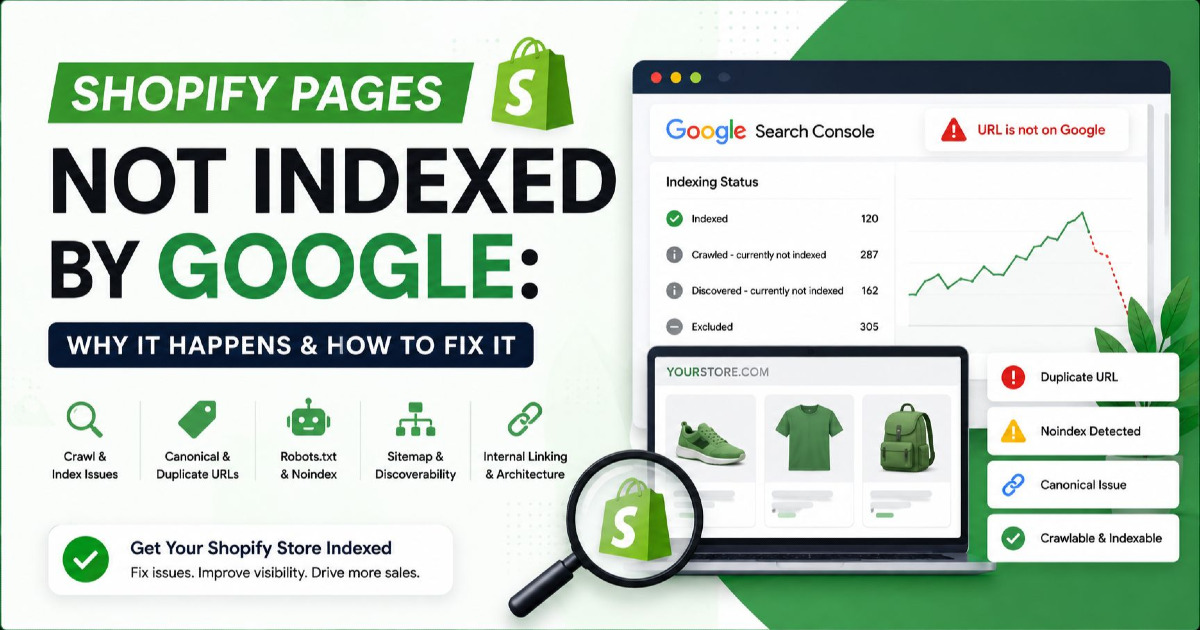
If your wider issue is that Shopify products or collections are not being indexed as expected, see my Shopify pages not indexed guide. Keep that indexing diagnosis separate from the architectural decision about how variants should work.
Shopify Combined Listings Are Different From Ordinary Variants
Shopify Plus and enterprise merchants can use Combined Listings.
This is useful when products need stronger independence than a normal variant provides.
A combined listing connects separate child products into one storefront experience.
The child products can have details that ordinary variants do not normally have independently, such as:
- their own title;
- their own description;
- their own URL;
- their own image gallery.
This can make sense for products where what appears to shoppers as one family actually contains children with much stronger differences.
For example, a furniture design might come in materially different finishes with separate photography and merchandising.
But Combined Listings should not be treated as an SEO trick.
Use them when the catalogue and merchandising genuinely need that structure, not simply to create more indexable pages.
WooCommerce Variable Product SEO
WooCommerce has a similar concept through variable products.
A variable product can contain variations created from attributes such as size and colour.
Individual WooCommerce variations can have their own:
- image;
- SKU;
- GTIN or barcode data;
- regular price;
- sale price;
- stock;
- cost;
- other variation-level information.
This makes WooCommerce flexible, but the final SEO behaviour depends heavily on the theme, SEO plugin, product-feed plugin and any custom development.
Do not assume another WooCommerce store's variant canonical setup is automatically correct for yours.
WooCommerce Attributes Need Consistent Naming
Product data can become messy when the store uses several names for the same thing.
For example:
Black
black
Jet Black
BLK
Blk
may all refer to the same colour.
That creates problems beyond SEO.
Filters, feeds, product groups and reporting can all become harder to manage.
Use clean, reusable global attributes where practical so the same real-world property is represented consistently across the catalogue.
Custom and Headless Stores Should Design Variants at the Data Level First
Custom eCommerce platforms have more freedom, which means they can also create bigger mistakes.
Before deciding the URL pattern, define the underlying product model.
A useful data relationship might look like:
Product family:
Modern Dining Chair

Variant:
Walnut / Black Fabric

Variant ID:
CHAIR-WAL-BLK

SKU:
CH-WB-01

Material:
Walnut

Upholstery:
Black Fabric

Price:
$349

Availability:
In Stock

Image:
Walnut + Black Fabric image
Then decide how that real product state should appear in:
- the storefront;
- the URL;
- structured data;
- Merchant Center;
- internal search;
- analytics;
- inventory systems.
Do not start with SEO-friendly URLs and try to invent the product relationship afterwards.
JavaScript Variant Selectors Need Shareable Product States
Many modern stores update colour, price and availability using JavaScript without reloading the page.
That is fine for the customer experience.
But if a variant needs to be directly addressable, the URL should still reliably represent the selected state.
If I select:
Green / Large
and copy the URL, reopening that URL should not forget my selection and show:
Black / Small
instead.
This becomes particularly important when Google Shopping or another external channel links to the variant.
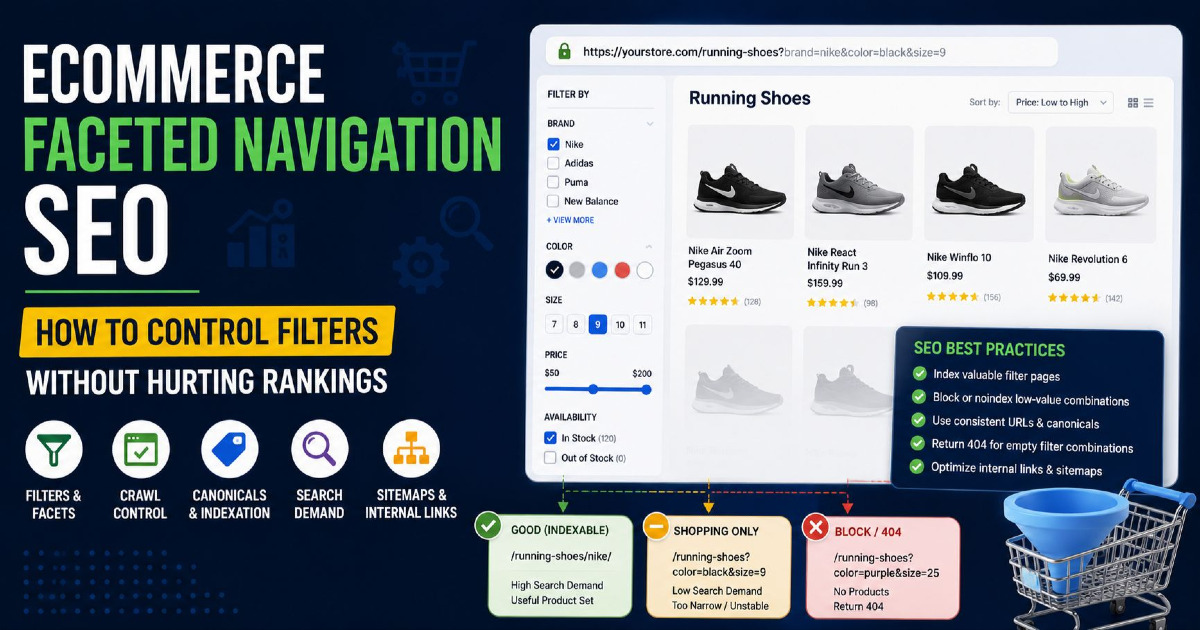
Product Variant SEO Is Not the Same as Faceted Navigation SEO
These two topics can look similar because both involve attributes such as colour and size.
But they describe different things.
Product variant:
A purchasable version of one product.
Example:
Classic T-Shirt
→ Black / Medium
Faceted navigation:
A way to filter a category containing many products.
Example:
Men's T-Shirts
→ Colour = Black
→ Size = Medium
→ shows 47 products
The first changes which variant of one product is selected.
The second changes which products appear in a category.
They may use the same attributes, but their SEO purpose is different.
Variants Can Reveal Search Opportunities You Are Currently Missing
Do not look only for duplicate URLs when auditing variants.
Sometimes the opposite problem exists: the store has valuable variant demand but no page built to satisfy it properly.
Imagine Search Console repeatedly shows impressions for:
green velvet armchair
walnut dining chair
iphone 17 512gb
rose gold smartwatch
65 inch oled tv
but your generic product page always presents another configuration first.
Those searches deserve investigation.
You may discover that one variant, configuration or child product has enough independent demand to justify stronger treatment.
How I Would Audit Product Variants on an eCommerce Store
Start with a few high-value products rather than exporting thousands of URLs immediately.
1. Look at the Actual Product
Ask what changes between variants.
Is it:
- only size;
- colour;
- material;
- storage;
- capacity;
- model;
- included accessories;
- a major physical configuration?
2. Check the URL After Selecting a Variant
Select a variant and copy the URL.
Open it in another browser window.
Does the same variant remain selected?
3. Check the Canonical
Compare:
- parent product URL;
- variant URL;
- canonical tag.
Make sure the canonical reflects the organic strategy you actually want.
4. Inspect the Visible Variant Data
Check whether selecting a variant correctly changes relevant information such as:
- price;
- availability;
- SKU;
- image;
- size;
- colour;
- technical specifications.
5. Inspect the Structured Data
Use Google's Rich Results Test or inspect the JSON-LD directly.
Check whether:
- the product family is understandable;
- variant relationships are represented correctly;
- variant-specific Offers match the page;
- price and availability agree with the selected item;
- identifiers are correct.
6. Compare Merchant Center
Take the same variant and compare its:
id;item_group_id;- title;
- colour;
- size or other variant attribute;
- image;
- price;
- availability;
link;canonical_linkwhere used.
7. Check Whether Google Is Indexing Variant URLs
Use URL Inspection in Search Console on important variants.
Look at:
- user-declared canonical;
- Google-selected canonical;
- indexing status;
- rendered page;
- the actual URL receiving impressions.
Do not assume Google's selected canonical is the one your template declares.
8. Check Search Demand
Look at Search Console, keyword research, internal search and product sales.
Does the specific colour, configuration or material have its own demand?
If not, there may be no reason to create another organic landing page.
9. Check Internal Links
If a variant is supposed to rank independently, ask how Google reaches it.
Does the site link to it normally?
Or does it exist only after selecting several controls?
10. Check the Sitemap
Make sure the sitemap agrees with the canonical and indexation strategy.
A URL should not normally be presented in the sitemap as an important search page while telling Google through its canonical that another URL is preferred.
Common Product Variant SEO Mistakes
Creating a Page for Every Size
Most sizes are purchase choices, not separate search topics.
Canonicalising Every Variant Without Looking at Demand
This can hide genuinely useful colour, material, capacity or configuration pages.
Indexing Every Colour Automatically
Some colours matter in search. Many do not need separate organic pages.
Using the Same Variant ID Everywhere
Individual purchasable variants may need distinct SKUs, GTINs and Merchant Center IDs.
Changing Product IDs During Every Feed Rebuild
Stable identifiers should stay stable unless the product itself genuinely changes.
Sending Google Shopping Traffic to the Wrong Variant
The advertised variant should be selected when the customer lands.
Using One Generic Image for Visually Different Variants
A black item should not be represented by a red image when the variant difference is visible.
Letting Website, Schema and Feed Data Disagree
Price, availability, identifiers and attributes need to describe the same item.
Generating Different Descriptions for Near-Identical Variants
Different wording does not automatically create different search intent.
Treating Every Platform Variant as a Separate SEO Entity
Shopify or WooCommerce database structure does not decide what deserves independent search visibility.
One Product Can Have Many Commercial Variants but Still Need Only One Organic Page
This is probably the simplest way to think about the topic.
A business may genuinely need 30 individual variants because it has:
- five sizes;
- six colours;
- separate stock;
- separate SKUs;
- separate GTINs;
- variant-level Shopping listings.
Google Search may still need only one strong organic product page.
That is not a contradiction.
Different systems need different levels of product detail.
But Sometimes the Variant Becomes Important Enough to Stand on Its Own
The opposite can also happen.
A configuration may have:
- strong independent search demand;
- substantially different specifications;
- different price;
- different imagery;
- different stock;
- different customer questions;
- strong internal merchandising importance.
At that point, treating it as nothing more than a hidden dropdown selection may limit both organic visibility and the customer experience.
This is why I would never apply one global variant rule across an entire catalogue without looking at the products.
Product Variant SEO Starts With Product Understanding
The best variant strategy does not begin with:
“Should I use canonical tags?”
It begins with:
“What exactly are we selling, and how does the customer understand the difference between these choices?”
Once that is clear, the technical decisions become much easier.
Small and medium T-shirt sizes can remain selections on one product.
A particular sneaker colourway may deserve stronger treatment if people search for it by name.
A 512 GB phone may need more independent visibility than a storage selector hidden behind JavaScript.
A different material or physical configuration may not really be a variant at all — it may be another product.
Your URLs, canonical tags, ProductGroup structured data, Merchant Center IDs, images, prices and stock should then describe that same reality consistently.
That consistency is more valuable than creating the largest possible number of product pages.
For the wider structure covering categories, products, technical SEO, internal linking and product discovery, read my eCommerce SEO guide.
If you run a Shopify, WooCommerce or custom store and product variants, canonicals, Merchant Center or catalogue structure have become difficult to manage, my eCommerce SEO services focus on improving the underlying product architecture rather than simply adding more pages for Google.