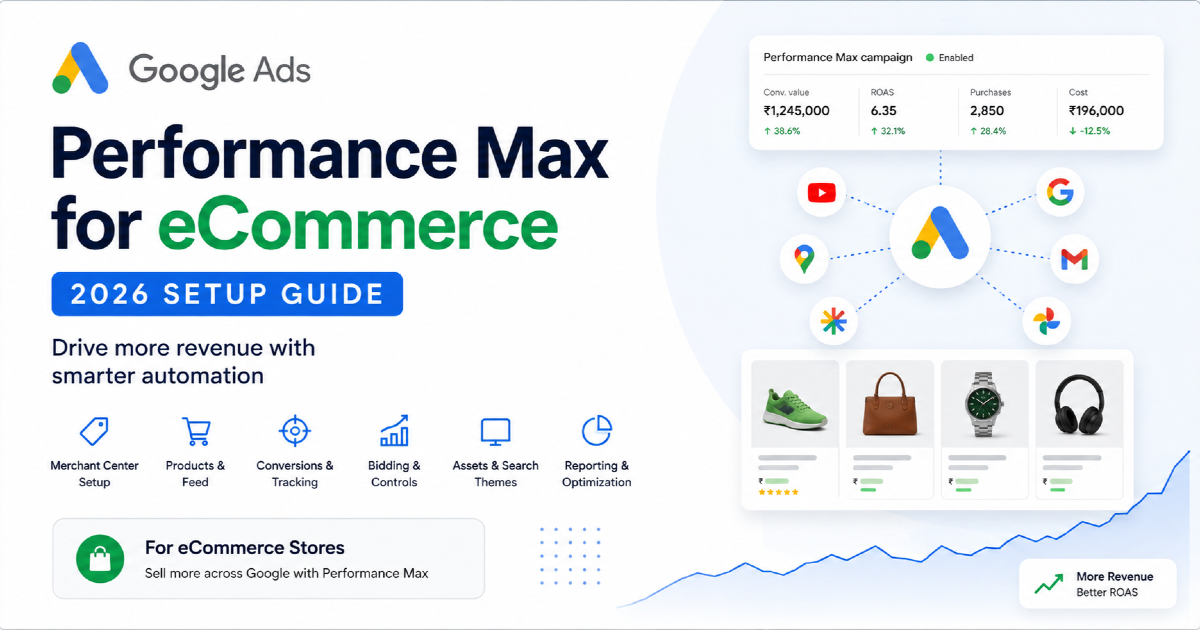
A successful Performance Max campaign for eCommerce starts before you click “Create campaign.”
The biggest setup mistakes usually happen earlier:
- the Purchase conversion is wrong;
- revenue values are inaccurate;
- Merchant Center products have issues;
- low-margin products are mixed with high-margin products;
- the campaign has no clear customer-acquisition objective;
- Google is allowed to send traffic to pages you never intended to advertise.
Performance Max can automate bidding, placements and delivery across Google's inventory.
But automation does not decide whether a ₹5,000 order with a 15% margin is more valuable to your business than a ₹3,000 order with a 55% margin.
That is your job.
For eCommerce, I use this setup sequence:
Measure → Merchant Center → Merchandise → Value → Campaign → Products → Creative → Signals → Controls → Validate
This guide follows that sequence.
What Is Performance Max for eCommerce?
Performance Max is a goal-based Google Ads campaign type that can use your product data, conversion data, creative assets and other signals to serve across Google's available advertising inventory.
Depending on eligibility and campaign setup, that can include:
- Google Search;
- Shopping inventory;
- YouTube;
- Display;
- Discover;
- Gmail;
- Maps;
- other eligible Google inventory.
For an online retailer, the most important difference is the integration with Google Merchant Center.
Your product feed gives Google information such as:
- product ID;
- title;
- price;
- availability;
- brand;
- GTIN;
- product type;
- images;
- landing page.
That product data becomes one of the main inputs into the campaign.
If you need the broader commercial framework for deciding when PMax belongs in your account, use my Performance Max for eCommerce strategy guide. This article focuses specifically on implementation.
Before Setup: Decide What Job the Campaign Has
Do not create a Performance Max campaign simply because Google recommends one.
First define its job.
Examples:
- maximize total online revenue;
- acquire new customers;
- scale a profitable product category;
- support a seasonal collection;
- expand a successful Shopping program;
- launch a new range of products.
Those jobs are different.
A campaign built primarily to harvest existing branded demand should not be evaluated in exactly the same way as a campaign built to acquire customers who have never bought from you.
Before setup, write one sentence:
This campaign exists to _______.
If you cannot complete that sentence clearly, the campaign structure probably is not ready.
1. Validate eCommerce Purchase Tracking Before Creating PMax
Performance Max uses conversion goals to understand what outcomes should influence bidding.
If Purchase is your primary objective, verify Purchase first.
At minimum, check:
- Purchase fires only after a successful transaction;
- the transaction value is correct;
- currency is correct;
- the same order is not counted multiple times;
- the transaction ID is unique;
- test orders are understood or excluded where necessary;
- the conversion action used for bidding is the intended one.
Why transaction IDs matter
Imagine a customer places order:
ORDER-45872
The customer later reloads the confirmation page.
If your implementation sends another Purchase without properly identifying the transaction, the same real order may be recorded twice.
The purchase should contain a unique transaction identifier generated by the store or backend.
For example:
transaction_id: ORDER-45872
value: 4999
currency: INR
Do not start making ROAS decisions until you trust the conversion value Google receives.
The complete measurement system is covered separately in my eCommerce conversion measurement guide.
2. Audit Merchant Center Before You Create the Campaign
For retail Performance Max, Merchant Center is not a secondary setup task.
It is part of the campaign foundation.
Before launch, verify:
- the correct Merchant Center account is connected;
- website ownership is correct;
- target countries are configured;
- shipping settings are accurate;
- products are active and eligible;
- price matches the landing page;
- availability matches the landing page;
- product URLs work;
- important identifiers are populated correctly;
- images meet product requirements.
Approved does not mean guaranteed traffic
A product can be eligible and still receive very little traffic.
That is different from a product being:
- not approved;
- under review;
- limited;
- missing from the feed;
- excluded from the campaign.
Separate eligibility problems from advertising-performance problems.
If products are missing or disapproved before you even launch PMax, use my diagnostic guide for Google Shopping products not showing.
3. Decide Which Products the Campaign Should Be Allowed to Sell
This is one of the most overlooked steps in eCommerce PMax setup.
Do not automatically advertise the entire Merchant Center catalogue.
Ask whether every SKU deserves the same advertising treatment.
| Product | Margin | Inventory | History | Possible Decision |
|---|---|---|---|---|
| Hero Product A | High | Deep | Strong | Include |
| Product B | Very low | Deep | Strong | Control carefully |
| Product C | High | Almost sold out | Strong | Exclude or limit |
| New Product D | High | Deep | No history | Test |
| Clearance E | Low | Limited | Weak | Separate treatment |
Useful product dimensions include:
- margin;
- revenue;
- conversion rate;
- inventory depth;
- seasonality;
- return rate;
- AOV;
- repeat purchase potential;
- strategic importance.
Use custom labels for business information
Merchant Center custom labels can help you organise products using information Google may not otherwise understand.
Examples:
custom_label_0 = high_margin
custom_label_1 = bestseller
custom_label_2 = seasonal
custom_label_3 = clearance
custom_label_4 = high_inventory
You can then use those values when selecting products for campaigns and listing groups.
The broader product-feed and retail advertising system is covered in my Google Shopping Ads guide.
4. Create the Performance Max Campaign
Once measurement, Merchant Center and product scope are ready, create the campaign.
In Google Ads:
- Select New campaign.
- Choose the appropriate sales objective.
- Select the Purchase conversion goal you actually want the campaign to optimise toward.
- Select Performance Max.
- Connect the correct Merchant Center account.
- Select the appropriate feed or feed label where applicable.
- Continue to bidding and campaign settings.
Do not click through this stage without checking which conversion goals Google has selected.
Accounts often contain secondary actions such as:
- Add to cart;
- Begin checkout;
- Page view;
- phone click;
- imported analytics goals.
Not every measured action should necessarily guide an eCommerce Purchase campaign.
5. Choose the Right Bidding Objective
For an online store where orders have different values, value-based bidding is usually the more natural starting point than treating every purchase as identical.
The two main value-oriented approaches are:
Maximize Conversion Value
Google attempts to generate as much conversion value as possible within the campaign budget.
This gives the bidding system more flexibility.
Target ROAS
Target ROAS adds an efficiency constraint.
For example:
A Target ROAS of:
500%
means the campaign attempts, on average, to generate approximately:
₹5 in conversion value for every ₹1 in advertising spend.
Do Not Choose Target ROAS From an Industry Blog
Your required ROAS depends on your own economics.
Example:
| Item | Amount |
|---|---|
| Order revenue | ₹5,000 |
| Cost of goods | ₹2,500 |
| Shipping subsidy | ₹300 |
| Payment/other variable cost | ₹200 |
| Contribution before advertising | ₹2,000 |
If the business can spend a maximum of ₹1,000 acquiring that order while still meeting its commercial objective, the corresponding revenue-to-ad-spend relationship is:
₹5,000 ÷ ₹1,000 = 5× ROAS
But another business may deliberately accept a lower first-order return because customers purchase repeatedly.
That is why a universal “good ROAS” does not exist.
6. Set a Budget That Can Produce Meaningful Evidence
Do not use rules such as:
“Your daily PMax budget must be exactly three times your CPA.”
There is no universal budget formula.
Instead consider:
- expected customer acquisition cost;
- average order value;
- conversion rate;
- available search/product demand;
- number of products;
- margin;
- how quickly you need useful evidence.
Suppose your expected new-customer CAC is:
₹2,000
and your campaign budget is:
₹300 per day.
Even if performance eventually works, you may need many days to generate enough conversion activity to evaluate it responsibly.
The same ₹300 budget behaves completely differently for a business with a ₹250 CAC.
7. Decide Whether You Are Optimising for Total Revenue or New Customers
An eCommerce campaign can produce good total ROAS while relying heavily on customers who already know the business.
If customer acquisition is strategically important, configure Google's customer-acquisition settings deliberately.
Google can use information such as:
- past purchase conversions;
- Customer Match lists;
- new versus returning customer information from your tracking;
- Google's own customer detection systems.
Bid higher for new customers
This can help tell Google that a new customer's first purchase has additional value beyond the order itself.
Conceptually:
First purchase value       ₹4,000
Additional new-customer value
                           ₹2,000

Value used for new customer
                           ₹6,000
The additional value should come from business economics, not guesswork.
New Customer Only
This is a much stricter setup because the campaign focuses on customers Google identifies as new.
Use it deliberately rather than assuming every retailer should exclude returning customers.
High-value customer acquisition
For businesses with strong first-party customer data, Google also provides lifecycle functionality for distinguishing higher-value customer groups.
This becomes more useful as your CRM and repeat-customer data mature.
8. Configure Listing Groups
Listing groups determine which Merchant Center products are eligible inside an asset group.
This is different from the creative assets themselves.
By default, Google may include all products from the attached Merchant Center source.
You can instead select products using attributes such as:
- category;
- brand;
- item ID;
- condition;
- product type;
- channel;
- custom labels.
Do not confuse listing groups with asset groups
Think of the relationship like this:
Listing group = Which products can sell?
Asset group = What creative/context supports those products?
Example:
Asset Group:
Women's Waterproof Running Shoes

Listing Group:
product_type = Running Shoes
custom_label_0 = Waterproof
gender = Women

Creative:
Rain running video
Waterproof benefit imagery
Trail grip messaging
Do Not Over-Segment Listing Groups
More segmentation does not automatically create more control.
Build separate product groups when there is a commercial reason.
Good reasons include:
- different margins;
- different inventory priorities;
- different seasonal periods;
- different category strategy;
- different creative requirements;
- different budget requirements.
Weak reason:
“We have 43 product categories, so we need 43 separate PMax structures.”
Complexity should earn its place.
9. Build Asset Groups Around Customer Context
An asset group contains creative inputs Google can combine into ads.
These can include:
- headlines;
- long headlines;
- descriptions;
- images;
- logos;
- video;
- business information;
- audience signals;
- search themes.
Do not create a new asset group simply because another category exists.
Create one when:
Product set → customer need → creative message
meaningfully changes.
Example
Asset Group 1 — Road Running Shoes
- cushioning;
- daily running;
- road comfort;
- lightweight materials.
Asset Group 2 — Trail Running Shoes
- grip;
- technical terrain;
- water resistance;
- stability.
Asset Group 3 — Racing Shoes
- speed;
- weight;
- race day;
- energy return.
Those are genuine creative differences.
10. Feed-Led PMax vs Full-Asset PMax
Retail Performance Max can use Merchant Center product information even when you do not provide a complete library of advertiser-created assets.
That creates two broad implementation approaches.
Feed-led Performance Max
The product feed does most of the work.
Useful when:
- you want strong product-led advertising;
- creative production is limited;
- the catalogue itself is the primary advertising asset.
Full-asset Performance Max
You combine the feed with:
- text;
- brand images;
- lifestyle images;
- video;
- other creative.
This gives Google more inputs for serving across additional formats and inventory.
I would not declare either approach universally better.
The right setup depends on:
- the products;
- creative quality;
- brand requirements;
- the role of the campaign.
11. Build Creative Around the Product Buying Decision
Do not fill asset groups merely to reach an “Excellent” Ad Strength score.
The creative should answer actual customer questions.
For a running-shoe store:
| Creative Angle | Possible Message |
|---|---|
| Problem | More grip for wet technical trails |
| Use case | Built for long-distance trail running |
| Product benefit | Lightweight cushioning without losing stability |
| Proof | Customer ratings and reviews |
| Range | Trail shoes for beginner to technical terrain |
| Offer | Free shipping over qualifying order value |
Creative diversity should mean different customer arguments, not 15 versions of the same sentence.
12. Add Audience Signals Without Treating Them as Hard Targeting
Audience signals provide additional information that can help Google understand the types of users relevant to the asset group.
Potential inputs include:
- Customer Match lists;
- website visitor groups;
- custom segments;
- relevant interests or demographic context where appropriate.
The important distinction:
An audience signal is not the same thing as a traditional restricted audience target.
Performance Max can serve beyond the audience signals you provide when Google's systems predict relevant conversion opportunities.
Use signals as useful context, not as an attempt to micromanage every impression.
13. Add Search Themes Based on Buyer Language
Search themes allow you to provide words and phrases customers may use when looking for your products.
They are especially useful when your catalogue terminology differs from how customers search.
For example, your feed might contain:
Women's Linen Midi Dress
but buyers may search:
- summer wedding guest dress;
- breathable holiday dress;
- linen summer outfit;
- beach vacation dress.
Search themes can communicate that additional demand context.
Google currently supports up to 50 search themes per asset group.
Do not use all 50 simply because they are available.
Use themes that represent:
- real buying language;
- important product attributes;
- commercial use cases;
- demand not obvious from the feed or landing page.
14. Configure Search Controls Before Launch
Modern Performance Max provides substantially more search control than early versions of the campaign type.
Your setup should deliberately consider:
- negative keywords;
- brand exclusions;
- search themes;
- Final URL expansion;
- URL exclusions.
Negative Keywords
Performance Max supports campaign-level negative keywords.
Use them when a query clearly represents demand you do not want.
Examples might include:
- jobs;
- wholesale when you sell retail only;
- free;
- repair;
- used products if you sell new only.
Do not build enormous speculative negative lists before the campaign has generated evidence.
Brand Exclusions
Brand exclusions can be useful when branded search needs separate treatment.
For example:
You may want:
Brand Search campaign → branded queries
and:
PMax → broader product/customer acquisition
This can make acquisition analysis cleaner.
But do not exclude your brand simply because someone says “PMax steals brand.”
Decide based on the role of your campaigns and how you want demand allocated.
15. Configure Final URL Expansion Carefully
Final URL expansion allows Google to choose additional landing pages from your website when it believes another page is relevant to the user's query and campaign objective.
For ecommerce, this can potentially help Google find:
- relevant product pages;
- collections;
- category pages;
- sale pages.
But not every website URL should become an advertising landing page.
Potential URLs to exclude
/privacy/
/terms/
/careers/
/account/
/login/
/support/
/blog/
/order-tracking/
/expired-promotions/
Your exclusions should reflect your actual website.
Do not disable expansion automatically
Keeping tight URL control can make sense when:
- only a small group of pages should receive traffic;
- the site contains many irrelevant URLs;
- different products require strict landing-page ownership;
- compliance requires precise destinations.
Allowing expansion can make sense when:
- the ecommerce architecture is clean;
- product/category pages are strong;
- Google can safely explore additional commercial landing pages.
It is a control decision, not a checkbox that should universally be on or off.
16. Review Location Settings
Advertise where the store can actually fulfil orders.
Check:
- countries;
- states/regions where necessary;
- shipping availability;
- currency;
- product-feed target markets.
If your store only ships in India, do not accidentally create worldwide eligibility because the campaign interface allowed it.
Merchant Center targeting and Google Ads location settings should tell a consistent story.
17. Review Brand, Text and Asset Automation Settings
Google can use AI to expand and adapt creative based on information from:
- your assets;
- your website;
- product data;
- landing pages.
Review the available asset optimisation/text customization settings rather than leaving every setting untouched.
Ask:
- Can Google safely generate new text from this website?
- Are product pages accurate enough?
- Does the business have strict compliance requirements?
- Is brand language tightly controlled?
Automation is useful when the inputs are trustworthy.
18. Complete This eCommerce PMax Pre-Launch Checklist
| Check | What You Want to See |
|---|---|
| Merchant Center | Correct account connected |
| Products | Intended SKUs eligible |
| Price | Matches website |
| Availability | Matches website |
| Purchase conversion | Correct primary goal |
| Transaction ID | Unique for each order |
| Revenue | Correct dynamic order value |
| Currency | Correct |
| Listing groups | Correct products included |
| Bid strategy | Matches business objective |
| Target ROAS | Economically defensible if used |
| Customer acquisition | Correct mode and customer data |
| Asset groups | Aligned with product/customer context |
| Search themes | Commercially relevant |
| Negative keywords | Only clear exclusions |
| Brand treatment | Deliberate |
| Final URL expansion | Deliberate |
| URL exclusions | Non-commercial pages removed where appropriate |
| Location | Markets the store actually serves |
Do this before launch rather than discovering fundamental errors after the campaign has already spent money.
19. What to Do During the First Days After Launch
Do not launch PMax and then change five settings every morning.
During the early period, focus first on implementation health.
Check:
- Is the campaign spending?
- Are products serving?
- Are there Merchant Center issues?
- Are conversions recording correctly?
- Is revenue correct?
- Are unexpected URLs receiving traffic?
- Are obviously irrelevant searches appearing?
Do not judge the entire campaign from one day's ROAS.
Conversion lag, order volume, budget and category demand all affect how quickly performance becomes interpretable.
20. Read the Product Performance, Not Just Campaign ROAS
A Performance Max campaign may look healthy at campaign level while product-level performance varies dramatically.
Look for products with:
- high spend and no purchases;
- high conversion value;
- strong ROAS but low inventory;
- low ROAS but strategically high customer value;
- large traffic but poor conversion;
- strong revenue but poor margin.
Then combine Google Ads information with business information.
A useful workflow is:
Google Ads product performance → Merchant Center → Store revenue → Margin → Inventory → Decision
21. Use the Search Terms Report
Performance Max now provides much more search-term visibility than early versions of the campaign.
Review actual queries to understand:
- what shoppers are searching;
- which queries generated conversions;
- whether irrelevant demand is appearing;
- whether brand searches dominate;
- whether a query deserves a dedicated Search campaign.
Example
Suppose PMax repeatedly converts on:
men's waterproof trail shoes
You may decide that query family deserves:
- dedicated landing-page attention;
- feed-title improvements;
- additional search themes;
- a dedicated Search campaign.
This is one reason PMax and eCommerce Search campaigns should be planned together rather than treated as competing systems.
22. Use Channel Performance Reporting
Performance Max now provides a dedicated channel performance report.
This can help you understand how the campaign is serving across Google's available inventory.
You may see contribution from channels and formats such as:
- Search;
- Shopping/product-data formats;
- YouTube;
- Display;
- Discover;
- Gmail;
- Maps.
Do not interpret the report as:
“YouTube ROAS is lower, therefore turn YouTube off.”
Performance Max is designed to optimise across the campaign as a system.
Use channel reporting diagnostically.
For example:
- Is video serving despite having weak creative?
- Are product-data ads contributing heavily?
- Has channel distribution changed suddenly?
- Is a particular channel showing a diagnostic issue?
23. Review Landing Pages
When Final URL expansion is enabled, inspect which pages Google actually selects.
Look for:
- product pages;
- category pages;
- collection pages;
- unexpected informational content;
- out-of-stock pages;
- redirected pages;
- weak landing pages.
If an irrelevant URL is receiving traffic, decide whether to:
- exclude the URL;
- improve the page;
- change the campaign's URL controls.
24. Performance Max Is Spending but Not Generating Sales
Do not immediately lower the Target ROAS or rebuild the campaign.
Diagnose the system.
| Question | Possible Problem |
|---|---|
| Are products relevant? | Wrong product selection |
| Are queries relevant? | Demand mismatch |
| Are clicks reaching the right pages? | URL/landing-page issue |
| Are product pages converting? | CRO/product issue |
| Is Purchase tracking? | Measurement issue |
| Are prices competitive? | Commercial issue |
| Is shipping acceptable? | Offer/checkout issue |
| Are products in stock? | Inventory issue |
The campaign may be exposing a business problem rather than creating one.
25. Performance Max Is Not Spending
If the campaign barely spends, check constraints before assuming demand does not exist.
Possible causes include:
- products are not eligible;
- listing groups exclude the intended products;
- Merchant Center issues;
- an unrealistic Target ROAS;
- small available demand;
- overly restrictive URL/product setup;
- location restrictions;
- policy problems;
- new campaign still beginning to serve.
A very aggressive ROAS target can restrict bidding opportunities.
If historical evidence suggests the account typically generates 350% ROAS, immediately demanding 900% may significantly constrain traffic.
26. When Should You Change Target ROAS?
Change the target because the business objective or available evidence justifies the change.
Do not change it because:
- yesterday was bad;
- another advertiser uses a different target;
- Google's recommendation appeared without reviewing economics.
In general:
Higher Target ROAS → stricter efficiency requirement → potentially less scale
Lower Target ROAS → more bidding flexibility → potentially more conversion value and spend
The actual outcome depends on the available auctions and campaign environment.
27. Average ROAS Can Hide Marginal Performance
Suppose:
₹100,000 spend → ₹500,000 revenue
ROAS:
5×
You increase spend:
₹150,000 spend → ₹650,000 revenue
The additional ₹50,000 generated:
₹150,000 additional revenue
So the marginal ROAS of that extra spend was:
3×
The original 5× average can therefore hide the fact that new budget is producing a weaker return.
This becomes important when scaling PMax.
28. When Should Products Move Into a Separate Campaign?
Do not split campaigns simply to create more dashboards.
A separate campaign becomes useful when you genuinely need different:
- budgets;
- ROAS objectives;
- customer-acquisition goals;
- geographies;
- seasonality;
- business priorities.
Example
Suppose your catalogue contains:
Standard accessories
- 25% margin;
- low repeat rate;
- high competition.
And:
Consumable products
- 55% margin;
- strong repeat purchasing;
- high customer lifetime value.
Those two product families may justify different acquisition economics.
That is a stronger reason for campaign separation than simply:
“Accessories and consumables are different categories.”
29. Performance Max Does Not Mean Search Campaigns Are Dead
PMax and Search can work together.
A Search campaign can still be useful when you need:
- explicit keyword ownership;
- high-intent query segmentation;
- brand control;
- specific landing pages;
- dedicated creative messaging.
Google also applies campaign prioritisation rules when Search and Performance Max are eligible for the same query.
The right account structure is not:
PMax OR Search.
It is:
Which campaign should own which job?
30. Common eCommerce Performance Max Setup Mistakes
Launching Before Purchase Tracking Is Accurate
Automation cannot correct a false Purchase value.
Advertising Every Product Automatically
Not every product deserves paid acquisition.
Ignoring Merchant Center Until Something Breaks
The product feed is one of the campaign's primary inputs.
Using the Same ROAS Goal Across Completely Different Economics
Product margins and customer value can vary significantly.
Building Dozens of Asset Groups Without a Reason
Structure should follow commercial or creative differences.
Treating Audience Signals as Hard Targeting
They provide context rather than absolute audience restrictions.
Adding 50 Search Themes Because 50 Are Available
More inputs are not automatically better inputs.
Blocking Queries Before Seeing Evidence
Negative keywords should solve real problems.
Allowing Every Website Page as a Landing Page
Review Final URL expansion and exclude unsuitable pages where appropriate.
Judging PMax Only by Campaign ROAS
Analyse products, customers, search demand, inventory and margins.
Making Major Changes Every Day
Constant intervention can make analysis difficult and prevent you from understanding what actually changed performance.
31. When You Need More Than a Setup Checklist
A campaign can be technically configured correctly and still underperform because the problem sits somewhere else in the account.
Examples include:
- PMax overlapping heavily with other campaigns;
- incorrect conversion goals;
- poor product segmentation;
- Merchant Center feed quality;
- weak Search campaign architecture;
- unrealistic ROAS requirements;
- poor customer-acquisition measurement;
- landing-page problems;
- budget being allocated to the wrong product groups.
At that point, the requirement is no longer simply knowing where the PMax settings are.
You need someone who can interpret how the campaign connects to the wider account and the store economics.
That is the role I cover on my Google Ads expert page.
32. When Should You Audit an Existing PMax Campaign?
An audit is useful when:
- spend increased but revenue did not;
- ROAS fell unexpectedly;
- PMax appears heavily dependent on brand;
- new-customer acquisition is unclear;
- products are spending with no sales;
- Merchant Center issues keep appearing;
- landing pages are unpredictable;
- the account has accumulated multiple overlapping PMax campaigns.
For a broader account-level review, use my Google Ads audit process.
Performance Max for eCommerce Setup Framework
If you remember only one section of this guide, use this sequence:
| Stage | Question |
|---|---|
| Measure | Can I trust Purchase and revenue? |
| Merchant Center | Are the products eligible and accurate? |
| Merchandise | Which SKUs actually deserve advertising? |
| Value | What is an order or customer worth? |
| Campaign | What business job does PMax have? |
| Products | Are listing groups correct? |
| Creative | Does each asset group match customer context? |
| Signals | Have I supplied useful buyer/customer context? |
| Controls | Are queries, brands and URLs handled deliberately? |
| Validate | Can I explain where spend and revenue are coming from? |
Frequently Asked Questions
What is Performance Max for eCommerce?
Performance Max is a goal-based Google Ads campaign that can combine Merchant Center product data, conversion signals, creative assets and Google AI to serve across eligible Google advertising inventory with the objective of driving conversions or conversion value.
Do I need Google Merchant Center for eCommerce Performance Max?
For retail campaigns using product data, Merchant Center provides the product feed used by Performance Max. Product eligibility, titles, prices, availability, identifiers, images and landing pages therefore become important campaign inputs.
Can I run Performance Max without images and videos?
A Merchant Center-connected retail campaign can use product data and Google can generate assets from the feed. Google recommends adding your own relevant creative assets when you want the campaign to serve more effectively across additional formats and inventory.
Should I use Maximize Conversion Value or Target ROAS?
Maximize Conversion Value gives Google more freedom to generate as much conversion value as possible within your budget. Target ROAS adds an efficiency constraint. The appropriate choice depends on your existing performance evidence and business economics.
What is a good Target ROAS for eCommerce PMax?
There is no universal good Target ROAS. Your target should consider margin, shipping, transaction costs, customer acquisition goals, repeat purchase value and the amount of profitable scale available.
How many asset groups should a PMax campaign have?
There is no correct universal number. Create separate asset groups when products, customer intent or creative messaging meaningfully differ. Avoid fragmentation that exists only for organisational neatness.
How many search themes can I add to Performance Max?
Google currently allows up to 50 search themes per asset group. You do not need to use all 50. Add commercially useful themes that provide context not already obvious from your feed, assets or landing pages.
Can Performance Max use negative keywords?
Yes. Performance Max supports campaign-level negative keywords. They should be used to exclude clearly undesirable search demand rather than to recreate a traditional keyword-targeted campaign.
Should I exclude my brand from Performance Max?
Not automatically. Brand exclusion can be useful when branded Search needs separate ownership or when you want cleaner customer-acquisition analysis. The right choice depends on your account architecture.
Should Final URL expansion be enabled?
It depends. It can help Google identify other relevant commercial landing pages, but stores with complex or unsuitable URLs may need exclusions or tighter landing-page control.
How long should I wait before judging a new PMax campaign?
There is no universal number of days. Consider conversion volume, conversion lag, daily budget, demand and whether the campaign is still adapting to recent changes. During the early period, prioritise measurement and setup validation over reacting to short-term ROAS fluctuations.
Why is my PMax campaign not spending?
Common causes include Merchant Center eligibility issues, restrictive product selection, an unrealistic ROAS target, limited available demand, policy problems, location restrictions or excessive campaign constraints.
Why is PMax spending but not generating purchases?
Investigate search demand, product selection, product-page conversion, pricing, shipping, tracking, inventory and landing pages. A campaign can send relevant traffic while another part of the ecommerce system prevents the purchase.
Should I run Search campaigns with Performance Max?
They can work together. Search remains useful when specific queries, landing pages, messaging or brand traffic need deliberate ownership. Account structure should define the job of each campaign rather than assuming one campaign type must replace the other.
Final Takeaway
A strong eCommerce Performance Max setup is not created by completing every Google Ads field.
It is created by giving Google's automation trustworthy inputs and sensible business constraints.
The correct order is:
Purchase data → Merchant Center → Products → Economics → Bidding → Listing groups → Assets → Signals → Search controls → Reporting.
If Purchase values are inaccurate, PMax learns from inaccurate outcomes.
If the product feed is weak, PMax advertises weak product data.
If every product is treated equally, PMax does not automatically understand your margin structure.
If the ROAS target has no connection to business economics, achieving the target may still fail to create profitable growth.
Google should automate what Google is good at:
- auction-time bidding;
- cross-channel delivery;
- matching users with products;
- creative combinations;
- finding conversion opportunities.
Your job is to provide:
- accurate measurement;
- good product data;
- commercially sensible product selection;
- strong creative inputs;
- customer information;
- clear economic objectives.
That is how Performance Max becomes an eCommerce acquisition system rather than simply another automated campaign.
And that is the wider principle behind Google Ads for eCommerce: automation should optimise toward a business outcome that you have defined correctly in the first place.