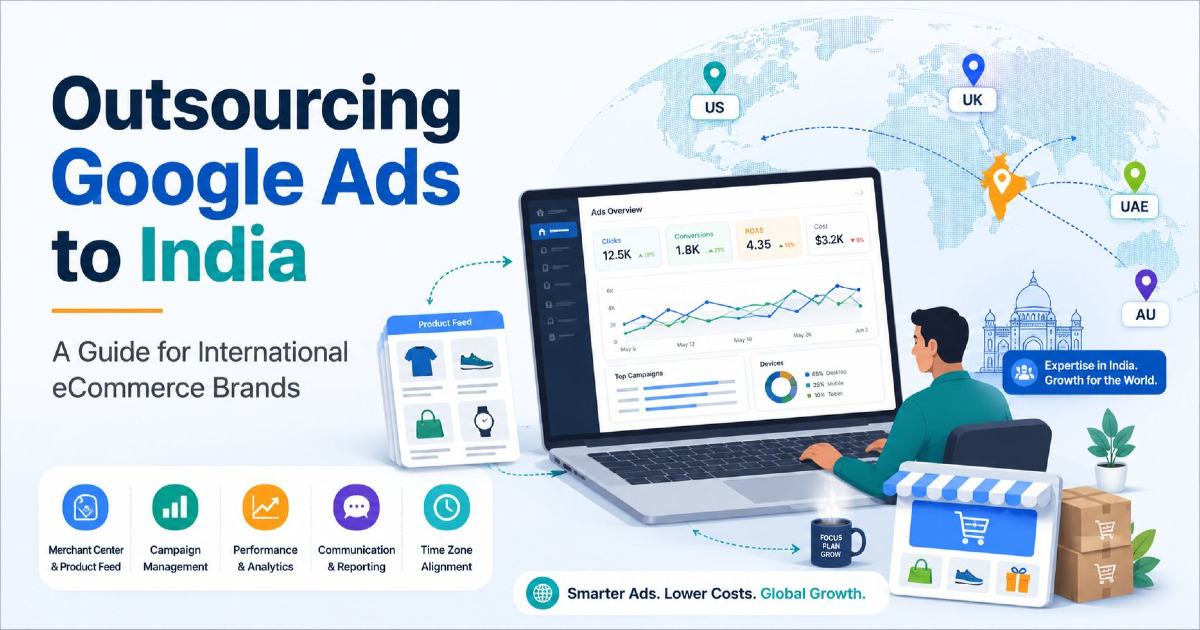
Running an eCommerce business in the United States, United Kingdom, Australia, UAE, Canada or Europe does not mean the person managing your Google Ads must sit in the same country.
Google Ads, Merchant Center, GA4, Shopify and most other systems used for eCommerce advertising can be managed remotely. An experienced specialist in India can work inside the same accounts, see the same campaign data and manage the same Shopping, Search and Performance Max campaigns as someone sitting in your local office.
But geography is not the main question.
The real question is whether the person managing the account understands your products, customers, margins, market, product feed, tracking, promotions and business goals.
An Indian specialist managing campaigns for a US store cannot simply think like an Indian shopper. A UK campaign cannot be treated like an Australian campaign. Different countries have different currencies, competitors, shipping expectations, seasons, terminology and buying behaviour.
So outsourcing Google Ads to India should not mean looking for the cheapest person who knows how to create campaigns. For an eCommerce business, it should mean finding someone who can manage advertising remotely while still understanding the market where your customers actually live.
This guide explains how that working relationship should operate, what access an international eCommerce business should provide, what should remain under the company's ownership, and what you should check before handing over day-to-day Google Ads management.
If you have already finished your research and are specifically looking for someone to manage your campaigns, visit my Google Ads expert page. This article is for businesses that first want to understand how outsourcing Google Ads management to India works.
What Does Outsourcing Google Ads to India Actually Mean?
In simple terms, your business continues to own the store, advertising accounts, customer data and billing, while a specialist based in India handles agreed parts of your Google Ads work remotely.
That may include:
- Google Ads campaign management;
- Search campaigns;
- Shopping campaigns;
- Performance Max;
- keyword and search-term analysis;
- product-feed monitoring;
- Merchant Center issues;
- conversion tracking checks;
- budget allocation;
- bid strategy monitoring;
- audience analysis;
- promotion planning;
- reporting and performance analysis.
The exact scope depends on the business.
A small Shopify store may need one person managing Google Ads, Merchant Center and measurement. A larger eCommerce company may already have developers, designers, a feed-management team and an internal marketing manager, with the Google Ads specialist responsible only for paid-search performance.
Remote Google Ads Management Is Not the Same as Giving Away Your Account
A common concern with international outsourcing is account control.
Your business should not need to hand over ownership of its Google Ads account simply because another person is managing it.
Google Ads supports different user access levels, including read-only, standard and administrative access. Google Ads manager accounts can also be linked to client accounts so a specialist can manage campaigns without creating the account under their personal ownership.
For most established businesses, the safer structure is:
- your company owns the Google Ads account;
- your company controls billing;
- your company keeps at least one trusted administrator;
- the specialist receives the level of access required to do the work;
- access can be removed later if the working relationship ends.
A specialist should not need your personal Google password.
For eCommerce, Google Ads Is Only One Part of the Setup
This is where outsourcing Google Ads for an online store becomes more complex than managing ads for a simple lead-generation website.
A typical eCommerce advertising setup may involve several connected systems.
| System | Why It Matters |
|---|---|
| Google Ads | Campaigns, budgets, bidding, audiences and conversions |
| Merchant Center | Products used in Shopping and Performance Max |
| Shopify / WooCommerce | Products, prices, stock, checkout and store data |
| Google Analytics 4 | Customer behaviour and ecommerce measurement |
| Google Tag Manager | Tracking implementation where used |
| Product feed | Titles, IDs, images, prices, availability and other product information |
| Business data | Margins, returns, stock priorities and promotions |
If the person managing Google Ads cannot understand how these systems connect, campaign optimisation can become very limited.
An eCommerce specialist should not look only at clicks and cost per conversion. They also need to understand which products are being advertised and whether the revenue being reported is reliable.
The Specialist Does Not Need to Live in Your Market, but They Need to Understand It
Location and market knowledge are different things.
An Indian specialist can manage a campaign targeting customers in New York, London, Sydney or Dubai. But the campaign still needs to reflect the behaviour of customers in those locations.
Before serious optimisation begins, the person managing the account should understand questions such as:
- Which countries do you sell to?
- Where are your products shipped from?
- How long does delivery normally take?
- Do you offer free shipping?
- What is your return policy?
- Which products have the strongest margins?
- Which products are frequently out of stock?
- Who are the main competitors in that country?
- Which terms do local customers use?
- Which periods are commercially important?
You cannot answer all of these questions from Google Ads alone.
US, UK, Australia and UAE Campaigns Should Not Be Treated as One Market
English is used in many countries, but that does not make their ecommerce markets identical.
| Market | Examples of Things That May Differ |
|---|---|
| United States | USD pricing, states, shipping coverage, local competitors and US promotional periods |
| United Kingdom | GBP pricing, UK terminology, delivery expectations and VAT-related presentation |
| Australia | AUD pricing, Australian seasons, delivery geography and local terminology |
| UAE | AED pricing, delivery coverage, multilingual audiences and regional buying periods |
| Canada | CAD pricing, provinces, seasonality and potentially English/French considerations |
| European markets | Different languages, currencies or regional shopping requirements depending on country |
The specialist does not need to pretend to be a local customer. They need a system for learning the market through customer data, search terms, competitor research, product performance and regular communication with the business.
International eCommerce Makes Merchant Center More Important
For stores using Shopping or Performance Max, Google Merchant Center can be just as important as the Google Ads account.
Merchant Center tells Google important information about your products, including:
- product title;
- product ID;
- price;
- availability;
- brand;
- GTIN or MPN where applicable;
- image;
- product URL;
- shipping information;
- target countries.
If those details are wrong, bidding changes inside Google Ads will not fix the underlying product-data problem.
International advertising creates another layer because product data, shipping and targeting need to work for the countries where the products are being promoted.
Merchant Center Country Targeting Must Match the Advertising Plan
Google Merchant Center can support products across multiple target countries.
But adding a country to your advertising plan involves more than simply changing campaign location targeting.
Depending on the setup, you may need to review:
- Merchant Center target countries;
- product-feed language;
- currency;
- shipping settings;
- landing-page language;
- product availability;
- Google Ads location targeting.
For example, a brand selling in both the US and UK should not assume that a product feed created for one market automatically represents the best setup for the other.
The landing page, product information, shipping and advertising settings need to make sense together.
Do Not Rebuild a Working Google Ads Account Just Because the Manager Is in India
This is particularly important for international outsourcing.
Your Google Ads account does not need to be converted to Indian settings because the person managing it lives in India.
If your US business already has an established Google Ads account using USD and the correct business timezone, the specialist can work inside that account.
Google Ads serving-account timezone cannot simply be changed whenever a new manager takes over. The account currency is also set when the account is created and cannot later be changed.
So do not create a fresh INR account or move reporting to Indian Standard Time merely because management has been outsourced to India.
The advertising account should continue to reflect the business it serves.
Timezone Differences Need a Working Process
India is several hours ahead of Europe and much further ahead of North America.
This is manageable, but both sides should understand how communication will work.
For example, agree on:
- normal response times;
- regular meeting times;
- who handles urgent Merchant Center problems;
- how weekend issues are handled;
- who approves large budget changes;
- when promotions begin and end;
- which timezone is used when discussing dates and deadlines.
This becomes especially important during sales.
If a promotion goes live at midnight in California, the specialist in India needs to know that the launch time is based on the customer's market, not their own local clock.
Campaign Scheduling Should Follow the Customer, Not the Manager
Google Ads reporting and scheduling should be interpreted according to the business account's timezone.
A specialist sitting in India should not optimise a US account as though the customer day starts and ends according to Indian time.
This sounds obvious, but it matters when reviewing:
- hour-of-day performance;
- daily budgets;
- promotion schedules;
- conversion timing;
- seasonal launches.
Good eCommerce Management Starts With Reliable Purchase Tracking
An advertising manager cannot make good decisions if a $20 purchase and a $500 purchase look the same in the account, or if purchases are being counted twice.
Before judging campaign performance, check that:
- purchases are being recorded;
- transaction value is being passed correctly;
- currency is correct;
- duplicate transactions are controlled;
- the right conversion actions are primary;
- Google Ads and GA4 are not creating confusing measurement differences;
- Enhanced Conversions are configured where appropriate.
My GA4 eCommerce funnel guide explains the wider customer journey and measurement side separately.
The Business Should Keep Control of GA4 and Tag Manager Too
The same ownership principle should apply beyond Google Ads.
Your company should retain access to important measurement systems.
Google Analytics supports different user roles, so a specialist can receive suitable access without the business handing over ownership of its analytics setup.
Before outsourcing, make sure you know who currently controls:
- GA4;
- Google Tag Manager;
- Google Ads conversions;
- Enhanced Conversions;
- server-side tracking where used;
- Shopify or WooCommerce tracking apps.
If an old agency or employee is the only administrator, fix that before it becomes a problem.
Shopify Stores Need More Than Google Ads Login Access
Shopify's Google & YouTube channel can connect the store with Merchant Center, Google Ads and Google Analytics.
It can also sync product information from Shopify into Merchant Center.
This means an eCommerce Google Ads specialist may occasionally need information from Shopify when investigating:
- missing products;
- price mismatches;
- availability problems;
- feed issues;
- conversion tracking;
- country settings;
- product URLs.
That does not mean the specialist needs complete unrestricted Shopify access.
Give the permissions required for the agreed work and keep store ownership under the business.
WooCommerce Stores Can Have More Moving Parts
A WooCommerce store may use separate plugins for:
- Google product feeds;
- conversion tracking;
- GA4;
- Google Ads;
- product variations;
- currency;
- shipping;
- consent management.
Before outsourcing campaign management, document which plugin or system controls each important connection.
If nobody knows where the Merchant Center feed comes from, it becomes difficult for a new specialist to diagnose product problems safely.
Performance Max Should Not Be Managed Without Looking at the Product Catalogue
For eCommerce stores, Performance Max performance is closely connected to product data and product selection.
A specialist needs to understand:
- which products are included;
- which products are excluded;
- how listing groups are organised;
- whether low-margin and high-margin products are mixed together;
- which products repeatedly spend without generating enough value;
- which products are out of stock;
- which assets are being used;
- whether the campaign structure matches the business priorities.
My Performance Max setup guide covers campaign setup in more depth.
A Google Ads Specialist Should Understand Product Economics
ROAS alone does not tell the full story.
Imagine two products:
| Product | Revenue | Ad Spend | ROAS |
|---|---|---|---|
| Product A | $4,000 | $1,000 | 4.0 |
| Product B | $4,000 | $1,000 | 4.0 |
Google Ads makes them look equally successful.
But what if Product A has a strong margin while Product B has a very low margin and a high return rate?
The business may earn much more from Product A even though both campaigns report the same ROAS.
The person managing an eCommerce account should therefore learn about:
- gross margin;
- discounting;
- average order value;
- repeat purchase behaviour where relevant;
- shipping costs;
- return rates;
- stock limitations;
- high-priority products.
Your Business Knowledge Should Not Stay Only in the Owner's Head
A remote specialist cannot know automatically that a particular product has a supply problem or that another product is being discontinued next month.
Create a simple method for sharing business information.
For example:
| Business Update | Why Google Ads Manager Needs It |
|---|---|
| New product launch | Campaign and feed planning |
| Low stock | Avoid pushing demand for unavailable inventory |
| High-margin category | Budget prioritisation |
| Flash sale | Promotion timing and creative |
| Shipping delay | Customer expectations and market decisions |
| Discontinued product | Campaign and feed cleanup |
Search Terms Help a Remote Specialist Learn the Local Market
One useful source of market understanding is the language real customers use in Google.
Search terms can reveal:
- local product terminology;
- brand preferences;
- model names;
- competitor searches;
- price-sensitive searches;
- questions customers ask before purchasing;
- irrelevant traffic that needs to be excluded.
This is one reason I would not expect someone managing an international account to arrive with every local insight on day one.
A good manager should be able to learn from real account data and combine it with research from the target market.
International eCommerce Campaigns Need Local Landing Pages Where Appropriate
Ads cannot fix a poor international shopping experience.
If a customer in Australia clicks an ad and lands on a page showing unclear shipping, the wrong currency or information intended for another country, campaign optimisation has limits.
Before increasing international ad spend, review:
- currency presentation;
- language;
- shipping availability;
- delivery times;
- returns;
- tax information where applicable;
- product availability;
- checkout experience.
Merchant Center and Google Ads should reflect what the customer can actually buy on the website.
Do Not Copy the Same Campaign Into Every Country Without Thinking
An eCommerce brand expanding internationally may be tempted to duplicate its successful home-market campaigns and only change the location.
Sometimes part of the structure can be reused. But performance assumptions should not be copied blindly.
Competition can change.
Search demand can change.
Average order values can change.
Shipping can change.
Conversion rates can change.
Even the products that sell best can change between countries.
Each important market should eventually be judged using its own business and advertising data.
Communication Matters More Than Being in the Same Office
Remote management works well when communication is clear.
You do not need a meeting every day.
You do need a way to answer important questions quickly.
A practical setup may include:
- a regular performance call;
- email or a shared communication channel for normal work;
- a clear contact for urgent account problems;
- a promotion calendar;
- shared performance reporting;
- clear responsibility for feed and tracking problems.
The goal is not more meetings. The goal is fewer situations where an advertising decision is made without important business information.
Reporting Should Use the Business's Numbers
If your company operates in USD, GBP, AUD or AED, reporting should make sense to the people running that business.
A report should not require an international client to translate everything back from INR just because the specialist is in India.
Useful ecommerce reporting may include:
- ad spend;
- revenue;
- ROAS;
- cost per purchase;
- conversion rate;
- average order value;
- performance by campaign;
- performance by product or category where useful;
- important Merchant Center issues;
- changes made during the period.
The business may also need profit or margin reporting outside Google Ads when ROAS alone does not give enough information.
Ask Who Is Responsible When Merchant Center Breaks
This sounds simple, but it causes many problems.
Suppose 40% of products suddenly become disapproved.
Who investigates?
The Google Ads manager?
The developer?
The Shopify team?
The person managing the feed?
There is no universal answer. But there should be an answer before the problem occurs.
If Shopping products unexpectedly stop appearing, my Google Shopping products not showing guide covers the main areas worth checking.
Your Product IDs Should Not Be Changed Casually
Product IDs connect important ecommerce systems.
They may be used in Merchant Center, Google Ads reporting, product groups and feed systems.
Changing product IDs unnecessarily can make the same physical product appear like a new item inside connected systems and can interrupt historical continuity.
This deserves extra attention during:
- Shopify migrations;
- WooCommerce migrations;
- feed-platform changes;
- catalogue rebuilds;
- international expansion.
A new Google Ads manager should understand the existing feed before rebuilding it.
Do Not Reset Campaigns Only Because Management Has Changed
A new specialist may eventually recommend restructuring some campaigns.
That can be reasonable.
But changing managers does not automatically mean every campaign, conversion action, product feed and audience should be deleted and rebuilt.
Historical account information can be useful.
Before making large changes, understand:
- what is currently working;
- what is failing;
- why the previous structure exists;
- which conversion actions campaigns optimise towards;
- which automated rules or scripts are active;
- whether Merchant Center depends on the existing product IDs.
What Should an International eCommerce Brand Keep Under Its Own Control?
I would normally want the business itself to retain control of the core assets.
| Asset | Recommended Ownership |
|---|---|
| Google Ads account | Business |
| Advertising billing | Business |
| Merchant Center | Business |
| GA4 | Business retains administrator access |
| Google Tag Manager | Business retains administrator access |
| Shopify / WooCommerce store | Business |
| Domain | Business |
| Customer data | Business |
| Product catalogue | Business |
The specialist receives access to work on those systems where necessary.
This makes transitions much easier if your team changes later.
Do Not Share Passwords When Proper User Access Is Available
Google Ads, Merchant Center, GA4 and Shopify provide user-management systems for a reason.
Create individual access rather than sharing one company password among several external people.
This makes it easier to:
- see who has access;
- remove one person without affecting everyone;
- change permissions;
- protect the main business login;
- review account changes.
Merchant Center Access Also Needs Care
Merchant Center supports different access levels.
Your business should retain suitable administrator access, particularly because Merchant Center may control product data, website connections and linked Google Ads accounts.
Do not discover during an account transition that an old external provider is the only person who can manage important settings.
What Should You Share Before Outsourced Management Begins?
A specialist can learn faster when the business provides useful context from the beginning.
A basic onboarding package can include:
- countries you currently sell to;
- countries you want to grow;
- monthly advertising budget;
- top-selling categories;
- high-margin categories;
- low-margin products;
- average order value;
- shipping rules;
- return information;
- important competitors;
- promotion calendar;
- seasonal periods;
- products with stock restrictions;
- previous campaign concerns.
This saves weeks of guessing.
Access Should Be Given in Stages When Necessary
You do not need to provide every possible system on the first day.
Start with the systems needed for the initial audit.
For example:
- Google Ads;
- Merchant Center;
- GA4;
- relevant reports.
If a tracking issue is discovered, Tag Manager or store access may then become necessary.
If a product-feed problem is found, the specialist may need access to the feed source or help from your developer.
Access should follow the work being done.
Does Outsourcing Google Ads to India Cost Less?
Management fees in India can differ from fees charged by specialists and agencies in the US, UK, Australia or other markets.
But price alone is a poor way to choose Google Ads management.
A low fee becomes expensive if:
- tracking is wrong;
- Merchant Center problems are ignored;
- the person does not understand ecommerce;
- campaigns are optimised only for traffic;
- the product feed is poorly handled;
- your market is not researched;
- communication is unreliable.
Account complexity, number of markets, advertising spend, feed management, tracking responsibilities and reporting requirements all affect the amount of work involved.
I cover the pricing side separately in my Google Ads management fees in India guide so this article can stay focused on international outsourcing rather than becoming another pricing page.
Cheaper Management Does Not Automatically Mean Better Profitability
Imagine saving $500 per month in management fees but losing several thousand dollars through poor product targeting or broken conversion tracking.
The cheaper option was not actually cheaper.
The opposite is also true: a higher fee is not proof of better performance.
Evaluate the work according to the business impact, not only the geographic location of the person sending the invoice.
What Should Concern an International eCommerce Brand?
There are a few situations I would take seriously when outsourcing remotely.
The Person Wants to Own Your Google Ads Account
Your business should normally retain control of its advertising assets.
They Ask for Personal Passwords Instead of Proper Access
Use user invitations and manager-account connections where possible.
They Talk About ROAS but Never Ask About Margins
eCommerce advertising should eventually connect to product economics.
They Ignore Merchant Center
For Shopping-heavy stores, Merchant Center problems can directly limit advertising.
They Want to Rebuild Everything Immediately
Understand the existing account before deleting useful history and structure.
They Do Not Ask Which Countries You Actually Ship To
International targeting should match real business operations.
They Treat Every English-Speaking Country the Same
Language overlap does not mean customer behaviour, competition or economics are identical.
They Cannot Explain What Access They Need
A specialist should normally be able to tell you why particular systems or permissions are required.
When Outsourcing to India Can Work Very Well
Remote Google Ads management can be a strong fit when the business:
- already operates online;
- has clear ecommerce goals;
- can provide remote account access;
- has reliable product and sales data;
- can communicate important inventory and promotion changes;
- does not require daily in-person meetings;
- is comfortable working across time zones;
- wants specialist Google Ads support without requiring that person to sit in the same office.
When a Local Provider May Make More Sense
Outsourcing internationally is not automatically the best option for every company.
A local provider may make more sense when the work depends heavily on:
- frequent face-to-face meetings;
- local offline events;
- in-person retail coordination;
- highly specialised local-language work that the remote provider cannot support;
- internal requirements that restrict overseas access.
The goal should be finding the working model that fits the company rather than outsourcing simply because it is possible.
International Brands Should Look at the Working Process, Not the Country Label
“Indian Google Ads expert” tells you where someone is based.
It does not tell you whether they understand your business.
Two specialists in the same city can work very differently.
For an international eCommerce brand, I would pay more attention to whether the person can understand:
- your store;
- your target markets;
- Google Shopping;
- Merchant Center;
- Performance Max;
- Search campaigns;
- conversion measurement;
- product profitability;
- inventory;
- reporting;
- remote communication.
Outsourcing Should Make the Account Easier to Manage, Not Harder to Own
A good remote setup should leave the business with more clarity.
You should know:
- who has access;
- where product data comes from;
- which conversions matter;
- how performance is measured;
- what changes are being made;
- who handles technical issues;
- what the next priorities are.
If outsourcing makes your accounts harder to access or understand, the working structure needs improvement.
Final Thoughts on Outsourcing Google Ads to India
An international eCommerce brand does not need its Google Ads manager to live in the same country as its customers.
Google Ads and the systems around it are built to support remote access and collaboration. What matters is whether the specialist can work inside the company's existing setup while understanding the market being targeted.
For eCommerce, that means looking beyond campaign settings.
The manager needs to understand Merchant Center, product feeds, conversion value, Shopify or WooCommerce, product availability, international targeting, currencies, shipping, promotions and the commercial difference between one product and another.
Your company should also remain in control. Keep ownership of Google Ads, Merchant Center, analytics, store access, billing and customer data. Give external specialists the permissions they need rather than transferring important business assets into someone else's account.
India can be a practical place to source experienced remote Google Ads support, but geography should never replace proper evaluation of market knowledge, ecommerce experience, communication and account management.
If your main requirement is specifically growing an online store through Shopping, Search and Performance Max, see my eCommerce Google Ads management page for the commercial service side.