A Google Shopping campaign can have sensible bidding, enough budget and strong product pages, yet still send poor traffic because the product data is weak.
I see feed optimisation treated too often as a one-time exercise:
- rewrite titles
- add GTINs
- fill Google product categories
- upload better images
- add a few custom labels
Those actions can help, but they do not form a strategy.
Before changing a feed, I separate three jobs:
- Eligibility: Can the product actually participate in Shopping and other Merchant Center programmes?
- Relevance: Can Google accurately understand the product and connect it with the right shopper?
- Commercial control: Does the product data give you enough structure to manage products according to margin, stock, lifecycle and performance?
That distinction changes what you optimise first.
If a bestseller is disapproved because the price on the landing page does not match Merchant Center, rewriting its title is not the priority. If a product is approved but consistently appears for weak search intent, product identity and descriptive attributes deserve more attention. If the feed is accurate but all products are treated as one commercial group, custom labels and catalogue structure become more useful.
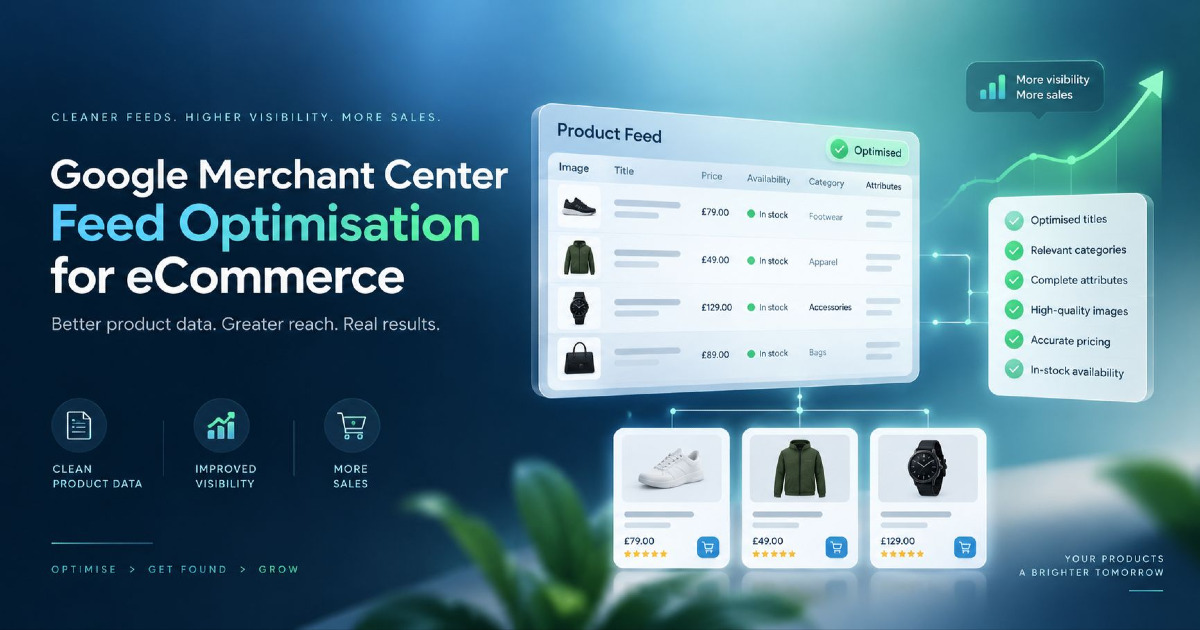
A strong eCommerce product feed is not the one with the most fields populated. It is the one that accurately represents what you sell, gives Google useful product information and gives you enough business context to make better Shopping and Performance Max decisions.
A Product Feed Has Three Jobs: Eligibility, Relevance and Commercial Control
Merchant Center product data sits between your eCommerce catalogue and Google's shopping systems.
A simplified path looks like this:
Catalogue → Merchant Center product data → Google Shopping / Performance Max → shopper query → product impression → click → product page → purchase
Problems early in that sequence affect everything after them.
| Feed job | Main question | Typical problems | What to optimise |
|---|---|---|---|
| Eligibility | Can this product serve? | Missing attributes, invalid identifiers, price mismatch, availability mismatch, policy issue | Accuracy and compliance |
| Relevance | Does Google understand what this product is? | Generic title, weak product type, missing attributes, incorrect variant data | Product identity and descriptive data |
| Commercial control | Can I manage this product according to business value? | No margin grouping, stock segmentation, lifecycle classification or useful labels | Custom labels and catalogue structure |
Do not treat those three jobs as interchangeable.
A perfectly written title does not make a disapproved item eligible.
A valid GTIN does not tell you whether a product is worth more advertising investment.
A custom label does not help Google identify the actual product.
Each part of the feed has a different role.
Fix Feed Eligibility Before Trying to Improve Performance
The first feed optimisation question should usually be:
Which important products cannot serve properly right now?
I would check high-value products first, not blindly work through the catalogue alphabetically.
Look for:
- disapproved products
- products with limited eligibility
- missing required attributes
- price mismatches
- availability mismatches
- invalid landing pages
- identifier problems
- image problems
- variant inconsistencies
If 2% of a 20,000-product catalogue contains issues but that 2% includes your bestselling products, the commercial impact can be much greater than the percentage suggests.
This is why I do not start a feed audit by counting errors. I start by identifying which errors affect products that matter.
If your immediate problem is that products are approved but are not appearing, or products are missing from Shopping altogether, use my separate guide on why Google Shopping products are not showing. That is an eligibility and visibility problem, not the same job as improving an already functional feed.
Start With Product Identity: ID, Brand, GTIN and MPN
Before trying to make a product sound attractive, make sure Google can identify what the product actually is.
Important identity attributes include:
idbrandgtinmpn
Keep product IDs stable
The item ID should be treated as a durable identifier, not something that changes whenever the title, price or campaign structure changes.
If product IDs are constantly recreated, you can create unnecessary instability in reporting and product history.
An internal catalogue ID or SKU-based structure often works well when it is genuinely stable.
Submit real GTINs when they exist
Do not invent GTINs.
Do not copy a barcode from a similar product.
Do not insert your internal SKU into the GTIN field simply because the field is empty.
If a manufacturer has assigned the product a GTIN, submit the correct one for that exact product or variant.
For example, if the same shirt exists in several colours and sizes and those variants have different manufacturer-assigned GTINs, each submitted variant should carry its own correct identifier.
Correct identifiers can help Google distinguish the product in the wider commercial catalogue and match it more accurately.
Brand and MPN also matter
For products without an applicable GTIN, brand and manufacturer part number can still help establish identity where appropriate.
The principle is simple:
Use identifiers to describe the real product, not to satisfy an empty Merchant Center field.
Write Product Titles Around How Buyers Identify the Product
Product titles are one of the most visible and useful parts of Shopping product data.
Google allows product titles up to 150 characters, and the most important information should appear early because shoppers may see only part of the title depending on the format and screen size.
That does not mean every product needs a 150-character title.
It means you have enough room to describe the product properly.
The mistake I see is applying one title formula to every product in the catalogue.
A title structure that works for footwear may be poor for laptops. A structure for replacement automotive parts may be useless for furniture.
Apparel example
A useful title might prioritise:
Product type → audience/style → material → colour → size
Hypothetical example:
Men's Slim Fit Cotton Oxford Shirt - Navy Blue - Large
Electronics example
Buyers often identify electronics through brand, model and specification:
Brand → model → product type → capacity/specification → colour
Hypothetical example:
Samsung Galaxy S26 Smartphone - 256GB - Black
Furniture example
A furniture shopper may care more about product type, dimensions, material and style:
Product type → material → size → style/colour
Hypothetical example:
Solid Oak Dining Table - 6 Seater - Natural Finish
Automotive parts example
Compatibility may be central:
Brand/part → compatible vehicle → model/year → specification
Hypothetical example:
Bosch Front Brake Pads for Honda City 2018-2023
The question I would ask before rewriting titles is:
What information does the buyer use to distinguish this product from alternatives?
Those attributes deserve priority.
Avoid stuffing titles with:
- FREE SHIPPING
- BEST PRICE
- SALE
- repeated product synonyms
- unrelated search phrases
- promotional claims
The title should identify the item. Promotion belongs elsewhere.
Use Descriptions and Product Attributes to Add Meaning, Not Keywords
The description should explain the product more completely than the title.
That does not mean repeating the title five times with synonyms.
For a useful product description, I would prioritise characteristics that help distinguish the item:
- material
- dimensions
- compatibility
- capacity
- technical specifications
- intended use
- important included components
- relevant product features
But wherever Merchant Center provides a dedicated attribute for an important characteristic, use it there as well.
If colour matters, submit the colour attribute.
If size matters, submit the size.
If material matters and the attribute applies, use the material field.
Do not expect a long description to compensate for weak structured product data.
Think of the product record as a set of connected facts rather than a block of SEO copy.
Google Product Category and Product Type Do Different Jobs
These two attributes are often treated as duplicates. They are not.
Google product category uses Google's taxonomy
Google automatically assigns products to categories from its own taxonomy.
The google_product_category attribute can be used in specific cases where you need to override the automatic classification.
I would not spend hours manually forcing a Google category onto every product simply because an old feed checklist says the field must always be populated.
If Google's automatic category is accurate, there may be nothing useful to fix.
Product type uses your own catalogue structure
The product_type attribute is different.
It lets you describe the product using your own categorisation.
For example:
Home & Garden > Furniture > Living Room > Coffee Tables
A useful product-type structure can help with:
- reporting
- campaign organisation
- catalogue analysis
- product segmentation
Do not reduce product type to one vague word such as "Furniture" when your catalogue already contains a meaningful hierarchy.
Variants Need Variant-Level Feed Data
A common catalogue problem appears when the parent product is described correctly but individual variants are not.
Imagine one shoe available in:
- black, size 8
- black, size 9
- white, size 8
- white, size 9
Those are not four copies of the same Merchant Center record.
Each variant should accurately represent the purchasable item.
Variant-level details can include:
- unique product ID
- variant-specific GTIN where assigned
- colour
- size
- price
- availability
- image
- landing-page selection
Related variants can share an item_group_id.
Google has also introduced newer variant-related attributes including item_group_title and variant_option, which can provide clearer information about grouped products and the characteristics that distinguish individual variants.
The practical check is this:
If someone clicks a blue, size-medium product listing, does the landing page open with the correct blue, size-medium option, price, image and availability?
If not, the feed and landing-page experience are describing different offers.
For the SEO and URL side of this problem, see my guide to eCommerce product variants SEO.
Product Images Can Change the Click Before the Landing Page Does
Shopping is visual.
A buyer often sees:
- image
- title
- price
- merchant information
before deciding whether your product deserves a click.
That makes image quality part of feed performance, not merely Merchant Center compliance.
The main image should accurately represent the offer
The product should be easy to identify.
Avoid making the main image dependent on:
- heavy text overlays
- promotional badges
- watermarks
- busy backgrounds that hide the item
- an image showing the wrong variant
Use additional images to answer product questions
Additional images can show:
- different angles
- detail shots
- scale
- the product in use
- relevant packaging or included components
For products where visual confidence affects the purchase, image optimisation can improve the quality of the click before the user reaches the PDP.
Prepare for the newer image requirements
Google is moving to a minimum image resolution of 500 × 500 pixels across product categories, with enforcement scheduled from 31 January 2027.
If you are already receiving Merchant Center warnings about smaller images in 2026, I would fix the source image library rather than wait for enforcement.
For strong presentation across formats, use high-quality source images rather than simply enlarging a small file.
Product Videos Are Now Part of Merchant Center Product Data
In 2026, Google added the optional video_link attribute.
This gives merchants another way to supply product media that can show:
- how a product works
- different viewing angles
- how it looks in use
- details that are difficult to communicate in a static image
I would not rush to create videos for every SKU.
Start where video can genuinely reduce uncertainty.
Examples might include:
- furniture with moving or adjustable parts
- technical equipment
- products where scale is difficult to judge
- apparel where movement and fit matter
- products with installation or functional detail
Again, the question is not:
"Can we populate this field?"
It is:
"Will this product information help Google and the shopper understand the offer better?"
Price and Availability Need a Faster Update Process Than Your Catalogue Changes
Price and stock data change much faster than titles and GTINs.
This becomes a serious problem during:
- sales
- flash promotions
- high-stock-turnover periods
- seasonal demand
- large catalogue updates
- currency changes
The feed says ₹2,499.
The product page says ₹2,999.
Or Merchant Center says a product is available while the store has already sold out.
Now you have a data-consistency problem.
Your source feed should remain the primary fix
Merchant Center can use website data and structured markup to automatically update selected product information such as price, availability and condition.
That is useful protection.
It should not become an excuse for unreliable catalogue data.
The ideal relationship is:
catalogue price → feed price → product-page price → structured data price
All four should describe the same offer.
If Google repeatedly has to correct the feed from the website, I would investigate why the source data is late or inconsistent.
Use Custom Labels for Decisions Google Cannot Infer From the Product
Custom labels are one of the most commercially useful feed attributes because they can contain information Google cannot learn simply by reading the product page.
Merchant Center supports five custom-label fields:
custom_label_0custom_label_1custom_label_2custom_label_3custom_label_4
These can be used for grouping products in Shopping and Performance Max reporting and bidding structures.
The mistake is filling them with categories that already exist elsewhere.
A custom label should represent a decision.
For example:
| Custom label | Possible values | Decision supported |
|---|---|---|
| Margin band | High / Medium / Low | Different treatment for commercially stronger products |
| Inventory depth | High stock / Low stock | Avoid aggressive spend on products likely to sell out |
| Lifecycle | New / Core / Clearance | Separate launch, evergreen and clearance products |
| Season | Summer / Winter / Festive / Evergreen | Seasonal reporting and campaign control |
| Performance tier | Winner / Testing / Weak | Product-level analysis and budget decisions |
I would avoid overly complicated label systems.
If nobody in the account can explain what decision changes because custom_label_3 = B7, the structure has become administrative noise.
Margin Is One of the Most Useful Feed Attributes Google Does Not Know
Two products can generate the same ₹10,000 revenue and have very different business value.
Imagine:
- Product A generates ₹10,000 revenue with ₹5,000 contribution before ad spend.
- Product B generates ₹10,000 revenue with ₹1,500 contribution before ad spend.
A revenue-only campaign view can treat those outcomes as similar.
The business should not.
Google cannot infer your full product economics from the public product page.
This is where Merchant Center catalogue segmentation becomes commercially useful.
You might group products by:
- gross margin band
- contribution margin band
- stock risk
- return rate
- product lifecycle
- strategic priority
Do not automatically send private or sensitive economics directly into arbitrary fields. Design the feed structure intentionally and only expose the classification needed for advertising decisions.
The broader principle is:
Your feed should describe not only what Google needs to understand the item, but also enough non-customer-facing structure for you to manage the catalogue intelligently.
Attribute Rules and Supplemental Data Should Fix the System, Not Hide Bad Source Data
Large eCommerce catalogues often contain source-data limitations.
You may have:
- poor manufacturer titles
- missing product types
- unusable internal categories
- inconsistent colours
- missing business labels
Merchant Center attribute rules and additional data sources can help transform or enrich product information.
They are useful when the transformation is intentional.
They become dangerous when nobody remembers which layer is controlling the final value.
I have seen product-data setups where:
store value → plugin transformation → primary data source → supplemental override → Merchant Center rule
and nobody can confidently say why the final title has changed.
The more transformation layers you add, the more important documentation becomes.
Fix recurring problems close to the source where possible
If every newly added product contains the same title problem, manually repairing titles inside Merchant Center is not a scalable solution.
Fix the catalogue template or integration.
If only one advertising-specific classification is missing, Merchant Center enrichment may make sense.
A useful rule of thumb is:
Catalogue truth belongs close to the catalogue. Advertising-specific enrichment can live closer to the advertising system.
Do Not Optimise the Entire Catalogue Equally
A 50-product store and a 100,000-product store should not have the same feed optimisation process.
On a large catalogue, prioritisation matters.
I would normally start with products that combine some of these characteristics:
- high revenue
- high spend
- high impression volume
- poor query relevance
- strong margin
- strategic inventory
- high stock depth
- important seasonal demand
- unusually weak CTR
- large mismatch between traffic and conversion
One deeply improved group of 200 commercially important products can be more valuable than superficial edits across 20,000 SKUs.
Use Shopping Search Terms to Improve the Feed Again
Feed optimisation should not stop after uploading the revised data.
The account itself can show where product understanding still needs work.
I use a feedback loop:
Search query → served product → product data → shopper behaviour → commercial result → next feed change
Suppose a product repeatedly receives impressions for searches that are technically related but commercially poor.
I would inspect:
- the title
- product type
- description
- brand
- category
- variant attributes
- other descriptive fields
before assuming every bad match should simply become a negative keyword.
Ask why Google made the match
Sometimes the feed is too vague.
Sometimes an important qualifier is missing.
Sometimes the product type is too broad.
Sometimes Google understood the product correctly and the query is still a legitimate but poor-performing search.
Those scenarios require different actions.
This is one reason I treat feed optimisation as part of Google Shopping Ads management, not as a technical file that gets uploaded once and forgotten.
Feed Optimisation Matters for Performance Max Too
Performance Max does not make product-data quality irrelevant.
If Merchant Center is connected, the product feed remains a major part of the commerce system.
Your titles, identifiers, images, price, availability, variants and catalogue structure still influence the product information available to Google.
Automation increases the importance of input quality.
If the system is working from weak product identity, poor commercial grouping or inconsistent offer information, more automation does not fix the source problem.
For the campaign side, see my guide to Performance Max for eCommerce.
If you are deciding between campaign formats, I have also covered Performance Max vs Standard Shopping for eCommerce.
Measure Whether Feed Optimisation Improved the Right Traffic
A feed change is not successful simply because impressions increased.
More visibility can be bad if the new traffic is less relevant.
I would look at several levels.
Product eligibility
Did more priority products become eligible?
Search relevance
Did products begin appearing for better search intent?
Click behaviour
Did CTR change in a way that suggests the listing became more attractive or specific?
Traffic quality
Did conversion rate improve or deteriorate?
Commercial performance
What happened to:
- revenue
- ROAS
- CPA
- product-level profitability
- new customer acquisition where measurable
A rewritten title that increases impressions by 40% but sends much weaker traffic is not automatically an improvement.
A more specific title might reduce total impressions while improving buyer intent and conversion quality.
That can be a better outcome.
What Has Changed in Merchant Center Product Data in 2026?
Merchant Center continues to expand the amount and type of product information merchants can provide.
A few changes are worth understanding without rebuilding your entire feed around them.
Video link
The new optional video_link attribute lets merchants submit product video URLs for eligible use across Google.
More explicit variant information
Attributes such as item_group_title and variant_option can provide additional structure around product groups and the characteristics that distinguish variants.
Conversational product attributes
Google has introduced additional optional product-data fields designed to provide richer information for newer shopping experiences.
These include attributes related to product questions, documents, related products and product-group context.
I would not treat these as mandatory feed-optimisation tasks for every retailer.
First get the core catalogue right:
- identity
- titles
- price
- availability
- variants
- images
- landing-page consistency
Advanced enrichment comes after the basics are trustworthy.
Automated product-data updates are becoming more visible
Merchant Center's Automations area can help update selected values such as price, availability and condition using information from the website.
That is valuable as a safety mechanism.
I would still treat recurring automatic corrections as a reason to investigate your source data.
Image requirements are tightening
Google has announced a 500 × 500 minimum for product images across categories from 31 January 2027.
If your catalogue still relies heavily on old low-resolution supplier images, this is worth fixing before it becomes an enforcement problem.
My Product Feed Optimisation Priority Order
If I had to audit a large eCommerce feed tomorrow, I would not begin with a 100-point checklist.
I would work in this order.
- Fix commercially important disapprovals and eligibility problems.
- Verify product IDs and manufacturer identifiers.
- Make sure price and availability match the website.
- Correct variant grouping and variant-level data.
- Improve titles around how buyers identify each product category.
- Add missing attributes that materially improve product understanding.
- Review images and additional media.
- Build useful product-type and custom-label structures.
- Prioritise products using spend, revenue, margin, stock and strategic value.
- Use search-query and product-performance evidence to decide the next feed changes.
| Problem | Priority | First action | Why |
|---|---|---|---|
| Bestseller disapproved | Very high | Fix eligibility issue | The product cannot compete properly |
| Incorrect GTIN | High | Correct product identity | Wrong identifier can distort product understanding or eligibility |
| Price mismatch | Very high | Fix catalogue/feed/PDP synchronisation | The offer itself is inconsistent |
| Generic title on high-spend product | High | Rewrite using relevant buyer attributes | May improve search relevance and shopper understanding |
| Wrong variant image | High | Correct variant-level media | Listing and landing experience disagree |
| No margin segmentation | Medium to high | Create useful custom labels | Enables better commercial control |
| Low-volume long-tail item with acceptable data | Low | Leave until higher-impact work is complete | Opportunity cost matters |
A Better Feed Does Not Mean More Fields for the Sake of It
The best Merchant Center product data is boring in one sense.
It is accurate.
The product identity is correct.
The selected variant matches the landing page.
The price and availability are current.
The title describes how a buyer recognises the item.
The imagery represents the product clearly.
The catalogue contains enough commercial structure to manage products intelligently.
Then the feed gets better over time because Shopping search behaviour and product performance tell you where the remaining gaps are.
That is how I would approach product feed optimisation for an eCommerce store.
Not as a one-off Merchant Center clean-up, and not as a keyword-stuffing exercise.
Treat the feed as the product-data layer connecting your catalogue with eCommerce Google Ads. When that layer is accurate and commercially useful, both Shopping and Performance Max have a stronger foundation to work from.