Meta catalog ads make it possible to advertise hundreds or thousands of eCommerce products without manually creating a separate ad for every SKU. But the automation is only as useful as the product data, product eligibility and tracking signals behind it.
If the feed contains weak titles, the catalog includes products you do not really want to scale, product IDs do not match website events, or every SKU is allowed to compete despite very different margins and stock levels, the campaign can be technically correct and still make poor commercial decisions.
That is why I would not start with the campaign settings.
I would start with the relationship underneath them:
Store inventory → Product feed → Meta catalog → Product set → Pixel/CAPI events → Dynamic ad → Purchase
Each part affects what Meta can advertise, which products are eligible, how website behaviour can be matched back to catalog items and whether the resulting sales are useful to the business.
This guide explains that system, with particular attention to feeds, product sets, product IDs, dynamic product delivery and the problems that appear when catalog automation is given poor inputs or too much freedom.
What Meta Catalog Ads Actually Do
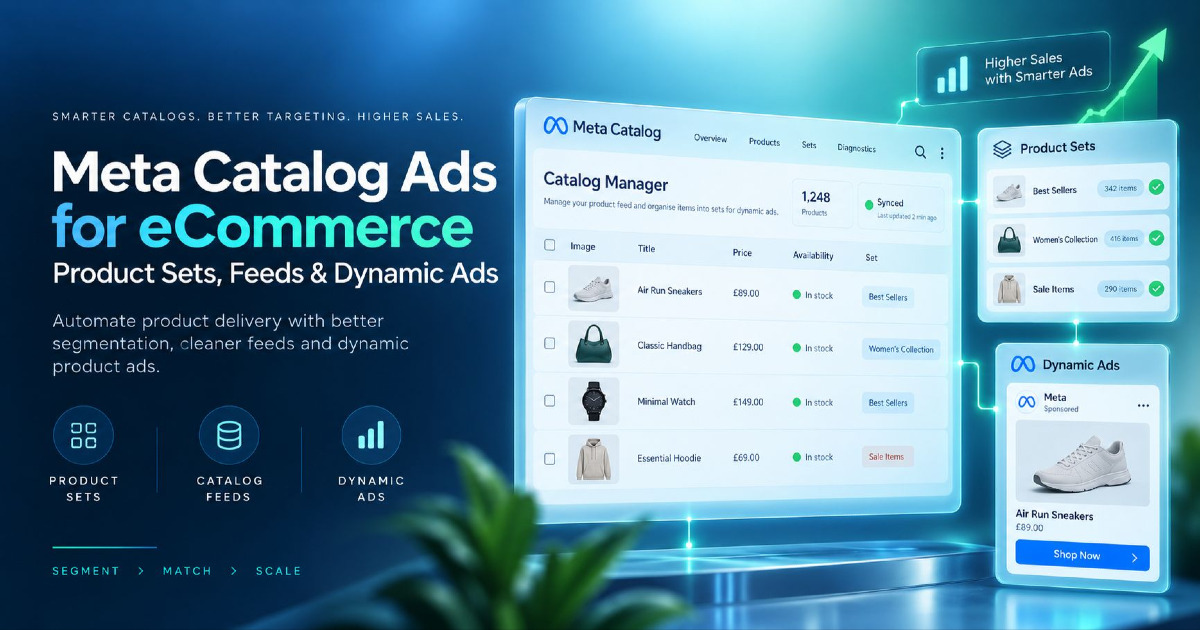
A Meta catalog is a structured collection of products and their attributes. For an eCommerce store, those attributes can include product IDs, titles, descriptions, prices, availability, images and destination URLs.
Catalog ads use that product information to create and deliver product-led advertising without requiring you to build an individual ad manually for every product.
If a store sells 3,000 products, you do not need 3,000 manually created ads. Meta can work from the eligible products inside the connected catalog or product set.
The important word is eligible.
Meta can only work with the products available to that advertising setup. The catalog defines the available inventory, while product sets can narrow that inventory for a particular advertising job.
That makes catalog structure an advertising decision, not simply an administrative task inside Commerce Manager.
Catalog Ads vs Standard Image and Video Ads
With a standard image or video ad, you normally decide exactly what the person sees. You choose the creative, write the message and select the destination.
With a catalog ad, part of the product-selection decision becomes dynamic. Product information can come directly from the catalog and different eligible products can be shown through the same advertising setup.
That changes the questions you need to ask.
With a standard ad, you may ask:
Is this creative working?
With catalog advertising, you should also ask:
Which products are receiving delivery, why are they eligible, and are those the products the business actually wants to spend money promoting?
Catalog Ads and Dynamic Product Ads
You will still see several terms used around this type of advertising:
- Meta catalog ads;
- catalog ads;
- Dynamic Product Ads;
- DPA;
- Advantage+ catalog ads.
Dynamic Product Ads, or DPA, remains common advertising language, particularly when people discuss product-level retargeting.
The terminology matters less than the mechanism: Meta is using structured product data from a catalog and selecting from the products that are eligible for delivery.
How the Meta Catalog Advertising System Fits Together
Catalog advertising becomes much easier to diagnose when you separate it into five connected parts.
1. The Product Feed Supplies the Product Data
The feed sends structured product information from your store or feed-management system.
Depending on the implementation, that can include:
- product ID;
- title;
- description;
- price;
- sale price;
- availability;
- brand;
- image URL;
- product URL;
- variant information;
- attributes used to group products.
Shopify, WooCommerce and custom stores may all send this information differently, but the commercial requirement is the same: Meta needs accurate product information it can consistently associate with the products in your store.
2. The Meta Catalog Becomes the Product Database
The feed and catalog are related but not identical.
The feed is a source of product information. The catalog is the collection of items Meta can use after that information has been imported or synchronised.
A problem in the feed can therefore travel through the whole system:
Wrong feed data → Wrong catalog data → Wrong advertising output
If a sale price is stale, a variant ID is inconsistent or an image is unsuitable, the campaign may inherit that problem.
3. Product Sets Control Which Products Are Eligible
A product set is a selected group of items from the catalog.
Instead of telling Meta:
You can advertise anything in this catalog.
you can create a narrower rule:
You can advertise products from this particular group.
That group might represent a category, seasonal range, stock position, margin band or another meaningful business decision.
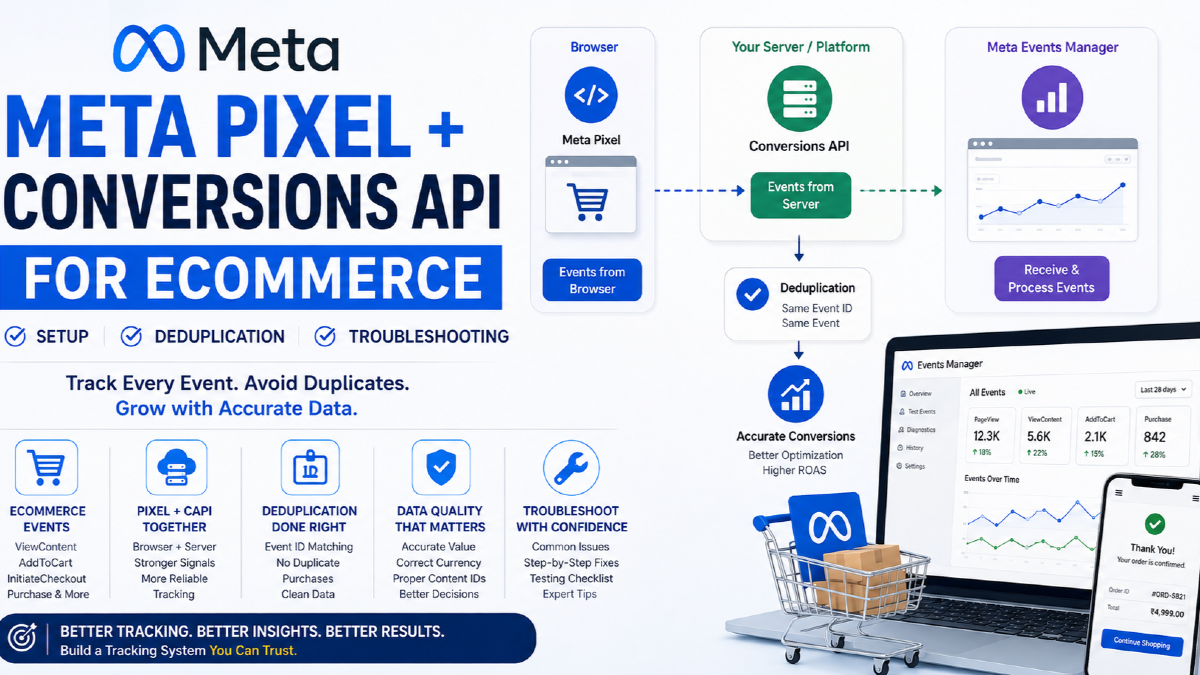
4. Pixel and Conversions API Events Add Behaviour Signals
Your website events can tell Meta which products people viewed, added to cart and purchased.
Where product-level matching is required, the identifiers passed in those events need to correspond with the relevant identifiers used in the catalog.
This creates the connection between:
what happened on the website
and:
which catalog product that behaviour belongs to.
My guide to Meta Pixel and Conversions API for eCommerce covers the tracking implementation in more depth.
5. The Ad Is the Visible Output
The ad is where the shopper sees the result of everything above it.
If the underlying catalog data is poor, the visible advertisement inherits that weakness.
A polished campaign structure cannot compensate for inaccurate prices, mismatched product IDs, weak product images or a product set containing items the business should not be aggressively advertising.
Build the Product Feed Before You Build the Campaign
I would treat the product feed as part of the advertising system rather than something owned only by a developer, plugin or eCommerce platform.
Several feed fields directly affect what the shopper sees and where the shopper lands.
Use Stable Product IDs
The product ID may not appear prominently in the ad, but it can be one of the most important fields in the system.
The store, catalog and tracking implementation need a consistent way to identify the same product.
Problems appear when different systems use different identifiers without a deliberate mapping.
For example:
Store SKU: DRESS-BLK-M
Catalog ID: 84729
Meta event content ID: DRESS-BLACK-MEDIUM
Those identifiers may all make sense internally, but dynamic matching does not work through human interpretation. The implementation needs to know which identifier represents the catalog item.
Use Product Titles That Tell the Shopper What the Product Is
Compare these two titles:
SKU-48394-BLKand:
Women's Black Linen Midi DressThe first may be useful to an internal inventory system.
The second tells the customer what the product actually is.
A useful title should identify the product clearly without becoming a string of promotional keywords.
Attributes such as brand, colour, material, product type or size may be useful when they genuinely help distinguish the item.
Descriptions Should Describe the Product, Not the Store
A generic promotional description repeated across an entire catalog adds very little.
For example:
High-quality product at the best price. Shop today for an amazing offer.
That does not help distinguish one product from another.
A better description explains what the item is, its useful characteristics and the information a shopper may need before clicking.
This does not mean writing hundreds of words for every SKU. It means giving the advertising system and shopper meaningful product information.
Product Images Are Advertising Creative
For catalog ads, a product image is not merely a database field. It may become one of the main visual elements in the advertisement.
That means poor feed imagery becomes poor advertising imagery.
Check for:
- low-resolution images;
- awkward crops;
- incorrect variant images;
- inconsistent backgrounds;
- old promotional text;
- placeholder images;
- images that make different variants difficult to distinguish.
A product can pass technical feed validation while still having an image you would never deliberately choose for paid advertising.
Keep Price, Sale Price and Availability Accurate
A customer seeing one price in an ad and another after clicking has an immediate expectation problem.
The same applies when an ad promotes an item that has already gone out of stock.
Feed freshness therefore matters most when price, promotions or inventory change regularly.
If the store changes stock several times a day while the feed updates much less frequently, the catalog can lag behind the actual store.
Check the Destination for Every Important Product Type
Do not assume a destination is correct simply because the URL returns a working page.
Check whether:
- the correct product loads;
- the intended variant is represented;
- the advertised price is visible;
- the product is available;
- the page works properly on mobile;
- the visitor can actually complete the purchase;
- tracking continues to work after the click.
Make Sure Catalog IDs Match Your Meta Events
This is one of the first things I would investigate when dynamic retargeting shows unexpected products or product matching appears unreliable.
Suppose the catalog item uses:
id = SHOE-784-BLK-09but the product-page event sends:
content_ids = ["784"]or:
content_ids = ["SHOE-784"]If the implementation expects the full catalog item ID, the website event and catalog are describing the product differently.
Variants can make this harder because the same store may have:
- a parent product ID;
- a variant ID;
- a SKU;
- a catalog item ID;
- a separate identifier in the data layer.
You need to understand which identifier has been chosen for product matching and use it consistently where that relationship is required.
Check the identifiers passed with relevant events such as:
ViewContent;AddToCart;Purchase.
Do not assume that Pixel or Conversions API being installed means catalog matching is correct.
A store can report purchases successfully while the product identifiers inside those events are still inconsistent.
That creates an important distinction:
Conversion tracking working
is not automatically the same as:
Catalog product matching working.
What Product Sets Are Really For
A product set should exist because you have a reason to control which products are eligible together.
It should not exist simply because Commerce Manager allows you to create one.
A fashion retailer with thousands of SKUs might begin with groups such as:
All Products
├── Women's Dresses
├── Men's Shirts
├── New Arrivals
├── Best Sellers
├── Sale Products
└── High-Margin Products
But even those groups need a reason to exist.
Category-Based Product Sets
Category sets can be useful when different product groups need different messaging, creative treatment, reporting or commercial control.
For example:
- dresses;
- shoes;
- handbags;
- jewellery.
If those categories behave differently after the click or have very different economics, treating them as one undifferentiated product pool can hide useful information.
Margin-Based Product Sets
Two products can generate the same selling price while leaving completely different amounts available to fund advertising.
| Product | Selling Price | Contribution Before Ads | Commercial Position |
|---|---|---|---|
| Product A | ₹5,000 | ₹2,300 | More room for customer acquisition |
| Product B | ₹5,000 | ₹700 | Much less room for paid acquisition |
If both products compete without any commercial context, revenue can make them look more similar than they really are.
That does not mean every account needs margin-based product sets. It means product economics should be understood before allowing every item to compete equally for advertising spend.
Seasonal and Promotional Product Sets
Some product groups become important only during a particular period.
Examples include:
- Diwali products;
- Black Friday promotions;
- winter clothing;
- Valentine's gifts;
- back-to-school products.
A dedicated product set can make those products easier to control without changing the structure of the entire catalog.
Stock-Aware Product Sets
A product can have strong historical performance and still be a poor scaling candidate when only a handful of units remain.
If stock depth matters to the business, inventory should be part of product eligibility decisions.
This becomes particularly important for stores where successful variants frequently sell out.
Cross-Sell Product Sets
Product sets can also reflect genuine purchase relationships.
For example:
Camera buyers → Lenses, memory cards and camera bags
or:
Cleanser buyers → Moisturisers and serums
The relationship should come from how products are actually purchased together, not simply from the way the catalog happens to be categorised.
Should Every Product Be Eligible for Meta Ads?
Not necessarily.
An "all products" set gives Meta a large product pool, and that can work well for some stores.
But catalog size is not the same as catalog quality.
Imagine a store with 12,000 SKUs:
- 4,000 healthy in-stock products;
- 2,000 low-margin products;
- 1,500 variants with weak imagery;
- 800 products close to discontinuation;
- 700 products with very limited stock;
- 3,000 commercially strong products.
All 12,000 may be technically valid catalog items.
That does not mean all 12,000 should receive the same opportunity to consume acquisition budget.
I would ask:
- Which products can support paid acquisition?
- Which have enough stock to scale?
- Which categories convert well from Meta traffic?
- Which products create useful repeat customers?
- Which items repeatedly receive clicks but weak purchase behaviour?
- Which products are eligible simply because the feed includes them?
The catalog answers:
What can Meta advertise?
A useful product-set strategy helps answer:
What should Meta be allowed to advertise for this particular job?
Catalog Prospecting and Dynamic Retargeting Solve Different Jobs
Catalog ads are often associated with retargeting because the use case is easy to understand.
A customer views a product, leaves the store and later sees that product or a related item on Facebook or Instagram.
But catalog-driven advertising is not limited to people who have already visited the website.
Using Catalog Ads for New Customer Acquisition
Catalog inventory can also be used for broader acquisition.
In that situation, the person may not have viewed the exact product previously. Meta can still select from the products eligible for that advertising setup.
This changes how you should think about product eligibility.
A product that works well in retargeting is not automatically the product you would deliberately choose to introduce the brand to a new customer.
Product-View Retargeting
This is the classic dynamic product use case.
A visitor views a product but does not purchase.
If the product event and catalog identifiers correspond correctly, that behavioural relationship can inform later product delivery.
If the wrong products repeatedly appear, I would check catalog IDs and event payloads before assuming the problem is audience targeting.
Cart Recovery
An add-to-cart event represents stronger purchase intent than a simple product view, but it still does not mean every abandoned cart should receive the same treatment indefinitely.
Consider:
- purchase cycle;
- product price;
- stock availability;
- how long the buying decision normally takes;
- whether the customer has already purchased.
Cross-Sell and Repeat Purchase
Advertising to an existing customer can represent a different commercial job from acquiring a new customer.
If the store sells products with natural repeat or complementary demand, catalog product sets can help separate those opportunities.
That does not mean every lifecycle stage requires a separate campaign. The account structure should reflect budget, available data and the decisions you actually need to control.
Catalog Ads Still Need Creative Strategy
Automation does not remove the need to think about creative.
The product data may come from the catalog, but the shopper still sees an advertisement.
If every item uses weak imagery with no useful context, the catalog may be operationally efficient while still being poor at getting attention.
Feed Images and Designed Creative Serve Different Purposes
Some products communicate well through clean product photography.
Others benefit from context.
A sofa may be easier to understand inside a room than isolated against white.
A dress may communicate fit better on a model.
A technical product may need compatibility or specification information before somebody understands why it is relevant.
The right creative treatment depends on what the shopper needs to understand before clicking.
Promotional Overlays Must Remain Accurate
Catalog creative can include messaging around:
- discounts;
- sale pricing;
- brand elements;
- shipping;
- product attributes.
But a message applied dynamically across many products needs to remain true for every eligible item receiving that treatment.
A visually strong template becomes a problem if it makes an offer look broader than it really is.
The Creative Treatment Should Fit the Product Set
A template designed for small skincare bottles may work badly when the same product set contains large gift boxes, accessories and bundles.
That creates another useful relationship:
Product set → Product characteristics → Creative treatment
Sometimes separating products improves advertising not because Meta needs additional campaign complexity, but because those products need different presentation.
Why Catalog Ads Can Receive Most of the Budget
A common account problem is adding catalog ads alongside UGC, static images or video ads and then seeing the catalog format receive most of the spend.
For example:
| Ad | Spend |
|---|---|
| Catalog ad | ₹48,000 |
| UGC video | ₹1,900 |
| Static image | ₹1,250 |
| Product demo video | ₹850 |
The wrong conclusion would be:
The catalog ad proved that it is better than every other creative.
The other ads may not have received enough delivery to answer that question.
These are two different questions:
Which ad is the delivery system currently favouring?
and:
Which creative would perform best if each received enough controlled exposure to evaluate it?
If your objective is overall campaign performance, uneven delivery may be acceptable when the business result supports it.
If your objective is to learn whether a new creative concept works, the same structure may not give you a useful test.
When Separating Catalog and Non-Catalog Creative Can Help
Structural separation can make sense when you deliberately need:
- a controlled creative comparison;
- a dedicated catalog budget;
- different product eligibility;
- different commercial objectives;
- clearer reporting between catalog and manually produced creative.
It should not become an automatic rule for every Meta Ads account.
Additional separation can also fragment budget and data, so the structure should follow the question you are trying to answer.
Common Meta Catalog Problems and What to Check First
| Problem | What I Would Check First |
|---|---|
| Wrong product shown after a product view | Catalog item ID vs event content_ids |
| Out-of-stock item still appearing in ads | Feed refresh frequency and availability status |
| Ad price differs from landing page | Feed price, sale-price logic and update timing |
| Products missing from the catalog | Feed diagnostics, required attributes and rejected items |
| Weak products consume too much spend | Product-set eligibility, margin, stock and product-level results |
| Dynamic retargeting cannot match products | Website event IDs vs catalog IDs |
| Catalog ads receive nearly all delivery | Whether the goal is optimisation or controlled creative testing |
| Clicks increase but purchases do not | Product selection, offer, landing page, tracking and traffic quality |
Wrong Products Appear in Retargeting
Start with product identity.
Check the catalog ID against the values actually being sent with website events.
Do not rebuild audience logic before checking whether the underlying product relationship is correct.
Out-of-Stock Products Continue Receiving Ads
Find out when the product became unavailable and when Meta last received updated inventory information.
If the store changes stock frequently but the feed refreshes slowly, the catalog can remain behind the real inventory position.
The Price in the Ad Does Not Match the Product Page
Check more than the standard price field.
Review:
- sale price;
- sale dates;
- variant pricing;
- currency;
- automatic promotions;
- landing-page price;
- feed refresh timing.
Catalog Ads Spend on Products the Business Does Not Want to Scale
Do not judge a product only by attributed revenue.
Look at:
- spend;
- orders;
- conversion rate;
- average order value;
- margin;
- stock;
- returns or refunds where meaningful;
- new vs existing customers where the distinction matters.
A product can have attractive reported ROAS and still be a weak acquisition product when the contribution margin is poor.
Catalog Clicks Increase but Purchases Do Not
At this point the problem may extend beyond the catalog.
The correct product can be selected and advertised but still fail after the click because of:
- pricing;
- shipping;
- poor mobile UX;
- weak product information;
- checkout friction;
- measurement problems;
- traffic quality.
My guide on why Meta Ads are not converting covers that wider diagnostic problem.
Meta Catalog Ads on Shopify
Shopify can simplify product synchronisation, but a simpler integration does not remove the need to inspect how products and variants are represented.
I would still check:
- whether parent products or variants become catalog items;
- how catalog IDs map to Pixel and CAPI events;
- which image is selected for each variant;
- whether regular and sale prices are correct;
- how unavailable variants are handled;
- whether collections or product attributes can support useful product sets.
A green T-shirt in small and the same T-shirt in large may be separate Shopify variants without necessarily requiring completely separate advertising treatment.
Understand how those variants are represented before designing product sets around them.
Meta Catalog Ads on WooCommerce
WooCommerce setups can vary significantly because feed quality depends on the product structure, plugins and any custom WordPress development.
Pay particular attention to:
- variable products;
- SKU consistency;
- sale prices;
- stock updates;
- duplicate feed items;
- plugin-generated product IDs;
- Pixel and CAPI event identifiers.
Do not assume two WooCommerce plugins will automatically represent the same product with the same identifier.
Test the complete relationship:
WooCommerce product → Feed item → Meta catalog ID → Website event ID
Meta Catalog Ads on Custom eCommerce Stores
Custom stores usually give you more control over how feeds, product identifiers and event payloads are generated.
They also create more opportunities for different systems to disagree.
I would document at least one product from end to end.
For example:
Internal product ID: 84729
SKU: SHOE-BLK-09
Feed ID: SHOE-BLK-09
Pixel content_id: SHOE-BLK-09
CAPI contents.id: SHOE-BLK-09
Product URL: /products/trail-shoe-black?size=9
Once that relationship is correct for one item, test different product types and variants.
This tells you much more than simply seeing that Commerce Manager successfully imported the catalog.
How to Judge Whether Meta Catalog Ads Are Actually Working
ROAS is useful, but it is not enough by itself.
Catalog ads can make it easy to report revenue while hiding which products, customers and margins created that number.
Look at Product-Level Spend and Revenue
Start by understanding how concentrated delivery is.
For example:
Does 10% of the catalog receive 80% of the spend?
Concentration is not automatically a problem. Strong products may deserve more budget.
But you should know which products are creating the result.
Separate Revenue From Customer Acquisition
A catalog retargeting campaign can produce attractive returns because it reaches people who have already shown strong buying intent.
That should not automatically be interpreted as:
This is our strongest way to acquire new customers.
Retargeting and acquisition solve different commercial jobs.
Bring Product Margin Into the Decision
If Product A generates ₹1 lakh in revenue with a healthy contribution margin while Product B generates the same revenue but leaves almost nothing after product cost, shipping and discounting, those two results are not equivalent.
This is where better product eligibility can sometimes matter more than another small campaign-setting change.
Compare Meta Reporting With Actual Store Orders
Meta attribution should be interpreted alongside store and analytics data.
Platform reporting answers an attribution question. It is not the same thing as the order database.
If reported performance moves sharply, check whether actual order and revenue behaviour changed before assuming the campaign itself improved or deteriorated.
Judge the Catalog as a System
I would eventually want clear answers to these questions:
- Are the right products eligible?
- Do website events match those products correctly?
- Are prices and stock accurate?
- Which product groups receive most of the spend?
- Which groups generate commercially useful orders?
- Are we acquiring new customers or mainly recovering existing demand?
- Are catalog ads preventing intentional creative tests from receiving enough delivery?
- Would a different product set create a better business decision?
Meta Catalog Ads Checklist for eCommerce
Before scaling catalog advertising, I would check the following:
- The catalog contains products the business genuinely wants to advertise.
- Product IDs are stable and understood.
- Catalog IDs correspond with the relevant Pixel or CAPI product identifiers.
- Titles clearly identify each product.
- Descriptions contain useful product information.
- Images are suitable for paid advertising.
- Prices match the landing pages.
- Sale prices update correctly.
- Availability reflects the store accurately.
- Product URLs lead to the correct item or variant.
- Product sets exist for a clear commercial reason.
- Low-margin or low-stock products are not receiving spend accidentally.
- Seasonal ranges can be controlled when required.
- Catalog acquisition and retargeting are judged according to their actual roles.
- Uneven delivery is not mistaken for a controlled creative test.
- Product-level performance is reviewed alongside account-level ROAS.
- Store revenue and margin are considered alongside Meta attribution.
If several of these are unclear, I would fix the catalog system before adding more campaign complexity.
Frequently Asked Questions About Meta Catalog Ads
What Is a Meta Catalog Ad?
A Meta catalog ad uses products stored in a Meta catalog to populate advertising dynamically. Product information such as images, titles, prices and destination URLs can come from the catalog rather than requiring a manually created ad for every individual product.
Are Meta Catalog Ads the Same as Dynamic Product Ads?
Dynamic Product Ads, often shortened to DPA, is still commonly used to describe product-level dynamic advertising based on a Meta catalog. Meta's current terminology uses catalog language more prominently, but advertisers may still use both terms when discussing the same general product-advertising system.
What Is a Product Set in Meta?
A product set is a selected group of items from a Meta catalog. It can be used to control which products are eligible for a particular advertising purpose, such as a product category, promotion, seasonal range, margin group or cross-sell opportunity.
Do I Need Meta Pixel for Catalog Ads?
A catalog can exist without every use depending on Pixel data, but product-level website events become important when you want Meta to connect website behaviour with specific catalog items. Where dynamic product matching is required, Pixel and Conversions API event identifiers should correspond with the catalog identifiers used by the implementation.
Why Are Meta Catalog Ads Showing the Wrong Products?
Check the identifiers passed through website events against the relevant item IDs in the catalog. Also check which products are eligible in the selected product set. Incorrect ID matching or overly broad eligibility can both create unexpected product delivery.
Should Every Product Be Included in a Meta Catalog Campaign?
No. A product can be technically valid but commercially weak for paid acquisition because of low margin, limited stock, poor imagery, weak conversion behaviour or an unsuitable offer. Product eligibility should reflect the job of the campaign rather than simply the size of the catalog.
Should Catalog Ads and Video Ads Run Together?
There is no single structure that fits every account. Keeping them together can allow Meta to optimise across available ads, while separating them can be useful when you need controlled budgets, clearer reporting or a deliberate comparison between catalog and non-catalog creative. The structure should follow what you are trying to optimise or learn.
Why Do My Catalog Ads Receive Most of the Budget?
Catalog ads can sometimes receive far more delivery than other ads competing within the same setup. That does not automatically prove they are objectively better than creatives that received very little spend. If you need to evaluate another creative format properly, consider whether the test requires more controlled delivery.
Can Meta Catalog Ads Be Used for Prospecting?
Yes. Catalog advertising is not limited to showing previously viewed products to existing website visitors. Catalog products can also be used for acquisition-focused delivery where the person has not previously viewed that exact item.
Good Meta Catalog Advertising Starts Before Ads Manager
Meta catalog ads are valuable because they allow an eCommerce business to turn a large product range into advertising without manually building a separate ad for every SKU.
That efficiency can also hide weak decisions.
If every product enters the catalog, every catalog item is allowed into the same product set, feed information is accepted without review and campaign performance is judged only at account level, automation can scale products the business would never have deliberately chosen to promote.
I prefer to work in the opposite direction.
Start with the products the business wants to sell. Make the feed describe those products accurately. Keep product IDs consistent with measurement. Build product sets around useful commercial decisions. Then let Meta's automation work inside those boundaries.
That gives Meta better inputs and gives the business a clearer way to judge the output.
If you need hands-on help with product feeds, catalog campaigns, product sets, tracking and the wider acquisition decisions around them, my Meta Ads services for eCommerce cover both campaign management and the product-data relationships underneath performance.