An eCommerce XML sitemap helps Google discover the product, category and content URLs that you want to appear in Search. The difficult part is not creating the XML file. The difficult part is deciding which URLs belong inside it when your store has product variants, filters, sorting, pagination, temporary stock changes, discontinued items and thousands of automatically generated URLs.
A store with 10,000 products may create far more than 10,000 URLs. Product variants, collection paths, filters, tracking parameters, pagination and international versions can increase the number quickly. If all of these URLs are added to the sitemap without a clear rule, the sitemap stops being a clean list of important pages and becomes another copy of the website's URL problems.
The simplest way to think about an eCommerce sitemap is this:
Your sitemap should mainly contain the canonical, indexable URLs that you genuinely want Google to discover and consider for Search.
I use an eCommerce Sitemap Eligibility Test before adding a URL:
Works → Indexable → Canonical → Useful Search Page → Still Valuable Today
This guide explains how to apply that rule to products, categories, filters, variants, pagination, out-of-stock products, Shopify, WooCommerce, custom stores and large catalogues.
If you are dealing with crawling, rendering, filters and overall store architecture beyond the sitemap itself, use my eCommerce technical SEO guide. This article focuses specifically on sitemap decisions.
What an eCommerce XML Sitemap Actually Does
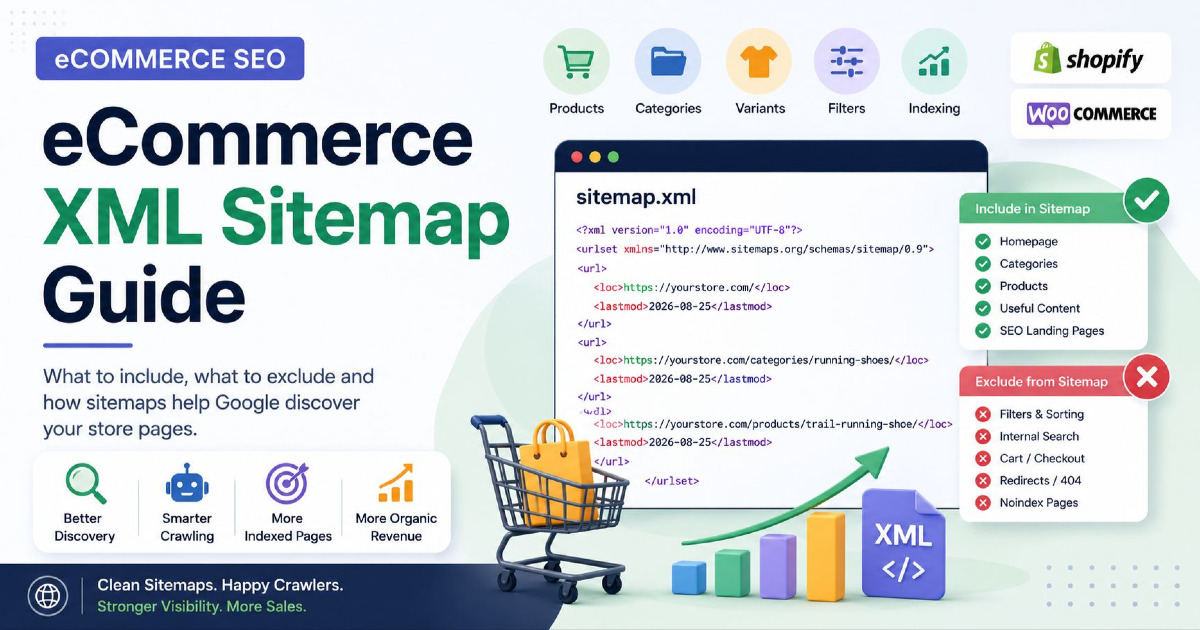
An XML sitemap is a file that gives search engines a list of URLs you consider important. It can help Google discover new and updated pages more efficiently, especially on large stores where products can sit deep inside the catalogue or change regularly.
A simple sitemap entry looks like this:
<?xml version="1.0" encoding="UTF-8"?>
<urlset xmlns="http://www.sitemaps.org/schemas/sitemap/0.9">

  <url>
    <loc>https://example.com/products/running-shoe</loc>
    <lastmod>2026-08-25</lastmod>
  </url>

</urlset>
The sitemap tells Google that this product URL exists and that the website considers it important enough to submit.
It does not tell Google:
- that the page must be indexed;
- that the page deserves to rank;
- that the page is better than competing products;
- that Google should ignore other technical signals.
A product can be inside the sitemap and still remain unindexed because Google considers another URL canonical, the page has a `noindex` directive, the content is weak or duplicated, or Google simply decides not to include it.
A sitemap supports discovery. It does not replace good indexing and content decisions.
The eCommerce Sitemap Eligibility Test
Before adding a URL to the sitemap, I would ask five questions. This prevents the common mistake of automatically submitting everything the platform generates.
| Question | Good Sitemap Candidate? |
|---|---|
| Does the URL return a normal 200 response? | Usually yes |
| Is the page allowed to be indexed? | Yes |
| Is this the canonical/main version? | Yes |
| Does the page have a real search purpose? | Preferably yes |
| Would this page still be useful if someone found it in Google today? | Yes |
If the answer to several of these questions is no, the URL probably does not belong in the sitemap.
Rule 1: Sitemap URLs Should Normally Return 200
A sitemap should mainly contain live URLs that successfully return page content.
If a product has permanently moved and the old URL returns a 301 redirect, list the new final URL in the sitemap instead of continuing to submit the old one.
If a product returns 404 or 410 because it has been removed, take it out of the sitemap.
For example:
Old product:
https://example.com/products/trail-shoe-v1
301 →
https://example.com/products/trail-shoe-v2
The sitemap should contain:
https://example.com/products/trail-shoe-v2
not the old redirecting URL.
This keeps your sitemap focused on the pages that currently exist.
Rule 2: Do Not Submit Noindex Pages
If a page contains a `noindex` directive, you are telling Google that you do not want that page indexed.
Adding the same URL to your XML sitemap sends the opposite message:
Sitemap: “This is an important URL I want you to discover.”
Noindex: “Do not include this URL in Search.”
Google can process those signals, but there is no reason to create that contradiction yourself.
Common eCommerce pages that may be intentionally noindexed include:
- internal search results;
- some filter pages;
- customer account pages;
- utility pages;
- certain promotional or private pages.
If a URL is intentionally noindexed, remove it from the sitemap.
Rule 3: Include the Main Canonical URL
A canonical tag tells Google which URL you prefer when several URLs contain the same or very similar content.
Your sitemap should normally support that choice.
Suppose the same product can appear as:
https://example.com/products/trail-shoe
https://example.com/collections/running/products/trail-shoe
https://example.com/products/trail-shoe?source=homepage
and the main canonical is:
https://example.com/products/trail-shoe
that is normally the URL you should place in the sitemap.
A good store tries to make these signals agree:
Internal Links → Canonical → Sitemap → Structured Data
For deeper canonical handling, see my canonical tags SEO guide.
Rule 4: The URL Should Have a Real Search Purpose
This rule is especially important on eCommerce websites because the store can generate many technically valid URLs that do not deserve their own Google Search result.
Consider:
/running-shoes
/running-shoes?sort=price-low
/running-shoes?size=9
/running-shoes?colour=black
/running-shoes?colour=black&size=9
All of these pages can work perfectly for shoppers.
That does not mean all of them should be submitted to Google.
The main category clearly has a search purpose. A stable page for “Black Running Shoes” may also have one if there is enough demand and inventory. A temporary sorting state usually does not.
Which eCommerce Pages Should Be in the Sitemap?
| Page Type | Normally in Sitemap? |
|---|---|
| Homepage | Yes |
| Main category | Yes |
| Useful subcategory | Yes |
| Active canonical product | Yes |
| Useful editorial guide | Yes |
| Indexable brand landing page | Yes, if it has real search value |
| Intentional SEO filter landing page | Yes, if canonical and indexable |
| Tracking URL | No |
| Sort URL | Usually no |
| Internal search result | Usually no |
| Noindex URL | No |
| Redirecting URL | No |
| 404/410 URL | No |
| Non-canonical duplicate | Normally no |
Active Product Pages Should Normally Be Included
If a product is live, indexable, canonical and useful to customers, it belongs in the product sitemap.
This sounds simple, but many stores accidentally exclude products because of theme settings, plugins, product-status rules or custom sitemap logic.
A normal live product should have:
200 Response → Indexable → Self-Canonical → Sitemap Entry → Internal Links
The sitemap is one part of the discovery system. A product should still be linked from suitable categories or other relevant parts of the store wherever possible.
Temporarily Out-of-Stock Products Can Stay in the Sitemap
Do not remove a product from the sitemap only because its stock temporarily reaches zero.
If the product URL remains live, indexable and useful, the sitemap can continue including it.
For example:
Product:
Wireless Headphones X2

Status:
Temporarily Out of Stock

HTTP:
200

Canonical:
Self-referencing

Indexing:
Allowed
This product can remain in the sitemap because the product itself has not disappeared.
The page should clearly show the current stock status, and your structured data and product feeds should show the same availability.
Do Not Use Stock Status Alone to Decide Sitemap Inclusion
One of the biggest mistakes in automated product sitemaps is using:
In Stock = Include
Out of Stock = Remove
as the only rule.
That can cause useful product URLs to repeatedly enter and leave the sitemap as stock changes.
A better question is:
Does this product page still exist and should it still be available in Google Search?
If yes, it can remain in the sitemap even when stock is temporarily unavailable.
Seasonal Products Can Also Remain Stable
A seasonal product may be unavailable for several months but return every year.
If the product continues to have search value and the URL remains useful, you do not necessarily need to remove and re-add it every season.
The same principle applies to recurring seasonal categories such as:
- Christmas Gifts;
- Diwali Gifts;
- Monsoon Footwear;
- Summer Dresses.
Stable URLs can remain part of the sitemap if they continue serving a genuine long-term search purpose.
Discontinued Products Need Different Sitemap Decisions
“Discontinued” does not automatically mean “remove from sitemap”. You first need to decide what happens to the product page itself.
| Product Situation | Sitemap Decision |
|---|---|
| Temporarily unavailable | Usually keep |
| Discontinued but page remains useful and indexable | Can keep |
| Discontinued and redirected to replacement | Remove old URL; include replacement |
| Permanently removed with 404/410 | Remove |
| Noindexed discontinued page | Remove |
This is why the product lifecycle should control the sitemap rather than a simple inventory switch.
Categories and Collections Should Be Treated as Important Sitemap Pages
For many stores, category and collection pages are among the most important SEO landing pages because they target broad commercial searches.
A useful category such as:
/mens-running-shoes/
normally belongs in the sitemap when it:
- returns 200;
- is indexable;
- has a self-referencing canonical;
- contains useful products;
- serves a clear search purpose.
Do not focus only on products and forget the category structure. Product discovery often begins with category pages, and those category URLs may attract much broader search demand than individual products.
Empty Categories Need a Clear Rule
A category can temporarily become empty because of inventory changes. Whether it should stay in the sitemap depends on whether the page remains useful and is expected to return.
A seasonal category that temporarily has no stock may still deserve to remain live.
A permanently empty category created accidentally by a CMS probably does not.
If the category is permanently removed and starts returning 404 or is redirected elsewhere, update the sitemap accordingly.
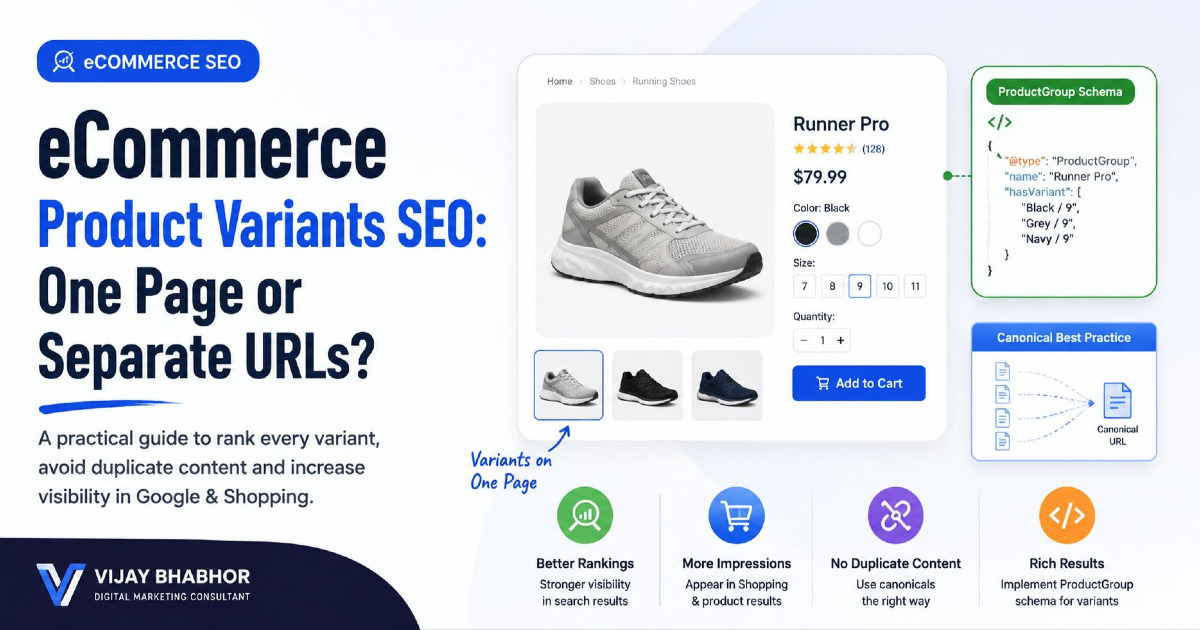
Should Product Variants Be in an eCommerce Sitemap?
There is no one answer for every store because variants can be built in different ways.
Imagine a T-shirt available in:
- black;
- blue;
- white;
- small;
- medium;
- large.
The store may represent variants as:
/products/tshirt
/products/tshirt?color=black
/products/tshirt?variant=123
/products/tshirt-black
The sitemap decision should follow the canonical and indexing setup.
If Variants Canonicalise to the Parent, Submit the Parent
Suppose:
/products/tshirt?color=black
canonical →
/products/tshirt
and:
/products/tshirt?color=blue
canonical →
/products/tshirt
Then the normal sitemap choice is:
/products/tshirt
You usually do not need to submit every non-canonical colour or size parameter.
If a Variant Is a Real Indexable Page, It Can Belong in the Sitemap
Another store may intentionally create separate pages such as:
/products/iphone-case-black
/products/iphone-case-red
If each page:
- has a real search purpose;
- has different useful content or product information;
- is self-canonical;
- is indexable;
- is intended to appear independently in Search;
then those variant URLs can be valid sitemap entries.
The rule is not “variants never belong in sitemaps”.
The rule is:
Submit the URLs that are intended to be independent search pages.
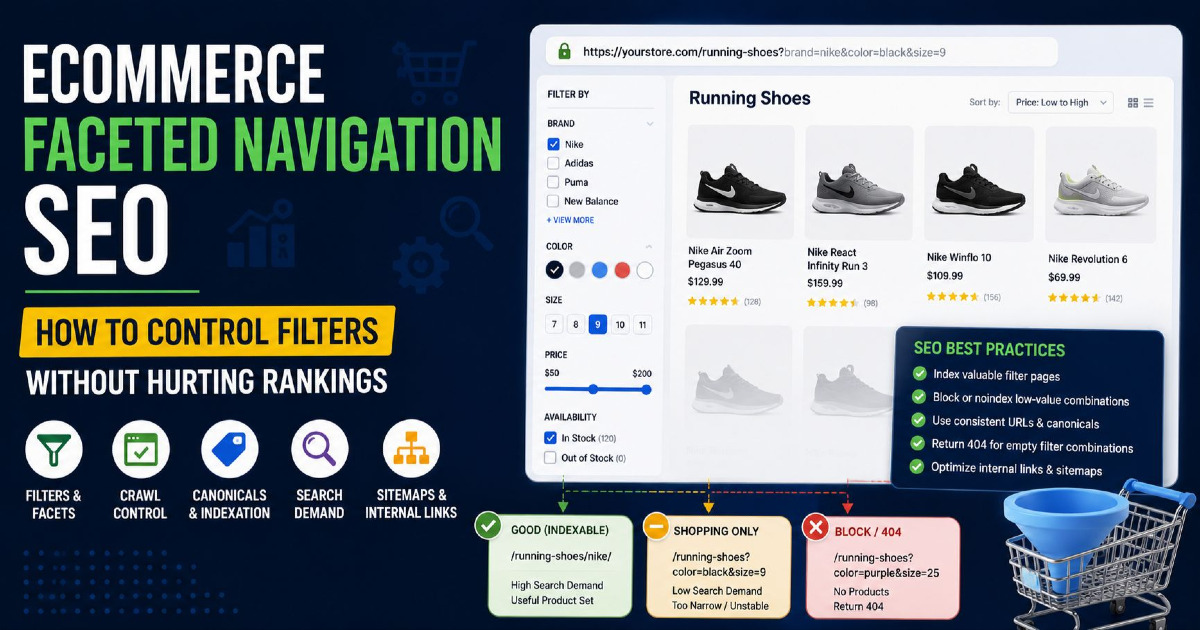
Browsing Filters Normally Should Not Be in the Sitemap
Product filters can create thousands of URL combinations.
Examples include:
/shoes?colour=black
/shoes?size=9
/shoes?brand=nike
/shoes?colour=black&size=9
/shoes?colour=black&size=9&sort=price
These URLs may be useful while shopping, but most are not permanent search landing pages.
Adding every filter combination to the sitemap can quickly create a large file full of pages you do not actually want Google to treat as important.
For normal browsing filters, keep them out of the sitemap.
For more detail on parameter behaviour, use my eCommerce URL parameters guide.
A Useful Filter Can Become a Proper SEO Landing Page
Filters are not automatically bad for SEO.
For example, customers may actively search for:
black running shoes
If the store has enough suitable products and can keep the page useful, you may create a proper indexable landing page.
Instead of depending on:
/running-shoes?colour=black
you may create:
/running-shoes/black/
If this URL is canonical, indexable and intentionally built for search, it can belong in the sitemap.
The difference is important:
Browsing Filter → Usually stay out
Intentional SEO Landing Page → Can be included
Sorting URLs Should Normally Stay Out
Sorting normally changes only the order of products:
?sort=price-low
?sort=price-high
?sort=best-selling
?sort=newest
These pages do not usually have an independent search purpose and should not normally appear in the sitemap.
The canonical category URL is normally enough.
Internal Search Results Should Normally Stay Out
Store-search URLs such as:
/search?q=running+shoes
are created from user searches rather than from the permanent product catalogue.
They can produce unlimited combinations and usually should not become sitemap entries.
If a search query is important enough to deserve an SEO page, create a stable category or landing page for that topic instead of trying to rank the internal-search result.
Pagination Is Not Automatically Duplicate Content
A category containing hundreds of products may need several paginated URLs:
/running-shoes
/running-shoes?page=2
/running-shoes?page=3
Page 2 and page 3 contain products that are not visible on page 1, so they should not automatically be treated as duplicate versions of the first page.
A crawlable pagination setup normally gives each page its own URL and self-referencing canonical.
The important sitemap point is this:
Do not use the sitemap to solve pagination discovery.
Your category pagination should remain crawlable through normal links so Google can move through deeper product sets.
Do Paginated Category Pages Need to Be in the Sitemap?
There is no requirement that every page 2, page 3 or page 4 must be submitted separately.
If your pagination URLs are indexable and intentionally part of your search architecture, including them is not automatically wrong. But the sitemap should not become the main way Google discovers deeper products.
For many stores, it is simpler to keep the main category URLs in the sitemap while using crawlable pagination and product URLs to expose the deeper catalogue.
The important thing is consistency: do not call paginated pages duplicates merely because they belong to the same category.
What About Blog Posts and Buying Guides?
Useful informational content can absolutely belong in an eCommerce sitemap.
Examples include:
- buying guides;
- size guides;
- product comparisons;
- how-to articles;
- care instructions;
- category education.
If the article is indexable, canonical and useful to searchers, include it just like another search page.
The sitemap is not only for products.
Cart, Checkout and Account Pages Normally Should Not Be Submitted
Pages such as:
/cart
/checkout
/account
/login
/wishlist
exist for customers using the store rather than for organic search.
They normally do not need sitemap inclusion.
Again, the sitemap should represent the pages you want people finding from Google, not every screen available inside the website.
Use lastmod Only When Something Important Changed
The `` field tells search engines when a page was last significantly updated.
For an eCommerce product, a meaningful update can include changes such as:
- important product-description changes;
- major specification updates;
- important price changes shown on the page;
- availability changes;
- meaningful structured-data changes;
- major changes to internal links or product information.
A valid entry might look like:
<url>
  <loc>https://example.com/products/running-shoe</loc>
  <lastmod>2026-08-25</lastmod>
</url>
Do Not Change Every lastmod Date to Today
Some sitemap generators rebuild the sitemap every night and give every URL today's date even though the actual pages have not changed.
That makes the field less useful.
For example, this is a bad setup:
12,000 products
Sitemap regenerated today
12,000 lastmod dates = today
Only 35 products actually changed
A better setup updates `` only for pages that had a meaningful update.
If your system cannot maintain reliable dates, it is better not to fake freshness.
Google Ignores changefreq and priority
Older sitemap examples often contain:
<changefreq>daily</changefreq>
<priority>1.0</priority>
You do not need to spend SEO time deciding whether your category should be priority `0.8` and your product should be `0.7`.
Google ignores both `` and `` values.
For Google, focus your effort on:
correct URL → canonical status → indexability → accurate lastmod
rather than trying to tell Google that one product is “priority 1.0”.
Do Not Force a Daily Sitemap Update
An eCommerce sitemap should remain in sync with the live catalogue, but this does not mean every store needs a scheduled “daily sitemap refresh” for SEO.
If your store adds and removes products throughout the day, the sitemap should update automatically as those changes happen.
If a small store changes only occasionally, forcing every URL to refresh every day provides no special ranking benefit.
The better rule is:
Keep the sitemap automatically aligned with meaningful website changes.
Large Stores Need Sitemap Index Files
Google limits one sitemap file to:
50,000 URLs
or:
50 MB uncompressed
whichever limit is reached first.
If your store is larger, split the URLs into several sitemap files and connect them through a sitemap index.
For example:
/sitemap_index.xml

→ /sitemap-products-1.xml
→ /sitemap-products-2.xml
→ /sitemap-products-3.xml
→ /sitemap-categories.xml
→ /sitemap-content.xml
This keeps files manageable and can make technical monitoring easier.
Splitting Sitemaps by Page Type Can Make Problems Easier to Find
Even if your store is below the 50,000-URL limit, separating important URL groups can be useful.
For example:
Product sitemap: 12,000 URLs
Category sitemap: 250 URLs
Content sitemap: 180 URLs
If product indexing drops while category indexing remains stable, it becomes easier to understand where the problem sits.
Shopify already uses separate child sitemaps for different resource types. Custom stores and many WooCommerce setups can follow a similar idea where it makes sense.
Do Not Split Sitemaps Only to Make Them Look More Advanced
A store with 600 URLs does not need twenty separate sitemap files.
Split them when it improves:
- file-size management;
- product/category monitoring;
- international management;
- large-catalogue maintenance.
The sitemap structure should make management easier, not more complicated.
Product Images Can Be Added to an Image Sitemap
Images are important for eCommerce because customers search visually as well as through text.
Google supports image sitemap information, and this can be especially useful for images that may otherwise be difficult to discover, including some images loaded through JavaScript.
A product URL can contain image information such as:
<url>
  <loc>https://example.com/products/running-shoe</loc>

  <image:image>
    <image:loc>https://cdn.example.com/running-shoe.jpg</image:loc>
  </image:image>

</url>
You can add image information to your main sitemap or use a separate image sitemap.
An Image Sitemap Does Not Guarantee Google Images Rankings
An image sitemap helps Google discover image URLs. It does not guarantee that those images will rank.
You still need:
- useful original product imagery;
- crawlable image URLs;
- relevant page content;
- proper image sizing and quality;
- good image HTML and context.
The sitemap supports discovery; it does not replace image optimisation.
CDN Product Images Can Still Be Used
Many stores host images on a CDN rather than the main website domain.
Google can work with image URLs on another host when the setup allows those images to be crawled properly.
Make sure important images are not blocked and that your CDN setup remains stable.
XML Sitemap and Merchant Center Do Different Jobs
For an eCommerce store, it is useful to understand the difference between an XML sitemap and a Google Merchant Center feed.
| XML Sitemap | Merchant Center Feed |
|---|---|
| Provides website URLs | Provides detailed product information |
| Helps Google discover pages | Helps Google understand products and offers |
| Supports Search crawling | Supports shopping/product surfaces |
| Uses preferred page URLs | Contains items, variants, price, stock and other product data |
| Does not guarantee indexing | Does not guarantee organic ranking |
They are not replacements for each other.
Sitemap + Internal Links + Merchant Center Work Better Together
Google recommends making important products reachable through crawlable links such as:
Menu → Category → Subcategory → Product
If some product pages are difficult to discover through normal navigation, a sitemap or Merchant Center feed can provide additional ways for Google to find them.
However, a large store should not use a sitemap as an excuse to leave thousands of important products internally orphaned.
The strongest setup is:
Crawlable Store Structure + Clean Sitemap + Accurate Product Data
How Shopify XML Sitemaps Work
Shopify automatically generates a sitemap at:
https://yourstore.com/sitemap.xml
You normally do not need to install a sitemap app or manually create another XML sitemap.
The main sitemap links to separate sitemap files for:
- products;
- collections;
- pages;
- blog posts.
Shopify also includes primary product-image information and updates its generated sitemap when relevant store resources are added.
Do Not Create a Second Shopify Sitemap Without a Clear Reason
A common Shopify mistake is installing an SEO application simply because the store owner believes every site needs a separate “SEO sitemap”.
Shopify already provides the core sitemap system.
A second system can create confusion if it:
- submits different URLs;
- includes noindex pages;
- uses different canonicals;
- creates duplicated sitemap files.
Use Shopify's own sitemap unless you have a specific technical requirement that it cannot handle.
Shopify Unlisted Products Are Removed From the Sitemap
Shopify allows products to be set to Unlisted. These products can remain accessible through their direct URL but are hidden from internet search and the store sitemap.
This can be useful for products such as:
- private bundles;
- warranty items;
- special direct-link offers;
- products not intended for organic discovery.
The important point is that Unlisted status is not the same as temporarily out of stock.
Do not use Unlisted simply because an active product runs out of stock temporarily if you still want that product available in Google Search.
Shopify seo.hidden Can Also Remove Resources From Sitemaps
Shopify also supports the `seo.hidden` metafield for hiding supported resources from search engines and sitemaps.
This can affect products, pages and blog posts.
If an important Shopify product unexpectedly disappears from your sitemap, search visibility settings should therefore be part of the investigation.
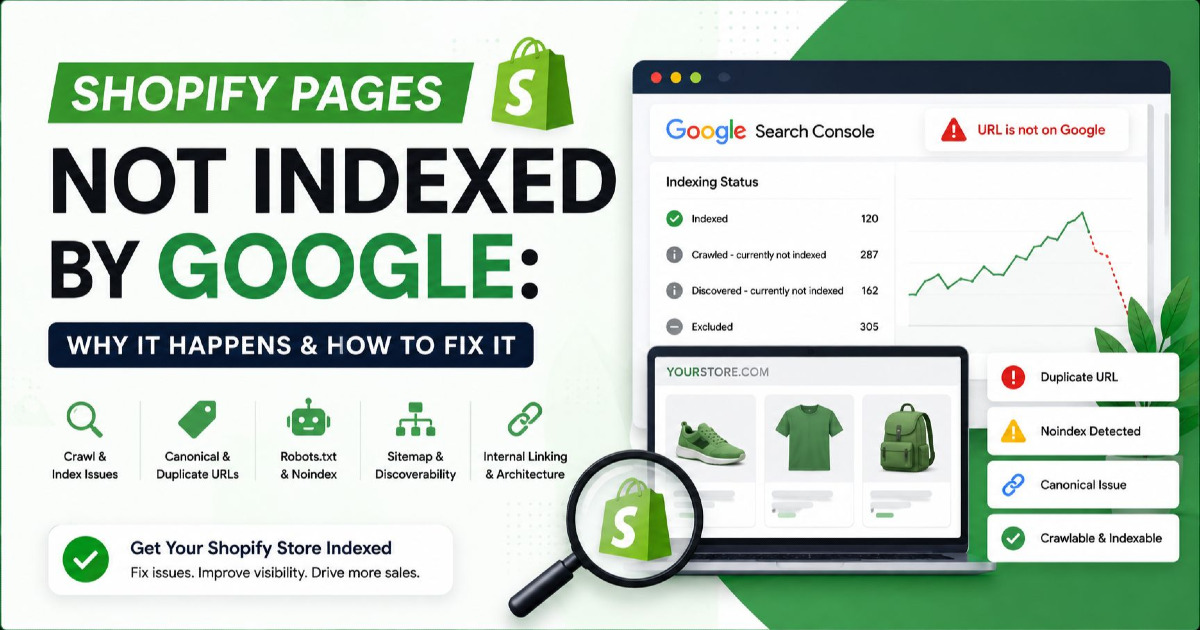
For a deeper indexing diagnosis, see my Shopify pages not indexed by Google guide.
Shopify Markets Can Create Sitemaps for International Domains
If the store uses Shopify's international domain features, Shopify can generate sitemap files for those domains as well.
This is useful when products and collections exist across several countries or languages.
The sitemap still needs to match the real market setup. A country URL should not exist only because the platform can generate it; the product and customer experience should also make sense for that market.
WooCommerce Sitemaps Depend on Your WordPress Setup
WooCommerce stores are different from Shopify because the final sitemap can depend on WordPress itself, your SEO plugin or another sitemap system.
A WooCommerce website may have:
WordPress → WooCommerce → SEO Plugin → Sitemap Output
or a different combination depending on the site.
The first rule is simple:
Use one main sitemap system.
Do not let several plugins independently create competing sitemap files unless you know exactly why they are needed.
WooCommerce Product Categories Should Follow the Same Eligibility Rule
Product categories can belong in the sitemap when they are real indexable landing pages.
However, WordPress and WooCommerce can also create:
- product tags;
- attribute archives;
- custom taxonomies;
- filter URLs.
Do not automatically submit every taxonomy simply because WordPress has created it.
If a taxonomy archive has no useful search purpose or is intentionally noindexed, keep it out of the sitemap.
WooCommerce Variable Products Need the Same Variant Decision
A WooCommerce variable product can contain many colours, sizes and other variations.
If the variations are part of one canonical parent product, normally submit the main parent URL.
If your setup intentionally creates separate indexable variation pages, those pages can be considered separately.
Again, the sitemap should follow the real canonical and indexing strategy rather than the number of SKUs inside WooCommerce.
Custom and Headless Stores Should Generate Sitemaps Automatically
For a custom store, the sitemap should normally be generated from the live product and category database rather than maintained manually.
A simple rule can be:
IF
page_status = 200
AND
indexing = allowed
AND
url = canonical
AND
search_visibility = enabled

THEN
include in sitemap
The exact technical setup will differ, but this kind of rule prevents the sitemap from becoming outdated as the catalogue changes.
A Basic Custom eCommerce Sitemap
<?xml version="1.0" encoding="UTF-8"?>

<urlset xmlns="http://www.sitemaps.org/schemas/sitemap/0.9">

  <url>
    <loc>https://example.com/categories/running-shoes</loc>
    <lastmod>2026-08-25</lastmod>
  </url>

  <url>
    <loc>https://example.com/products/trail-running-shoe</loc>
    <lastmod>2026-08-26</lastmod>
  </url>

</urlset>
Use complete absolute URLs rather than relative paths such as:
/products/trail-running-shoe
The sitemap should contain:
https://example.com/products/trail-running-shoe
Headless Stores Should Build the Sitemap From the Real Catalogue
A headless frontend may use one system for page rendering and another system for product data. The sitemap should therefore come from a reliable source that understands the current catalogue.
If an API says the product was removed three days ago but the sitemap generator continues listing it for several months, the sitemap no longer reflects the store.
The sitemap update should be tied to meaningful catalogue changes rather than depending on somebody remembering to upload a file manually.
International eCommerce Sitemaps Need Consistent Country URLs
A store selling in several markets may use URLs such as:
example.com/en-in/products/jacket
example.com/en-gb/products/jacket
example.com/de-de/products/jacket
If these are valid indexable pages for different markets, they can be represented in the sitemap system.
XML sitemaps can also carry information about alternate language versions.
The most important rule remains consistency:
Market URL → Canonical → Hreflang → Sitemap
should support the intended country or language setup.
Do Not Submit International URLs That Do Not Really Work
Creating a country URL does not automatically make it useful.
If:
/en-in/products/jacket
exists but the product cannot be delivered to India, submitting it to Google does not solve the customer problem.
International sitemaps should represent the markets the store genuinely serves.
Submit the Sitemap in Google Search Console
Once the sitemap is available publicly, submit it through Google Search Console.
For most websites the location will look like:
https://example.com/sitemap.xml
or:
https://example.com/sitemap_index.xml
Search Console's Sitemaps report can confirm whether Google was able to read the submitted sitemap.
A successful sitemap submission does not mean every URL has been indexed.
Use the Page Indexing Report to Understand What Happened Next
After submitting the sitemap, the more useful question becomes:
What happened to those submitted URLs?
Search Console allows you to filter the Page Indexing report by sitemap.
This can make a large eCommerce store much easier to understand.
For example:
Active products in store:
12,000

Product URLs in sitemap:
11,600

Product URLs indexed:
8,900

Product URLs receiving impressions:
5,200
Now the sitemap becomes useful for diagnosis rather than simply being a file you submitted once.
Compare the Catalogue With the Sitemap
For an eCommerce site, I would compare:
Active Products → Product Sitemap → Indexed Products → Products Receiving Search Visibility
If the store has 12,000 active search-worthy products but only 11,600 appear in the sitemap, start by understanding the missing 400.
They may be:
- Unlisted;
- noindexed;
- incorrectly canonicalised;
- missing because of a sitemap-generation bug;
- intentionally excluded variants.
If all 12,000 are submitted but only 6,000 are indexed, the sitemap is probably not the main problem anymore. Investigate page quality, duplication, canonicalisation, internal discovery and indexing instead.
My SEO indexing guide explains the indexing stage separately.
A Sitemap Success Message Does Not Mean Your SEO Is Healthy
This is worth repeating once because it creates a lot of confusion.
Search Console saying:
Sitemap status: Success
mainly tells you that Google could process the sitemap.
It does not mean:
- all submitted products are indexed;
- all categories rank;
- Google agrees with your canonical URLs;
- the sitemap contains only good URLs;
- your store structure is healthy.
The sitemap is a discovery and monitoring input, not an SEO health score.
Do Not Request Indexing for Thousands of Products One by One
The URL Inspection tool is useful when checking an individual important product or category.
For a large catalogue, submitting thousands of URLs manually one at a time is not a sensible process.
Use:
crawlable architecture + automated sitemap + proper product setup
and use URL Inspection only when you need to investigate specific examples.
Common eCommerce Sitemap Mistakes
Putting Every URL the Store Generates Into the Sitemap
A sitemap is not a database export. Product filters, sorting states, session URLs, internal search pages and tracking parameters do not automatically deserve inclusion.
Submit the URLs you genuinely want Google to treat as search pages.
Submitting Non-Canonical Product URLs
If your sitemap lists one product URL while the canonical points somewhere else, your own signals disagree.
Use the canonical version in the sitemap.
Keeping Redirecting Products in the Sitemap
Once a product permanently redirects, remove the old URL and submit the new final page.
A sitemap should describe the current store rather than preserve its redirect history.
Keeping 404 and 410 Products in the Sitemap
A removed page no longer belongs in a list of URLs you want Google to discover for Search.
Remove it from the sitemap after the product is permanently gone.
Removing Every Out-of-Stock Product
Temporary stock problems do not automatically make the page unsuitable for Google.
If the product is still useful, indexable and expected to return, it can stay in the sitemap.
Submitting Every Product Variant
If thousands of size and colour URLs canonicalise back to one parent product, submitting all of those non-canonical variants creates unnecessary noise.
Submit the intended canonical search pages.
Noindexing a URL but Keeping It in the Sitemap
This sends mixed instructions.
If the page is intentionally noindexed, remove it from the sitemap.
Adding Every Filter Combination
A faceted category can create more URLs than the entire product catalogue.
Normal browsing filters should stay out. Include only stable search landing pages created intentionally.
Using the Sitemap to Replace Internal Linking
A sitemap can help Google find a product, but important products should still belong to the crawlable store structure.
Do not leave high-value products orphaned simply because their URLs are present in XML.
Updating Every lastmod Date Every Day
Do not make every product look freshly updated when nothing meaningful changed.
Use accurate dates tied to real page updates.
Spending Time on priority and changefreq
Google ignores these values.
Spend that time fixing product discovery, canonicals, categories and useful content instead.
Installing Another Sitemap Plugin on Shopify
Shopify already generates the sitemap system automatically.
Add another tool only when you have a clear technical reason.
Running Several Sitemap Plugins on WooCommerce
Multiple WordPress plugins can end up creating duplicate or conflicting sitemap systems.
Choose one main setup and understand which URLs it includes.
Thinking Sitemap Submission Guarantees Indexing
A sitemap can tell Google where the page is.
It cannot force Google to index or rank it.
A Simple eCommerce Sitemap Setup by Store Size
| Store Type | Recommended Approach |
|---|---|
| Small store | Automatically generated sitemap with products, categories and useful content |
| Growing store | Separate products/categories/content where platform allows useful monitoring |
| Large catalogue | Sitemap index with several product files |
| International store | Market-aware sitemap setup with correct canonical/hreflang relationships |
| Shopify | Use Shopify's automatically generated sitemap system |
| WooCommerce | Use one reliable WordPress/SEO sitemap system |
| Custom/headless | Generate the sitemap automatically from the live search-ready catalogue |
The Best Sitemap Is a Clean List of Pages You Actually Want in Google
An eCommerce sitemap does not need to be complicated. The strongest sitemap is usually the one that clearly represents the useful, canonical and indexable part of the store.
For products, keep active and useful product URLs in the sitemap even when stock temporarily changes. Remove redirecting or permanently deleted products. Submit the parent product when variants canonicalise to it, and submit individual variants only when they are genuinely separate search pages.
For categories, include stable commercial landing pages and useful subcategories. Keep ordinary filters, sorting URLs and internal search results out. If a filter combination has real search demand, create a proper landing page for it rather than submitting a random browsing parameter.
For large stores, split sitemaps where it makes management easier, keep `` accurate and let the sitemap update automatically when the catalogue changes. Do not spend time on `` or `` because Google ignores them.
Most importantly, remember that an XML sitemap is only one part of eCommerce SEO. Products still need crawlable internal links, correct canonical signals, useful content and a clear place inside the store structure.
Use the Sitemap to Understand Your Store, Not Just to Submit URLs
A good sitemap can also become a useful comparison point between what your business sells and what Google knows about.
If you have 20,000 active products but only 13,000 valid product URLs in the sitemap, there is a catalogue problem to investigate. If all 20,000 are submitted but only a small group is indexed, the sitemap has done its job and you need to investigate the next stage.
This gives you a much better workflow:
Catalogue → Sitemap → Google Discovery → Indexing → Search Visibility
Instead of asking only, “Did I submit my sitemap?”, ask:
“Does my sitemap accurately represent the part of my eCommerce store that I actually want Google to search?”
That is the question that matters.
For the complete organic strategy around product pages, categories, technical SEO and content, continue with my eCommerce SEO guide. If your Shopify, WooCommerce or custom store has sitemap, crawling or indexing issues across a large catalogue, my eCommerce SEO services focus on finding and fixing the store-level cause rather than repeatedly submitting individual URLs.