HTTPS is so common today that many website owners do not think about it as an SEO update anymore. New Shopify stores, modern hosting platforms and many website builders already enable HTTPS automatically.
But HTTPS was not always the normal way websites worked.
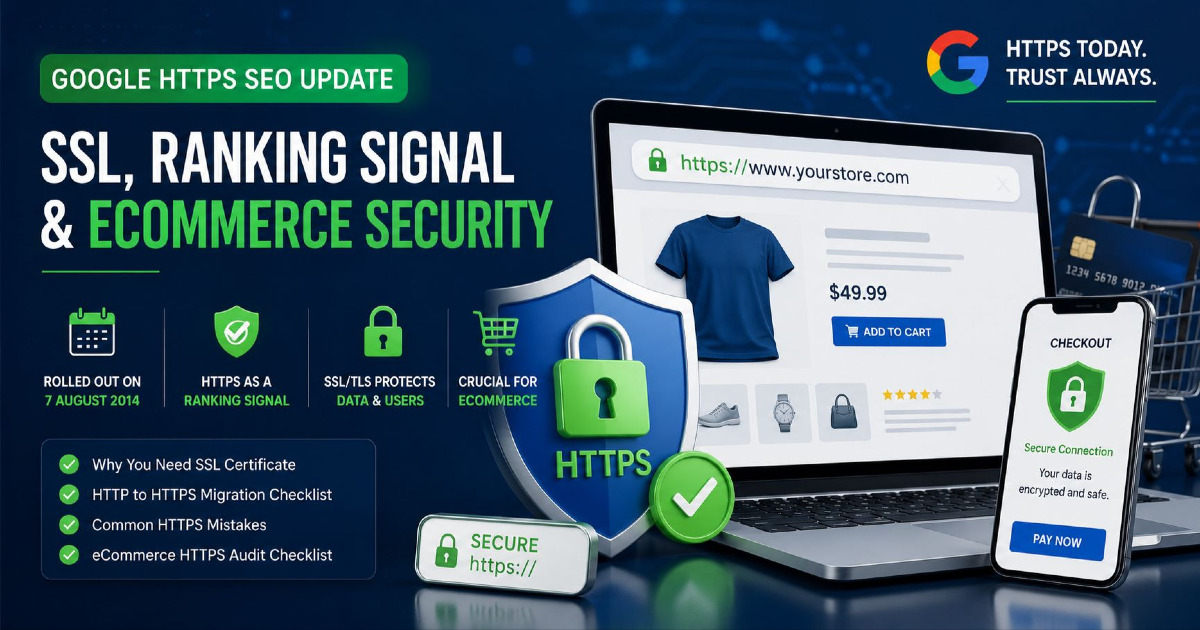
On 7 August 2014, Google announced that it had started using HTTPS as a ranking signal in Google Search. That announcement encouraged website owners around the world to move from unsecured HTTP connections to encrypted HTTPS connections.
The important part is often misunderstood. Google did not say that installing an SSL certificate would suddenly push a website to the top of the search results. At launch, Google described HTTPS as a very lightweight ranking signal affecting fewer than 1% of global queries and carrying less weight than factors such as high-quality content.
More than a decade later, HTTPS has become standard across the web. For an eCommerce store, it is especially important because customers are not simply reading content. They may be creating accounts, entering addresses, adding products to their cart and making payments.
This guide explains what Google's HTTPS update actually was, when it rolled out, what an SSL certificate does, how HTTPS affects SEO today and what eCommerce stores should check.
What Was the Google HTTPS SEO Update?
Google announced the HTTPS ranking signal on 7 August 2014.
Before making the announcement, Google said it had been testing whether secure encrypted connections could be used as one of the signals in its ranking systems. After seeing positive results, Google started using HTTPS as a ranking signal.
At the time, Google made three things clear:
- HTTPS was a ranking signal.
- It was initially a very lightweight signal.
- Content quality and other major signals carried much more weight.
This historical detail matters because many SEO articles later exaggerated the update into claims such as:
“Install SSL and your rankings will increase.”
That is not what Google announced.
HTTPS gave Google one more reason to prefer a secure version of a page, but it did not replace content quality, relevance, links, crawlability, indexing or good website structure.
Did Google Roll Out HTTPS as a Major Algorithm Update?
No. It was not similar to a large core update where websites suddenly saw major ranking movement across many industries.
Google introduced HTTPS as a small ranking signal and gave website owners time to move their sites safely.
| Date | What Happened |
|---|---|
| 7 August 2014 | Google announced HTTPS as a ranking signal. |
| 2014 announcement | Google said the signal was lightweight and initially affected fewer than 1% of global queries. |
| Following years | HTTPS adoption increased strongly across the web. |
| July 2018 | Chrome 68 started marking all HTTP pages as “Not secure”. |
| 2021 | HTTPS security was included among the signals discussed as part of Google's page experience rollout. |
| Today | Google recommends HTTPS and generally prefers HTTPS over an equivalent HTTP URL when selecting a canonical page. |
This is why HTTPS should now be viewed as a basic website standard, not an SEO trick.
Does HTTPS Still Matter for SEO?
Yes, but the reason needs to be understood correctly.
HTTPS has been a Google ranking signal since 2014. Google also recommends that websites use HTTPS and considers secure delivery part of a good page experience.
Google generally prefers the HTTPS version when both an HTTP and an HTTPS version of the same page are available, provided the HTTPS version is working correctly.
For example, suppose the same product is available at:
http://example.com/products/running-shoes

https://example.com/products/running-shoes
You should not leave both versions competing as normal indexable pages. The HTTP version should permanently redirect to the HTTPS version, and the HTTPS page should normally reference itself as the canonical URL.
However, HTTPS should not be presented as a shortcut to better rankings.
A secure page with poor content, weak products and bad technical SEO will not automatically outrank a much better page just because it has a certificate.
Can an HTTP Website Still Appear in Google?
Technically, yes.
HTTPS is not listed among Google's minimum technical requirements for a page to be eligible for indexing. A working HTTP page can still be crawled and indexed.
But that does not mean running an HTTP website is a good idea.
Modern browsers may warn users that an HTTP connection is not secure. Many modern web features expect secure connections, and sending customer information across an unencrypted connection creates unnecessary security risk.
For an eCommerce business, there is very little reason to operate the customer-facing store over plain HTTP.
HTTP vs HTTPS: What Is Actually Different?
HTTP is the system browsers use to request and receive website information.
HTTPS is HTTP running over a secure TLS connection.
| HTTP | HTTPS |
|---|---|
| Traffic is not protected by TLS | Traffic is encrypted using TLS |
| Information can be exposed or changed while travelling across an unsafe network | TLS helps protect information while it travels between browser and server |
| Browsers can show a “Not secure” warning | Browsers can verify that a secure connection has been established |
| Uses http:// | Uses https:// |
What Is an SSL Certificate?
Most people still call it an SSL certificate, but modern websites actually use TLS.
SSL stands for Secure Sockets Layer. TLS stands for Transport Layer Security. TLS replaced the older SSL technology, although terms such as “SSL certificate”, “SSL setup” and “SSL renewal” are still commonly used by hosting companies and website owners.
So when someone says:
“My website needs an SSL certificate.”
they normally mean that the website needs a trusted certificate so it can serve pages securely over HTTPS using TLS.
What Does an SSL/TLS Certificate Do?
A properly configured TLS connection mainly helps in three ways.
1. It Encrypts Data
Information sent between the customer's browser and your website is encrypted while travelling across the network.
This can include information such as:
- login details;
- contact form information;
- customer names;
- addresses;
- cart activity;
- account information;
- data exchanged with secure services.
Without encryption, traffic sent across an unsafe connection can be easier for another party on the network path to read.
2. It Helps Protect Data From Being Changed in Transit
HTTPS is not only about hiding information.
TLS also helps protect the integrity of information while it is being transferred. This makes it harder for someone sitting between the browser and server to secretly change the content being sent.
For an eCommerce site, that matters because users need to receive the pages, forms and links that the store actually intended to send.
3. It Helps the Browser Verify the Website
The certificate helps the browser confirm that it is communicating securely with the domain covered by the certificate.
If the certificate is expired, invalid or issued for the wrong hostname, browsers can display security errors instead of allowing normal access.
Does an Expensive SSL Certificate Improve SEO More Than a Free One?
No.
Google has not said that buying an expensive certificate gives you a stronger ranking signal.
A correctly configured free certificate can provide the HTTPS connection needed by the website just like a paid certificate can.
For example, certificates issued through services such as Let's Encrypt are widely used and browser trusted.
Certificate selection should be based on your technical and business requirements, such as:
- how many domains need coverage;
- whether subdomains need coverage;
- how certificate renewal is managed;
- your hosting setup;
- your company's internal security requirements.
Do not purchase a more expensive certificate because someone promises it will give you a larger Google ranking boost.
Why HTTPS Is Especially Important for eCommerce
An informational website may only show articles. An eCommerce store handles many more interactions.
A shopper may:
- search the catalogue;
- view products;
- create an account;
- save an address;
- add products to the cart;
- apply a discount code;
- move to checkout;
- connect with a payment provider;
- return to an order confirmation page.
These interactions make secure connections far more important.
HTTPS should cover the complete shopping experience, not only the final checkout page.
Do Not Secure Only the Checkout Page
Years ago, some websites used HTTP across most of the site and switched to HTTPS only when the customer reached payment.
That is no longer a good setup.
Your homepage, categories, product pages, cart, account pages and checkout journey should all use HTTPS.
A consistent HTTPS store also makes the URL structure much cleaner for search engines.
You do not want Google discovering:
http://store.com/category/shoes
https://store.com/category/shoes

http://store.com/product/red-shoe
https://store.com/product/red-shoe
as separate versions of the same pages.
HTTPS Does Not Mean Your eCommerce Store Cannot Be Hacked
This is another common misunderstanding.
An SSL/TLS certificate protects the connection between the browser and the server. It does not automatically protect the entire website from every security problem.
HTTPS does not replace:
- strong passwords;
- two-factor authentication;
- software updates;
- secure plugins and apps;
- server security;
- malware monitoring;
- payment-security controls;
- access management;
- regular backups.
Think of HTTPS as one important layer of website security, not the complete security system.
What Happens When an SSL Certificate Expires?
An expired certificate can create a serious problem for an online store.
Instead of seeing the normal website, visitors may receive a browser security warning telling them the connection is not private or cannot be trusted.
Imagine this happening during a sale when customers are trying to reach product pages or checkout.
This is why certificate renewal should normally be automated where the hosting platform allows it.
Store owners should still monitor certificate health because DNS changes, proxy changes, hosting migrations and incorrect configurations can sometimes cause certificate problems.
Shopify and SSL Certificates
Shopify makes this relatively simple.
Shopify provides TLS certificates for domains connected correctly to Shopify and serves the store over HTTPS. A third-party domain may require some time after connection before the certificate becomes active.
Shopify merchants should still check that:
- the domain shows as properly connected;
- HTTPS loads without certificate errors;
- external images and scripts also load securely;
- old hard-coded HTTP assets have not been added through themes or apps;
- all primary store URLs resolve to the preferred HTTPS version.
The fact that Shopify manages the certificate does not mean HTTPS problems can never occur. DNS, domain and third-party asset issues can still create warnings.
WooCommerce and SSL Certificates
WooCommerce runs on your own WordPress hosting setup, so SSL/TLS normally depends on your hosting provider, CDN or server configuration.
Many WordPress hosts now provide automatic certificates.
After HTTPS is enabled, make sure the WordPress site URL, internal links, images, scripts, canonical tags and sitemap all use the preferred HTTPS URLs.
Old WordPress content sometimes contains hard-coded HTTP image or script URLs. These can create mixed-content problems even though the main page itself loads over HTTPS.
Custom eCommerce Stores Need HTTPS Across Every Important Hostname
A custom or headless store may use several domains or subdomains.
For example:
www.example.com
checkout.example.com
account.example.com
images.examplecdn.com
api.example.com
The certificate setup and secure connections need to work correctly across all relevant services.
A certificate that covers www.example.com does not automatically mean every possible subdomain is covered.
Certificate coverage should match the real architecture of the store.
What Is Mixed Content?
Mixed content happens when an HTTPS page tries to load some resources through HTTP.
For example:
Page:
https://example.com/product

Image:
http://example.com/images/product.jpg
or:
Page:
https://example.com/checkout

Script:
http://thirdparty.com/widget.js
This creates an inconsistent security setup. Browsers may block some insecure resources or warn about the page.
For an eCommerce site, review:
- product images;
- CSS;
- JavaScript;
- fonts;
- review widgets;
- chat tools;
- tracking scripts;
- payment integrations;
- embedded video or external content.
They should be available securely where required.
HTTP to HTTPS Is Also a URL Migration
From an SEO point of view, these are different URLs:
http://example.com/product-a

https://example.com/product-a
So an established website moving to HTTPS should treat the change carefully.
This does not mean you need to panic about rankings. Google has clear site-move guidance for HTTP-to-HTTPS changes.
The important thing is to send consistent signals that the HTTPS URLs are now the permanent versions.
How to Move From HTTP to HTTPS Without Creating SEO Problems
The migration does not need to become a complicated 30-step exercise. The basic SEO work is straightforward.
1. Install and Test the TLS Certificate
Make sure the certificate is valid for the domain and any required hostnames.
Test the HTTPS site before relying on it for customers.
2. Redirect HTTP URLs Directly to HTTPS
Each important HTTP URL should permanently redirect to the matching HTTPS URL.
For example:
http://example.com/category/brake-pads
301/308
https://example.com/category/brake-pads
Do not redirect every HTTP page to the homepage.
The old and new pages should match as closely as possible.
3. Avoid Unnecessary Redirect Chains
A direct redirect is cleaner:
HTTP
→ HTTPS
rather than:
HTTP
→ HTTP WWW
→ HTTPS WWW
→ final URL
Redirect chains create extra requests for users and crawlers. For more detail, see my HTTP status codes guide.
4. Update Internal Links
Your own navigation, category links, product links and content links should point directly to HTTPS.
Do not depend on a redirect every time a customer clicks an internal link.
5. Update Canonical Tags
HTTPS pages should normally reference the preferred HTTPS URLs in their canonical tags.
A page such as:
https://example.com/product
should not accidentally contain:
<link rel="canonical"
href="http://example.com/product">
This sends conflicting signals. Read my canonical tags guide if you need to audit this across a large store.
6. Update the XML Sitemap
Your sitemap should list the HTTPS versions you want Google to crawl and consider for Search.
Do not keep submitting HTTP product and category URLs after the migration.
For large stores, my eCommerce XML sitemap guide explains product, category and variant sitemap decisions separately.
7. Update hreflang Where Used
International stores should make sure hreflang annotations reference the correct HTTPS URLs.
A UK page should not continue pointing to an HTTP version of the US store after both have moved to HTTPS.
8. Fix Mixed Content
Crawl the site and check whether images, scripts, fonts or other resources still load over HTTP.
Fix the original URLs instead of depending on the browser to repair or block them.
9. Submit and Monitor the HTTPS Site in Search Console
Use Google Search Console to monitor crawling and indexing after the migration.
Check important URLs with URL Inspection and submit the new HTTPS sitemap.
You do not need Google's Change of Address tool just because you changed from HTTP to HTTPS on the same domain. Google currently reserves that tool for moves between domains or subdomains.
10. Keep the HTTP Redirects
Do not remove the redirects as soon as Google starts showing HTTPS URLs.
Old HTTP URLs may still exist in bookmarks, old links, historic search data and other websites.
Google recommends keeping site-move redirects for a long period, generally at least one year. In practice, keeping HTTP-to-HTTPS redirects permanently is usually sensible if there is no reason to remove them.
HTTPS Audit Checklist for an eCommerce Store
If your store already uses HTTPS, you do not need to perform a migration again. Instead, audit whether the implementation is clean.
| Check | What You Want to See |
|---|---|
| Certificate | Valid and trusted certificate for the correct hostname |
| Expiry | Automatic renewal or reliable expiry monitoring |
| HTTP pages | Permanent redirect to matching HTTPS page |
| Redirects | Direct destination without unnecessary chains |
| Canonical tags | HTTPS canonical URLs |
| Internal links | Direct HTTPS links |
| XML sitemap | HTTPS canonical URLs only |
| Product images | Loaded securely |
| JavaScript and CSS | No insecure HTTP resources |
| Checkout | Secure throughout the customer journey |
| Account pages | Secure login and account connections |
| Third-party tools | Review apps, analytics, chat and payment services loading securely |
| International URLs | HTTPS hreflang references where applicable |
| Search Console | No important HTTPS or indexing problems |
If you are auditing an entire store rather than HTTPS alone, use my eCommerce SEO audit guide to check crawling, indexing, categories, products and technical issues together.
Does HTTPS Improve eCommerce Conversion Rate?
Be careful with fixed claims such as:
“Installing SSL increases conversions by 18%.”
There is no single conversion improvement that applies to every website.
The effect depends on the store, browser warnings, brand, customers, checkout design and the previous condition of the site.
A better way to think about it is this: an invalid or unsecured connection can create unnecessary doubt and browser warnings during a journey where customers are expected to trust your website with personal information.
Removing that problem is important, but you should not promise a fixed increase in conversion rate.
Does HTTPS Improve Website Speed?
HTTPS itself should not be marketed as a guaranteed speed improvement.
Modern web infrastructure supports fast secure connections, and technologies such as HTTP/2 and HTTP/3 are commonly used with HTTPS. However, page speed still depends on many things including hosting, images, JavaScript, caching, themes, apps and server response times.
Do not expect an SSL certificate alone to make a slow eCommerce store fast.
Does HSTS Improve Google Rankings?
No direct ranking improvement has been confirmed for adding the HSTS security header.
HSTS tells browsers to use HTTPS for the site and can provide useful security protection against protocol downgrade behaviour.
It can be a sensible security measure when configured correctly, but it should not be added because someone promises an SEO ranking boost.
Does HTTPS Protect SEO During Checkout and Tracking?
HTTPS helps create a secure foundation, but your tracking and checkout systems still need to be tested properly.
After a migration, test important eCommerce actions such as:
- product views;
- Add to Cart;
- checkout start;
- payment redirects;
- order confirmation;
- GA4 ecommerce events;
- Google Ads conversions;
- Meta Pixel or server-side events;
- affiliate or third-party tracking where used.
The main risk is usually not “HTTPS stops tracking”. Problems happen when old URLs, scripts, callbacks, payment settings or external integrations were configured for the previous setup and were not updated properly.
Should New Websites Even Think About HTTP?
For a new public website, especially an eCommerce site, HTTPS should be enabled from the beginning.
Starting with HTTPS avoids the work of migrating later and keeps one clean URL version from the start.
Modern platforms and hosting providers have also made certificates much easier to obtain and renew than they were when Google first announced the ranking signal in 2014.
HTTPS SEO Mistakes to Avoid
- Do not claim HTTPS is a major ranking boost. Google introduced it as a lightweight signal.
- Do not keep both HTTP and HTTPS versions as normal pages. Redirect HTTP to HTTPS.
- Do not point HTTPS canonicals back to HTTP.
- Do not include HTTP URLs in the new sitemap.
- Do not ignore mixed content. Secure pages should load important resources securely.
- Do not buy an expensive certificate for SEO. Certificate price is not a ranking factor.
- Do not use Change of Address for a protocol-only move.
- Do not believe HTTPS prevents every website attack. It protects data in transit but is only one part of security.
- Do not forget certificate renewal. An expired certificate can stop customers from accessing the store normally.
HTTPS Is Now a Basic Part of Technical SEO
The biggest change since Google's 2014 HTTPS update is not that HTTPS became a magic ranking factor. The bigger change is that secure browsing became normal.
Google announced HTTPS as a lightweight ranking signal on 7 August 2014. Chrome later became much more direct about warning users when pages were served over HTTP, and Google continues to recommend HTTPS as part of providing a secure website experience.
For an eCommerce store, the reason to use HTTPS is even stronger. Customers move through product pages, carts, accounts and checkout systems while sharing information with the store and connected services.
A proper HTTPS setup therefore needs to do more than display a secure connection. The certificate must be valid, HTTP URLs should redirect correctly, internal links and canonical tags should use HTTPS, sitemaps should contain the preferred URLs, external resources should be secure and checkout integrations should continue working.
If your website already runs correctly on HTTPS, you do not need to keep “optimising SSL” for rankings. Move your attention to bigger SEO opportunities such as product discovery, category structure, crawling, indexing and useful content. My eCommerce technical SEO guide covers those areas in more detail.
If you run an online store and want to find technical problems affecting product and category visibility, see my eCommerce SEO services.